
Updated Sep 24, 2026
Custom Agent Starter Kit Notion Template
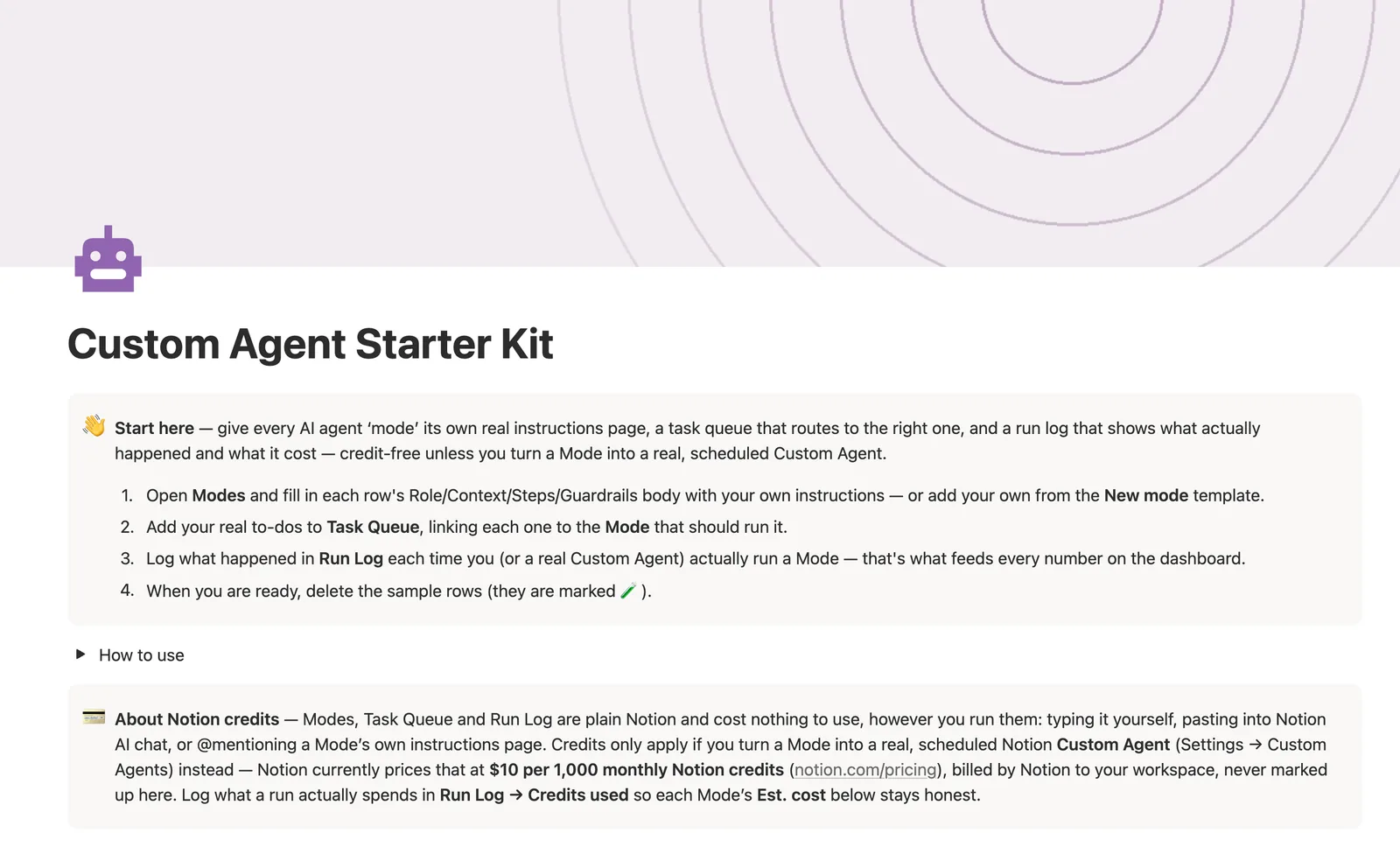
The Custom Agent Starter Kit is a Notion template that gives every AI agent "mode" its own real instructions page, a task queue that routes to the right one, and a run log showing what actually happened and what it cost. It's credit-free unless you turn a Mode into a real, scheduled Notion Custom Agent.
One-time payment · Works on Notion Free · Instant Library access
Who it's for
Who it's for
- People experimenting with Notion's Custom Agents who want real instructions pages, not scattered prompts
- Anyone who wants a task queue that routes work to a specific agent mode and logs what happened
- People who want to see actual credit cost before turning a Mode into a live scheduled agent
- Teams standardizing how several AI workflows, triage, status reports, drafting, get instructions and get tracked
What's inside
What's inside
Modes are real instructions pages
A Mode isn't a database row with a name, it's a page with a Role, Context, Steps and Guardrails body you @mention into Notion AI chat or paste into a Custom Agent's Instructions field.
A task queue that routes to the right Mode
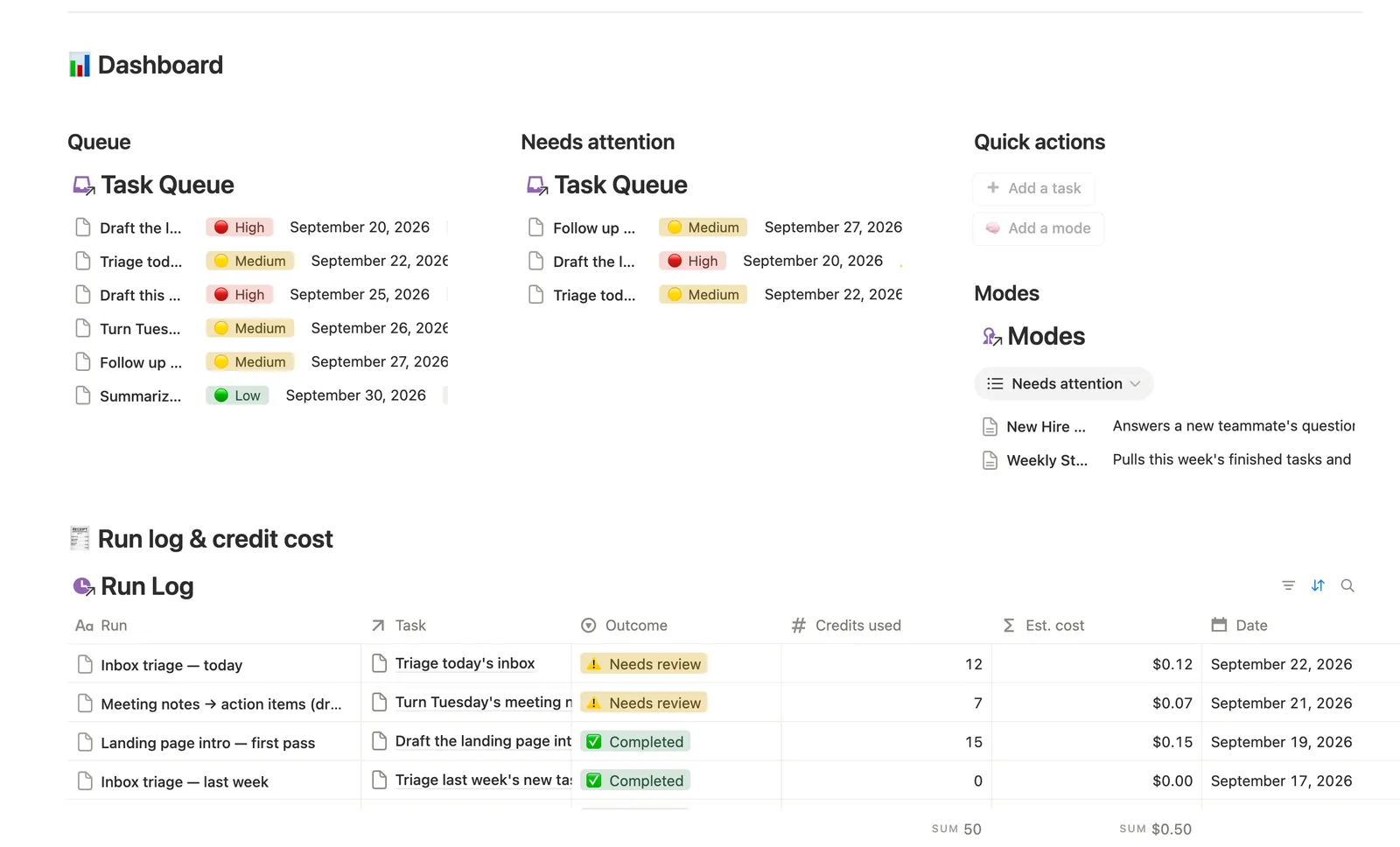
Task Queue rows link to the Mode that should handle them, with Flag and Due in computed from Due and Status, never typed by hand.
A run log that tracks real outcomes and cost
Log what actually happened in Run Log, linking it back to the Task. Last run, Run count and Credits used on the Task, and Task count, Open tasks, Last active and Total credits on the Mode, all roll up from there.
Credit-free until you go live
Modes, Task Queue and Run Log are plain Notion and cost nothing to use, however you run them. Credits only apply once you turn a Mode into a real, scheduled Notion Custom Agent, priced by Notion at $10 per 1,000 monthly credits.
Needs attention, on both sides
Modes' Needs attention flags an Active mode that's never actually run; Task Queue's Needs linking catches a task a button created without a Mode attached, since a dashboard button can't know which Mode a task belongs to.
Eight ready-made Modes
The template ships with eight built Modes, Inbox Triage, Weekly Status Report, Meeting Notes Processor, Content Drafting, Customer Reply Assistant, Research Digest, New Hire Buddy, and a retired example kept for reference, as real, filled-in instructions pages to copy from.
How it works
How it works
Three databases connect: Modes, Task Queue and Run Log. Every Task Queue row links to the Mode that should handle it, and every Run Log entry links back to the Task it came from. A Task's Last run and Credits used roll up from its Runs; a Mode's Task count, Open tasks, Last active and Total credits then roll up a second tier further, from every Task linked to it, so a Mode's own Est. cost reflects real logged runs, never a guess.
Spec
- Databases
- 3
- Two-way relations
- 2
- Formulas
- 8
- Rollups
- 6
- Views
- 17
- One-click buttons
- 2
- Database templates
- 4
- Sample rows
- 24
- Databases Modes, Task Queue, Run Log
- Entity pages Modes
- Buttons ➕ Add a task, 🧠 Add a mode
How to use
- 01
A Mode is a real instructions page, not a database row with a name — open one, fill in its Role/Context/Steps/Guardrails body, then @mention that page (or paste it) into Notion AI chat, or into a Custom Agent's Instructions field if you set one up.
- 02
Task Queue rows link to the Mode that should handle them — Flag and Due in compute themselves from Due and Status, never typed by hand.
- 03
Log what actually happened in Run Log, linking it back to the Task — Last run, Run count and Credits used on the Task, and Task count, Open tasks, Last active and Total credits on the Mode, all roll up from there.
- 04
A button can't link a relation for you — anything Task Queue → Needs linking catches still needs you to open the row and set Mode by hand.
- 05
Credits only matter once you turn a Mode into a real Custom Agent — see 💳 About Notion credits below for the current, verified price.
- 06
Pair this with the AI Prompt Library once a Mode's instructions need reusable prompt text that lives outside any one Mode's own page.
Setup
Setup
- 01
Duplicate the template into your own Notion workspace.
- 02
Open Modes and fill in each row's Role, Context, Steps and Guardrails body with your own instructions, or add one from the New mode template.
- 03
Add your real to-dos to Task Queue, linking each one to the Mode that should run it.
- 04
Log what happened in Run Log each time you or a real Custom Agent runs a Mode, and delete the 🧪 sample rows once you're set up.
Compared
| This template | Prompts in chat history | |
|---|---|---|
| Reusable instructions | A real Mode page per agent | Buried in old conversations |
| Routing work to an agent | Task Queue to Mode relation | You copy-paste manually |
| Cost tracking | Credits used, rolled up per Mode | Not tracked anywhere |
| What actually happened | Run Log with Outcome + Summary | Not recorded |
§ FAQ
FAQ
Does Notion have an AI agent template?
Not a built-in one, and this isn't a live Custom Agent either, it's an instructions-and-tracking system around Notion's own Custom Agents feature. Modes hold real Role/Context/Steps/Guardrails instructions pages, Task Queue routes work to the right one, and Run Log tracks what happened and what it cost.
What is a custom AI agent?
In Notion, a Custom Agent is a scheduled or triggered AI workflow you set up under Settings, Custom Agents, built from a set of instructions. This template's Modes are exactly those instructions, written as real pages you can run yourself, paste into Notion AI chat, or hand to an actual Custom Agent once you're ready.
Can Notion track what a custom AI agent actually did?
Not on its own, Notion doesn't log agent runs automatically. This template's Run Log is where you record the outcome and Credits used for each run by hand, and that log is what every Task's Last run and every Mode's Est. cost roll up from.
Does this cost Notion credits to use?
Not by default. Modes, Task Queue and Run Log are plain Notion databases and cost nothing however you use them, typing it yourself or pasting a Mode's instructions into Notion AI chat. Credits only apply if you turn a Mode into a real, scheduled Notion Custom Agent, which Notion currently prices at $10 per 1,000 monthly credits.
Does this work on Notion's Free plan?
Yes, for the template itself, Modes, Task Queue and Run Log all run on Notion's Free plan. Turning a Mode into a live, scheduled Custom Agent is a separate Notion feature with its own credit cost, unrelated to which Notion plan you're on.
More from AI
§ The Bundle
Get the whole Bundle
Custom Agent Starter Kit plus 49 more templates, one payment.
One-time payment · Works on Notion Free · Instant Library access