
Updated Sep 24, 2026
§ Freelance & Clients
Notion Freelancer Templates
Six templates that roughly follow the order a freelance client relationship actually happens in: Client CRM runs Leads and Clients through a named pipeline, Proposals & Contracts is where a deal gets closed, Projects & Deliverables and Time Tracker are for doing and logging the work, Invoices & Payments is for getting paid, and Client Portal is where the client sees any of it themselves.
You wouldn't necessarily run all six for one small project: Client CRM and Proposals & Contracts matter most before you have the work, Projects & Deliverables and Time Tracker matter while you're doing it, and Invoices & Payments matters after. Client Portal sits alongside whichever of those you're already using and mirrors it back to the client, filtered to just their own Requests, Deliverables and Invoices, shared view-only. None of these templates pull data from each other automatically, since each is its own standalone Notion duplicate, so using several together means re-entering a client's name in more than one place, not one shared client record across all six.
Start with Client CRM if lead tracking and follow-ups are the actual problem. Start with Projects & Deliverables or Time Tracker if you already have clients and need to track the work itself. Add Invoices & Payments the first time a partial payment or an overdue invoice gets confusing to track by hand, and Proposals & Contracts once you're sending enough proposals to want a real win rate instead of a gut feeling. Client Portal is worth adding once a client starts asking about status by email.
6 templates in Freelance & Clients
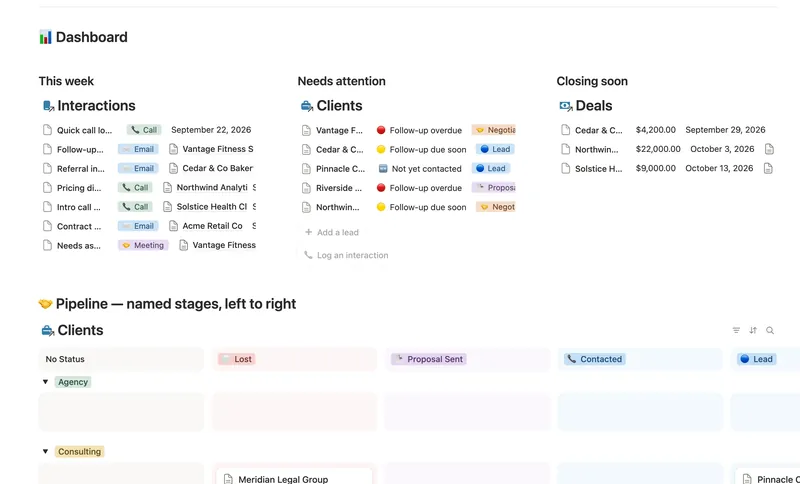
- 31 Client CRM Run every Lead and Client through a named pipeline, log every call and email against the right Contact, and never miss a follow-up — Pipeline value, Won value and Next follow-up are computed straight from your Deals and Interactions, never re-typed, with a live hub page the moment you add someone. 4 db · 10 formulas · 2 buttons
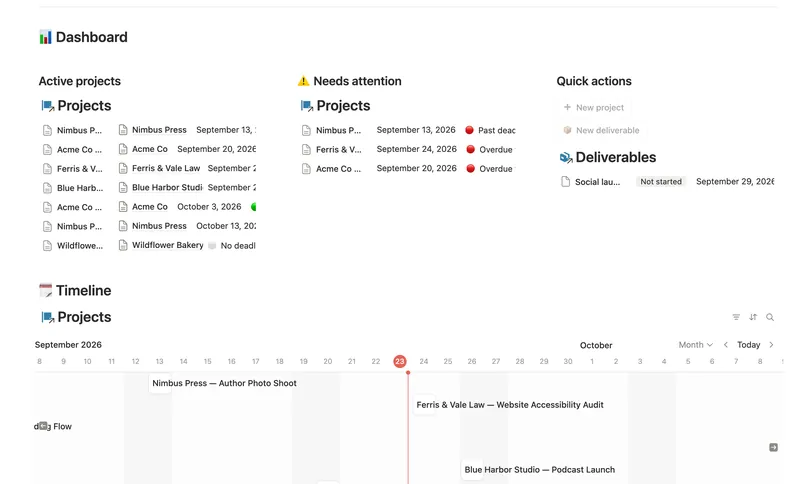
- 32 Projects & Deliverables See every Client's Projects and every Project's Deliverables in one connected system — with Progress, Health and a live Timeline computed automatically, never re-typed. 3 db · 7 formulas · 2 buttons
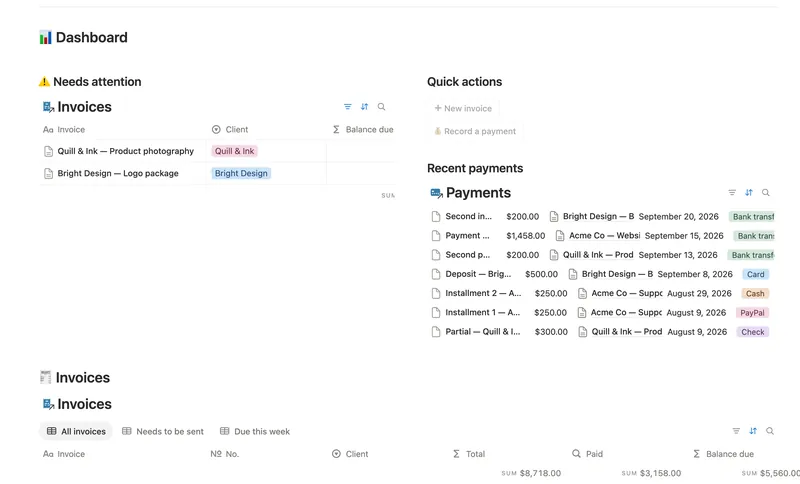
- 33 Invoices & Payments Invoice clients, track every partial payment against the balance still owed, and catch what's overdue — and by how long — before a client has to ask. 3 db · 10 formulas · 2 buttons
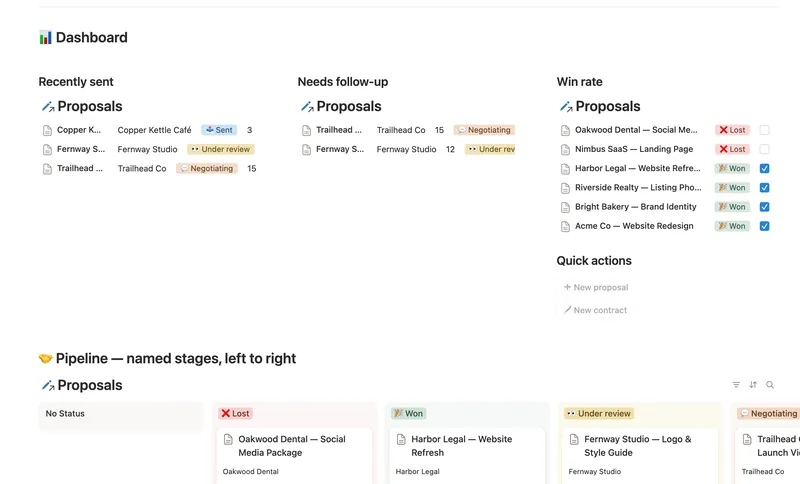
- 34 Proposals & Contracts Track every proposal from draft to signed, see your real win rate, and never miss a contract renewal. 2 db · 7 formulas · 2 buttons
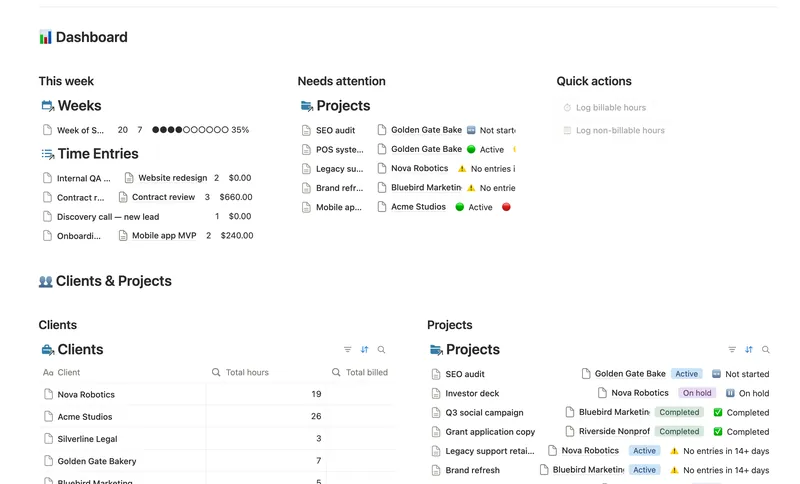
- 35 Time Tracker Log every hour against the right project, watch it turn into a rate × hours dollar figure without retyping a thing, and see whether this week is on pace before Friday — not after. 4 db · 16 formulas · 2 buttons
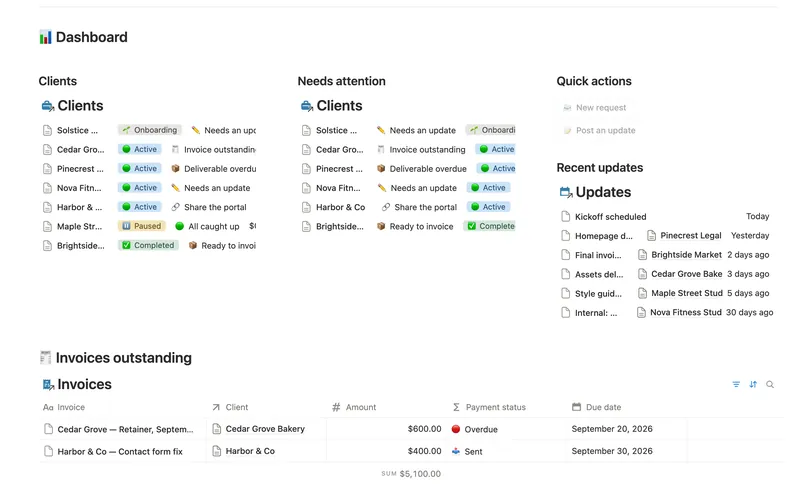
- 36 Client Portal Give every client their own living portal page — Requests, Deliverables and Invoices already filtered to just them, shared view-only, with nothing to configure by hand. 5 db · 15 formulas · 2 buttons
§ FAQ
FAQ
What Notion templates help freelancers manage clients?
Client CRM for the pipeline from lead to won or lost, Proposals & Contracts for closing the deal, Projects & Deliverables and Time Tracker for doing the work, Invoices & Payments for getting paid, and Client Portal for sharing status back with the client.
Does Notion have a CRM template?
Yes, Client CRM: Leads and Clients move through a named pipeline (Lead, Contacted, Proposal Sent, Negotiating, Won, Lost), with Pipeline value and Won value computed from a linked Deals database instead of tracked separately.
Is the Client CRM a personal CRM too?
No. It's built for a sales and client pipeline, tracking leads through to won or lost deals, not for tracking personal relationships. If you're looking for a personal-contacts CRM, this isn't built for that use case.
Can Notion track invoices and time billed to clients?
Yes, as two separate templates: Time Tracker logs hours against a Project and turns them into a dollar figure from a rate, and Invoices & Payments tracks invoices with line items and partial payments against the balance owed. They don't share data automatically, so hours logged in Time Tracker don't flow into an invoice by themselves.
Is there a free Notion CRM template?
Yes. Client CRM (Lite) is one of the five free Lite templates, with the core pipeline and follow-up tracking. The full Client CRM adds a Contacts database, a Deals database with pipeline-value rollups, a Referred-by relation, a live per-client hub page and a public lead-intake form.
§ The Bundle
Get all 50, including every Freelance & Clients template
One payment, $197 value, lifetime updates.
One-time payment · Works on Notion Free · Instant Library access