
§ 00 — The Bundle
50 Notion systems, engineered like software.
Budgets that reconcile. Goals that roll up. Trackers that flag what needs attention. The Bundle runs on 168 two-way relations and 626 working formulas; it's real structure, not sticky notes in a database. Every template works on Notion's Free plan.
One-time payment · Works on Notion Free · Instant Library access
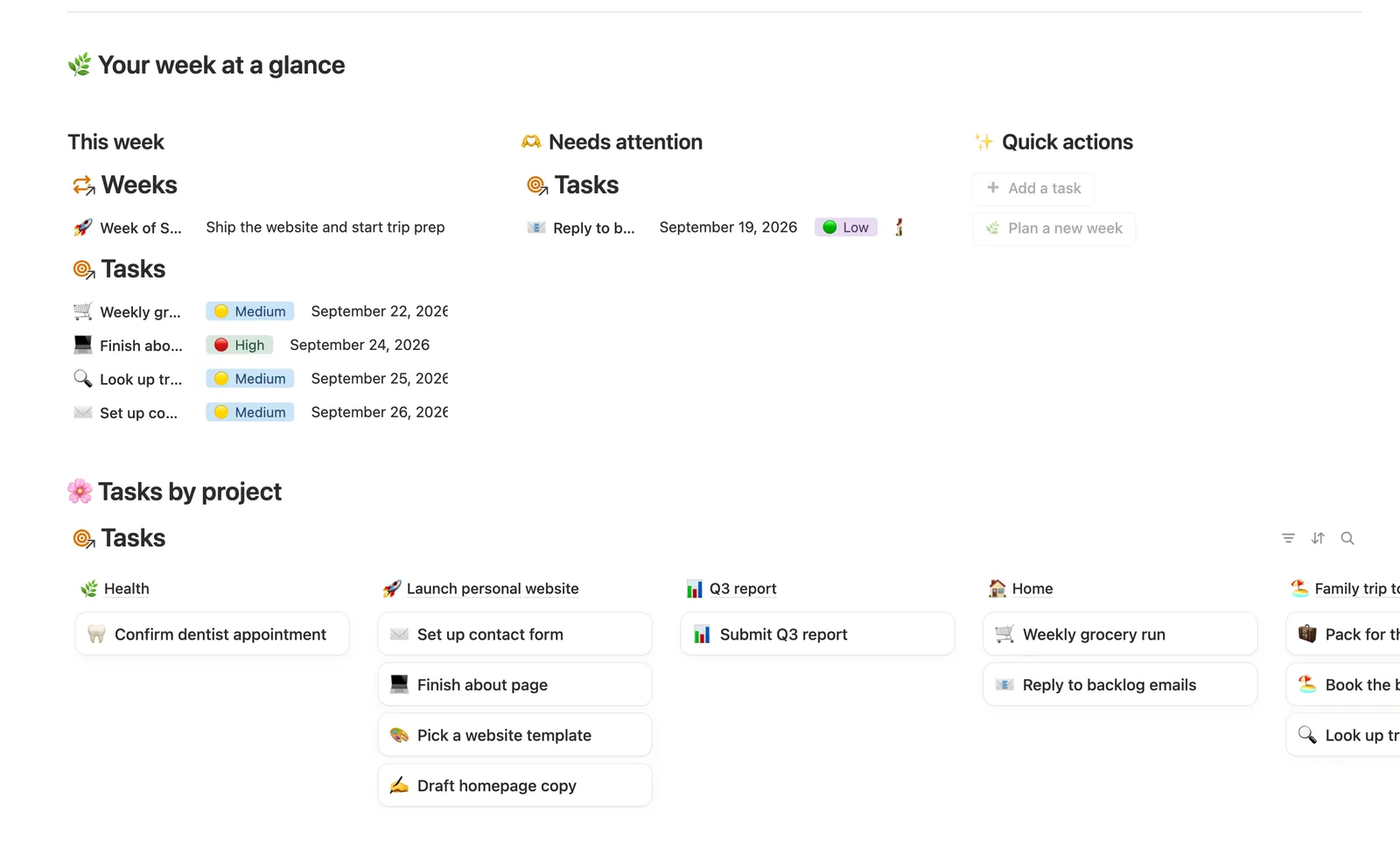
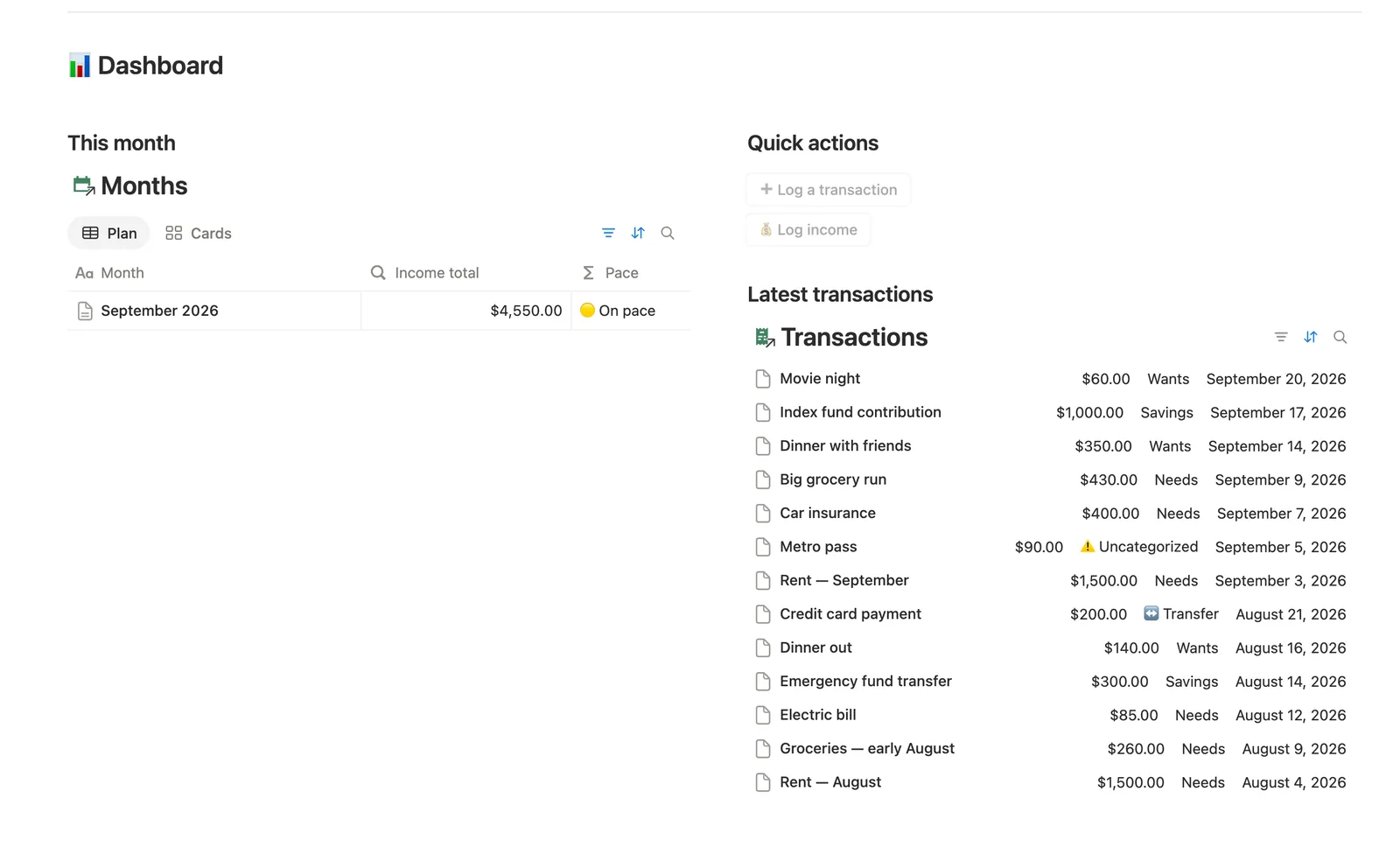
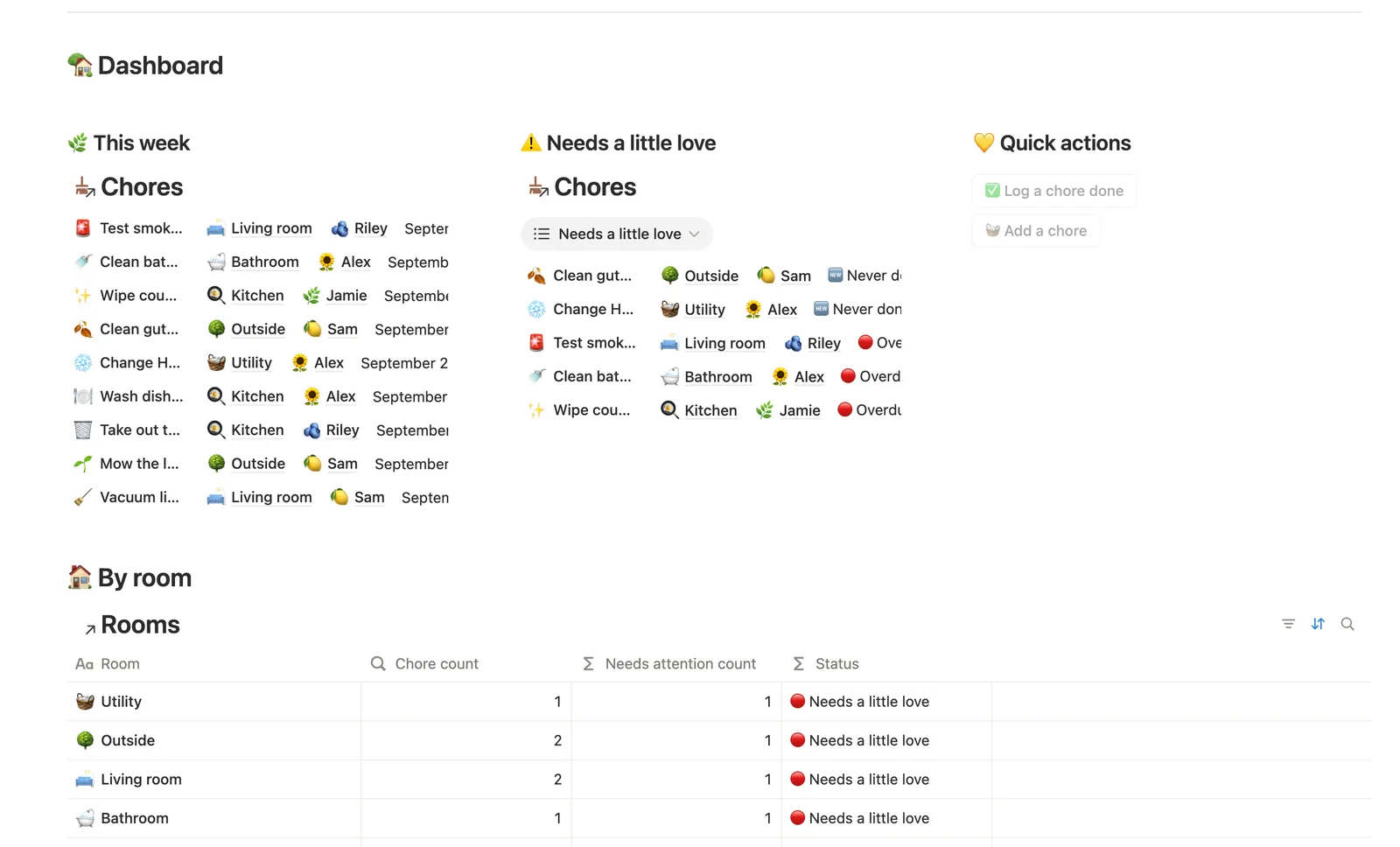
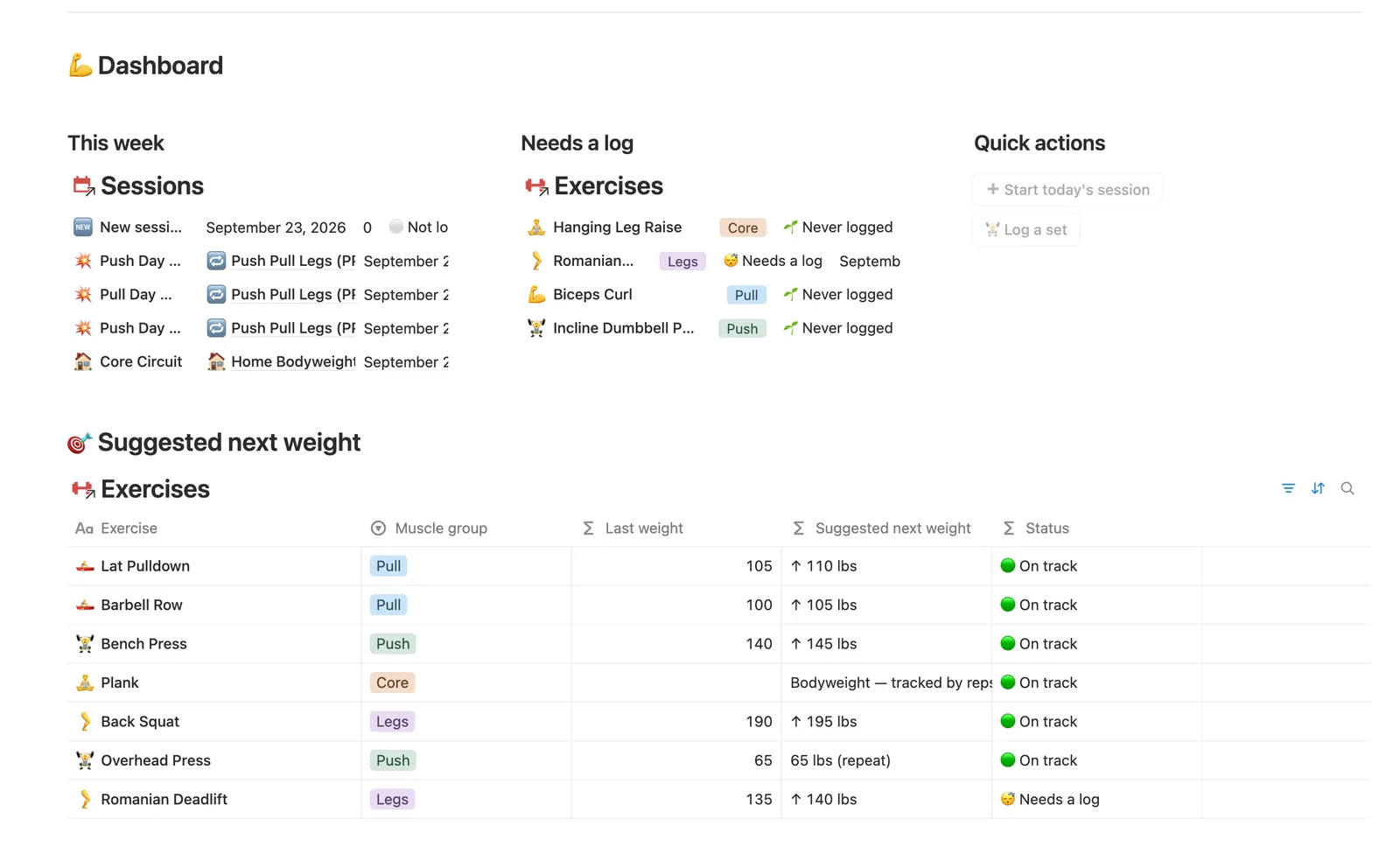
§ 01 — By the numbers
- Master Templates
- 50
- Databases
- 187
- Two-way relations
- 168
- Formulas
- 626
- Rollups
- 311
- Views
- 1,097
- One-click buttons
- 110
- Database templates
- 247
- Sample rows
- 1,530
Counted from the template source, not estimated.
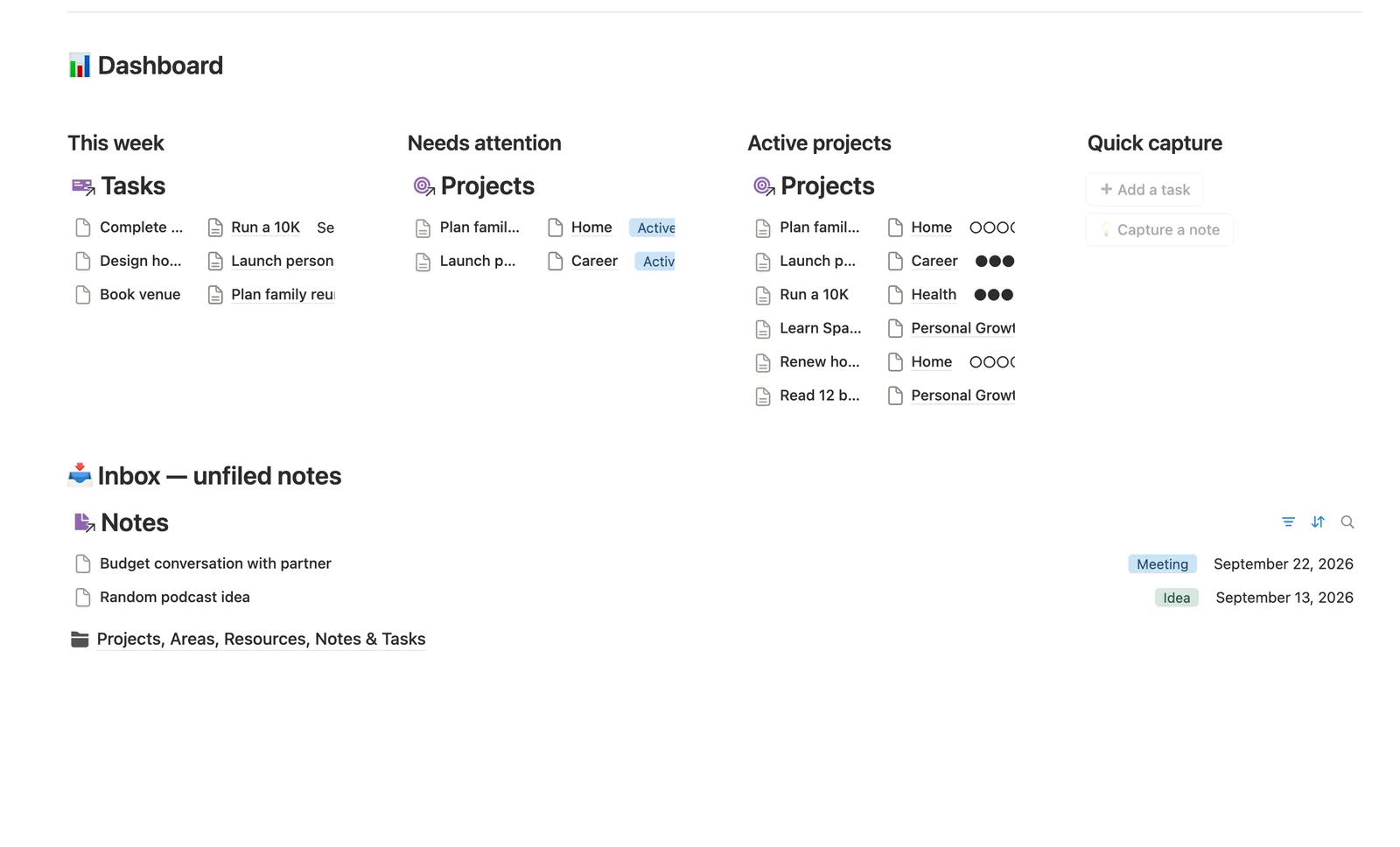
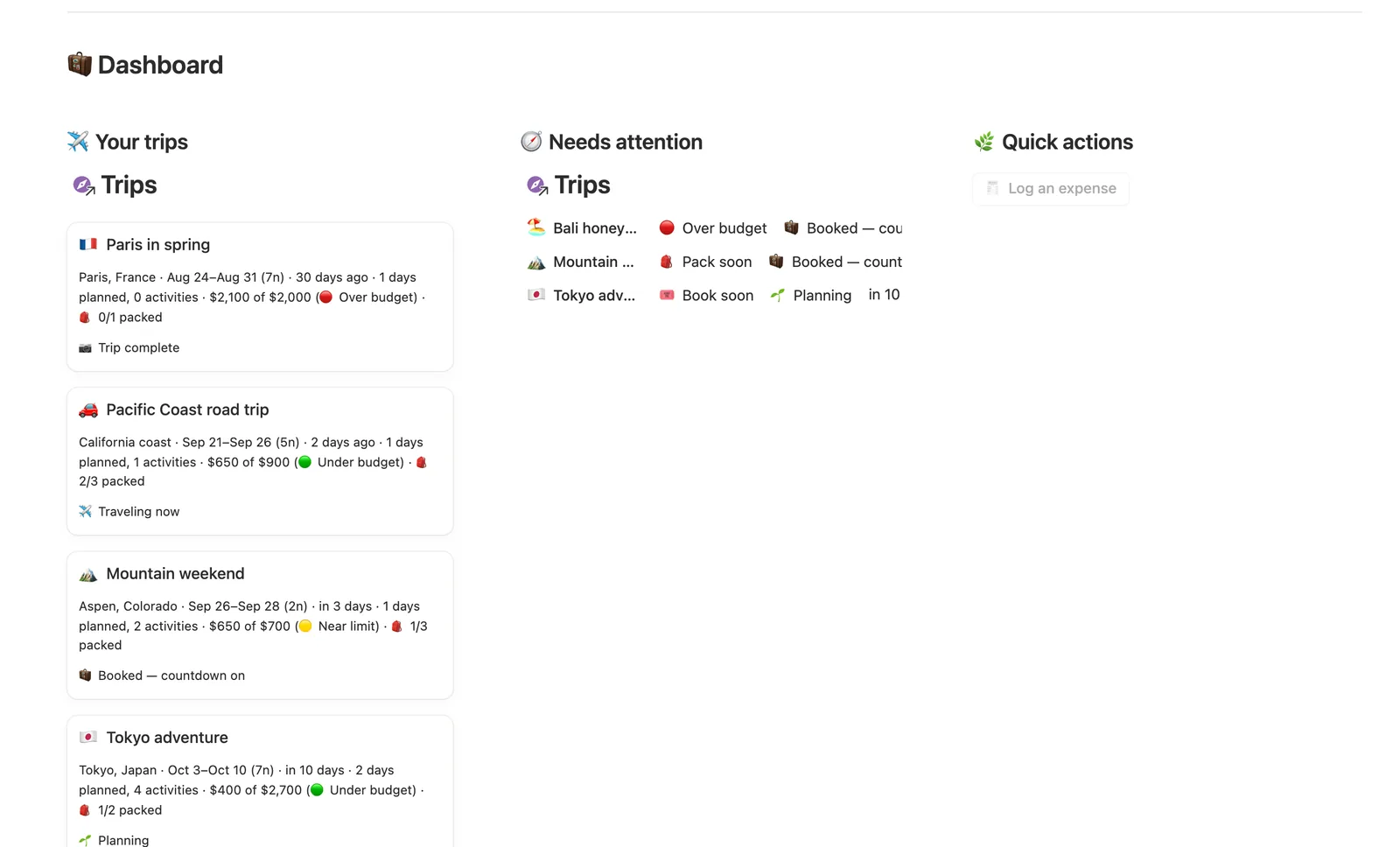
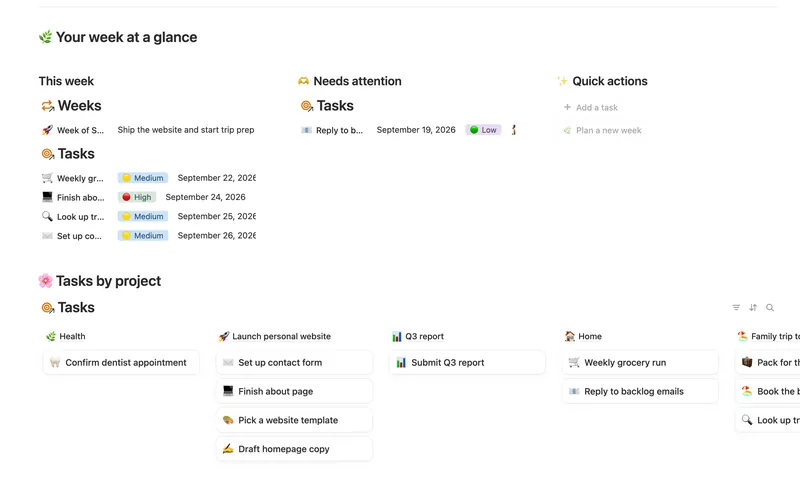
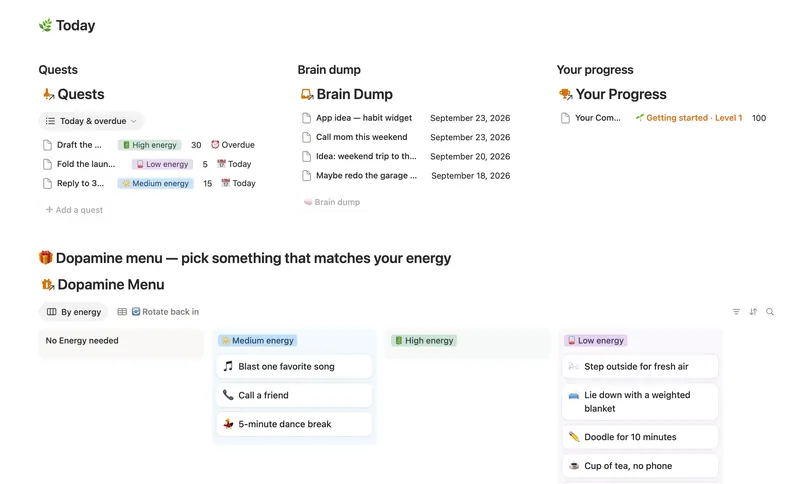
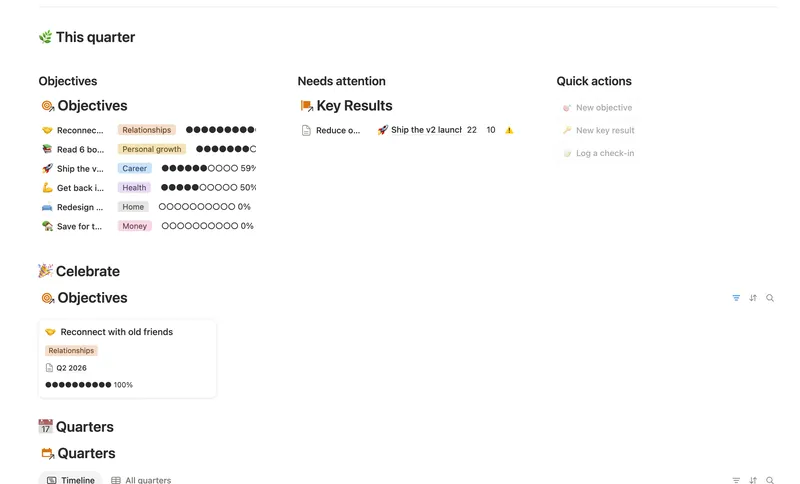
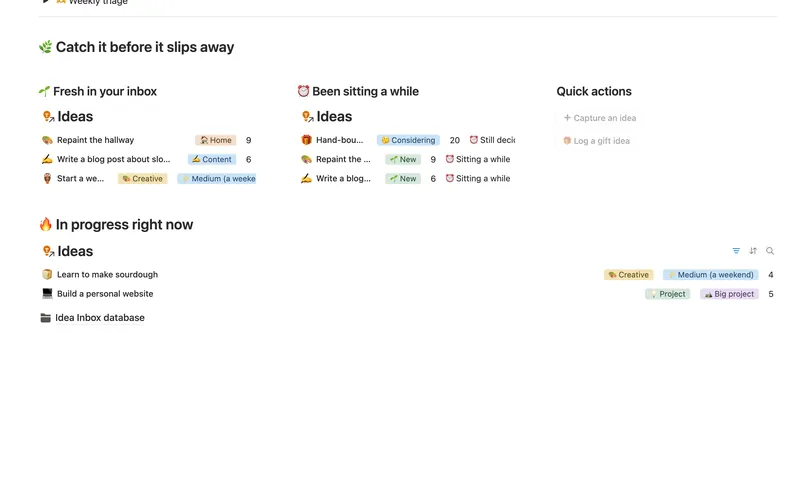
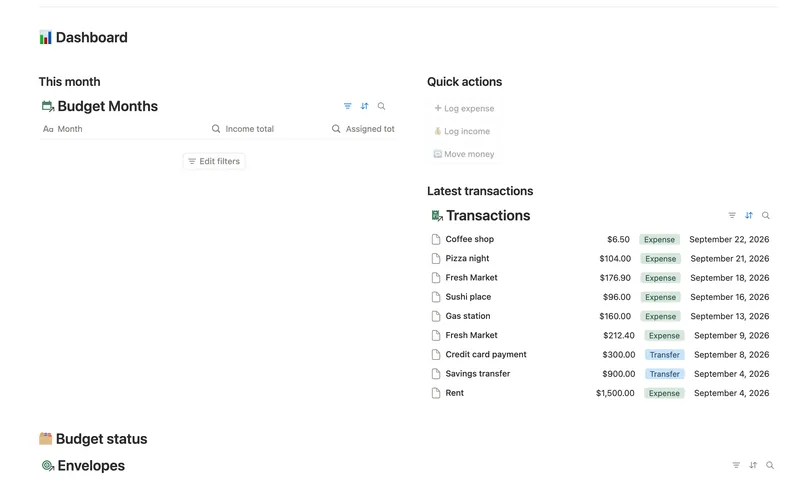
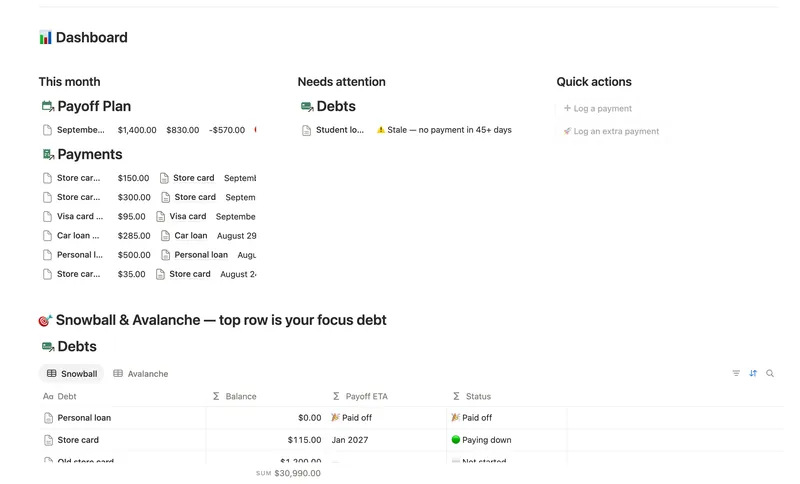
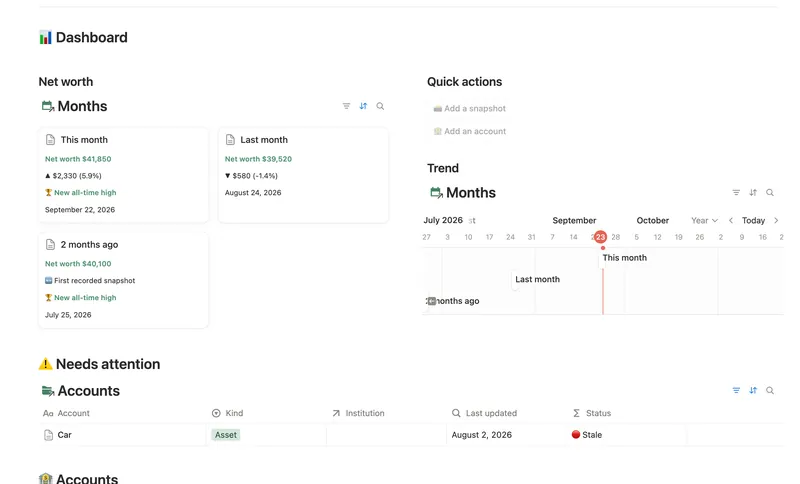
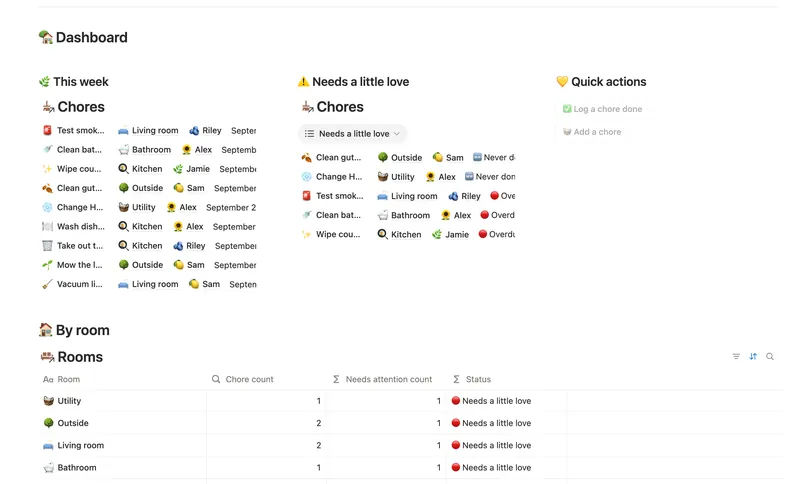
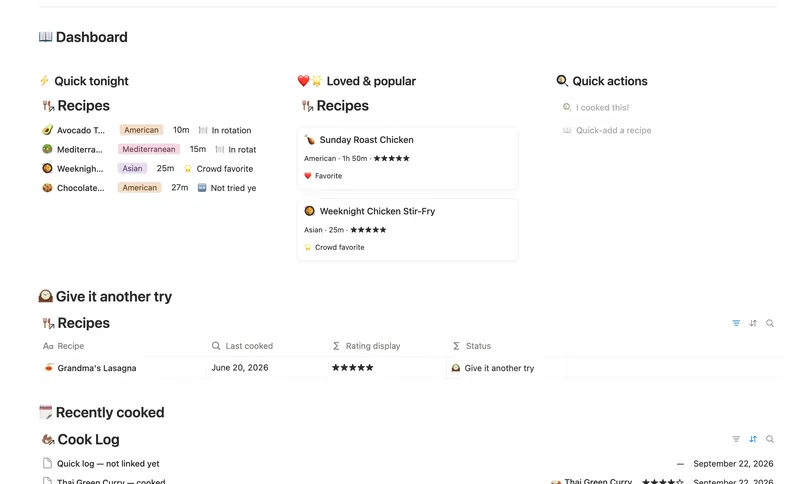
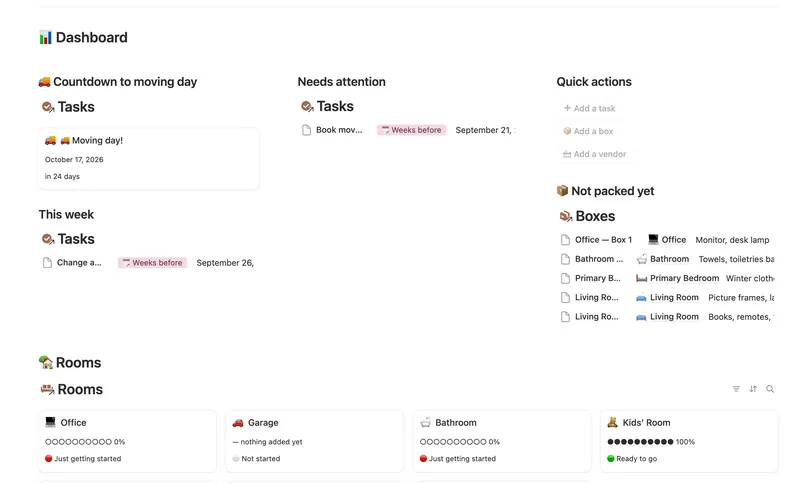
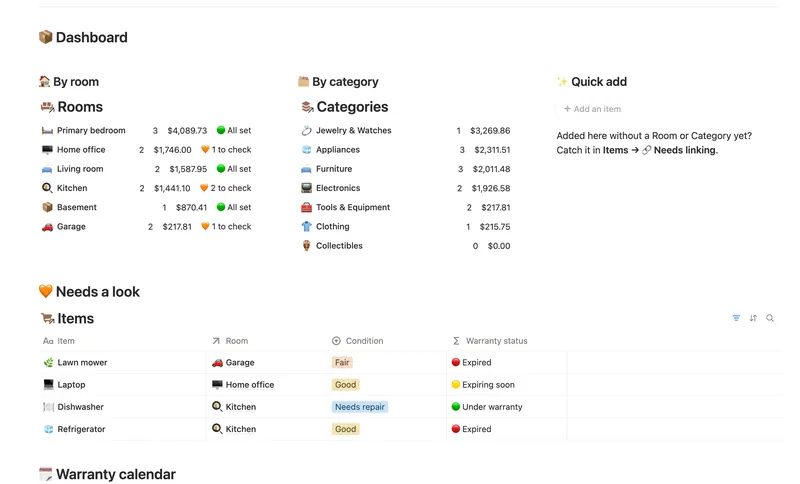
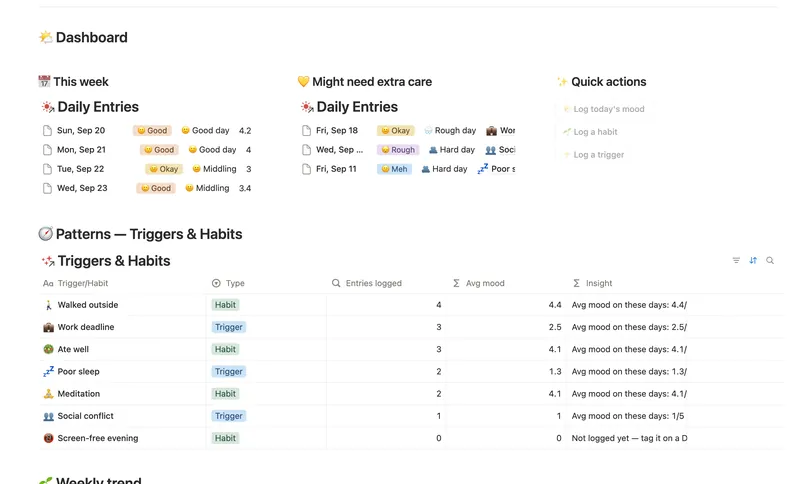
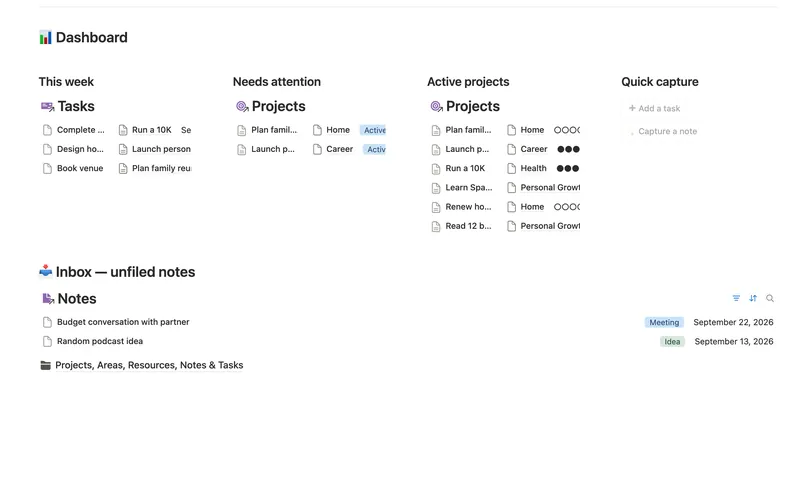
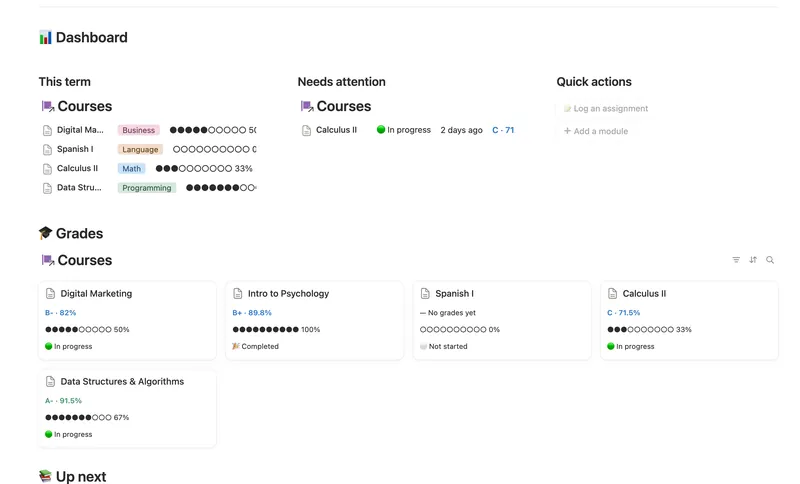
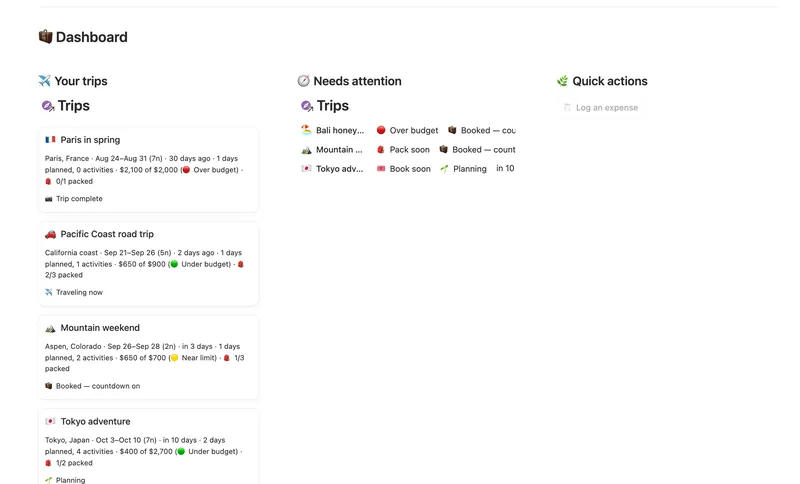
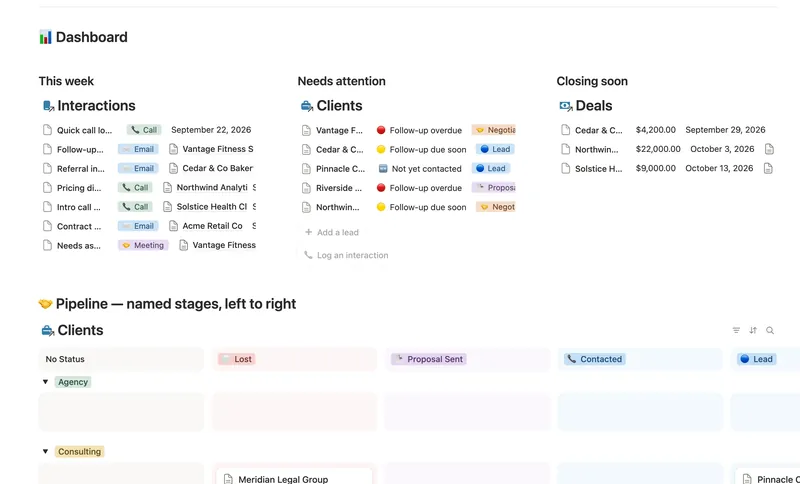
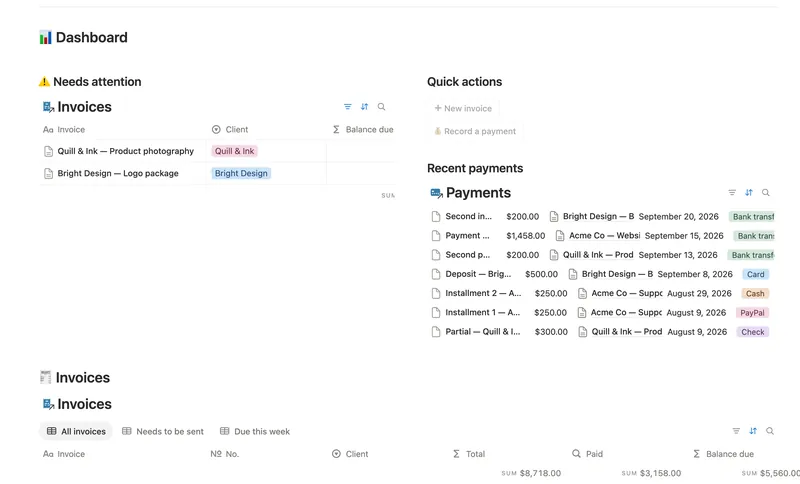
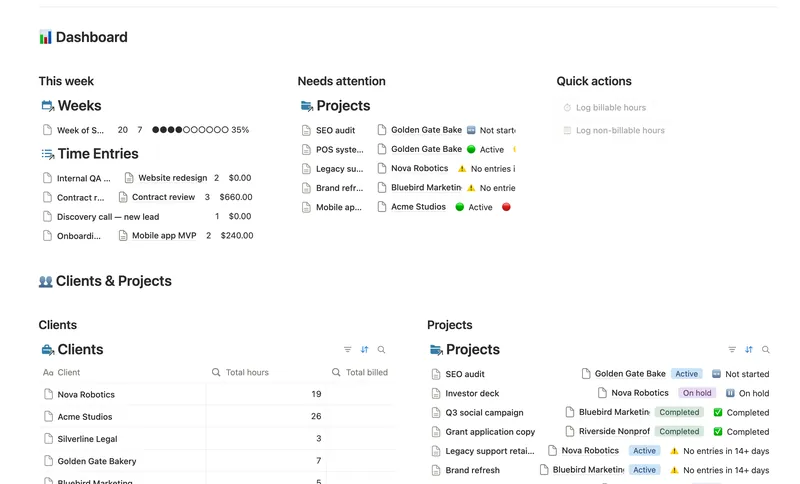
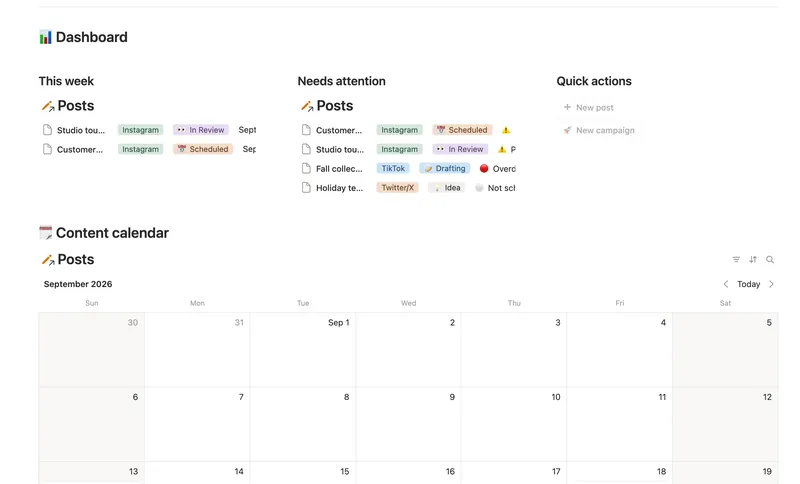
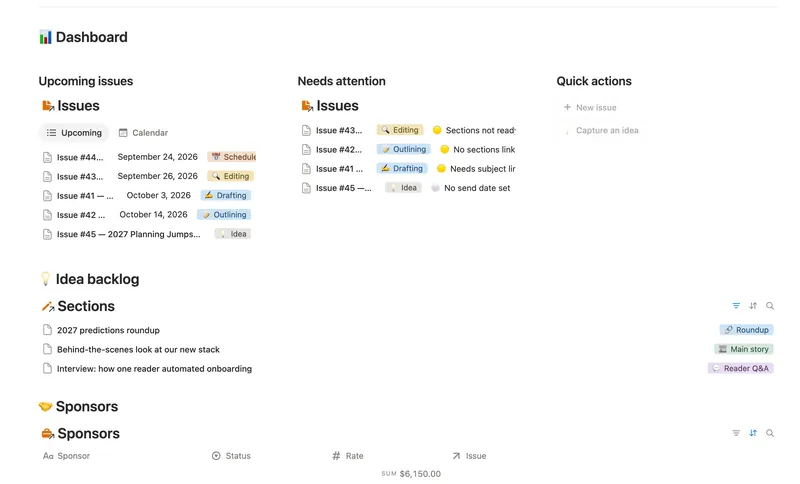
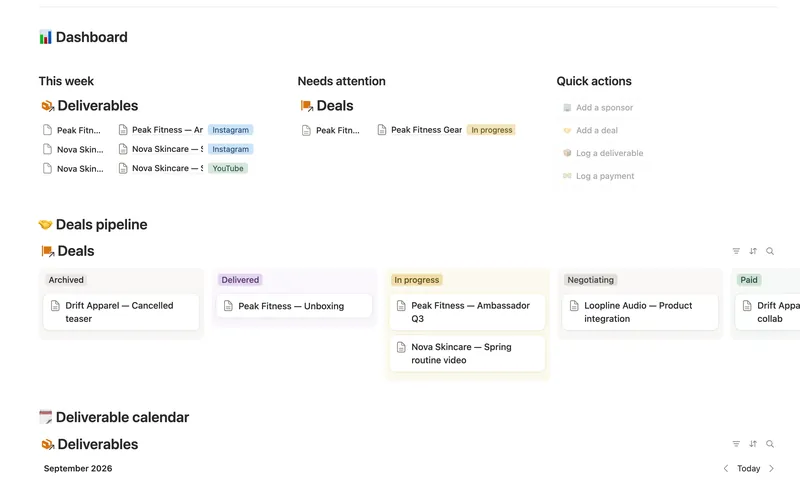
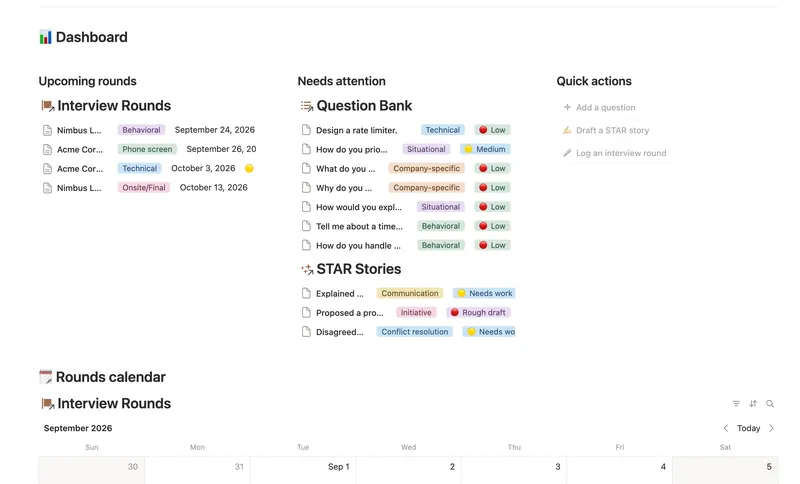
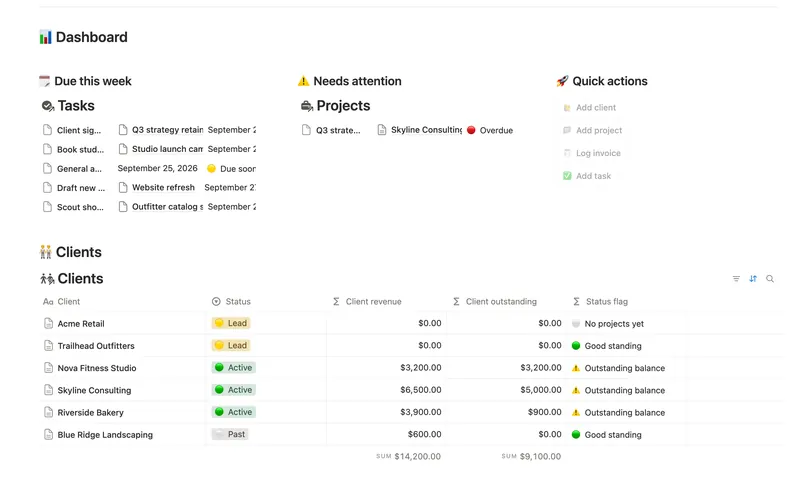
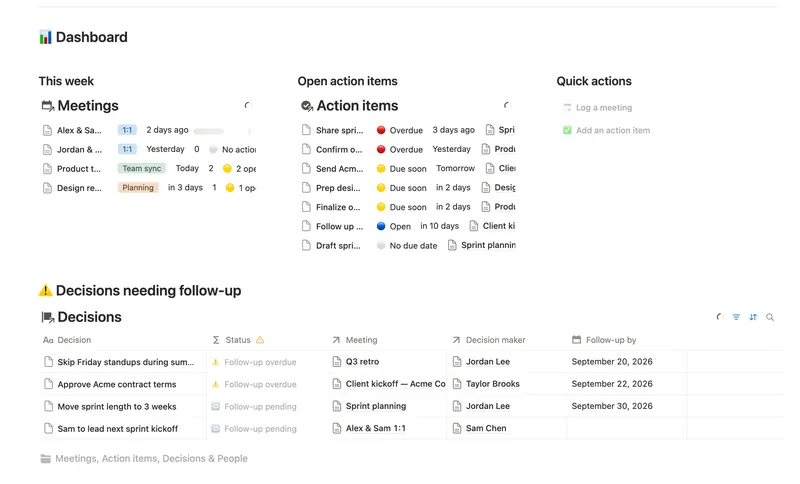
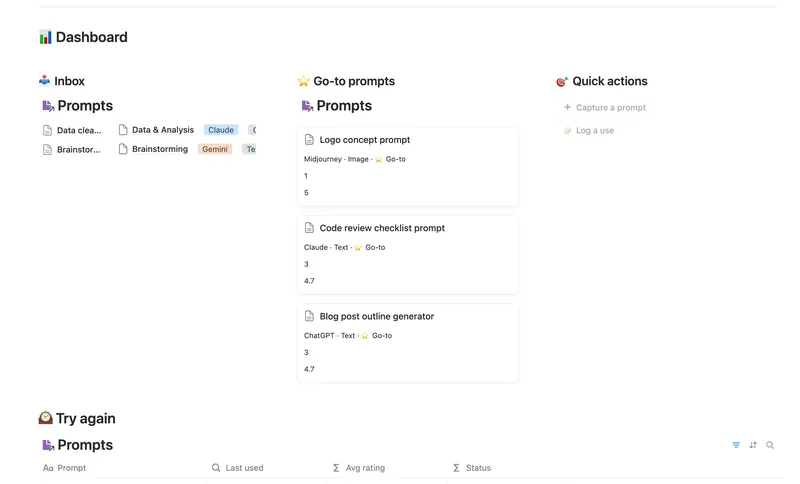
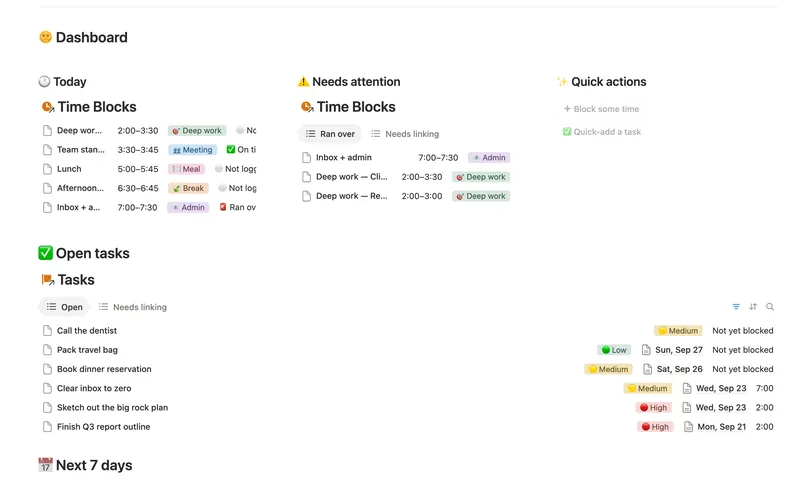
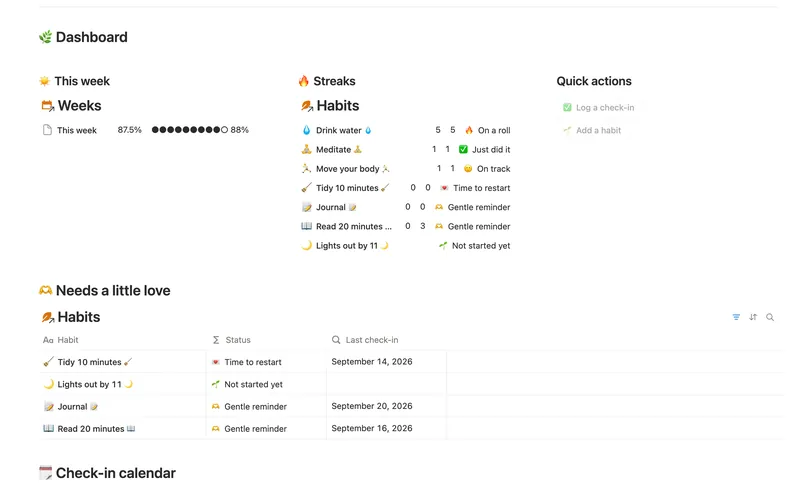
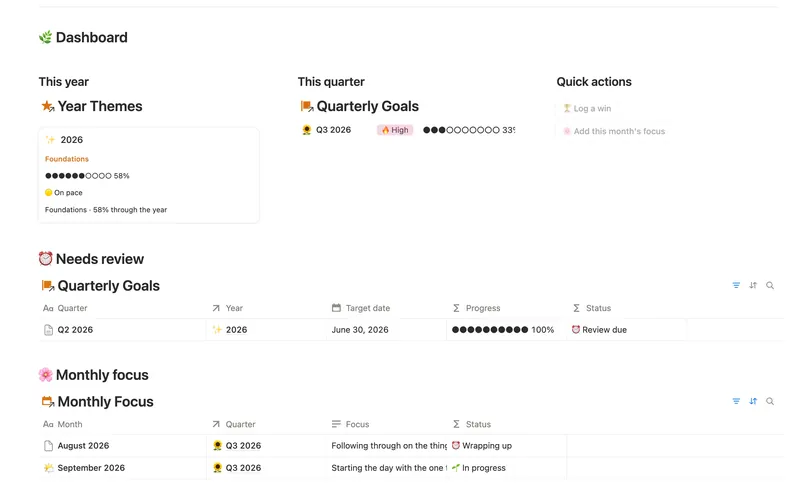
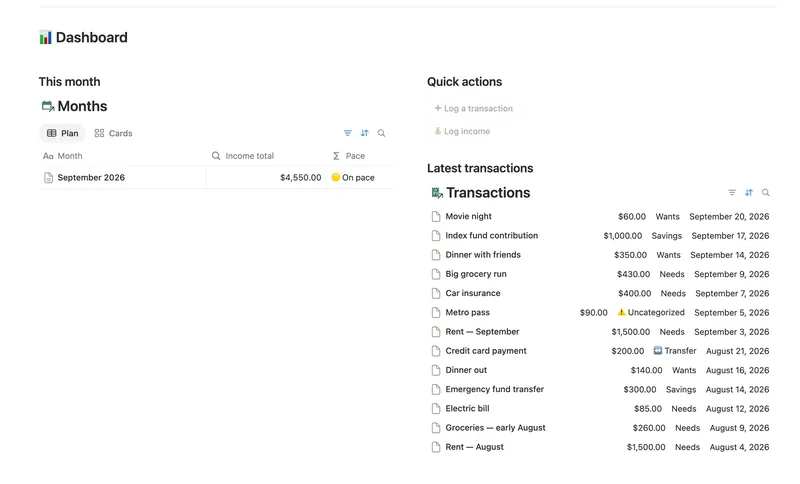
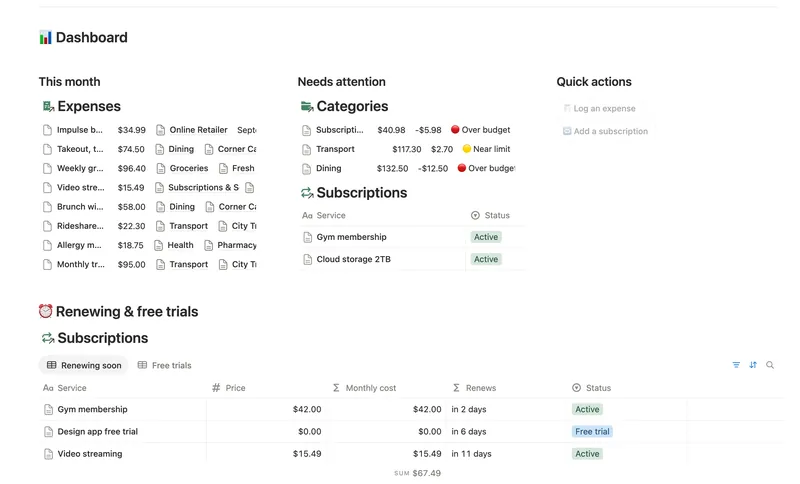
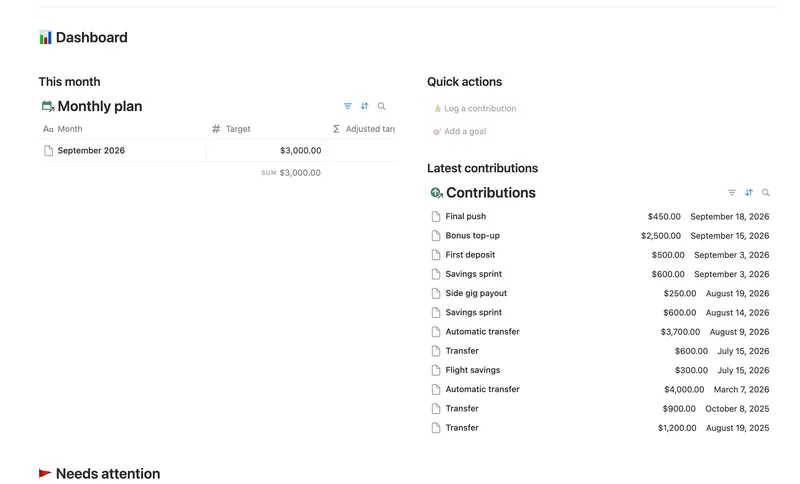
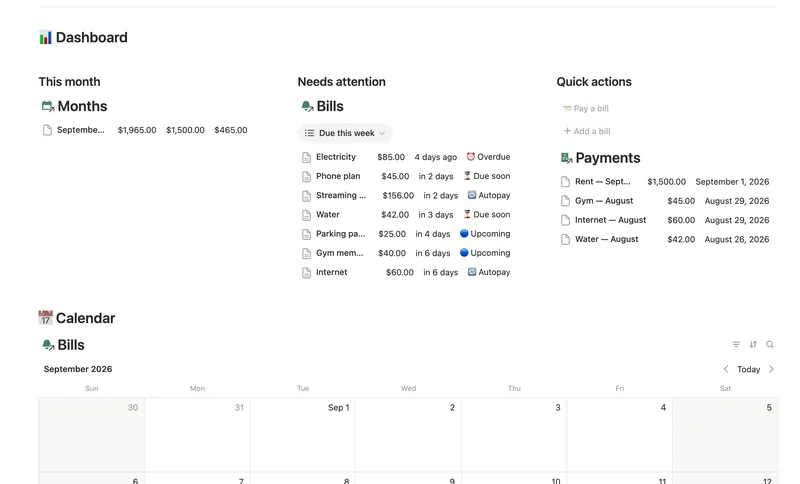
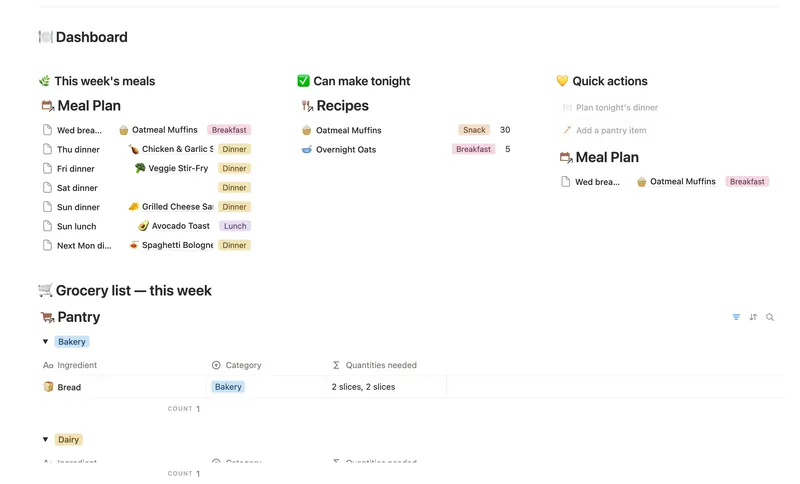
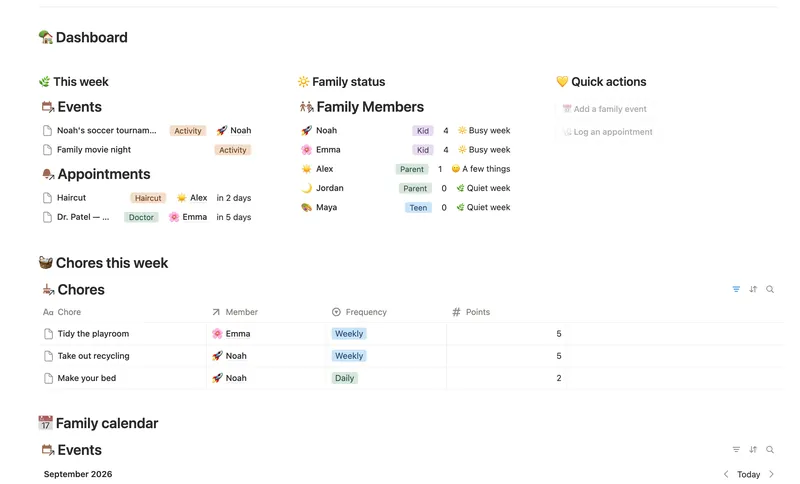
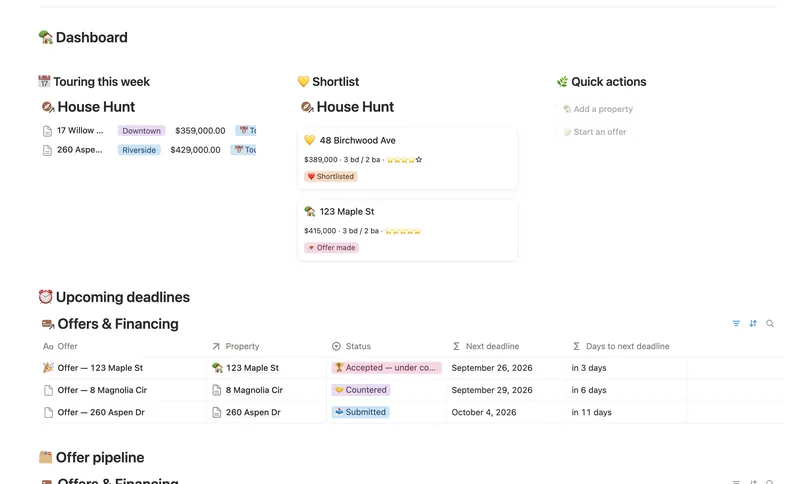
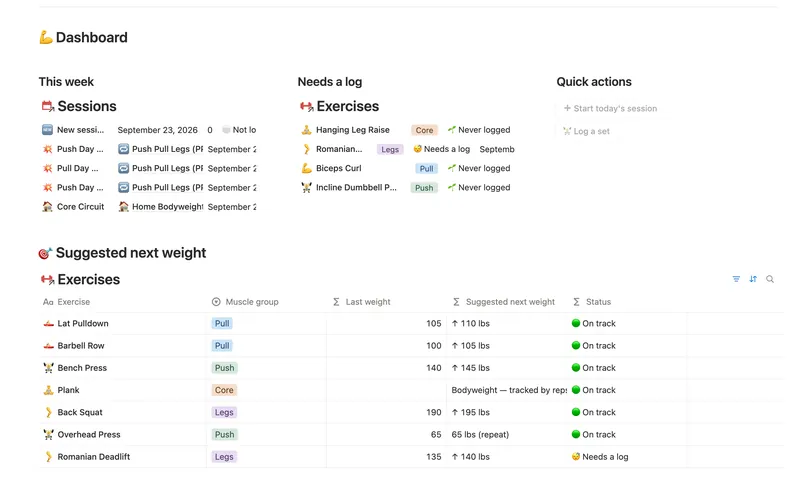
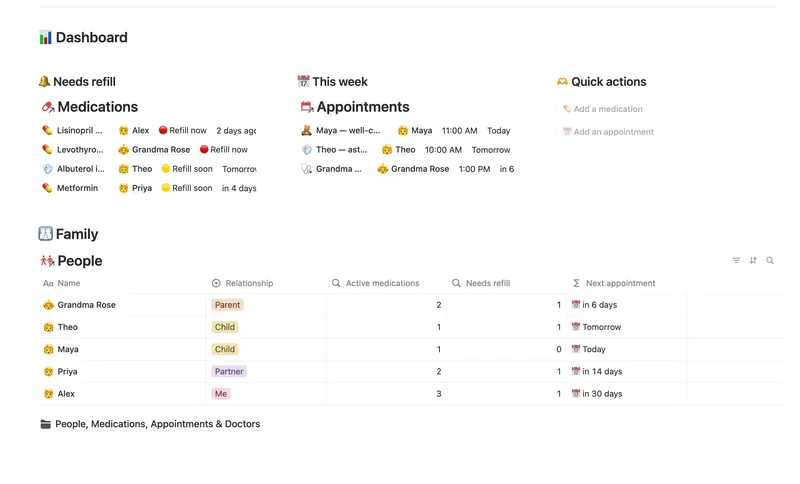
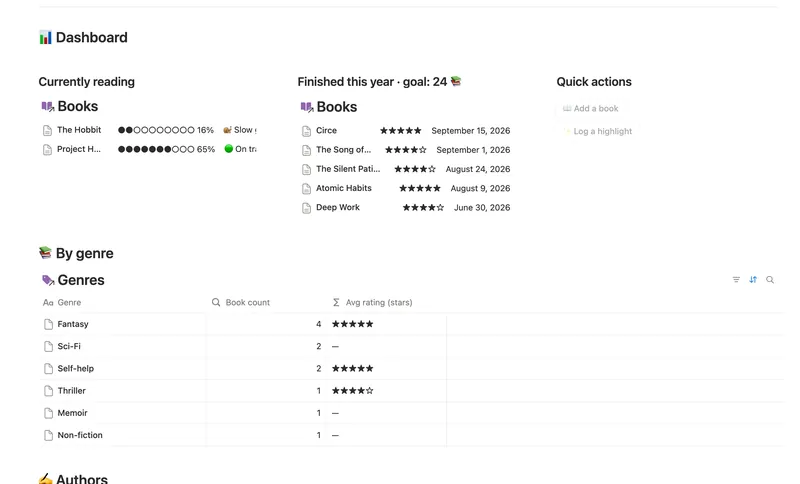
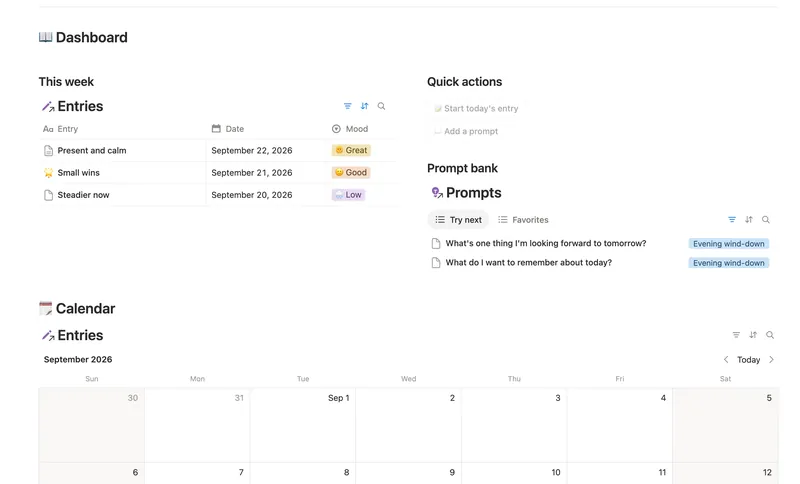
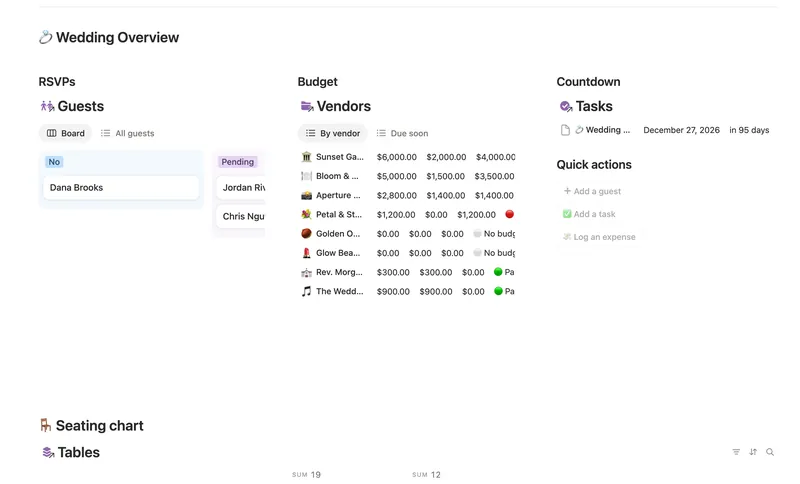
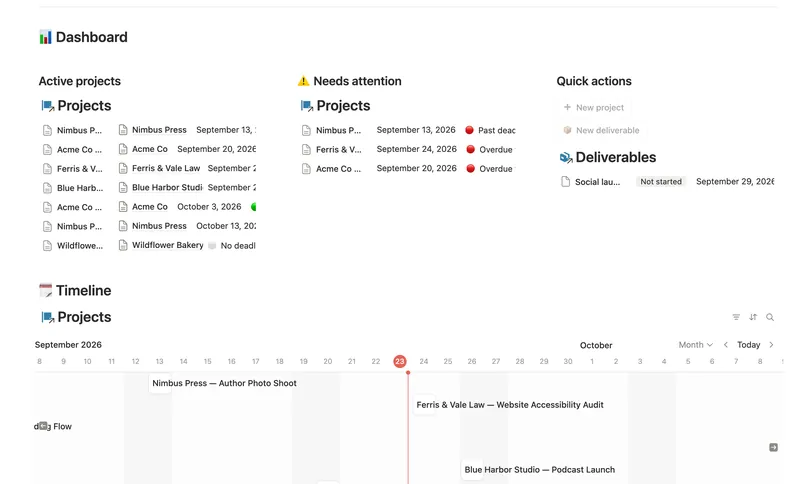
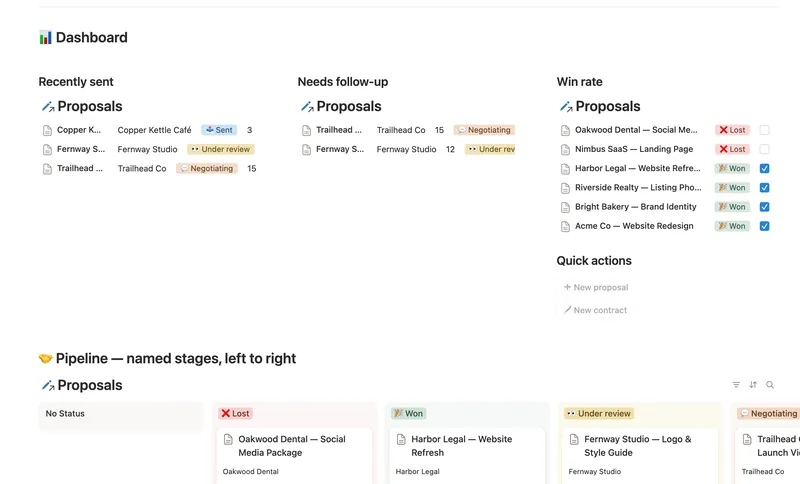
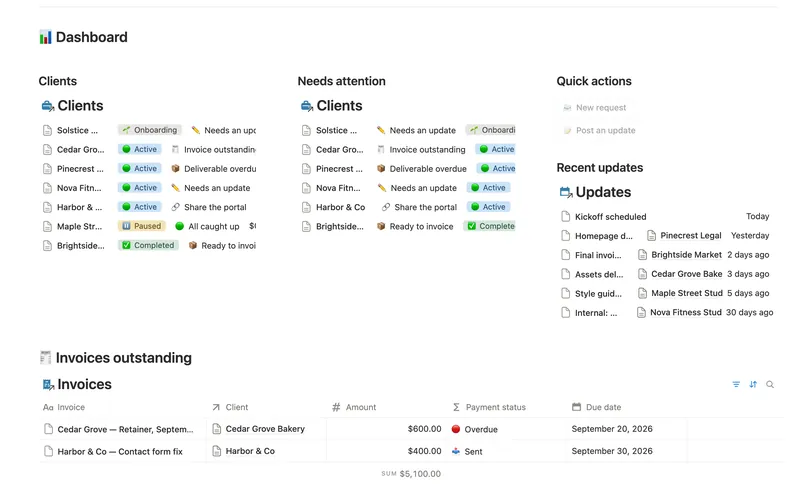
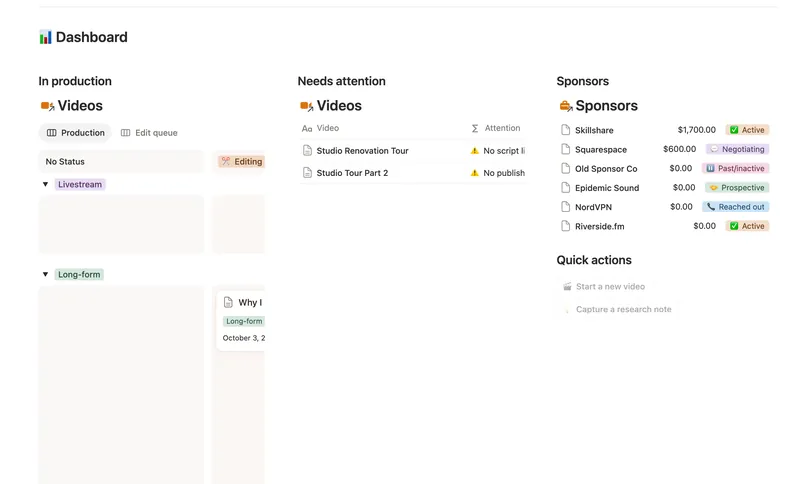
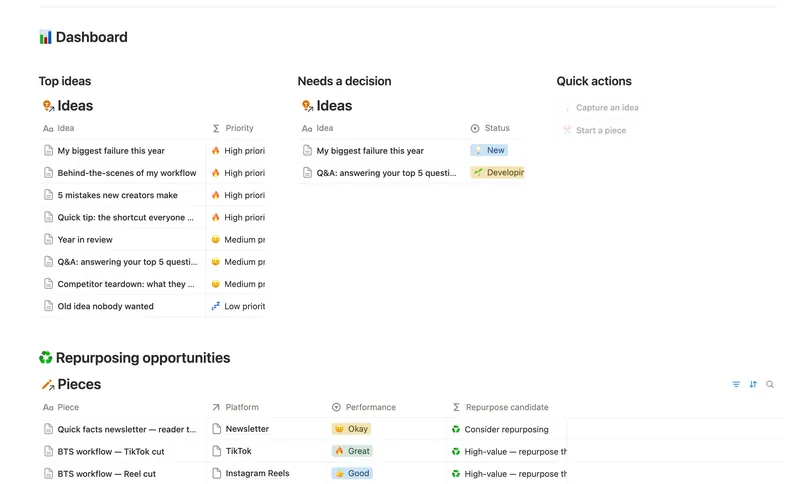
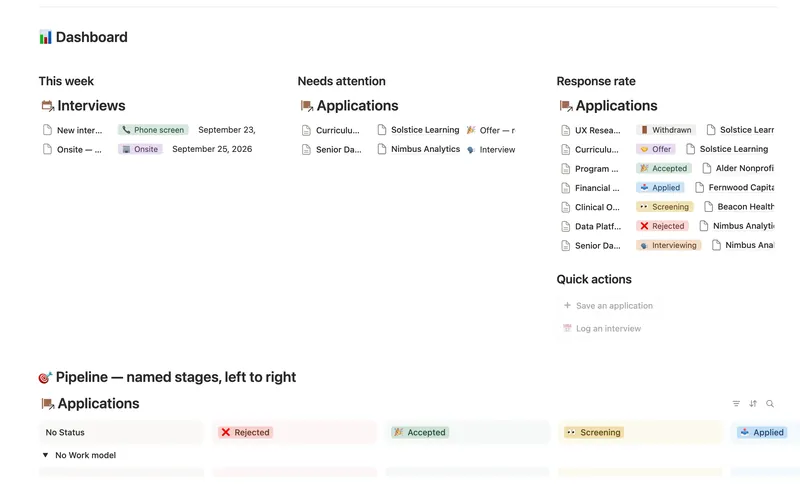
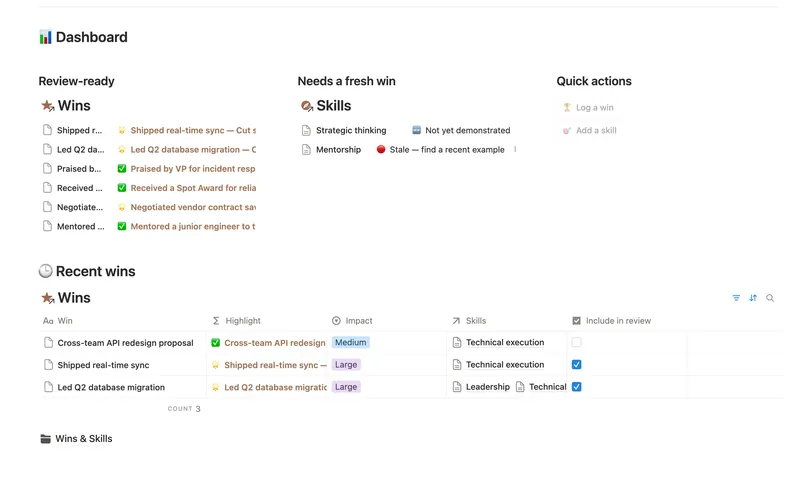
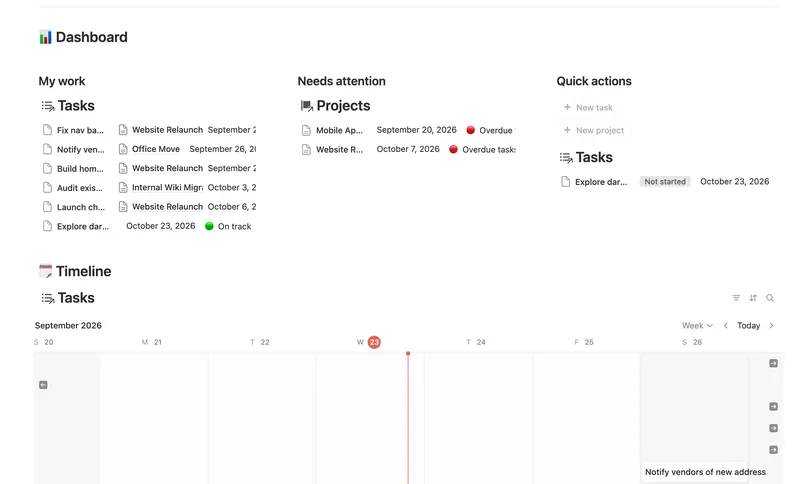
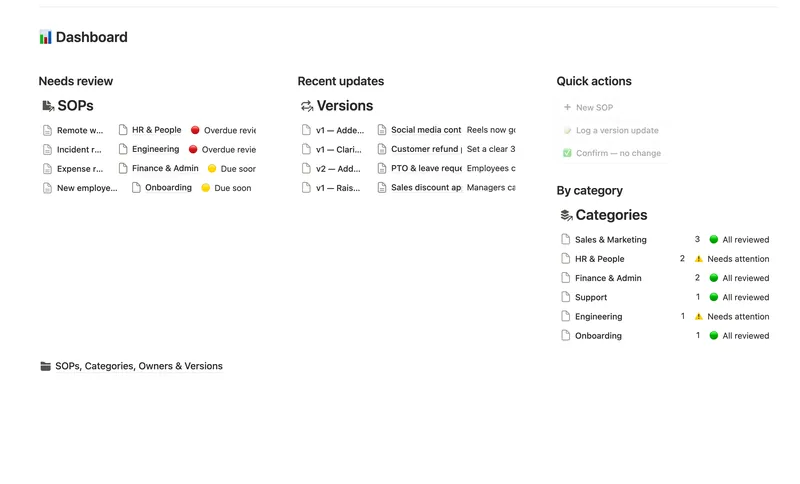
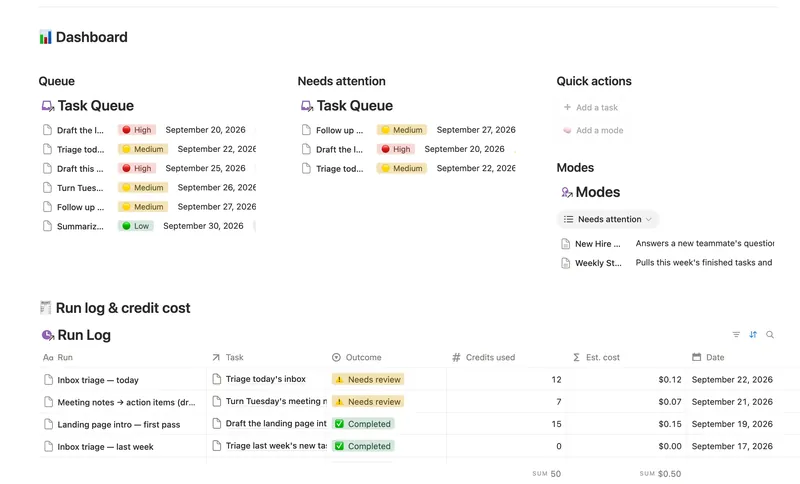
Real dashboards, not mockups
§ 02 — Anatomy of a template
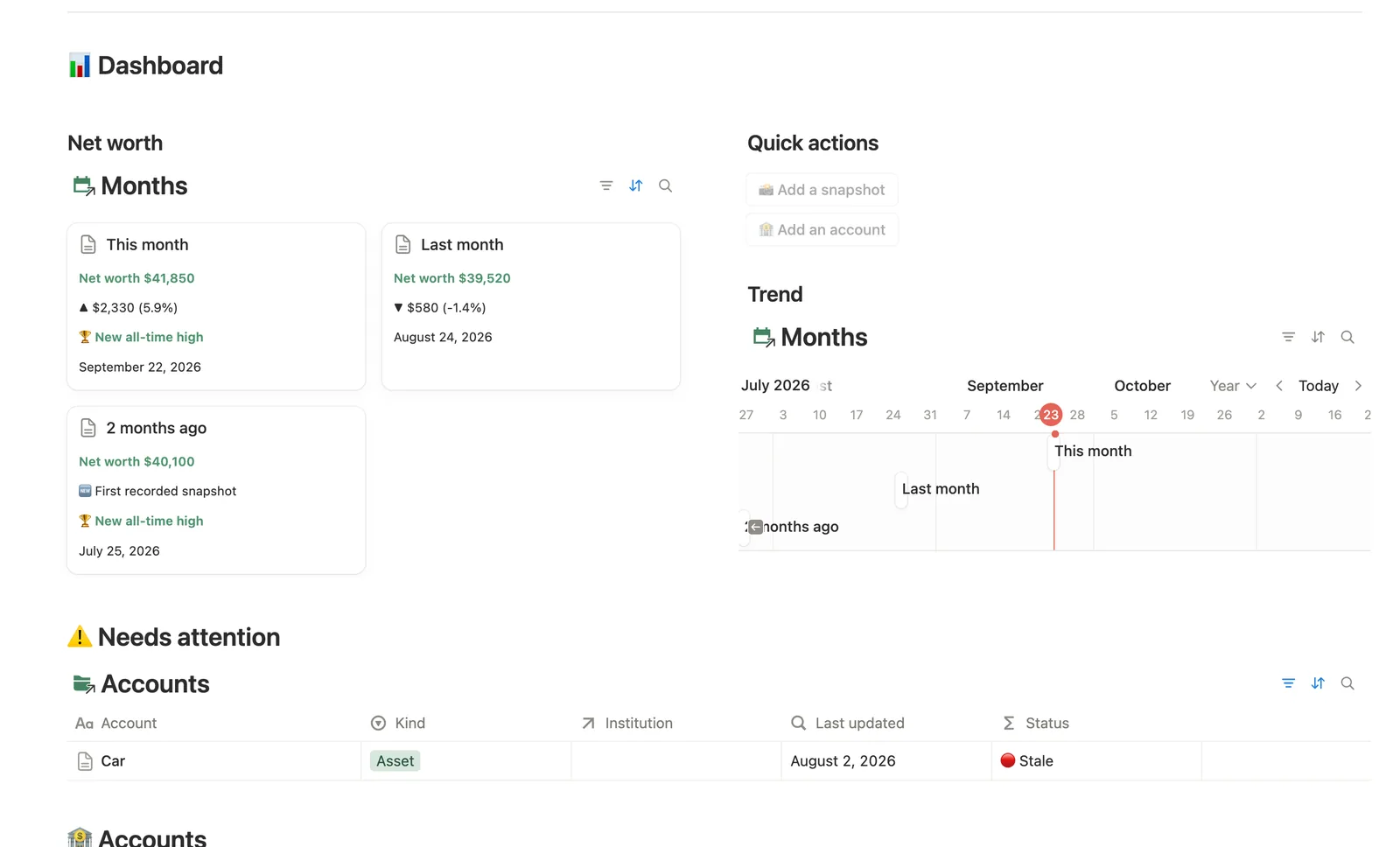
Net Worth Dashboard, taken apart
-
01
Dashboard hub with linked views
One hub page pulls every database into its own filtered view — 28 views in this template alone — so nothing is more than a click from where you're already looking.
-
02
One-click buttons
“📸 Add a snapshot” and “🏦 Add an account” open a pre-filled entry form straight from the hub — 2 buttons, zero hunting for the right database.
-
03
Entity pages
Every Accounts and Months opens its own page — a filtered hub for that one record, not just a row in a table.
-
04
Formulas that flag what needs attention
17 formulas and 11 rollups compute the moment you log a number — nothing you have to remember to check by hand.
§ 03 — The index
All 50, one list
Life
Planning & Focus 7 templates Cozy
- 01 Weekly Planner Plan your week around what actually matters, connect every task to the project or area it belongs to, and close each week with a gentle review — progress that computes itself, no guilt, no spreadsheet. 3 db · 8 formulas · 2 buttons
- 02 Daily Planner & Time Blocks Block your day into real Start/End times, keep tasks tied to the hour you meant to do them, and see — gently, never guiltily — whether today actually went the way you planned it. 3 db · 6 formulas · 2 buttons
- 03 ADHD Command Center Corral every quest, stray thought and dopamine hit into one gentle system — one that tracks your XP and shows up for you on the days that don't go to plan, not just the good ones. 5 db · 12 formulas · 3 buttons
- 04 Habit Tracker Check off your habits day by day and watch streaks and a weekly score build themselves — with a gentle nudge, never a guilt trip, toward whatever needs a little love. 3 db · 13 formulas · 2 buttons
- 05 Goals & OKRs Turn each quarter's goals into Objectives with measurable Key Results, log a quick Check-in whenever you make progress, and watch two-tier rollups keep every Objective's — and the whole Quarter's — percentage honest, all the way up, without ever re-typing a number. 4 db · 15 formulas · 3 buttons
- 06 Annual Review & Year Planner Look back on the year with honest reflection prompts, then turn one yearly theme into quarterly goals and monthly focus you'll actually follow through on. 4 db · 16 formulas · 2 buttons
- 07 Idea Inbox Catch every idea the moment it lands, then gently triage it each week — so nothing brilliant slips away and nothing half-baked clutters your day. 1 db · 4 formulas · 2 buttons
Money 7 templates Minimal
- 08 50/30/20 Budget Split every paycheck into Needs (50%), Wants (30%) and Savings (20%). Tag each purchase with a Category and its Bucket, its Month status and the whole dashboard fill in on their own. 5 db · 23 formulas · 2 buttons
- 09 Zero-Based Budget Give every dollar a job before you spend it — Envelopes track Assigned, Carryover and Available in real time, Accounts keep a running Balance from your own transactions, and Budget Months shows exactly what's still To be assigned, all computed, never re-typed. 5 db · 17 formulas · 3 buttons
- 10 Expense & Subscription Tracker See exactly where your money goes — spending by category and merchant, every subscription's real monthly cost, and the ones quietly going unused. 5 db · 21 formulas · 2 buttons
- 11 Debt Payoff Planner See every debt, its real interest cost and a projected debt-free date, then pay it down with the snowball or avalanche method — with a live focus-debt highlight and a payoff month that actually moves the moment you send extra dollars. 4 db · 26 formulas · 2 buttons
- 12 Savings Goals Fund multiple goals on a real schedule — know exactly how much each one needs this month, whether you're actually on pace to hit it, and which milestone is next. 5 db · 22 formulas · 2 buttons
- 13 Net Worth Dashboard List everything you own and owe across every institution and asset class, and watch net worth compound month over month — with stale balances and allocation drift caught before they quietly skew the number. 5 db · 17 formulas · 2 buttons
- 14 Bills & Due Dates Never miss a payment — every bill's next due date, its full payment history and which account it drains, computed automatically instead of retyped every cycle. 5 db · 11 formulas · 2 buttons
Home & Family 7 templates Cozy
- 15 Household Hub Keep the household running without anyone having to remember everything — chores stay assigned and on schedule, and a glance at the dashboard shows what could use a little love today. 4 db · 12 formulas · 2 buttons
- 16 Meal Planner & Grocery List Plan the week from recipes you already know, see what you can cook tonight without a store run, and get a grocery list that's actually built from what's missing — never retyped by hand. 4 db · 17 formulas · 2 buttons
- 17 Recipe Box Keep every recipe worth repeating in one place — link its ingredients and tags so it's easy to find later, and let your own Cook Log fill in the rating, the cook count and the "make this again" nudge, so nothing gets typed twice. 4 db · 9 formulas · 2 buttons
- 18 Family Organizer Give every event, chore, appointment and school thing a home next to the right person — so one look at Family Members tells you how everyone's week is actually going. 5 db · 18 formulas · 2 buttons
- 19 Moving Planner Organize your whole move by room — tasks, packed boxes, and every vendor's budget vs. actual cost, all counting down to moving day. 4 db · 7 formulas · 3 buttons
- 20 First Home Tracker Log every property you tour, turn your favorite into a real offer, and keep financing, costs and the closing checklist in one place — all the way to the keys. 2 db · 9 formulas · 2 buttons
- 21 Home Inventory See everything you own — by room, by category, with warranty countdowns and an estimated value that keeps itself current — so you're ready the day you actually need it. 3 db · 7 formulas · 1 button
Health 3 templates Cozy
- 22 Workout Tracker Log every set, watch your suggested next weight update itself, and see exactly when you've hit a new PR — no spreadsheet, no guessing what to lift next. 4 db · 27 formulas · 2 buttons
- 23 Mood & Wellness Journal Log how you're really doing each day, let a composite Mood score do the math for you, and see which triggers and habits are actually shaping your week — not just a mood picker, a pattern-finder. 3 db · 19 formulas · 3 buttons
- 24 Health Records & Medications Keep every family member's medications, appointments and doctors in one place — with a gentle refill countdown so nothing runs out unnoticed. 4 db · 11 formulas · 2 buttons
Mind & Learning 4 templates Minimal
- 25 Second Brain (PKM) Capture everything into Tasks and Notes, file it against Projects, Areas and Resources, and watch Progress, Next due and Health roll up two hops — from a single checked box to a real picture of what's on track and what's stalled. 5 db · 10 formulas · 2 buttons
- 26 Reading List & Book Notes Track every book alongside its Author, Genre and Highlights — with a live reading pace, a projected finish date and a yearly-goal count that updates the moment you turn a page. 4 db · 13 formulas · 2 buttons
- 27 Course & Learning Tracker Track every course from syllabus to final grade — Modules in order, Assignments weighted into a live grade, and what's due next surfaced before it's late. 3 db · 12 formulas · 2 buttons
- 28 Daily Journal Capture how each day actually felt — a mood, a gratitude, a few honest lines — and watch a gentle streak build the moment two days land back-to-back. 2 db · 7 formulas · 2 buttons
Leisure & Life Events 2 templates Cozy
- 29 Travel Planner Plan every trip from dates to packing in one connected system — a live countdown, a budget that tracks itself, and a page for each trip that gathers its itinerary, spend and packing list together. 5 db · 16 formulas · 1 button
- 30 Wedding Planner Track every guest, table and vendor payment in one place — RSVP replies, seating capacity and vendor balances update themselves as you go, so the only thing left to do is enjoy the countdown. 5 db · 11 formulas · 3 buttons
Work
Freelance & Clients 6 templates Minimal
- 31 Client CRM Run every Lead and Client through a named pipeline, log every call and email against the right Contact, and never miss a follow-up — Pipeline value, Won value and Next follow-up are computed straight from your Deals and Interactions, never re-typed, with a live hub page the moment you add someone. 4 db · 10 formulas · 2 buttons
- 32 Projects & Deliverables See every Client's Projects and every Project's Deliverables in one connected system — with Progress, Health and a live Timeline computed automatically, never re-typed. 3 db · 7 formulas · 2 buttons
- 33 Invoices & Payments Invoice clients, track every partial payment against the balance still owed, and catch what's overdue — and by how long — before a client has to ask. 3 db · 10 formulas · 2 buttons
- 34 Proposals & Contracts Track every proposal from draft to signed, see your real win rate, and never miss a contract renewal. 2 db · 7 formulas · 2 buttons
- 35 Time Tracker Log every hour against the right project, watch it turn into a rate × hours dollar figure without retyping a thing, and see whether this week is on pace before Friday — not after. 4 db · 16 formulas · 2 buttons
- 36 Client Portal Give every client their own living portal page — Requests, Deliverables and Invoices already filtered to just them, shared view-only, with nothing to configure by hand. 5 db · 15 formulas · 2 buttons
Creator 5 templates Minimal
- 37 Content Calendar Plan and publish across every platform from one staged pipeline — with a live calendar, a Timing flag that catches a slipping post before it's late, and Campaigns/Pillars that show whether a push is on track and whether your content mix is actually balanced. 3 db · 8 formulas · 2 buttons
- 38 YouTube Production Pipeline Plan, script and film every video from one hub — research, sponsors and thumbnails all stay linked to the video they belong to, and a dual Status/Edit Stage pipeline shows exactly what's stuck and where. 5 db · 11 formulas · 2 buttons
- 39 Newsletter Planner Plan every issue from idea to send — sections and ideas flow into the right issue, sponsor revenue tracks itself, and a Send readiness flag tells you exactly what's left before it goes out. 3 db · 6 formulas · 2 buttons
- 40 Content Idea Bank & Repurposing Capture every content idea before you forget it, score it so you always know what's worth making next, and turn one piece into several — without losing track of what's already been repurposed. 3 db · 9 formulas · 2 buttons
- 41 Brand Deals & Sponsorships Track every sponsor relationship from first outreach through signed deal, posted deliverable and paid invoice — with Received, Outstanding and two computed status badges rolling up automatically across a Sponsor → Deal → Deliverable → Payment chain, never typed by hand. 4 db · 21 formulas · 4 buttons
Career 3 templates Minimal
- 42 Job Application Tracker Run every application through a named pipeline linked to the right Company, Contact and Interviews — Days since applied, Next interview date, Rounds passed and your real Response rate are all computed straight from what you log, never re-typed. 4 db · 18 formulas · 2 buttons
- 43 Interview Prep Build a reusable bank of interview questions tied to the STAR stories that answer them, then track exactly how ready you are for each upcoming round before you walk in. 3 db · 6 formulas · 3 buttons
- 44 Career Wins Log every accomplishment the week it happens, tag it to the skills and competencies it proves, and walk into your next review with a Review-ready list of your best evidence already written for you. 2 db · 4 formulas · 2 buttons
Business Ops 4 templates Minimal
- 45 Small Business Dashboard See every client, project, invoice and task in one weekly dashboard — with revenue and what's owed rolling up automatically from invoice to project to client, so nothing is ever typed in two places. 4 db · 18 formulas · 4 buttons
- 46 Task & Project Manager Break every Project into Tasks with real sub-items and dependencies, then let Progress, Health and a dependency-aware Timeline compute themselves — with a My work view that always shows exactly what's yours to do next. 3 db · 11 formulas · 2 buttons
- 47 Meeting Notes & Decisions Capture every meeting's notes, decisions and action items in one connected place — see who owns what, what's overdue, and which decisions still need a follow-up, without re-typing any of it by hand. 4 db · 8 formulas · 2 buttons
- 48 SOPs & Team Wiki See every process your team runs, who owns it and when it's next due for review — grouped by category, with a real version history behind each one instead of a single "last edited" date. 4 db · 11 formulas · 3 buttons
AI 2 templates Minimal
- 49 AI Prompt Library Capture and rate every prompt you actually use, sorted into categories, so the best ones — not just the newest ones — rise to the top the next time you need one. 3 db · 6 formulas · 2 buttons
- 50 Custom Agent Starter Kit Give every AI agent ‘mode’ its own real instructions page, a task queue that routes to the right one, and a run log that shows what actually happened and what it cost — credit-free unless you turn a Mode into a real, scheduled Custom Agent. 3 db · 8 formulas · 2 buttons
§ 04 — How it works
Three steps, no dashboard to log into
- 01
Get the Bundle
One payment, $47, handled securely by Stripe.
- 02
Get your Library Link
Delivered instantly by email — it's yours, no login to remember.
- 03
Duplicate what you need
Open your Library and duplicate any template straight into your own workspace.
§ 05 — The price
One receipt, read it once
One-time payment. Instant access to your private Library.
§ 06 — FAQ
Questions Buyers actually ask
Does this work on Notion's Free plan?
Yes. Every Master Template is built to work on Notion's Free plan — you don't need to upgrade to a paid Notion plan to use the Bundle.
How do I duplicate a template into my workspace?
Open your Library from your Library Link, and click "Duplicate" on any Master Template. Notion opens a copy of it directly inside a workspace you choose — pick your own, your company's, or a client's. It takes a few seconds, and you get a full, editable copy.
What updates do I get, and for how long?
Lifetime Updates. Every Master Template we add to the Bundle after your purchase, and every improvement we make to the ones already in it, shows up in your Library automatically — at no extra cost, for as long as the Bundle exists. Your Library flags anything new with a "New" badge.
Can I get a refund?
The Bundle is a digital product and your Library is available the moment you pay, so all sales are final. If a template doesn't work the way it should, email hello@templitize.com — we'll fix it or walk you through it. See the Refund Policy.
Does this work on mobile?
Yes. Everything is built in Notion, and Notion's mobile apps (iOS and Android) support the same databases, views, and buttons as desktop. Some dense dashboards are easier to use on a larger screen, but nothing is desktop-only.
Which Notion account should I use?
Any Notion account, on any plan. Log into Notion with the account for whichever workspace you want the template in — your personal account, your work account, or an account you manage for a client — and duplicate it there.
Can I use these templates for client work?
Yes. The Bundle License covers using and modifying Master Templates in your own workspace, your company's workspace, and your clients' workspaces. What it doesn't cover is reselling or redistributing the templates themselves as a product. See the full Bundle License.
What if I lose my Library Link?
Go to the "Lost your link?" page and enter the email you bought with — we'll re-send your active Library Link. If you don't get an email, check spam first, then contact hello@templitize.com.
Are the templates connected to each other?
Some are, some aren't. Templates within the same Group (for example, the Money templates) are designed to work well together and sometimes reference each other. Templates in different Groups or Collections stand on their own — you can duplicate just the ones you need.
What's the difference between Cozy and Minimal?
They're the two visual Styles every Master Template comes in. Minimal is calm and flat, with one soft accent color and clean lines. Cozy is warmer, with pastel covers and more decorative touches. Both share the same icon set and structure underneath — it's a look, not a difference in what the template does.
Is this a one-time payment or a subscription?
One time. $47, once. There's no recurring charge, and Lifetime Updates don't require any further payment.
Do I need to know Notion already to use these?
No. Each Master Template comes with built-in how-to guidance, and the Library itself explains how to duplicate and get started. If you can click a button, you can use them — and if you get stuck, hello@templitize.com is a real inbox we answer.
Can I share a template with a friend?
Not directly — that's what the Bundle is for. Your Library Link is yours alone, and the license doesn't cover giving a duplicated template to someone else as if it were a free copy. If a friend wants the Bundle, send them to the site; if you want to gift it, buy a second Bundle for them.
Is my payment secure?
Yes. Checkout is handled entirely by Stripe, a PCI-compliant payment processor used by millions of businesses. We never see or store your full card number.
Not ready yet?
Get 5 free Lite Templates
Small, real, and a preview of what's in the Bundle — delivered by email.
Check your inbox — your 5 free Lite Templates are on the way.