
Updated Sep 24, 2026
How to Build Habit Streaks in Notion (Without Them Breaking)
Notion has no built-in streak counter. You build one yourself: a Habits database linked to a Check-ins database, where each check-in is a real row with a Done checkbox, and a formula counts the most recent unbroken run of "done" rows. Skip a day entirely and the streak waits; log a miss and it resets.
Does Notion have a built-in streak counter?
No. Notion's databases don't ship a native "streak" property the way a dedicated habit app does. What Notion has instead is formulas, relations and rollups, which takes more setup once but means the streak lives next to your actual tasks, journal and calendar instead of in a separate app you have to remember to open.
The shape that works is two databases, not one wide table:
- Habits — one row per habit (Drink water, Read 20 minutes, Meditate).
- Check-ins — one row per day per habit, with a Date, a Done checkbox, and a relation back to the Habit it belongs to.
A habit tracker built as a single table, with one column per habit and one row per day, looks simpler at first, but it can't compute a per-habit streak with a plain formula. A two-database relation can, because each Habit can read its own list of linked Check-ins in order.
How do habit streaks actually work in Notion?
Once Check-ins links to Habits, the streak formula reads that habit's own check-in history, sorted by date, most recent first, and counts how many "done" rows appear in a row before hitting a "not done."
Here's the working formula, in Notion's current formula 2.0 syntax, set as a property on the Habits database:
lets(
  streaks,
  prop("Check-ins")
    .sort(current.prop("Date"))
    .reverse()
    .map(current.prop("Done"))
    .map(current.toNumber())
    .join("")
    .split("0")
    .map(current.length()),
  streaks.first()
)
What it's doing, step by step:
prop("Check-ins").sort(...).reverse()orders that habit's check-ins newest to oldest..map(current.prop("Done")).map(current.toNumber())turns each row's checkbox into a 1 or a 0..join("")collapses that into one string, like"111011100"..split("0")breaks the string apart everywhere a miss happened, into runs of consecutive 1s..map(current.length())measures each run.streaks.first()takes the newest run, since the list is still newest-first.
Swap the last line for streaks.max() and you get Longest streak instead of the current one, from that same list of runs.
Why did my Notion habit streak reset?
Two different things look similar but aren't. If you check off a habit as not done on a given day, that row exists and breaks the run: your current streak drops to 0. But if you never log anything for that day at all, no Check-ins row exists, and the formula can't see a day that isn't there. It just skips straight past it to the next real row.
That means the streak counts consecutive logged days, not consecutive calendar days. It's an honest tradeoff, not a bug: log every day, including your off days, and the number reflects your real run. Skip logging on purpose and the streak stays intact until you actually log a miss.
It also means a streak by itself can go stale. A habit you checked off five days running and then stopped tracking entirely will still show "Current streak: 5" forever, since nothing has broken it. Pair the streak with a Days since check-in formula (dateBetween(today(), prop("Last check-in"), "days")) and gate your Status label on both, so a habit that's gone quiet reads as needing attention instead of "on a roll."
Can a Notion habit tracker show a progress bar or graph?
A progress bar, yes, on every plan. Set a formula property's display to Notion's bar format and it renders as a horizontal bar right inside the table, computed from something like a completion-rate rollup. A full chart block, a line or bar chart tracking a trend over time, is more limited: as of September 2026, Notion's Free plan allows one active chart at a time, and paid plans allow unlimited charts. For a habit tracker specifically, a weekly score with a bar-formula readout usually tells you more at a glance than a chart would anyway, and it works on every plan.
How do I track habits without a separate app?
You don't need one. The two-database structure above is the whole system:
- Create Habits with a title, a Cadence (Daily, Weekdays, Weekly), and a Category.
- Create Check-ins with a Date, a Done checkbox, and a relation to Habits.
- Add the Current streak and Longest streak formulas above to Habits, plus a Completion rate rollup (the "Percent Checked" calculation on Done).
- Duplicate a "New check-in" database template once per habit, set each duplicate's Habit, then turn on Repeat → Daily so today's row appears on its own.
- Check off Done each day. That's the entire daily habit.
One real limitation worth knowing before you build this: a database template and a quick-add button can pre-fill a date, but neither can pre-fill a relation. A repeating check-in template can't set its own Habit for you, which is why you duplicate the template once per habit up front instead of relying on one shared template.
How does this compare to a spreadsheet?
| Notion (formula above) | Spreadsheet | |
|---|---|---|
| Streak counting | Automatic, recalculates the moment you check a box | Manual COUNTIF or drag-fill; breaks silently if a row shifts |
| Lives next to your tasks and journal | Yes, same workspace | Separate file |
| Skipped vs. missed days | Distinguishes them, as above | Only if you build that logic yourself |
| Setup effort | One formula, once | Rebuilt per sheet, per habit |
FAQ
Does Notion have a built-in streak counter? No. You build one with a formula that reads a Habit's linked Check-ins, turns the Done history into a string, and measures the newest unbroken run. See the formula above.
Why did my Notion habit streak reset? Either you logged a miss (a Check-in row with Done unchecked), which breaks the run, or the streak is stale: it hasn't been recalculated because you haven't logged in a while, and nothing warned you. Add a "Days since check-in" guard so Status catches that case instead of showing a dead streak as active.
Does a Notion habit tracker need a separate app for streaks or graphs? No. Streaks are a formula on the Habits database, and a progress bar is a formula property, both available on every plan. A full chart block works too, though the Free plan currently limits you to one active chart at a time.
How do I track habits without a separate app? Two related databases (Habits and Check-ins) and two formulas (current and longest streak) are the whole system. No plugin or integration required.
Build it once, or start from a template
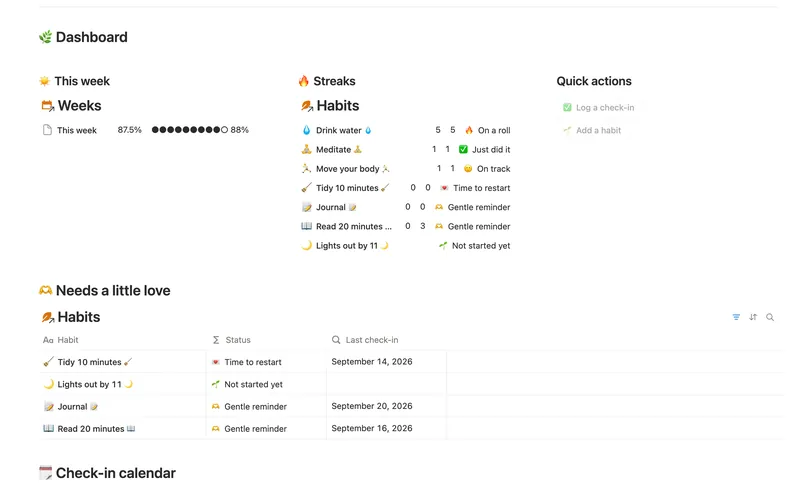
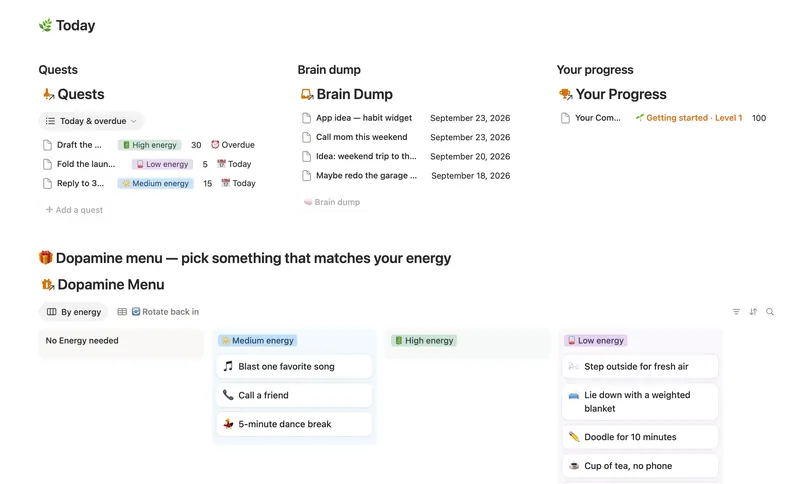
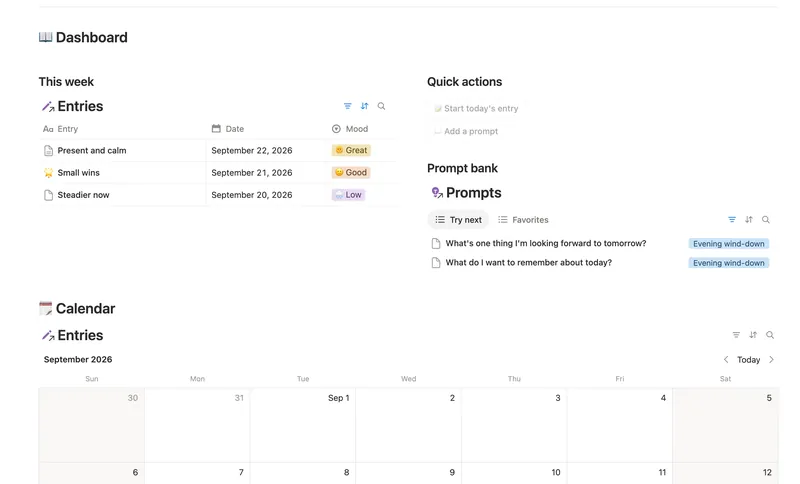
If you'd rather not wire up the relation and formula from scratch, the Habit Tracker template ships this exact structure, with a Weeks database for a rolling weekly score and trend, and a "Needs a little love" view that surfaces a habit going stale before the streak formula alone would catch it. If what keeps derailing your habits is a scattered day rather than a broken system, the ADHD Command Center trades a strict streak for an unbreakable "Active days" count instead. And if journaling is one of the habits you're trying to build, the Daily Journal tracks its own gentler streak the same way. All three are part of the Bundle, 50 templates for $47 once.
Related templates
- 04 Habit Tracker Check off your habits day by day and watch streaks and a weekly score build themselves — with a gentle nudge, never a guilt trip, toward whatever needs a little love. 3 db · 13 formulas · 2 buttons
- 03 ADHD Command Center Corral every quest, stray thought and dopamine hit into one gentle system — one that tracks your XP and shows up for you on the days that don't go to plan, not just the good ones. 5 db · 12 formulas · 3 buttons
- 28 Daily Journal Capture how each day actually felt — a mood, a gratitude, a few honest lines — and watch a gentle streak build the moment two days land back-to-back. 2 db · 7 formulas · 2 buttons
§ The Bundle
Build it once, or start from a template
50 Notion templates, $197 value, $47 once.
One-time payment · Works on Notion Free · Instant Library access