
Updated Sep 24, 2026
Daily Journal Notion Template
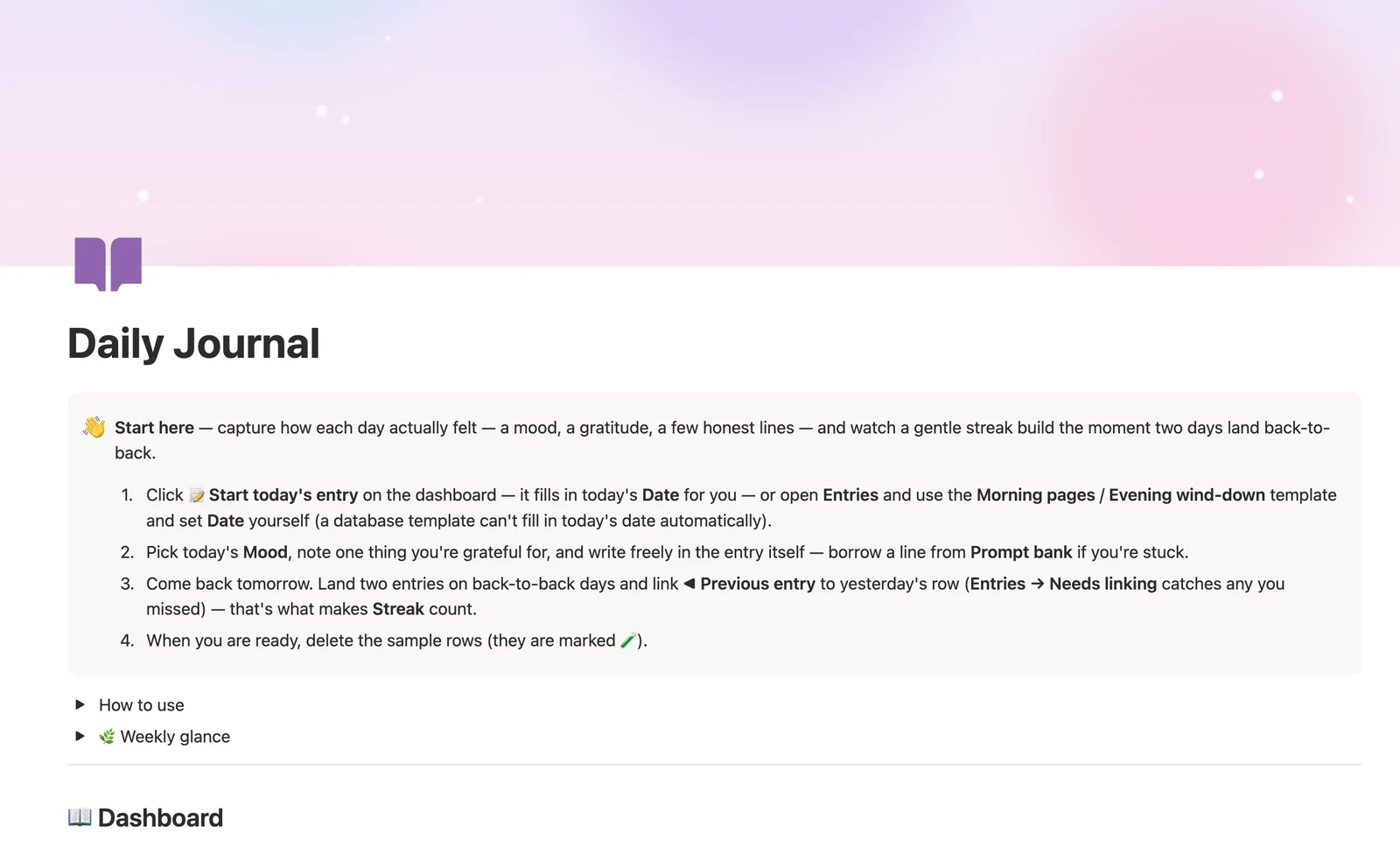
This Notion template captures how each day actually felt: a mood, a gratitude line, and a few honest sentences. Link each entry to the one before it and a gentle streak counter builds up to a 3+ day streak the moment two days land back-to-back, then resets quietly if you skip a day, with no penalty.
One-time payment · Works on Notion Free · Instant Library access
Who it's for
Who it's for
- Anyone who wants a private, simple daily journal inside Notion, not a separate app
- People building a writing habit who want a gentle streak, not a guilt-driven one
- Journalers who want an optional prompt bank instead of a blank page every day
- Anyone who wants to spot mood patterns by week without a paid chart widget
What's inside
What's inside
A gentle streak, not a guilt trip
Link ◀ Previous entry to yesterday's row and Streak display counts up to 🔥 3+ day streak, holding there instead of counting forever; skip a day and it resets to 🌱 New streak, no red, no penalty.
A prompt bank you can ignore
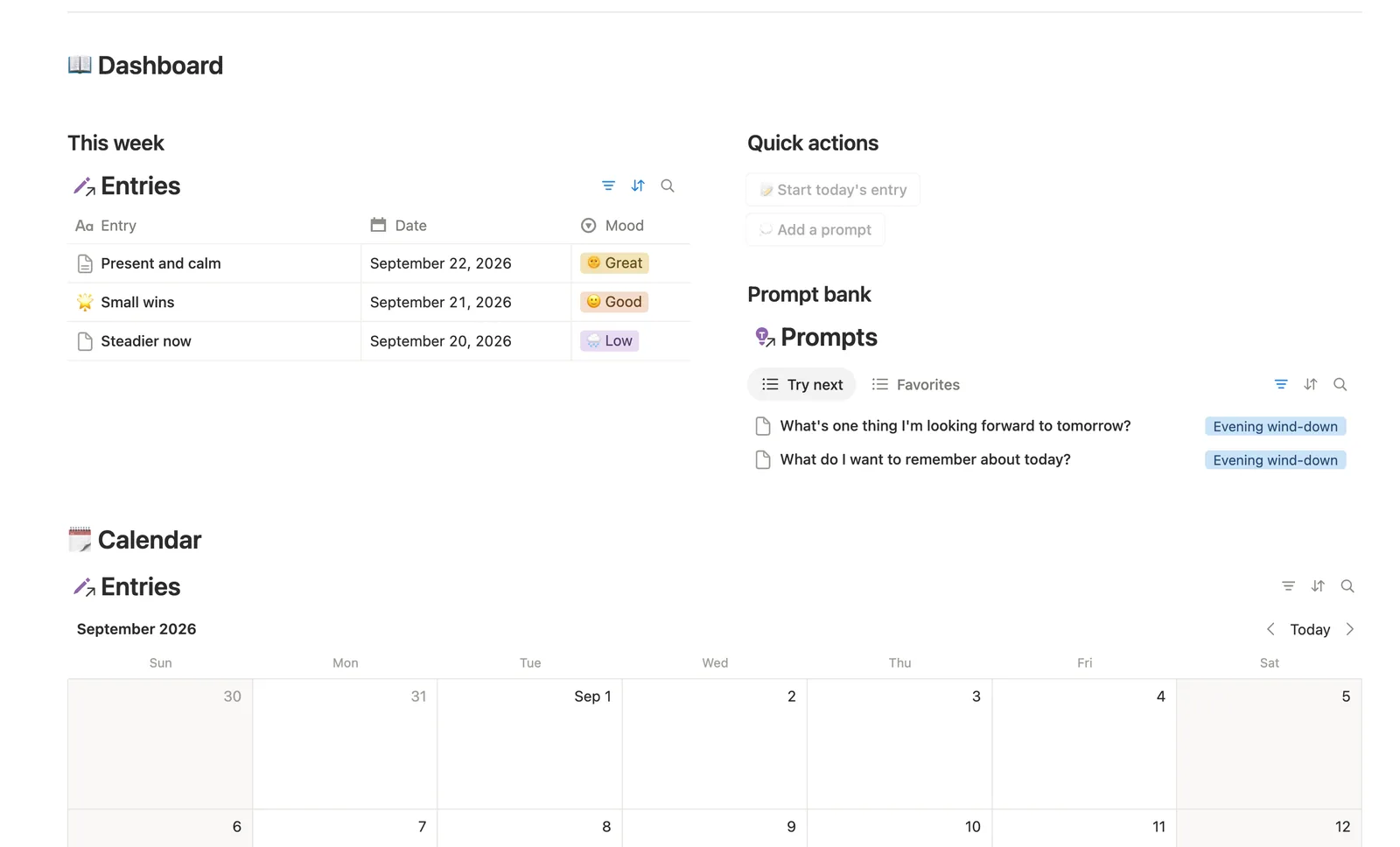
Prompts is optional scaffolding: link an entry to one when you want a nudge, skip it to freewrite. Try next surfaces prompts you haven't used; star favorites once you know what works.
Mood by week, without a chart
By week groups entries and averages Mood score underneath each group, a Free-plan-friendly stand-in for a mood chart.
One-click today's entry
The dashboard's Start today's entry button fills in today's Date automatically; the Morning pages and Evening wind-down templates work too, you just set Date yourself.
A Needs linking safety net
Entries → Needs linking catches any entry still missing its Date or its link to the previous entry, so Streak never silently stalls without you knowing why.
How it works
How it works
Entries link to Prompts, which are optional, and self-link to the entry right before it via ◀ Previous entry. That self-link is what drives Streak: each entry compares its own Date to the previous entry's Date, and a second hop back checks the day before that, so two or three consecutive days build the streak display. Mood, Gratitude, and the entry's own writing are the only things you ever type.
Spec
- Databases
- 2
- Two-way relations
- 2
- Formulas
- 7
- Rollups
- 4
- Views
- 14
- One-click buttons
- 2
- Database templates
- 3
- Sample rows
- 14
- Databases Prompts, Entries
- Buttons 📝 Start today's entry, 💭 Add a prompt
How to use
- 01
Mood, Gratitude and the entry's own writing are the only things you ever type — but Streak needs two more manual touches if you start from a template instead of the dashboard button: Morning pages / Evening wind-down can't fill in today's Date the way the button does (a platform limit, not a choice), so set it yourself, and either way link ◀ Previous entry to yesterday's row so Streak display has something to compare today's Date against. Entries → Needs linking catches any entry still missing either one.
- 02
A streak counts up to 🔥 3+ day streak and holds there — a friendly signal, not a lifetime tally — and it quietly resets to 🌱 New streak the moment a day gets skipped. No penalty, no red — just a fresh start next time you write.
- 03
Prompt bank is optional scaffolding, not homework: link an entry to a Prompt when you want a nudge, skip it when you'd rather freewrite. Try next on the dashboard surfaces prompts you haven't used yet; star one in Favorites once you know it works for you.
- 04
By week groups entries by week and averages Mood score underneath each group — the fastest way to notice a pattern without a chart (the Free plan doesn't allow those).
- 05
Pair this with Second Brain, Reading List & Book Notes or Course & Learning Tracker elsewhere in Mind & Learning if an entry surfaces an idea worth keeping, not just a feeling.
Setup
Setup
- 01
Duplicate the Daily Journal template into your workspace.
- 02
Click Start today's entry on the dashboard; it fills in today's Date for you.
- 03
Pick today's Mood, add a Gratitude line, and write freely, then delete the 🧪 sample entries.
- 04
Come back tomorrow and link ◀ Previous entry to yesterday's row; that's what makes Streak count.
Compared
| This template | Plain journaling app | |
|---|---|---|
| Streak tracking | Built in, resets gently, no guilt language | Usually needs a separate habit app |
| Prompt bank | Linked, tracks which ones you've used | Copy-pasted from elsewhere |
| Mood patterns by week | Grouped and averaged automatically | You review entries one by one |
§ FAQ
FAQ
Does Notion have a daily journal template?
Not built in, but this template adds one. Entries carry a Mood, a Gratitude line, and free writing, with a streak counter that links each day to the one before it.
Is Notion good for journaling?
Yes, for most people. It handles text, mood tracking, and linking entries together well; this template adds the mood, gratitude, and streak structure Notion doesn't ship with on its own. If you specifically need end-to-end encryption, a dedicated journaling app may suit you better.
Is Notion safe for private journaling?
Notion pages are private by default and only visible to people you explicitly share them with, the same protection as any of your other Notion pages. It isn't end-to-end encrypted, so weigh that against a dedicated encrypted journaling app if it's a hard requirement for you.
Is there a free Notion daily journal template?
Not this exact one. Daily Journal is part of the $47 bundle of all 50 templates, not sold separately. A few other templates in the bundle ship as free Lite versions.
Does this journal template work on Notion's Free plan?
Yes, every database, formula, and button in this template runs on Notion's Free plan.
More from Mind & Learning
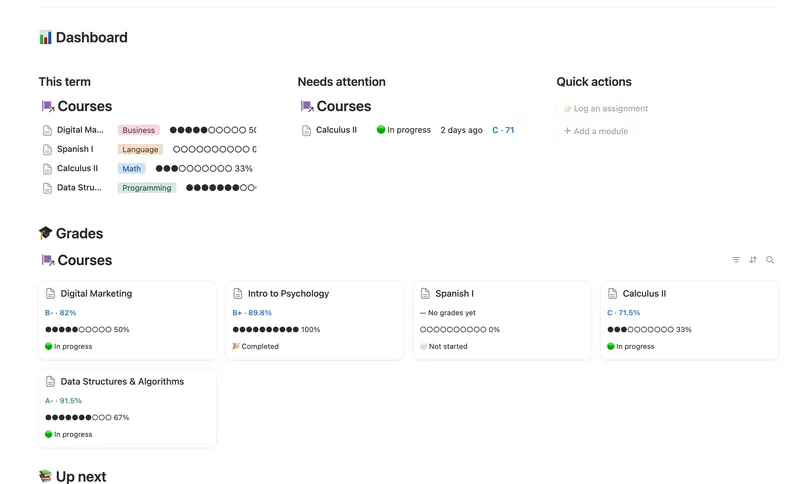
- 27 Course & Learning Tracker Track every course from syllabus to final grade — Modules in order, Assignments weighted into a live grade, and what's due next surfaced before it's late. 3 db · 12 formulas · 2 buttons
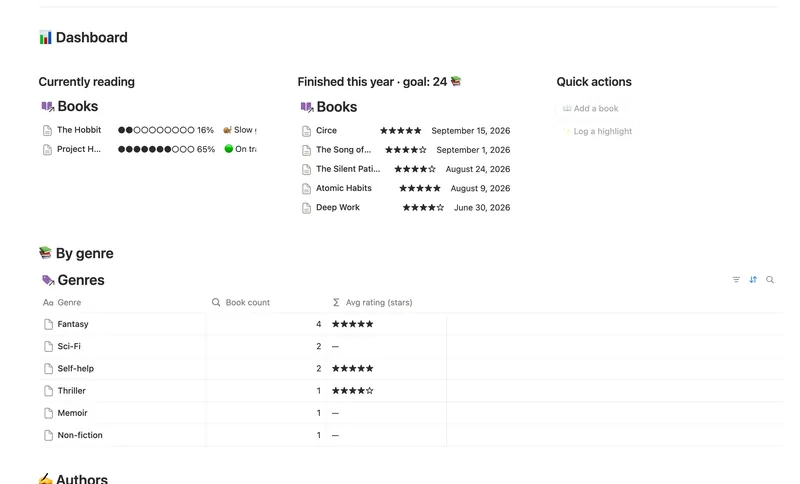
- 26 Reading List & Book Notes Track every book alongside its Author, Genre and Highlights — with a live reading pace, a projected finish date and a yearly-goal count that updates the moment you turn a page. 4 db · 13 formulas · 2 buttons
- 25 Second Brain (PKM) Capture everything into Tasks and Notes, file it against Projects, Areas and Resources, and watch Progress, Next due and Health roll up two hops — from a single checked box to a real picture of what's on track and what's stalled. 5 db · 10 formulas · 2 buttons
§ The Bundle
Get the whole Bundle
Daily Journal plus 49 more templates, one payment.
One-time payment · Works on Notion Free · Instant Library access