
Updated Sep 24, 2026
Habit Tracker Notion Template
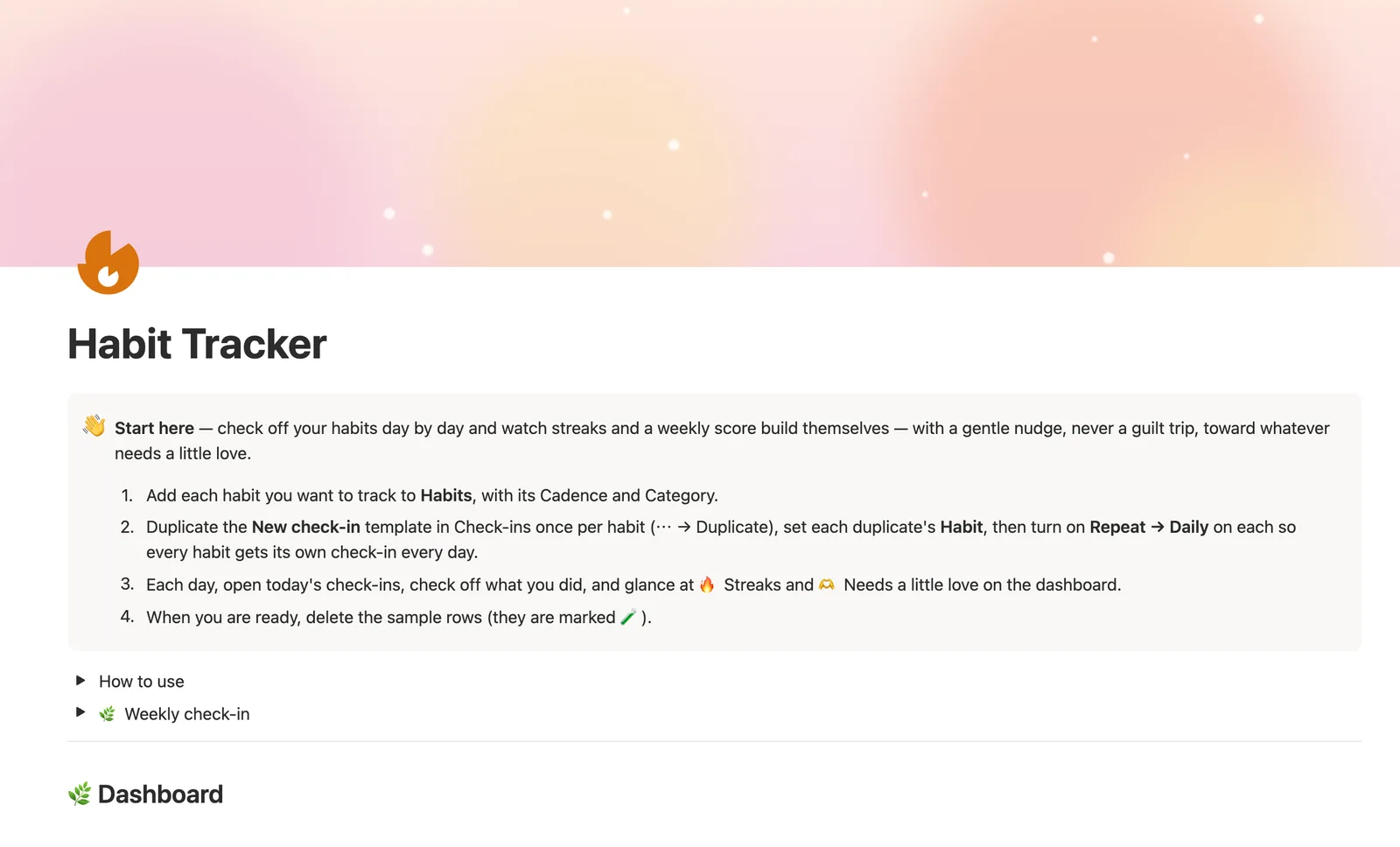
The Habit Tracker is a Notion template that checks off habits day by day and computes streaks, weekly scores and completion rates for you. Every check-in links to a Habit and a Week, so Current streak, Longest streak and Status update on their own. It's for anyone who wants real streak math without typing a single formula.
One-time payment · Works on Notion Free · Instant Library access
Who it's for
Who it's for
- Anyone who wants real streak and completion-rate math without building formulas themselves
- People who've tried a habit app that punishes a missed day and want something gentler
- Anyone tracking more than one habit who wants a single weekly score across all of them
- People who prefer logging inside Notion over a separate habit-tracking app
What's inside
What's inside
Streaks that count themselves
Current streak and Longest streak are never typed. They're computed from your Check-ins history with a formula that reads your done or missed pattern and counts the most recent unbroken run.
A weekly score with a Trend
Every Week shows a Weekly score, the percent of that week's check-ins marked done, and a Trend comparing it to the week before once you link Previous week.
Status that knows when a streak has gone stale
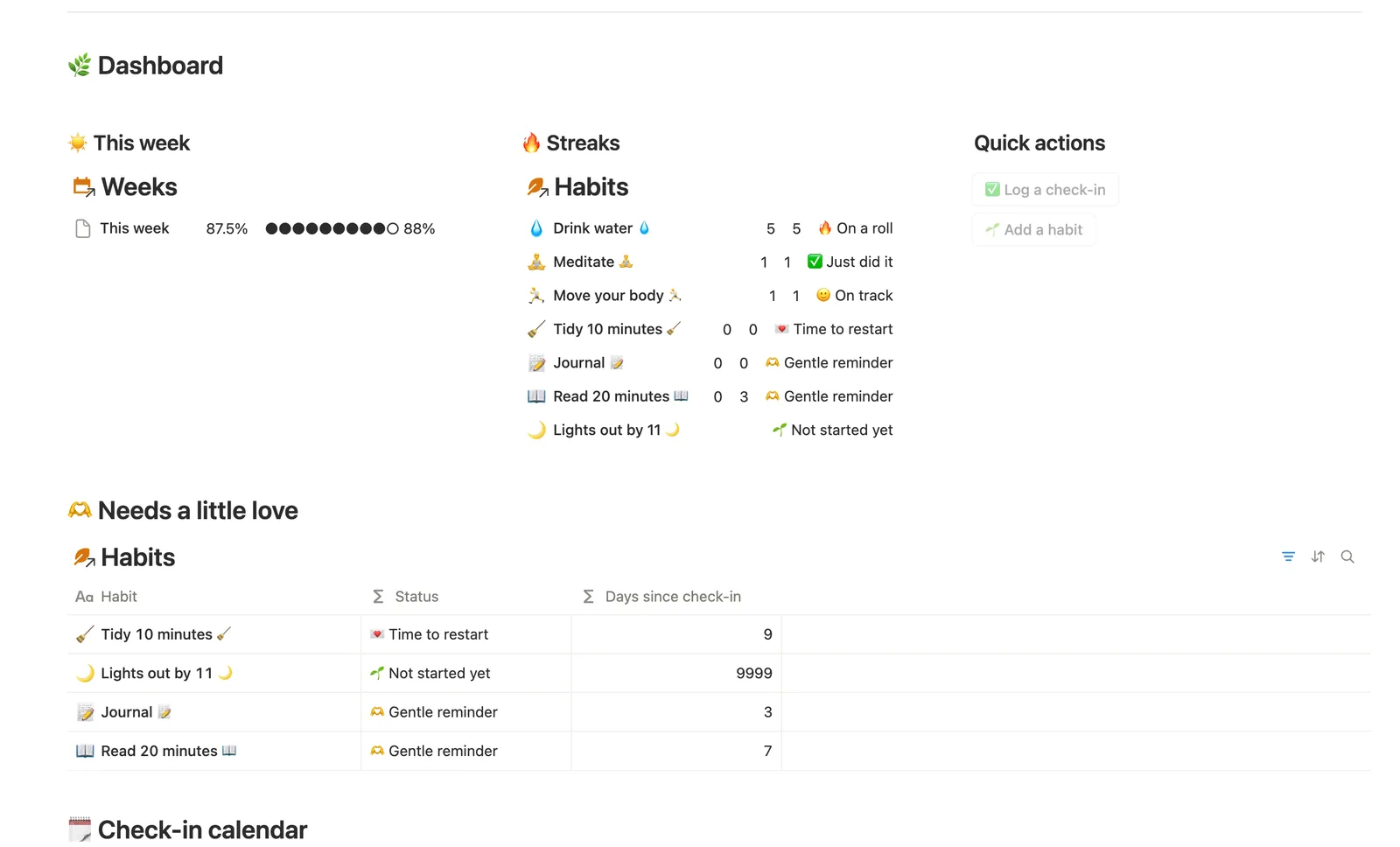
A streak doesn't stay "on track" forever just because the number is still sitting there. Status also checks how many days it's been since your last check-in, so an abandoned habit reads honestly.
Weekly progress against a real target
Set a Target per week on any Habit and Weekly progress shows check-ins this week against it, an N-of-target readout, not just a raw completion percent.
Needs a little love, not a scoreboard
The dashboard surfaces any habit that's just starting out, hasn't landed a streak yet, or has gone quiet, framed as where to put a little attention next, not who's failing.
How it works
How it works
Three databases connect the system: Habits, Check-ins and Weeks. Every Check-in you log links to one Habit and one Week. A formula reads each Habit's Check-ins in date order and turns the done or missed pattern into Current streak and Longest streak; a rollup turns the same Check-ins into each Habit's Completion rate. Weeks work the same way in miniature, a Weekly score rolls up from that week's Check-ins, and each Week links to the one before it so Trend can compare them.
Spec
- Databases
- 3
- Two-way relations
- 3
- Formulas
- 13
- Rollups
- 7
- Views
- 17
- One-click buttons
- 2
- Database templates
- 4
- Sample rows
- 24
- Databases Habits, Weeks, Check-ins
- Entity pages Habits
- Buttons ✅ Log a check-in, 🌱 Add a habit
How to use
- 01
Every check-in you log lives in Check-ins, linked to the Habit it's for — Current streak, Longest streak, Completion rate and Status on each habit are never typed by hand, they're all computed from what you log there.
- 02
Current streak counts your most recent unbroken run of check-ins logged as done — it only sees days you actually logged (done or not done), so skipping a day's log entirely (instead of logging it as a miss) won't break the streak. Log honestly, even on off days, if you want the number to reflect your real run. It counts the same way regardless of Cadence, so a normal day off on a Weekdays or Weekly habit can look like a gap in the streak — that's expected, not a bug. A streak also needs a recent check-in to mean something: Status stops calling a habit "on track" once it's been over a week since you last logged it, even if the streak number itself is still sitting there.
- 03
Each row in Weeks shows a Weekly score — the % of that week's check-ins you marked done — and a Trend comparing it to the week before, once ◀ Previous week is linked.
- 04
Turn on Repeat for the check-in template you'll use most (⋯ on the template → Repeat → Daily) so today's check-in appears on its own — duplicate the template once per habit first (⋯ → Duplicate) and set each duplicate's Habit, since a repeating template can't pick the habit for you.
- 05
Needs linking in Check-ins catches any check-in — from a repeating template or the ✅ button — that hasn't been linked to a Habit or a Week yet.
- 06
🫶 Needs a little love on the dashboard surfaces any habit that's just starting out, hasn't landed a streak yet, or hasn't been logged in a while — not a scoreboard of who's failing, just where to put a little attention next.
Setup
Setup
- 01
Duplicate the template into your own Notion workspace.
- 02
Add each habit you want to track to Habits, with its Cadence and Category.
- 03
Duplicate the New check-in template once per habit, set each duplicate's Habit, then turn on Repeat, Daily.
- 04
Check off what you did each day and delete the 🧪 sample rows once you're up and running.
Compared
| This template | Spreadsheet | |
|---|---|---|
| Streak counting | Automatic formula | Manual formulas, if any |
| Weekly score | Computed per week, with Trend | You build the pivot yourself |
| Missed a day | Status accounts for it gently | No built-in interpretation |
| Mobile check-in | Notion's iOS/Android app | Awkward on a phone |
§ FAQ
FAQ
Does Notion have a habit tracker?
Not a built-in one. Notion has no native habit-tracking feature, so a real habit tracker has to be built from linked databases. This template ships that structure already wired: Habits, Check-ins and Weeks, with streaks and a weekly score computed by formula.
Is there a free Notion habit tracker template?
Yes. This Habit Tracker is one of five free Lite templates in the Templitize library, you can duplicate a smaller version at no cost, and the full version in the $47 bundle adds Weeks, Trend and target-based Weekly progress.
How do I track habit streaks in Notion?
With a formula that reads your check-in history, not a native Notion feature. This template's Current streak and Longest streak formulas sort each habit's Check-ins by date, turn the done/missed pattern into a string, and count the runs, the same technique behind most real Notion streak trackers.
Can a Notion habit tracker show a progress bar or graph?
A progress bar, yes, this template's Progress and Weekly progress use Notion's native bar-formula display. A true calendar-style graph isn't a Free-plan Notion feature; this template's Weekly score and Trend give you the same at-a-glance signal in table form instead.
Does this work on Notion's Free plan?
Yes. Every formula, relation and view in the Habit Tracker runs on Notion's Free plan, no paid Notion upgrade required.
More from Planning & Focus
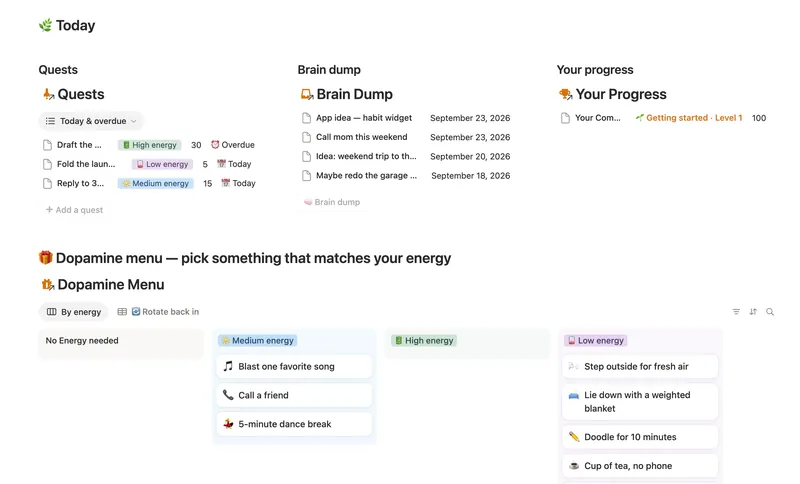
- 03 ADHD Command Center Corral every quest, stray thought and dopamine hit into one gentle system — one that tracks your XP and shows up for you on the days that don't go to plan, not just the good ones. 5 db · 12 formulas · 3 buttons
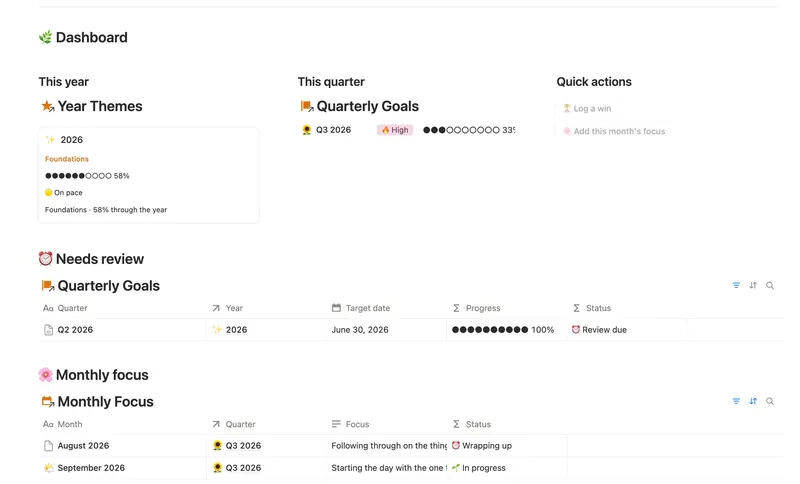
- 06 Annual Review & Year Planner Look back on the year with honest reflection prompts, then turn one yearly theme into quarterly goals and monthly focus you'll actually follow through on. 4 db · 16 formulas · 2 buttons
- 02 Daily Planner & Time Blocks Block your day into real Start/End times, keep tasks tied to the hour you meant to do them, and see — gently, never guiltily — whether today actually went the way you planned it. 3 db · 6 formulas · 2 buttons
§ The Bundle
Get the whole Bundle
Habit Tracker plus 49 more templates, one payment.
One-time payment · Works on Notion Free · Instant Library access