
Updated Sep 24, 2026
Notion's Free Plan: What's Actually Limited for Templates (and What Isn't)
As of September 2026, Notion's Free plan gives a single-person workspace unlimited pages and blocks, file uploads up to 5 MB, 7 days of version history, and up to 10 guests. Relations, rollups, formulas, database templates and every view type work at every plan tier, including Free. The real limits are narrower, and different, than most people expect.
Is Notion actually free?
Yes, for one person, indefinitely. It's not a trial: there's no expiration date on the Free plan, and no feature quietly disappears after a set number of days the way some competitors handle it. Notion makes its money from Plus, Business and Enterprise, which mostly add things a single person setting up their own planner or budget doesn't need on day one — more guests, longer version history, and team-level permissions.
What's actually limited on Notion's Free plan?
| Free | Plus | |
|---|---|---|
| Pages & blocks, one person | Unlimited | Unlimited |
| Pages & blocks, 2+ members | Capped workspace-wide | Unlimited |
| File uploads | Up to 5 MB per file | Roughly 5 GB per file |
| Page/version history | 7 days | 30 days |
| Guests | Up to 10 | Unlimited |
| Chart blocks | 1 | Unlimited |
| AI | Trial access only | Available as an add-on |
| Published web pages | 1 | More |
| Simple buttons (create-a-page automations) | Included | Included |
A few of these are easy to misread. "Unlimited pages and blocks" is real, but only for a workspace with one member; add a second full (non-guest) collaborator and the whole workspace's page and block count becomes capped, not just that person's — Notion doesn't publish the exact number. Guests, by contrast, don't count against that cap; ten of them can view or comment on your workspace on the Free plan without triggering the multi-member limit at all.
Do these Notion templates work on the Notion Free plan?
Yes. Every mechanic behind these 50 templates is available at every plan tier: relations between databases, rollups, formulas (including the newer formula 2.0 syntax, which can filter and sum across a relation directly), calendar, board, gallery, list and table views, database templates, and simple buttons that create a new page with pre-filled values. Notion's own pricing page lists simple buttons as included on the Free plan already; what's gated to Plus and above is multi-step "database automations," which none of these templates rely on.
Databases, relations, rollups and formula complexity aren't metered by plan either. A flagship template like Net Worth Dashboard, with five linked databases and dozens of formulas computing net worth month over month, runs exactly the same way on Free as it would on Business — and duplicating any template as many times as you want isn't restricted, since that just creates more pages inside your own workspace's page and block allowance.
The one real constraint is chart blocks: Free gives you exactly one, for the whole workspace. That's why templates in this collection that need a progress indicator (a habit streak, a savings goal, a budget bucket) build it as a formula rendered as a progress bar, not as a native chart block:
if(prop("Assigned") + prop("Carryover") > 0,
   prop("Spent") / (prop("Assigned") + prop("Carryover")), 0)
A formula property styled as a bar isn't the same feature as a chart block, and it isn't rate-limited by plan — that's a deliberate design choice, not a workaround bolted on after the fact.
What happens if I add someone else to my workspace?
Once a second full member joins, the whole workspace's pages and blocks become subject to a shared cap, rather than staying unlimited. If you want a second person to see your budget or planner without hitting that limit, the more common path is to invite them as a guest instead — up to ten are included on Free, and guest access doesn't touch the block cap the way full membership does. A guest can be given edit access to specific pages, not just view access, which covers most cases of "one other person needs to update this with me."
Does upgrading change how a template behaves?
No. Upgrading only changes storage and collaboration limits, not what a database, relation, rollup, formula or button can do. A template duplicated into a Free workspace behaves identically, property for property, to the same template duplicated into a Business one — the Debt Payoff Planner's snowball and avalanche formulas run the same math, the Habit Tracker's streak counter resets the same way, and a button that creates a page does exactly the same thing. This is also why most of these templates are designed around a single owner with guests invited in, rather than several full members editing side by side: that's the setup every template here is actually built and checked against.
Will Notion always have a free plan?
Nobody outside Notion can promise that, and this page won't pretend otherwise. Notion has kept some form of a free tier since 2018 and hasn't signaled a change as of this writing, but a track record isn't a guarantee. If that matters to you, Notion pages export cleanly to Markdown or CSV at any time, on any plan — worth doing occasionally regardless of what any company's free tier does next, and nothing about a $47 one-time template purchase changes that.
Related: the Habit Tracker, Second Brain and Weekly Planner templates are all built entirely from Free-plan-compatible mechanics: no chart blocks, no multi-step automations, nothing that needs a second member. They're part of the full 50-template bundle — $47 once, works on Notion's Free plan, lifetime updates.
Related templates
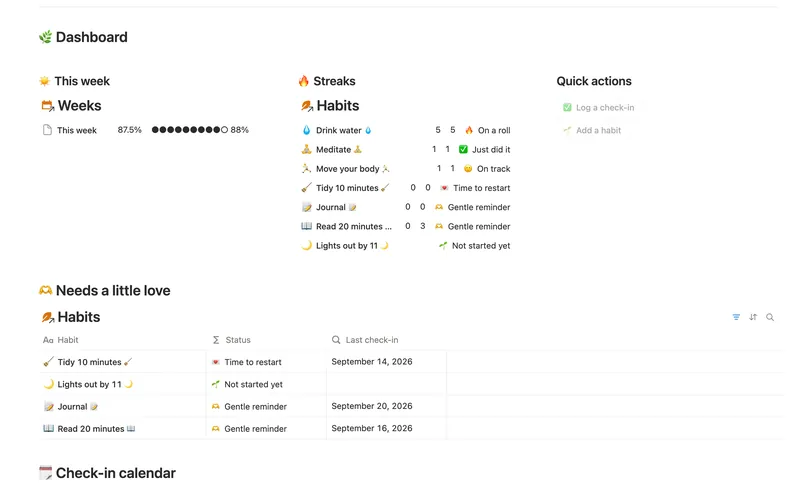
- 04 Habit Tracker Check off your habits day by day and watch streaks and a weekly score build themselves — with a gentle nudge, never a guilt trip, toward whatever needs a little love. 3 db · 13 formulas · 2 buttons
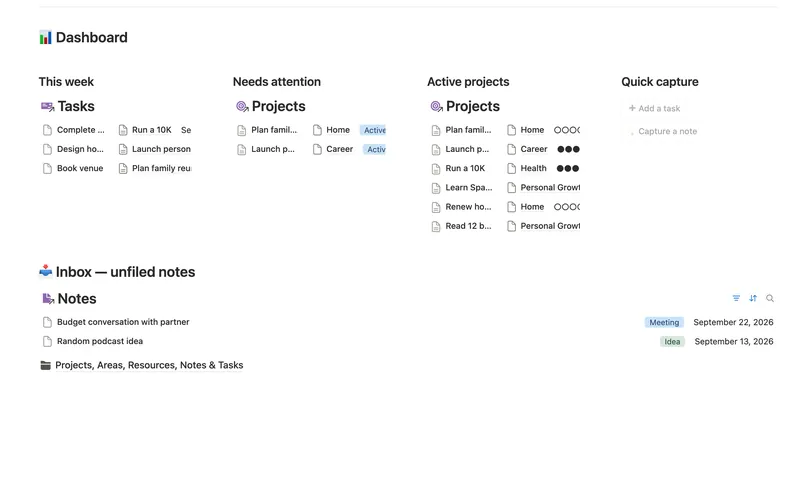
- 25 Second Brain (PKM) Capture everything into Tasks and Notes, file it against Projects, Areas and Resources, and watch Progress, Next due and Health roll up two hops — from a single checked box to a real picture of what's on track and what's stalled. 5 db · 10 formulas · 2 buttons
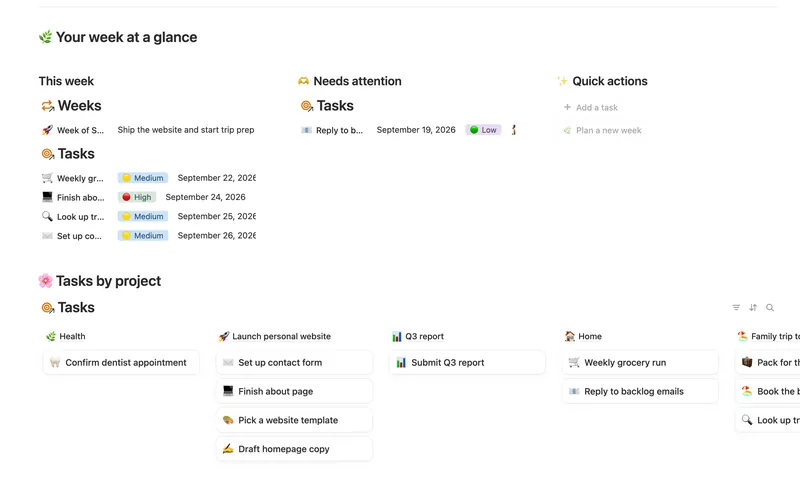
- 01 Weekly Planner Plan your week around what actually matters, connect every task to the project or area it belongs to, and close each week with a gentle review — progress that computes itself, no guilt, no spreadsheet. 3 db · 8 formulas · 2 buttons
§ The Bundle
Build it once, or start from a template
50 Notion templates, $197 value, $47 once.
One-time payment · Works on Notion Free · Instant Library access