
Updated Sep 24, 2026
Weekly Planner Notion Template
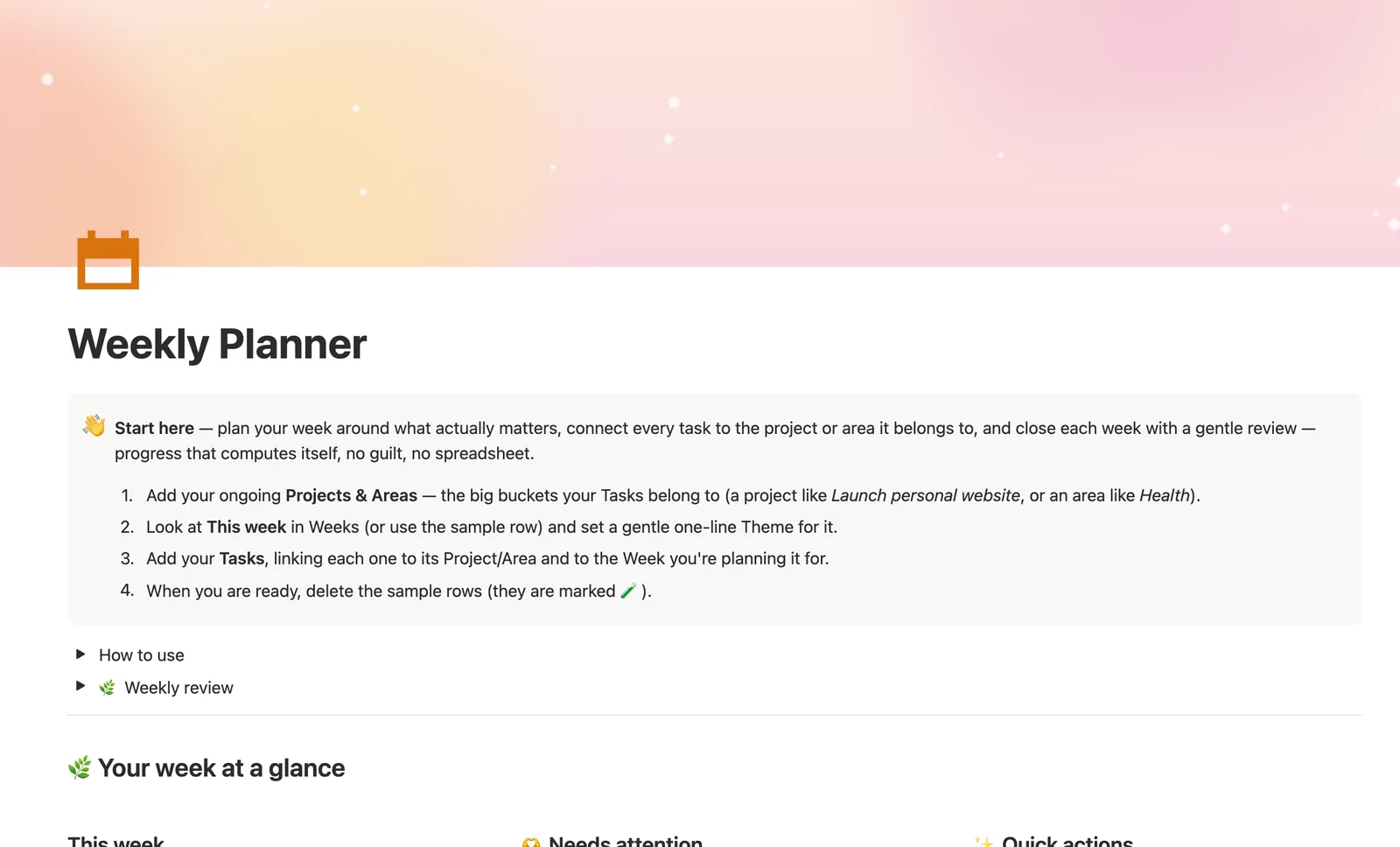
The Weekly Planner is a Notion template built around three linked databases: Projects & Areas, Weeks, and Tasks. Every task links to what it's for and the week you're doing it, so progress bars and a gentle weekly review compute themselves. It's for anyone juggling several projects who wants tasks tied to the bigger picture, not a random list.
One-time payment · Works on Notion Free · Instant Library access
Who it's for
Who it's for
- Freelancers or professionals juggling several active projects at once
- Anyone who wants tasks tied to a bigger project or life area, not a floating to-do list
- People who want a weekly review that doesn't feel like a report card
- Households planning shared projects, like a move or a trip, alongside daily errands
What's inside
What's inside
Projects & Areas as the anchor
Every task links to a Project (something with an end, like Launch personal website) or an Area (something ongoing, like Health). Open any Project or Area's own page to see just its Tasks, split into Open and Done.
A week-by-week plan, not just a list
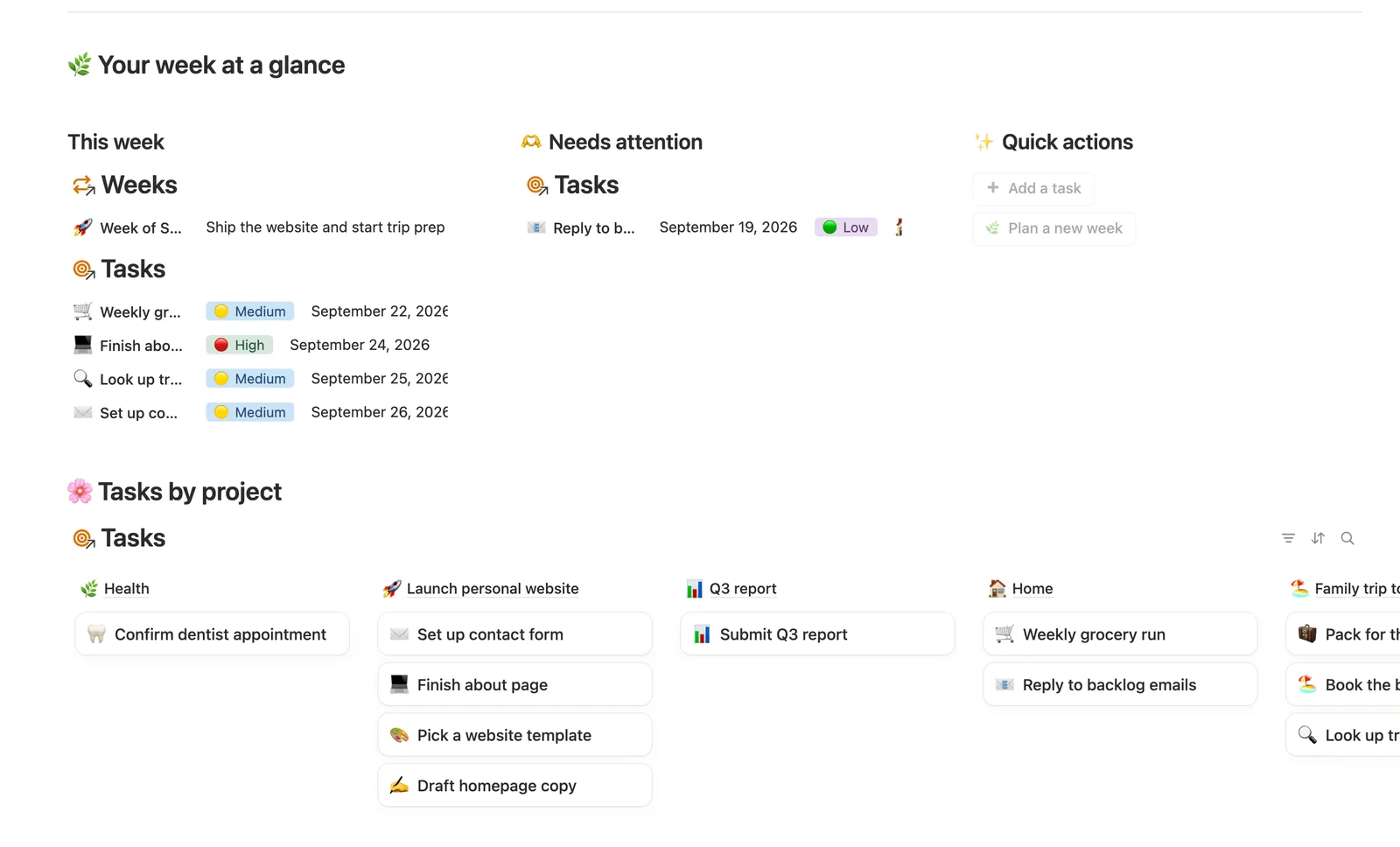
The Weeks database holds one row per week with a Theme and Notes. Tasks planned, Tasks done, and a Completion progress bar fill themselves in as you check tasks off, nothing typed twice.
This week, found automatically
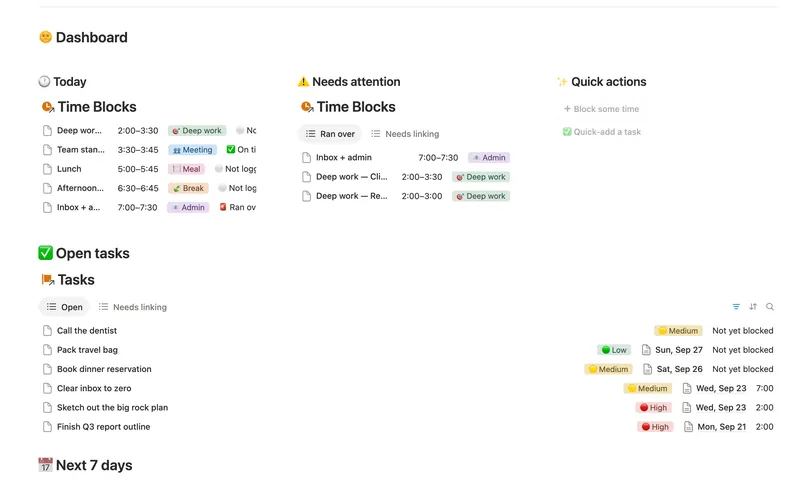
The dashboard's This week view filters by due date, so anything due in the current calendar week shows up whether or not you've tagged it to a Week row yet.
A guilt-free Status, on purpose
A week with unfinished tasks reads as 🟡 In progress, never "behind." The Status formula was written to avoid guilt language entirely, matching the weekly review's own tone.
Needs linking, so nothing falls through
Quick-adding a task from the dashboard button or the Quick task template can't set its Project/Area or Week (a dashboard button can't know which project or week a task belongs to), so a Needs linking view catches anything still unlinked.
Energy tags for real days
Tag each task ⚡ High energy, 🌊 Steady energy or 🌙 Low-key, then use the By energy board to match what you pick up to how you actually feel that day.
How it works
How it works
Three databases carry the whole system. Tasks is the hub: each one links to a Project/Area (what it's for) and a Week (when you're doing it). A Project or Area's Tasks count, Done count and Progress bar roll up from every Task linked to it; a Week's Tasks planned, Tasks done and Completion roll up the same way from its own linked Tasks. Nothing above the Task level is typed by hand: check off a Task and both its Project/Area and its Week update on their own.
Spec
- Databases
- 3
- Two-way relations
- 2
- Formulas
- 8
- Rollups
- 4
- Views
- 19
- One-click buttons
- 2
- Database templates
- 5
- Sample rows
- 23
- Databases Projects & Areas, Weeks, Tasks
- Entity pages Projects & Areas, Weeks
- Buttons ➕ Add a task, 🌿 Plan a new week
How to use
- 01
Tasks are the heart of the system — link each one to a Project/Area (what it's for) and a Week (when you're doing it). Everything else below is computed from those two links. ➕ Add a task and the Quick task template can't set either link (buttons and templates can't set relations) — check Tasks → 🔗 Needs linking and tag both by hand, or that task won't count toward its project's or week's progress.
- 02
This week (on the dashboard and in Tasks) shows anything due in the current calendar week automatically — you don't have to tag a task to a Week row for it to show up there.
- 03
Open any Project/Area or Week page to see just its own Tasks, split into Open and Done — no filtering required.
- 04
Tasks count / Done count / Progress on each Project/Area, and Tasks planned / Tasks done / Completion on each Week, are never typed in — they fill themselves in as you check off Tasks.
- 05
Create new weeks from the New week template (New ▾ on Weeks) so its Open/Done views stay filtered correctly — a week added completely from scratch won't inherit that automatically.
- 06
Pair this with the Habit Tracker for your daily routines and the Daily Planner for hour-by-hour time-blocking.
Setup
Setup
- 01
Duplicate the template into your own Notion workspace.
- 02
Add your ongoing Projects & Areas, the big buckets your Tasks belong to.
- 03
Set a one-line Theme for This week in Weeks, then add your Tasks, linking each one to its Project/Area and Week.
- 04
Delete the sample rows once you're set up. They're marked 🧪 so they're easy to find.
Compared
| This template | Plain to-do list | |
|---|---|---|
| Tasks tied to a project or area | Automatic via relation | Manual tagging, if any |
| Weekly progress | Computed bar, per week | You count it yourself |
| Review tone | Guilt-free Status wording | Depends how you write it |
| Unlinked tasks caught | Needs linking view | Nothing flags it |
§ FAQ
FAQ
How do I make a weekly planner in Notion?
Build a Tasks database and link it to a Projects/Areas database and a Weeks database, so each task carries what it's for and when. This Notion weekly planner template ships that structure already wired up: Progress and Completion bars compute themselves the moment you start checking tasks off.
Is there a free Notion weekly planner template?
Yes. This exact system is part of the $47 Templitize Bundle, but a free Lite version of the Weekly Planner (a smaller version of the same Projects, Weeks and Tasks system) is also available to duplicate at no cost.
Can I link weekly planner tasks to my projects in Notion?
Yes, that's the core of this system. Every Task links to one Project or Area (what it's for) and one Week (when you're doing it), so a project's Progress and a week's Completion both roll up automatically from the tasks tagged to them.
Does Notion have a built-in weekly planner?
No. Notion doesn't ship a built-in weekly planner. You build one from a database, or duplicate a template like this one that already has Tasks, Weeks and Projects & Areas linked together, with the progress math and weekly review already written.
Does this work on Notion's Free plan?
Yes. Every Templitize template, including this one, works on Notion's Free plan with no paid Notion upgrade required. Nothing in this system uses a feature exclusive to a paid Notion plan.
More from Planning & Focus
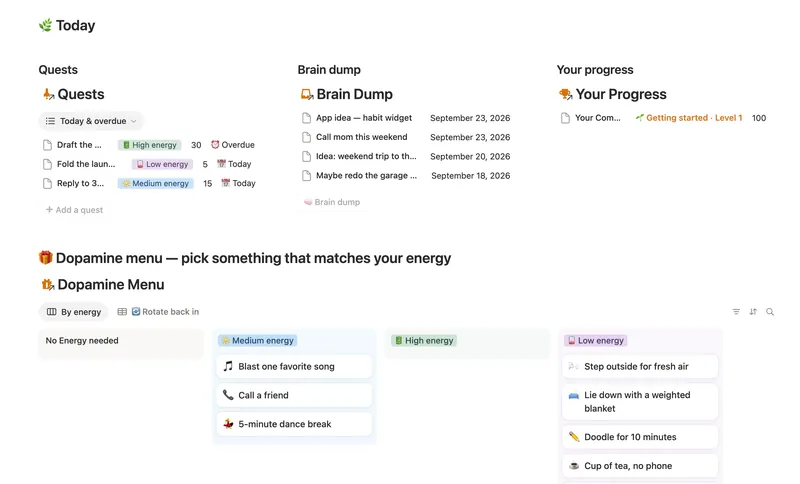
- 03 ADHD Command Center Corral every quest, stray thought and dopamine hit into one gentle system — one that tracks your XP and shows up for you on the days that don't go to plan, not just the good ones. 5 db · 12 formulas · 3 buttons
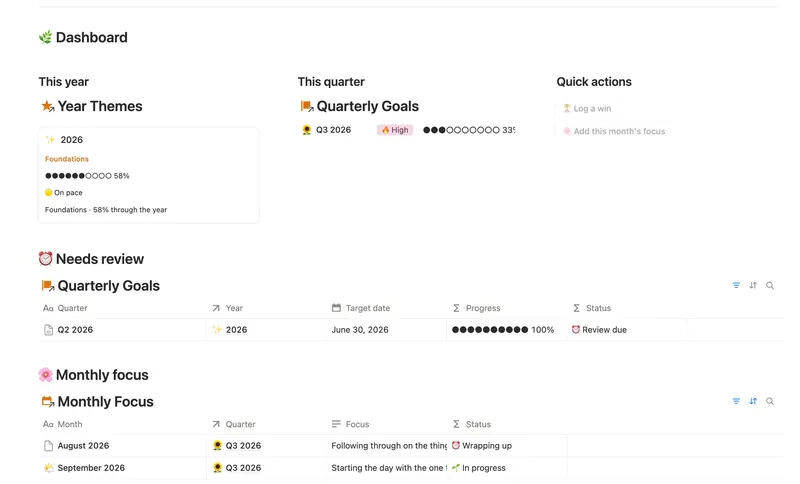
- 06 Annual Review & Year Planner Look back on the year with honest reflection prompts, then turn one yearly theme into quarterly goals and monthly focus you'll actually follow through on. 4 db · 16 formulas · 2 buttons
- 02 Daily Planner & Time Blocks Block your day into real Start/End times, keep tasks tied to the hour you meant to do them, and see — gently, never guiltily — whether today actually went the way you planned it. 3 db · 6 formulas · 2 buttons
§ The Bundle
Get the whole Bundle
Weekly Planner plus 49 more templates, one payment.
One-time payment · Works on Notion Free · Instant Library access