
Updated Sep 24, 2026
Brand Deals & Sponsorships Notion Template
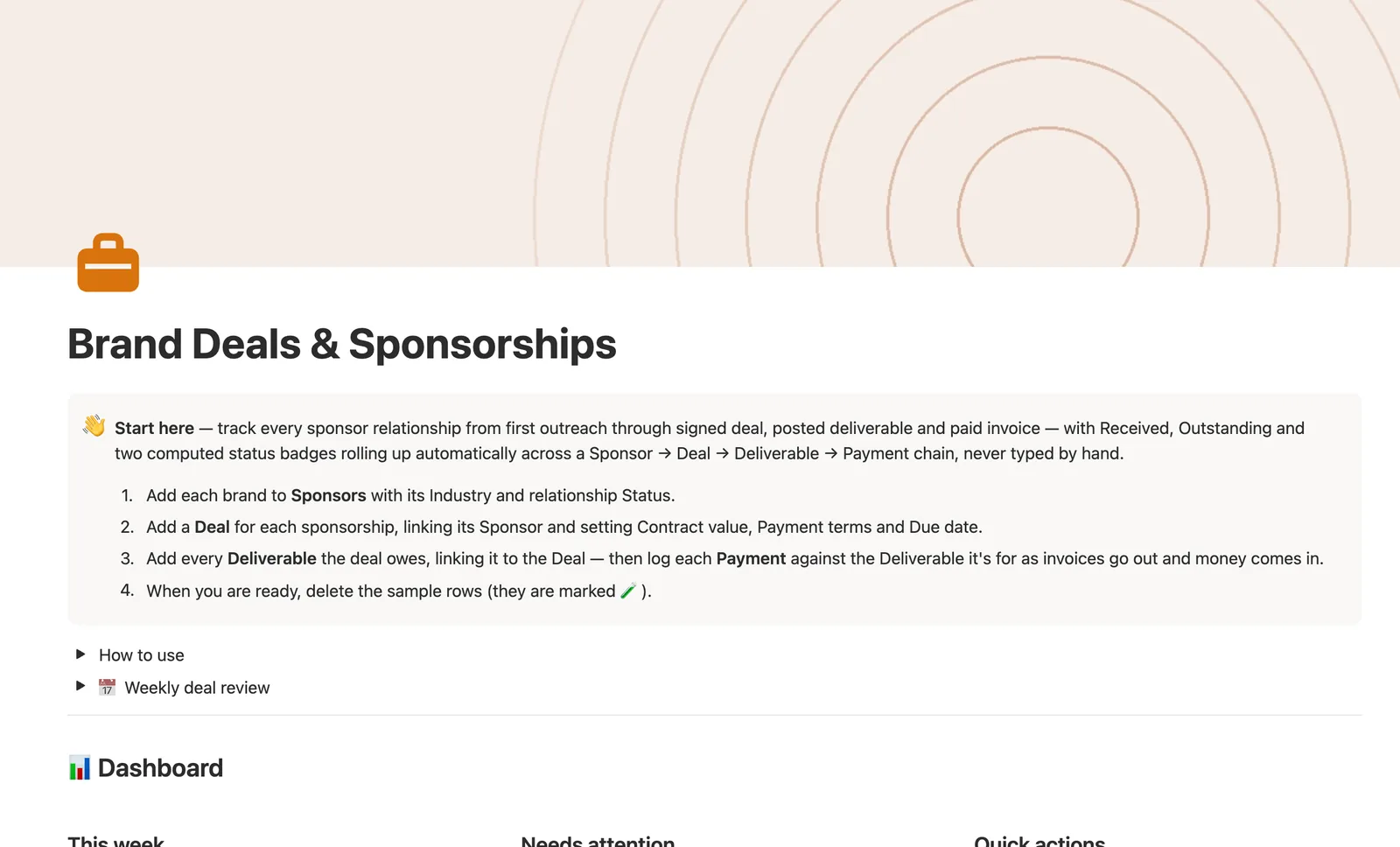
This Notion brand deal tracker follows a sponsorship from first outreach through signed deal, posted deliverable, and paid invoice. Received, Outstanding, and two computed status badges roll up automatically across a Sponsor, Deal, Deliverable, and Payment chain, so nothing here gets typed twice.
One-time payment · Works on Notion Free · Instant Library access
Who it's for
Who it's for
- Creators juggling more than one active sponsorship at a time
- Anyone whose sponsor deals have milestone-based payment terms, not one flat fee
- Creators who need to see what's actually overdue, not just what's unpaid
- Anyone tired of re-typing the same dollar figure at three levels of a spreadsheet
What's inside
What's inside
Money traced across four databases, computed once
A Payment's Amount rolls up to its Deliverable, then to its Deal, then to that Deal's Sponsor. Received and Outstanding are computed at every level, never typed twice.
Two independent status badges on every Deal
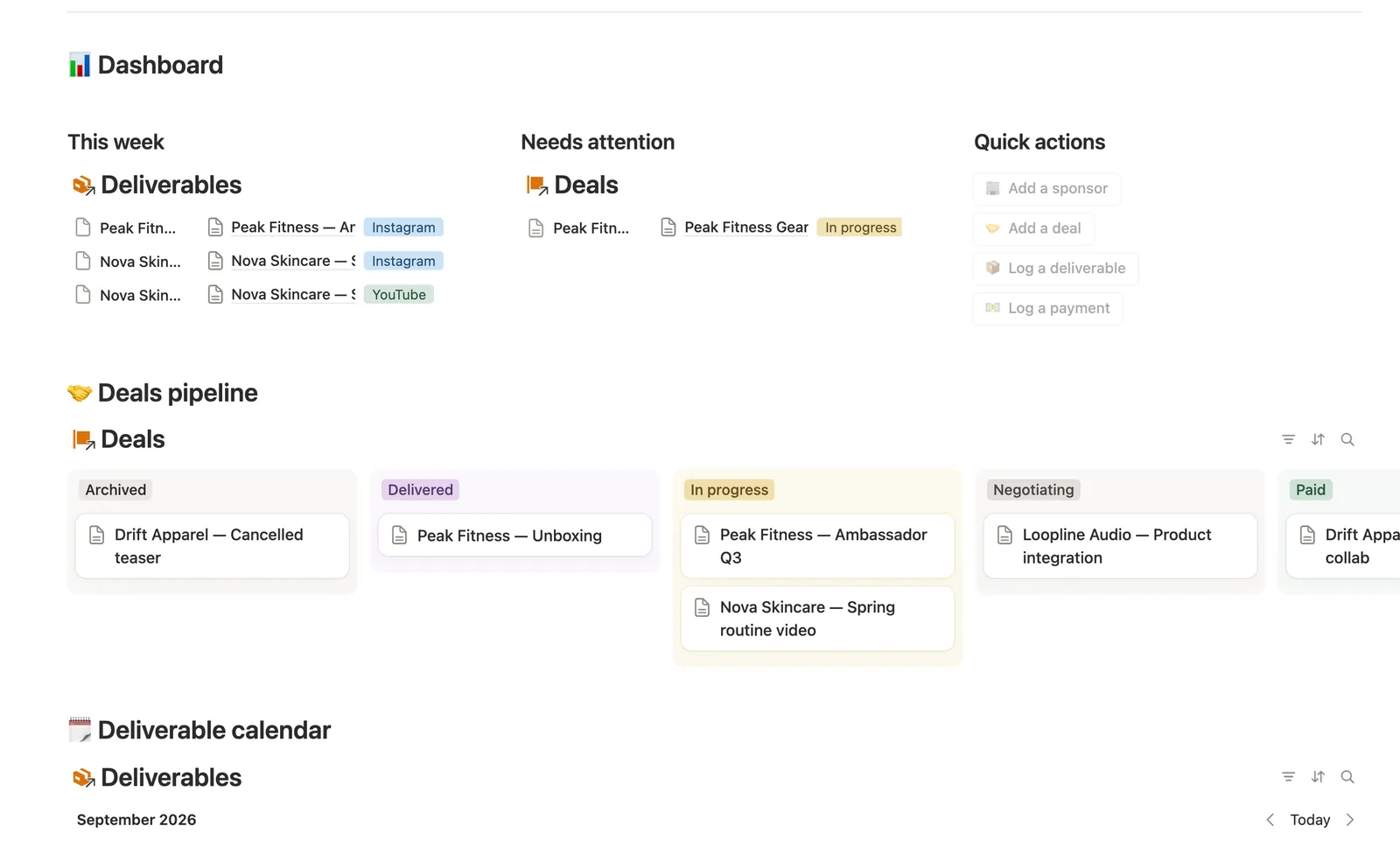
Status is the pipeline stage you set by hand (Negotiating through Signed, In progress, Delivered, Paid, Archived). Delivery status and Payment status are separate, computed badges that watch the actual Deliverables and Payments underneath.
A Deliverable's status sets itself
Posted, Due soon, Overdue, or Scheduled compute from the Posted checkbox and Due date. Check the box once it's live and paste the Link.
Every dollar traced from invoice to cash
A Payment tracks the same lifecycle from invoice to received: set Due date when you invoice, check Received once it lands, and Payments' Overdue and Due soon views are the two worth checking regularly.
Needs linking, everywhere a quick-add button can't know the link
Deals, Deliverables, and Payments each ship a Needs linking view catching anything a quick-add button created without its upstream link.
A Sponsor's own page shows every deal with them
Open a Sponsor's page for every Deal with that brand. Open a Deal's page for everything it still owes.
How it works
How it works
Money flows one direction across four databases: log a Payment against the Deliverable it's for, and the amount rolls up to that Deliverable, then to its Deal, then to that Deal's Sponsor. Received and Outstanding are computed at every level from that same chain, never re-typed. Status on a Deal is the pipeline stage you set by hand; Delivery status and Payment status are separate, computed badges reading the actual Deliverables and Payments underneath it, so a deal can't quietly go stale just because nobody moved its pipeline stage.
Spec
- Databases
- 4
- Two-way relations
- 3
- Formulas
- 21
- Rollups
- 8
- Views
- 24
- One-click buttons
- 4
- Database templates
- 7
- Sample rows
- 33
- Databases Sponsors, Deals, Deliverables, Payments
- Entity pages Sponsors, Deals
- Buttons 🏢 Add a sponsor, 🤝 Add a deal, 📦 Log a deliverable, 💵 Log a payment
How to use
- 01
Every dollar flows one direction: log a Payment against the Deliverable it's for → the amount rolls up to that Deliverable, then to its Deal, then to that Deal's Sponsor — Received, Outstanding and both status badges are never typed, only computed.
- 02
Status on a Deal is the pipeline stage you set by hand (Negotiating → Signed → In progress → Delivered → Paid → Archived); Delivery status and Payment status are separate, computed badges that watch the actual Deliverables and Payments underneath it, so a deal can't silently go stale just because nobody updated its pipeline stage.
- 03
A Deliverable's own Status (🟢 Posted / 🟡 Due soon / 🔴 Overdue / 🔵 Scheduled / ⚪ No due date) is set automatically from Posted and Due date — check the box once it's live and paste the Link.
- 04
A Payment tracks the same lifecycle from invoice to cash: set Due date when you invoice, then check Received (and set Received date) once it actually lands — Payments → Overdue and Due soon are the two lists worth checking regularly.
- 05
Buttons and database templates can't link a row for you — anything added that way lands in Deals, Deliverables or Payments → 🔗 Needs linking until you tag its Sponsor, Deal or Deliverable.
- 06
Open a Sponsor's own page to see every Deal with them; open a Deal's own page to see everything it still owes. Pair this with Content Calendar to schedule these deliverables alongside your regular posts.
Setup
Setup
- 01
Duplicate the Brand Deals & Sponsorships template into your workspace.
- 02
Add each brand to Sponsors with its Industry and relationship Status.
- 03
Add a Deal for each sponsorship, linking its Sponsor and setting Contract value, Payment terms, and Due date.
- 04
Add every Deliverable the deal owes, linking it to the Deal, then log each Payment against the Deliverable it's for.
- 05
Delete the sample rows, marked 🧪, once you're set up.
Compared
| This template | Spreadsheet | |
|---|---|---|
| Received/Outstanding | Rolled up 3 hops, automatic | Re-typed at each level |
| Overdue payment detection | Escalates a Deal's status automatically | Manual review |
| Milestone payment terms | Separate Deliverable/Payment rows | Forced into one Amount field |
| Needs linking safety net | Built-in view | None |
§ FAQ
FAQ
Does Notion have a sponsorship tracker for creators?
Yes — this one follows a sponsorship through Sponsors, Deals, Deliverables, and Payments, with Received, Outstanding, and two computed status badges rolling up automatically instead of living in one flat row.
How do I track brand deal payments in Notion?
Log each Payment against the Deliverable it's for. The amount rolls up through Deliverable to Deal to Sponsor automatically, so Received and Outstanding stay current at every level without retyping a number.
Does this work on Notion's free plan?
Yes, including the full four-database money rollup and both computed status badges. Nothing here requires a paid Notion plan.
What if a deal has milestone-based payments, not one flat fee?
That's what this template is built for. Deliverables and Payments are separate databases, so a deposit paid before anything's posted, or a post that's live but not yet paid, is representable instead of forced into a single Amount/Paid pair.
Can I see what a specific sponsor still owes me?
Yes. Open that Sponsor's own page for every Deal with them, with Total contracted, Total received, and Outstanding shown live. Open a Deal's own page for exactly what it still owes.
Is this the same as YouTube Production Pipeline's Sponsor field?
No — that template's Sponsor field is a lighter, flat rate per video. Use this one when a sponsorship has real deal stages, contracts, and itemized invoices to track, on YouTube or anywhere else.
More from Creator
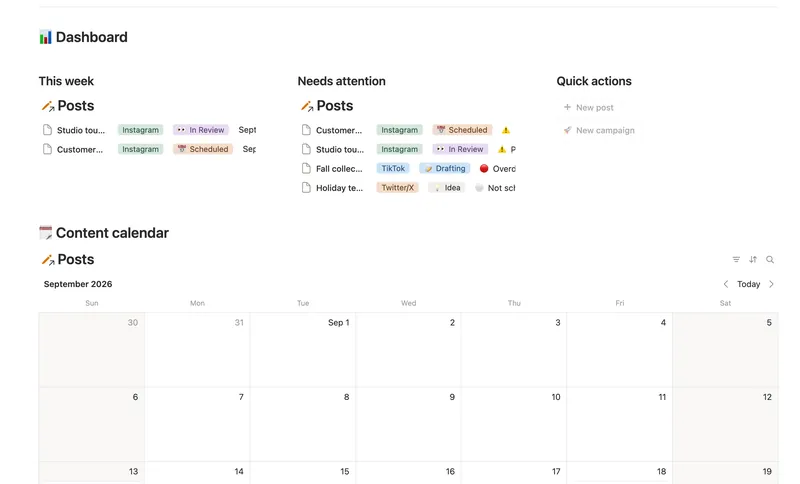
- 37 Content Calendar Plan and publish across every platform from one staged pipeline — with a live calendar, a Timing flag that catches a slipping post before it's late, and Campaigns/Pillars that show whether a push is on track and whether your content mix is actually balanced. 3 db · 8 formulas · 2 buttons
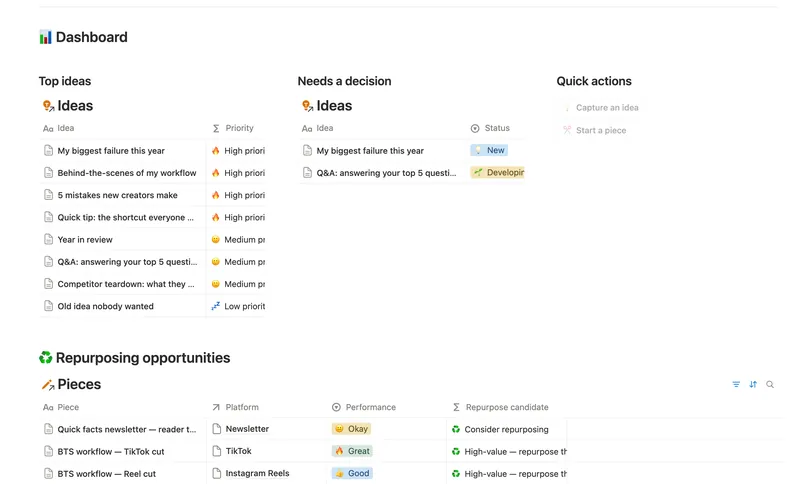
- 40 Content Idea Bank & Repurposing Capture every content idea before you forget it, score it so you always know what's worth making next, and turn one piece into several — without losing track of what's already been repurposed. 3 db · 9 formulas · 2 buttons
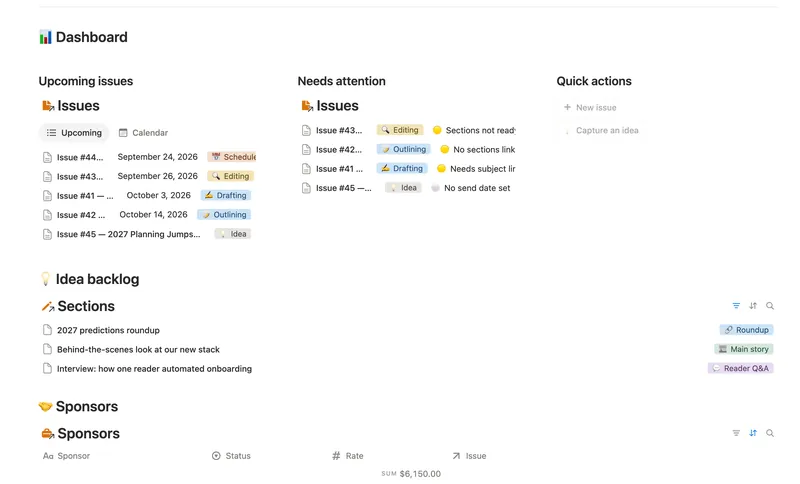
- 39 Newsletter Planner Plan every issue from idea to send — sections and ideas flow into the right issue, sponsor revenue tracks itself, and a Send readiness flag tells you exactly what's left before it goes out. 3 db · 6 formulas · 2 buttons
§ The Bundle
Get the whole Bundle
Brand Deals & Sponsorships plus 49 more templates, one payment.
One-time payment · Works on Notion Free · Instant Library access