
Updated Sep 24, 2026
Content Idea Bank & Repurposing Notion Template
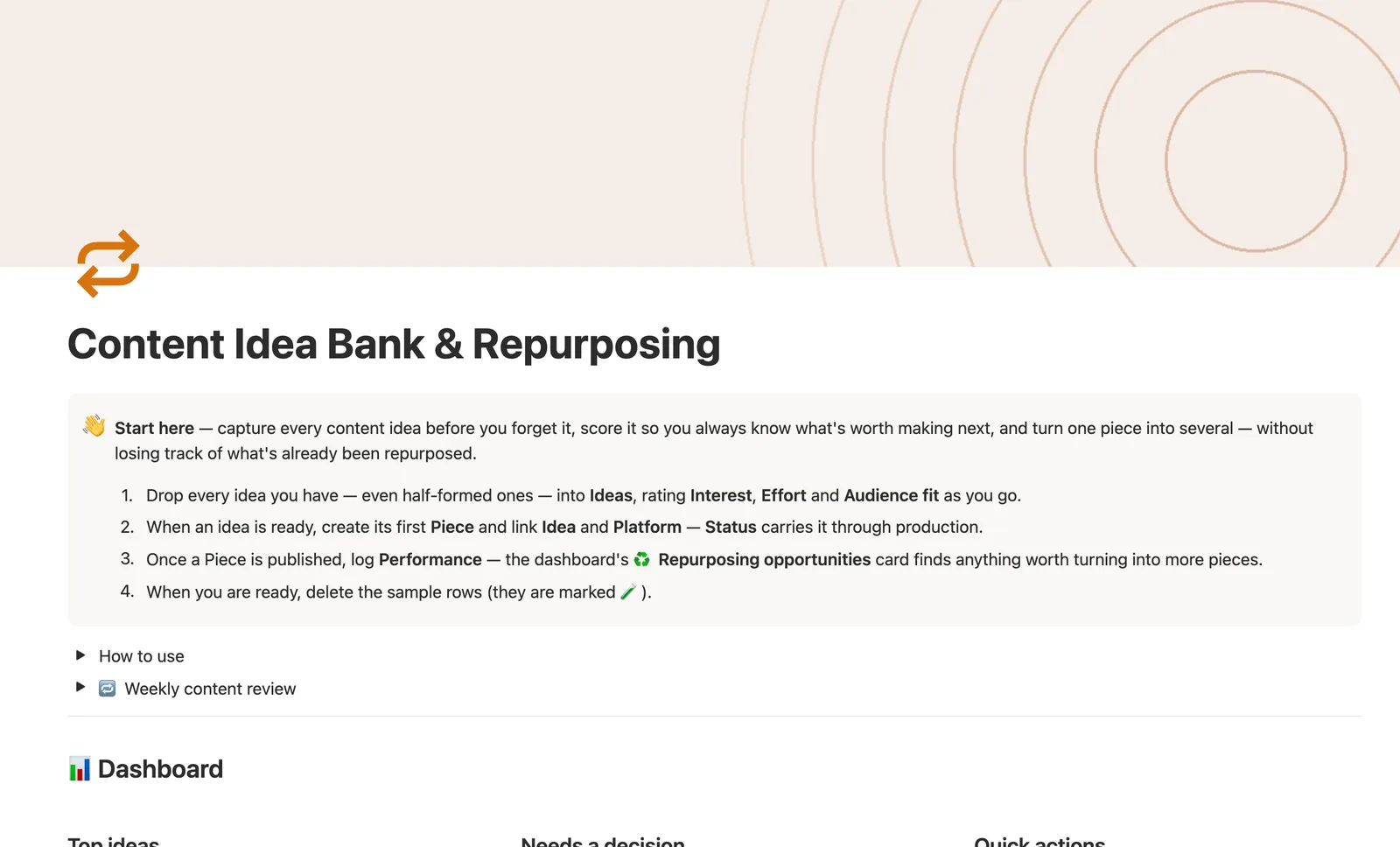
This Notion content idea bank scores every idea by Interest, Effort, and Audience fit so you always know what's worth making next. Pieces track production status per platform, and a self-relation tracks what's been repurposed — the dashboard's Repurposing opportunities finds every published piece worth a second life.
One-time payment · Works on Notion Free · Instant Library access
Who it's for
Who it's for
- Creators who capture more ideas than they ever get around to scoring
- Anyone repurposing one video or post into several platform-specific pieces
- Creators who want their best-performing content flagged for reuse automatically
- Multi-platform creators tracking which channel is actually underused
What's inside
What's inside
Ideas scored, not just ranked by gut feel
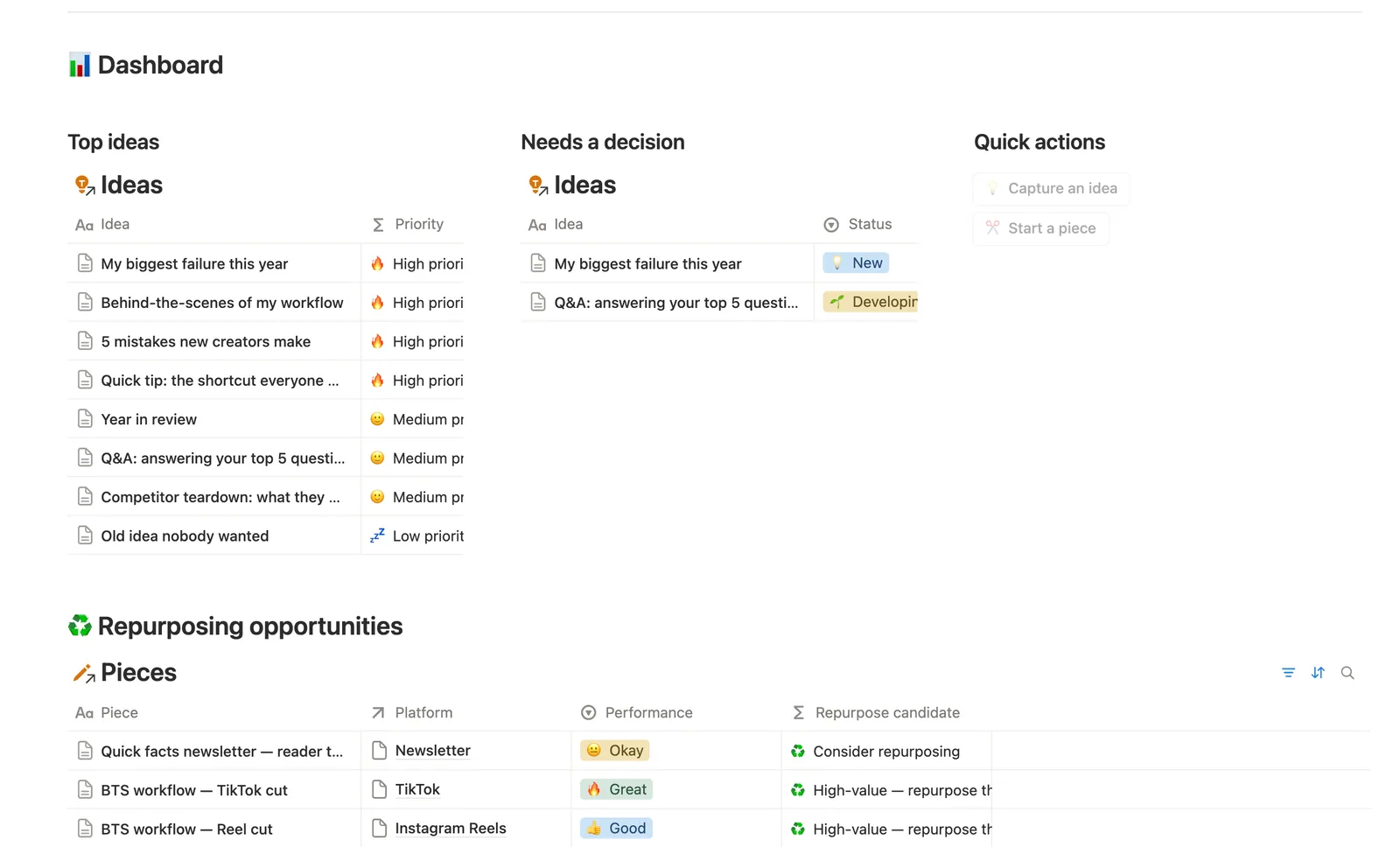
Score is a weighted formula from Interest, Effort, and Audience fit, feeding a Priority label (High, Medium, or Low) — never typed by hand.
One idea, tracked through to production
Each Piece can link back to the Idea it came from (optional, since a spontaneous piece doesn't need one) and the Platform it's published on.
Repurposing that's a real relation, not a note
Repurposed from is a self-relation on Pieces: link a new piece to an already-published one, and it shows up under that original piece's own Repurposed into list.
Repurposing opportunities, found for you
The dashboard's Repurposing opportunities card finds every Published piece with zero repurposed derivatives and okay-or-better Performance — the ones still worth a second life on another platform.
Needs a decision, before an idea goes stale
Any idea sitting in New or Developing for 30-plus days without a decision surfaces on its own view, so nothing quietly rots in the backlog.
Platform performance, not just platform volume
Platforms rolls up Pieces count, Published count, and Avg performance per platform, plus a Not yet used flag for a platform with zero pieces logged.
How it works
How it works
Ideas is the capture-and-score hub — Interest, Effort, and Audience fit feed a weighted Score formula and a Priority label. When an idea is ready, it becomes a Piece, optionally linked back to its Idea and to a Platform. Pieces carries the self-relation that makes this a repurposing system: Repurposed from links a new piece to an already-published one, and a Repurpose candidate formula checks every Published piece with zero repurposed derivatives and decent performance, flagging it as worth a second life.
Spec
- Databases
- 3
- Two-way relations
- 3
- Formulas
- 9
- Rollups
- 6
- Views
- 20
- One-click buttons
- 2
- Database templates
- 4
- Sample rows
- 27
- Databases Ideas, Platforms, Pieces
- Entity pages Ideas, Pieces
- Buttons 💡 Capture an idea, ✂️ Start a piece
How to use
- 01
Score and Priority on Ideas are computed from Interest, Effort and Audience fit — never typed by hand — so Ideas → All ideas always sorts your best ideas to the top.
- 02
Every Piece can link back to one Idea (optional — a spontaneous piece doesn't need one) and one Platform. Pieces → 🔗 Needs linking catches anything a Quick-action button created without a Platform attached, since buttons can't set relations.
- 03
Repurposed from is the self-relation that makes this a repurposing system, not just a content log: set a new Piece's Repurposed from to an already-published one, and it shows up under that original Piece's own ♻️ Repurposed into section when you open its page.
- 04
♻️ Repurposing opportunities on the dashboard finds every Published Piece with zero repurposed derivatives so far and Okay-or-better Performance — the ones still worth a second (or third) life on another Platform.
- 05
Platforms → Not yet used is a nudge, not a report: any Platform with zero Pieces logged against it yet.
- 06
Pair this with Content Calendar for day-to-day scheduling and YouTube Production Pipeline for the full edit workflow — this template is where ideas get scored and where a hit earns a second life.
Setup
Setup
- 01
Duplicate the Content Idea Bank & Repurposing template into your workspace.
- 02
Drop every idea you have, even half-formed ones, into Ideas, rating Interest, Effort, and Audience fit as you go.
- 03
When an idea is ready, create its first Piece and link Idea and Platform — Status carries it through production.
- 04
Once a Piece is published, log Performance — the dashboard's Repurposing opportunities card finds anything worth turning into more pieces.
- 05
Delete the sample rows, marked 🧪, once you're set up.
Compared
| This template | Spreadsheet | |
|---|---|---|
| Idea scoring | Weighted formula, auto Priority | Manual ranking |
| Repurposing tracking | Self-relation, live opportunity list | Not tracked |
| Platform performance | Rolled up per platform | Manual pivot table |
| Stale ideas | Flagged after 30 days | Easy to forget |
§ FAQ
FAQ
How do I organize content ideas in Notion?
Capture every idea in the Ideas database and rate it on Interest, Effort, and Audience fit. A weighted Score and a Priority label compute themselves, so All ideas always sorts your best ideas to the top without you ranking anything by hand.
Can Notion track which posts I've already repurposed?
Yes. Repurposed from is a self-relation on the Pieces database. Link a new piece to the original it's cut from, and Repurposed count plus a Repurposing opportunities view track what's already been reused and what hasn't.
Does Notion have a content idea bank template?
Yes — this one scores ideas, tracks them through to a published Piece per platform, and finds repurposing opportunities automatically once something's live and performing well.
Does this work on Notion's free plan?
Yes, including the scoring formula and the repurposing self-relation. Nothing here needs a paid Notion plan.
Is this the same as YouTube Production Pipeline?
No — pair them instead. This template is where ideas get scored and where a hit earns a second life across platforms. YouTube Production Pipeline is the deeper single-channel production workflow once a video's actually in motion.
What if I don't want to score every idea?
You don't have to. Leave Interest, Effort, and Audience fit blank and the idea reads Not yet rated instead of a false low score. Rate it whenever you're ready to compare it against others.
More from Creator
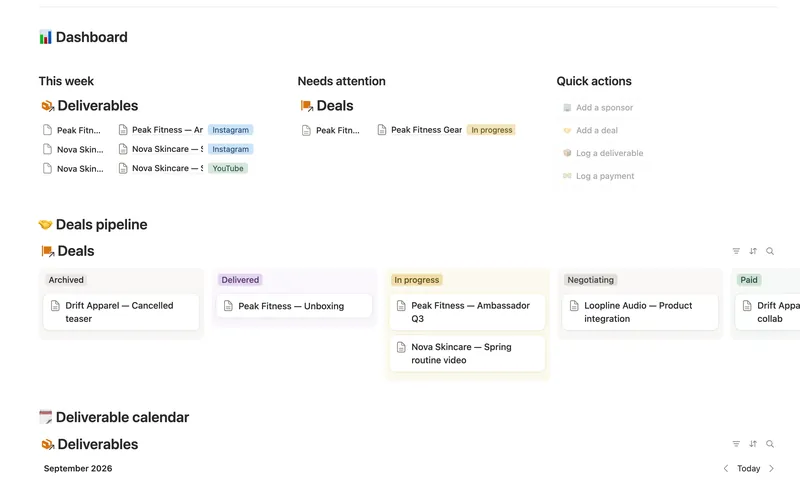
- 41 Brand Deals & Sponsorships Track every sponsor relationship from first outreach through signed deal, posted deliverable and paid invoice — with Received, Outstanding and two computed status badges rolling up automatically across a Sponsor → Deal → Deliverable → Payment chain, never typed by hand. 4 db · 21 formulas · 4 buttons
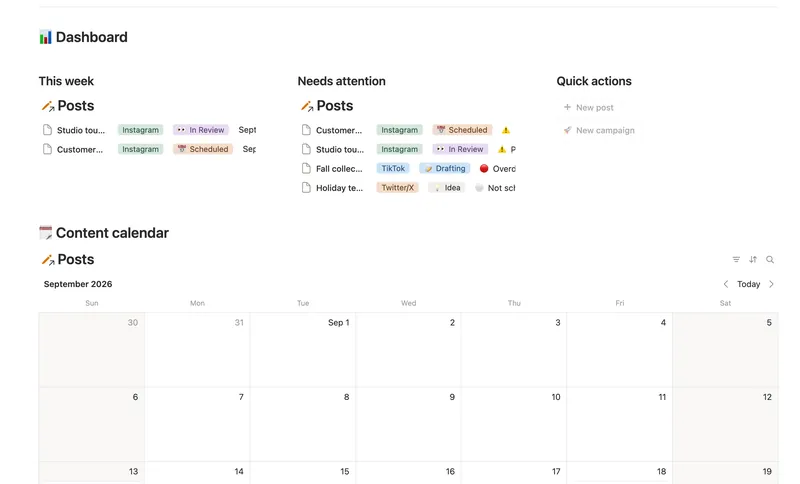
- 37 Content Calendar Plan and publish across every platform from one staged pipeline — with a live calendar, a Timing flag that catches a slipping post before it's late, and Campaigns/Pillars that show whether a push is on track and whether your content mix is actually balanced. 3 db · 8 formulas · 2 buttons
- 39 Newsletter Planner Plan every issue from idea to send — sections and ideas flow into the right issue, sponsor revenue tracks itself, and a Send readiness flag tells you exactly what's left before it goes out. 3 db · 6 formulas · 2 buttons
§ The Bundle
Get the whole Bundle
Content Idea Bank & Repurposing plus 49 more templates, one payment.
One-time payment · Works on Notion Free · Instant Library access