
Updated Sep 24, 2026
Content Calendar Notion Template
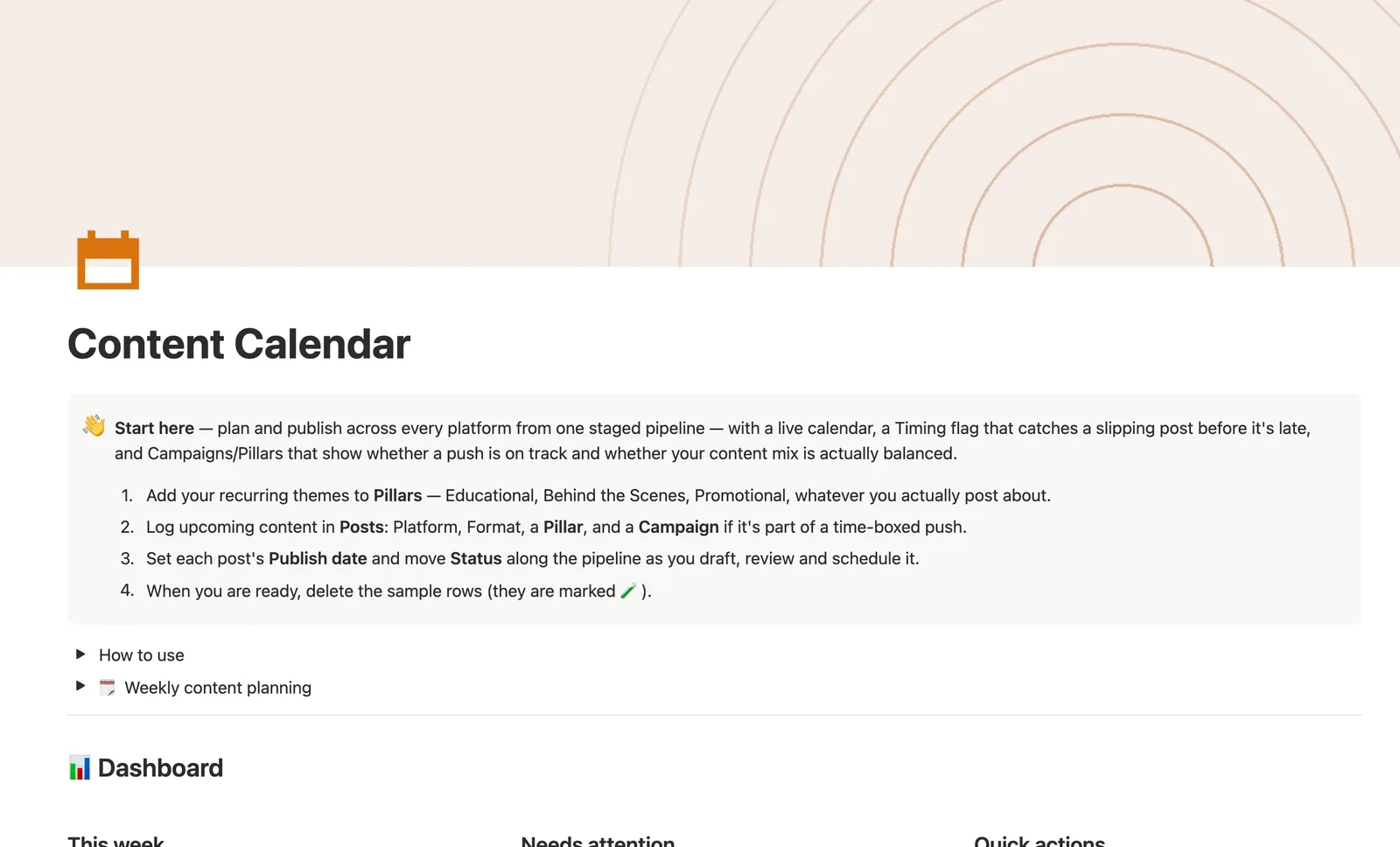
This Notion content calendar template plans and publishes posts across every platform from one staged pipeline. A Timing flag catches a post before it goes late, Campaigns track progress toward a launch, and Pillars flag a content theme you haven't posted in 30 days. Built for creators posting on more than one channel.
One-time payment · Works on Notion Free · Instant Library access
Who it's for
Who it's for
- Creators posting across Instagram, TikTok, YouTube, and more from one place
- Social media managers who need to see what's overdue at a glance
- Anyone running a launch or sale who wants posts tracked against a target
- Solo creators who want to know if one content theme is going stale
What's inside
What's inside
A staged pipeline, not a to-do list
Status on the Posts database moves through Idea, Drafting, In Review, Scheduled, Published, and Needs Update, matching how a post actually gets made instead of a flat checklist.
A Timing flag that catches a slipping post
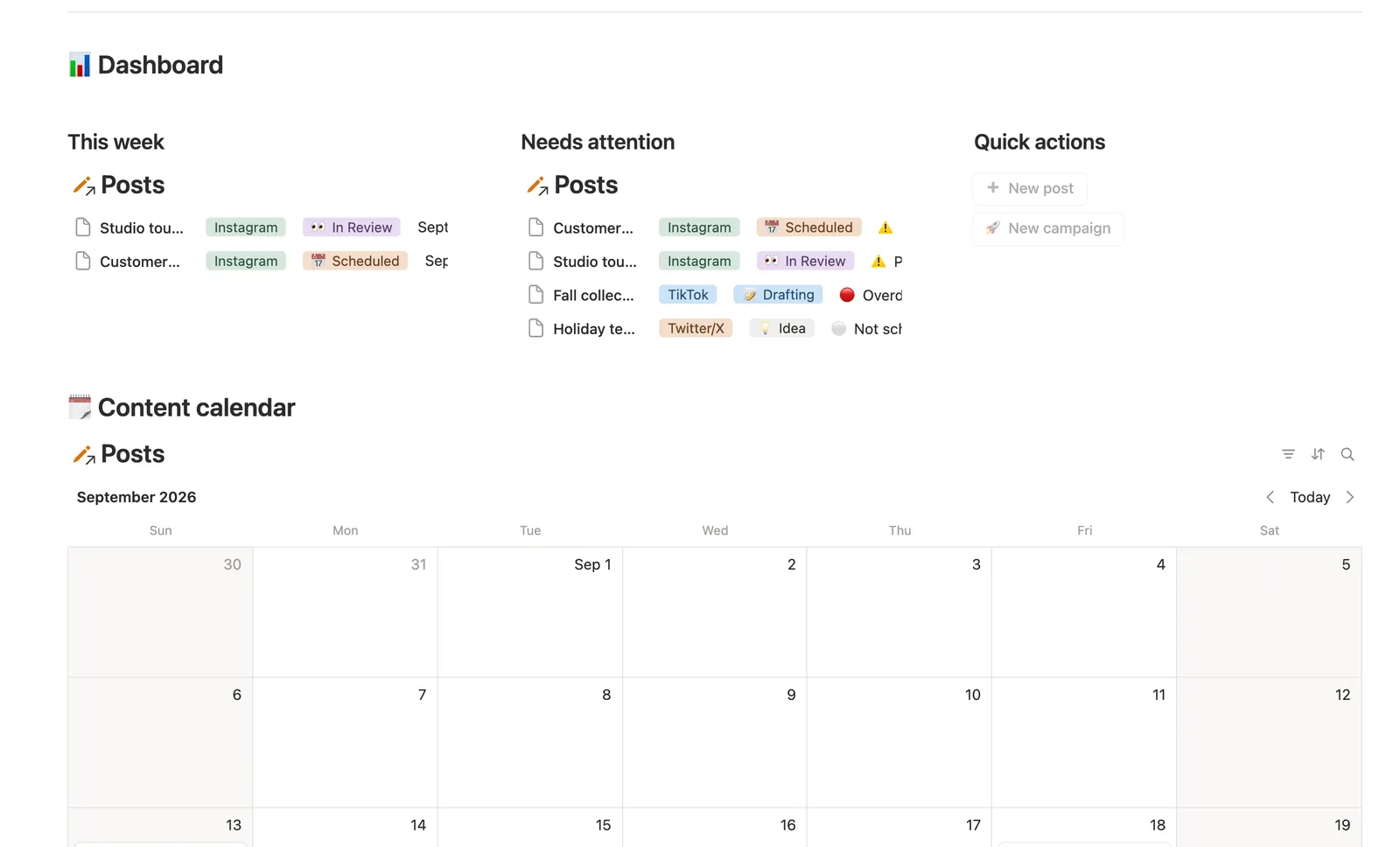
Timing is computed from Publish date, not typed by hand: it reads Overdue the moment a scheduled date passes without the post marked Published, and Publishing soon two days out.
Campaigns that track themselves
The Campaigns database rolls up Published count against Target posts into a Progress bar, and Campaign status (Upcoming, Active, or Wrapped) computes itself from Start date and End date.
Pillars that flag a stale content mix
Freshness on the Pillars database flags a theme you haven't posted in 30-plus days, or never have, pulled from the latest published post tagged to it.
A live calendar and a pipeline board
Posts has a Calendar view plotted by Publish date, a Pipeline board grouped by Status, a This week view, and a Needs attention view for anything overdue or slipping.
Quick-add buttons for posts and campaigns
Two dashboard buttons create a new post or campaign in one click. A Needs linking view catches anything added that way before it's tagged with a Pillar.
How it works
How it works
Every Post links to one Pillar, the recurring theme it belongs to, and optionally one Campaign, a time-boxed push like a launch. Posts feed both relations: a Campaign rolls up its linked posts' count and published count into a Progress bar and a computed Campaign status, and a Pillar rolls up the latest published post tagged to it into a Freshness flag. Nothing here is retyped — Timing, Progress, Campaign status, and Freshness are all computed from what you log in Posts.
Spec
- Databases
- 3
- Two-way relations
- 2
- Formulas
- 8
- Rollups
- 4
- Views
- 20
- One-click buttons
- 2
- Database templates
- 5
- Sample rows
- 18
- Databases Pillars, Campaigns, Posts
- Entity pages Campaigns
- Buttons ➕ New post, 🚀 New campaign
How to use
- 01
Every post should link a Pillar — that's what Needs linking (on the Posts database) catches; a Campaign is optional, only for a time-boxed push like a launch or sale.
- 02
Status is the pipeline you move by hand (💡 Idea → 📝 Drafting → 👀 In Review → 📅 Scheduled → ✅ Published → 🔁 Needs Update); Timing is computed for you from Publish date — it flags 🔴 Overdue the moment a scheduled date passes without the post being marked Published, and ⚠️ Publishing soon two days out.
- 03
Pipeline (on Posts) is a board view of that same Status pipeline; Calendar plots everything by Publish date.
- 04
Campaigns tracks Published count against Target posts as a Progress bar, and its Campaign status (🔜 Upcoming / 🟢 Active / ✅ Wrapped) computes itself from Start date and End date — never set by hand.
- 05
Pillars → Freshness flags a theme you haven't posted in 30+ days (⚠️) or never have (🆕) — use it to keep your content mix balanced, not just your calendar full.
- 06
Open a Campaign's own page for a filtered view of just its posts.
Setup
Setup
- 01
Duplicate the Content Calendar template into your Notion workspace.
- 02
Add your recurring themes to Pillars — Educational, Behind the Scenes, Promotional, or whatever you actually post about.
- 03
Log upcoming content in Posts: set Platform, Format, a Pillar, and a Campaign if it's part of a launch.
- 04
Set each post's Publish date and move Status along the pipeline as you draft, review, and schedule it.
- 05
Delete the sample rows, marked 🧪, once you're set up.
Compared
| This template | Spreadsheet | |
|---|---|---|
| Late-post detection | Automatic Timing flag | You have to check manually |
| Campaign progress | Auto-computed Progress bar | Manually tallied |
| Stale content themes | Pillars flag 30+ days unused | Not tracked |
| Views | Calendar, Pipeline board, This week | One flat sheet |
§ FAQ
FAQ
Does Notion have a content calendar template?
Yes — this one plans and publishes posts across every platform from a single staged pipeline (Idea, Drafting, In Review, Scheduled, Published, Needs Update), with a live Calendar view and a Timing flag that catches a post before it goes overdue.
Is there a free Notion content calendar?
There's no separate free download of this exact template. It's one of 50 in the $47 Templitize Bundle, bought once. It does run fully on Notion's Free plan, so you don't need a paid Notion account to use it.
Can Notion flag a post that's about to be late?
Yes. Timing is a formula, not a manual field — it reads Publish date against today and shows Overdue once a scheduled post has passed its date unpublished, and Publishing soon two days before.
Does it work on Notion's free plan?
Yes. Every database, formula, and button in this template runs on Notion's Free plan — nothing here requires a paid Notion workspace.
What's the difference between a Pillar and a Campaign?
A Pillar is a recurring content theme, like Educational or Behind the Scenes, and it tracks whether your content mix stays balanced. A Campaign is a time-boxed push, like a launch or sale, with its own start date, end date, and post target.
Can I plan content for more than one platform?
Yes. Each post picks a Platform (Instagram, TikTok, YouTube, Twitter/X, LinkedIn, Blog, Newsletter) and a Format, so the same calendar covers every channel you post to.
More from Creator
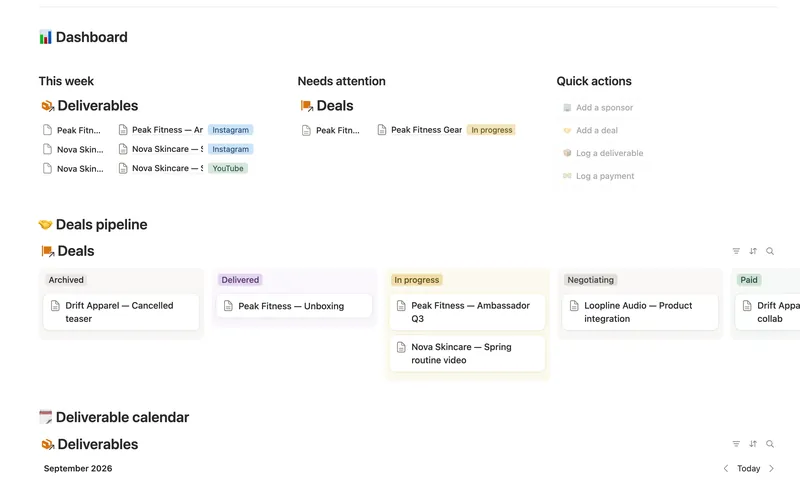
- 41 Brand Deals & Sponsorships Track every sponsor relationship from first outreach through signed deal, posted deliverable and paid invoice — with Received, Outstanding and two computed status badges rolling up automatically across a Sponsor → Deal → Deliverable → Payment chain, never typed by hand. 4 db · 21 formulas · 4 buttons
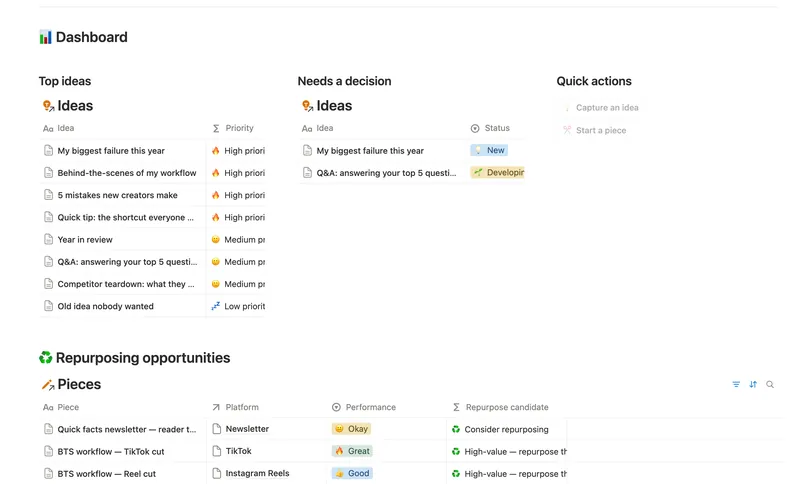
- 40 Content Idea Bank & Repurposing Capture every content idea before you forget it, score it so you always know what's worth making next, and turn one piece into several — without losing track of what's already been repurposed. 3 db · 9 formulas · 2 buttons
- 39 Newsletter Planner Plan every issue from idea to send — sections and ideas flow into the right issue, sponsor revenue tracks itself, and a Send readiness flag tells you exactly what's left before it goes out. 3 db · 6 formulas · 2 buttons
§ The Bundle
Get the whole Bundle
Content Calendar plus 49 more templates, one payment.
One-time payment · Works on Notion Free · Instant Library access