
Updated Sep 24, 2026
Family Organizer Notion Template
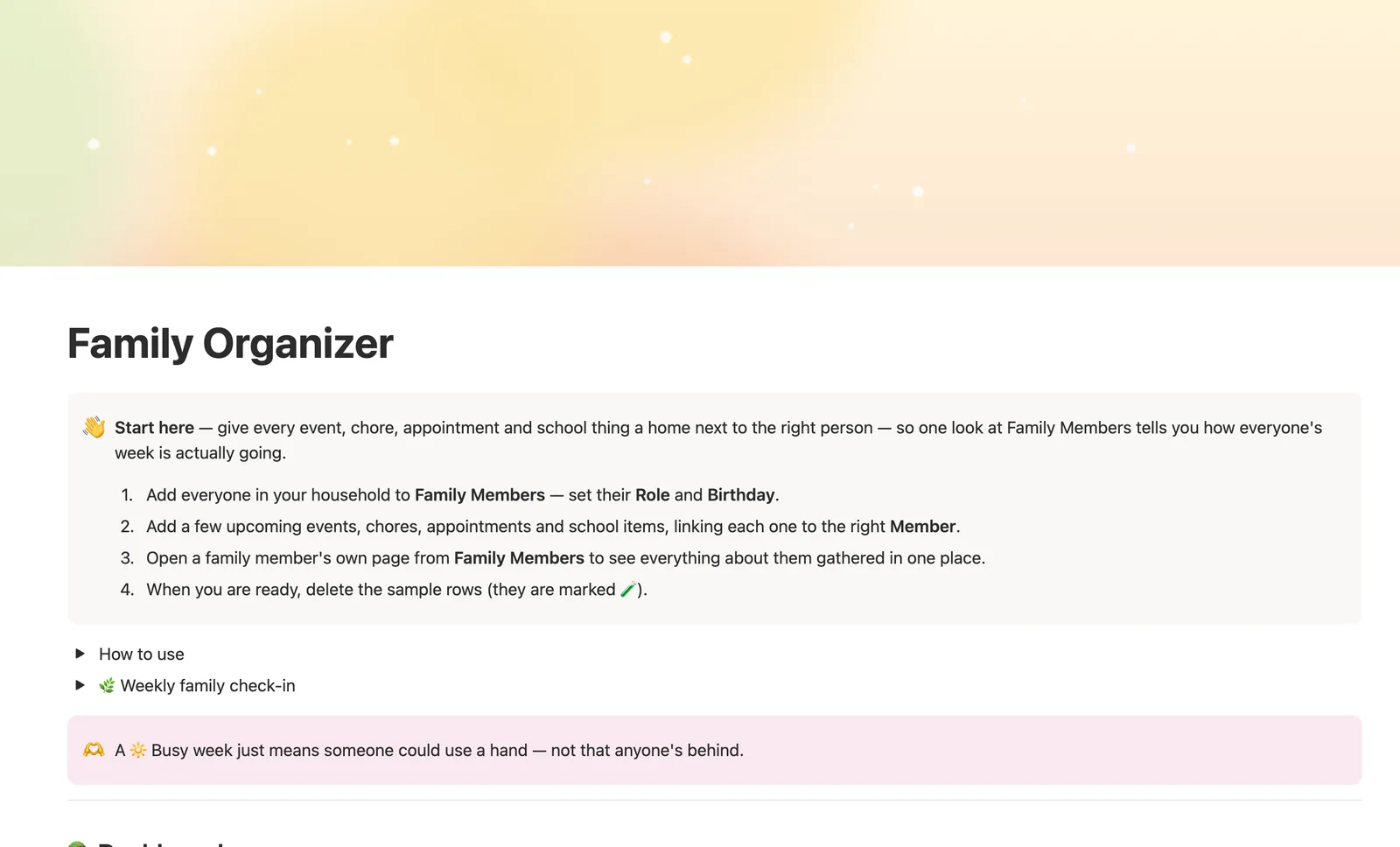
Family Organizer is a Notion template that gives every family member their own page — events, chores, appointments, and school items all link back to them automatically. Leave a person blank on an event to mark it as a whole-family thing, and Status shows how full anyone's week actually is.
One-time payment · Works on Notion Free · Instant Library access
Who it's for
Who it's for
- Families juggling more than one kid's chores, school items, and appointments
- Parents who want one place to check what's going on with each family member
- Households that need chores, events, and appointments in the same system
- Anyone tired of asking ‘what's going on with everyone this week?’ with no real answer
What's inside
What's inside
Family Members is the hub for everything
Link an event, chore, appointment, or school item to the right person, and it shows up on their own page automatically — nothing copied twice.
A warm little dashboard per person
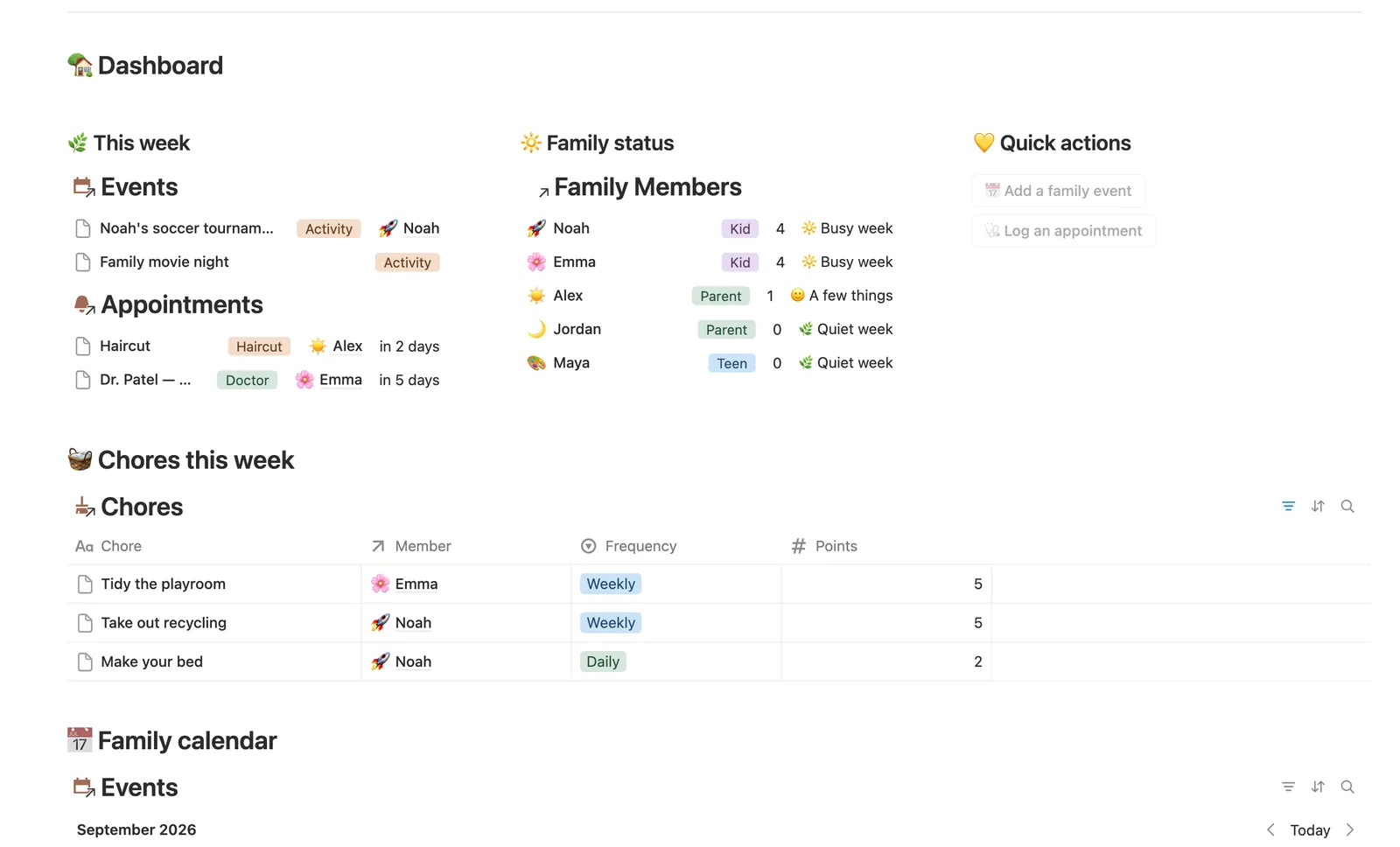
Open any family member's own page to see their week gathered in one place: their events, chores, appointments, and school items, side by side.
Status that reads how full a week is, not a score
🌿 Quiet week, 🙂 A few things, or 🔆 Busy week — a gentle Total this week number rolled up from every event, chore, appointment, and school item tied to that person.
Whole-family events, on purpose
Leave Member blank on an event like movie night or a holiday to mark it as everyone's, not one person's — it still shows up on the dashboard and the calendar.
Next appointment, never re-typed
Each family member's Next appointment is pulled straight from Appointments — always their own soonest upcoming one, not a date you have to remember to update.
A guardian relation for who's responsible for whom
Link Guardian of on a parent to the kids they're responsible for — useful for permission slips or an emergency contact list.
How it works
How it works
Family Members is the hub every other database links back to — Events, Chores, Appointments, and School each connect to one person, or, for a whole-family event, to no one at all. Each satellite database rolls up a 'this week' flag to Family Members, which combines all four into a single Total this week number and a gentle Status badge. Next appointment reads straight off Appointments' own relation, always the soonest one still ahead.
Spec
- Databases
- 5
- Two-way relations
- 5
- Formulas
- 18
- Rollups
- 5
- Views
- 27
- One-click buttons
- 2
- Database templates
- 7
- Sample rows
- 30
- Databases Family Members, Events, Chores, Appointments, School
- Entity pages Family Members
- Buttons 📅 Add a family event, 🩺 Log an appointment
How to use
- 01
Everything ties back to Family Members — link an event, chore, appointment or school item to the right person and it shows up on their own page automatically, nothing copied twice.
- 02
Open any family member's own page for a warm little dashboard of just them: this week's events, their chores, their appointments and their school items, all in one place — the fastest way to answer 'what's going on with Maya this week?'
- 03
Status on each person is a gentle read on how full their week is — 🌿 Quiet week, 🙂 A few things, or 🔆 Busy week — never a scoreboard, just a heads-up on who could use a hand.
- 04
Leave Member blank on a family event (movie night, a holiday) to mark it as a whole-family thing instead of one person's — it'll still show up on the dashboard and the calendar.
- 05
Chores reset by hand at your weekly check-in: uncheck Done this week for everyone and the week starts fresh — Points this week on each person's page shows how it went.
- 06
Next appointment on each family member is never re-typed — it's pulled straight from Appointments, their own soonest upcoming one. A button-created appointment has no Member yet (buttons can't set relations), so check Appointments → 🔗 Needs linking and tag it.
- 07
Chores and School work the same way: a chore or assignment made from the New … database template starts unlinked too, so check Chores → 🔗 Needs linking and School → 🔗 Needs linking after using a template, or it won't count toward anyone's week.
Setup
Setup
- 01
Duplicate Family Organizer into your workspace.
- 02
Add everyone in your household to Family Members — set their Role and Birthday.
- 03
Add a few upcoming events, chores, appointments, and school items, linking each one to the right Member.
- 04
Open a family member's own page to see everything about them in one place.
- 05
Delete the sample rows once you're set up — they're marked 🧪.
Compared
| This template | Group chat | |
|---|---|---|
| Who's doing what this week | Rolled up per person automatically | Buried in old messages |
| Chores, appointments, school | All in one place per family member | Scattered across threads |
| Next appointment | Computed, shown on each person's page | You have to ask |
§ FAQ
FAQ
Does Notion have a family organizer template?
Not built in. Family Organizer is a Notion template that adds one: Family Members is the hub, and Events, Chores, Appointments, and School each link back to the right person.
How do I share a family calendar in Notion?
This template builds the calendar (Events has its own Calendar view); sharing it is a Notion feature, not something the template configures for you — invite family members to the page from Notion's own Share menu, and everyone linked sees the same data.
Can Notion track chores and appointments for each family member?
Yes. Link a chore or appointment to the right person in Family Members, and it rolls up onto their own page automatically — chores, appointments, events, and school items, all in one place.
What happens to a family event without a specific person?
Leave Member blank — that marks it as a whole-family thing, like a movie night or a holiday, and it still shows up on the dashboard and calendar.
Does it work on Notion's Free plan?
Yes, including the self-relation used for Guardian of and every rollup and formula in the template.
More from Home & Family
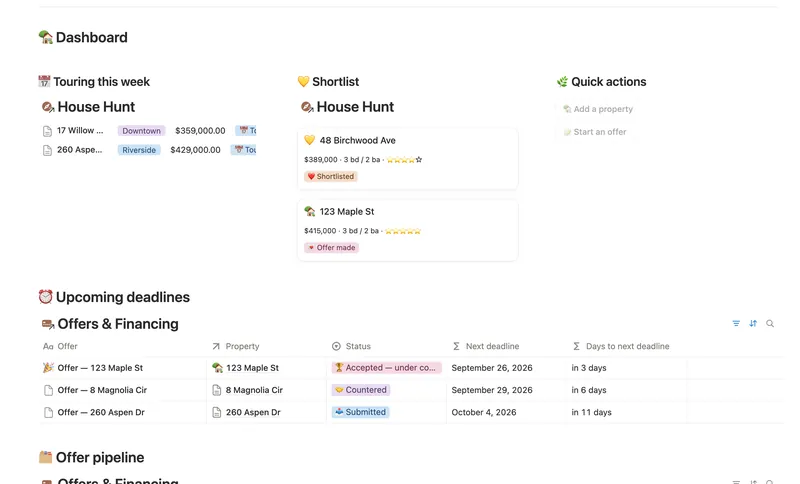
- 20 First Home Tracker Log every property you tour, turn your favorite into a real offer, and keep financing, costs and the closing checklist in one place — all the way to the keys. 2 db · 9 formulas · 2 buttons
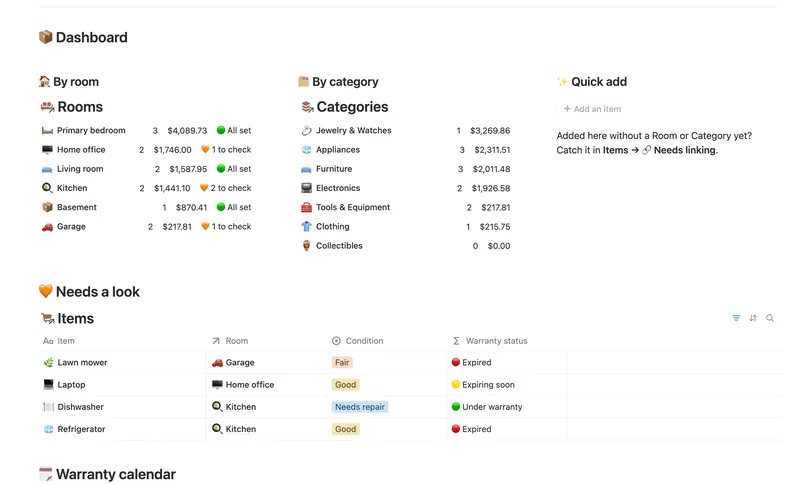
- 21 Home Inventory See everything you own — by room, by category, with warranty countdowns and an estimated value that keeps itself current — so you're ready the day you actually need it. 3 db · 7 formulas · 1 button
- 15 Household Hub Keep the household running without anyone having to remember everything — chores stay assigned and on schedule, and a glance at the dashboard shows what could use a little love today. 4 db · 12 formulas · 2 buttons
§ The Bundle
Get the whole Bundle
Family Organizer plus 49 more templates, one payment.
One-time payment · Works on Notion Free · Instant Library access