
Updated Sep 24, 2026
First Home Tracker Notion Template
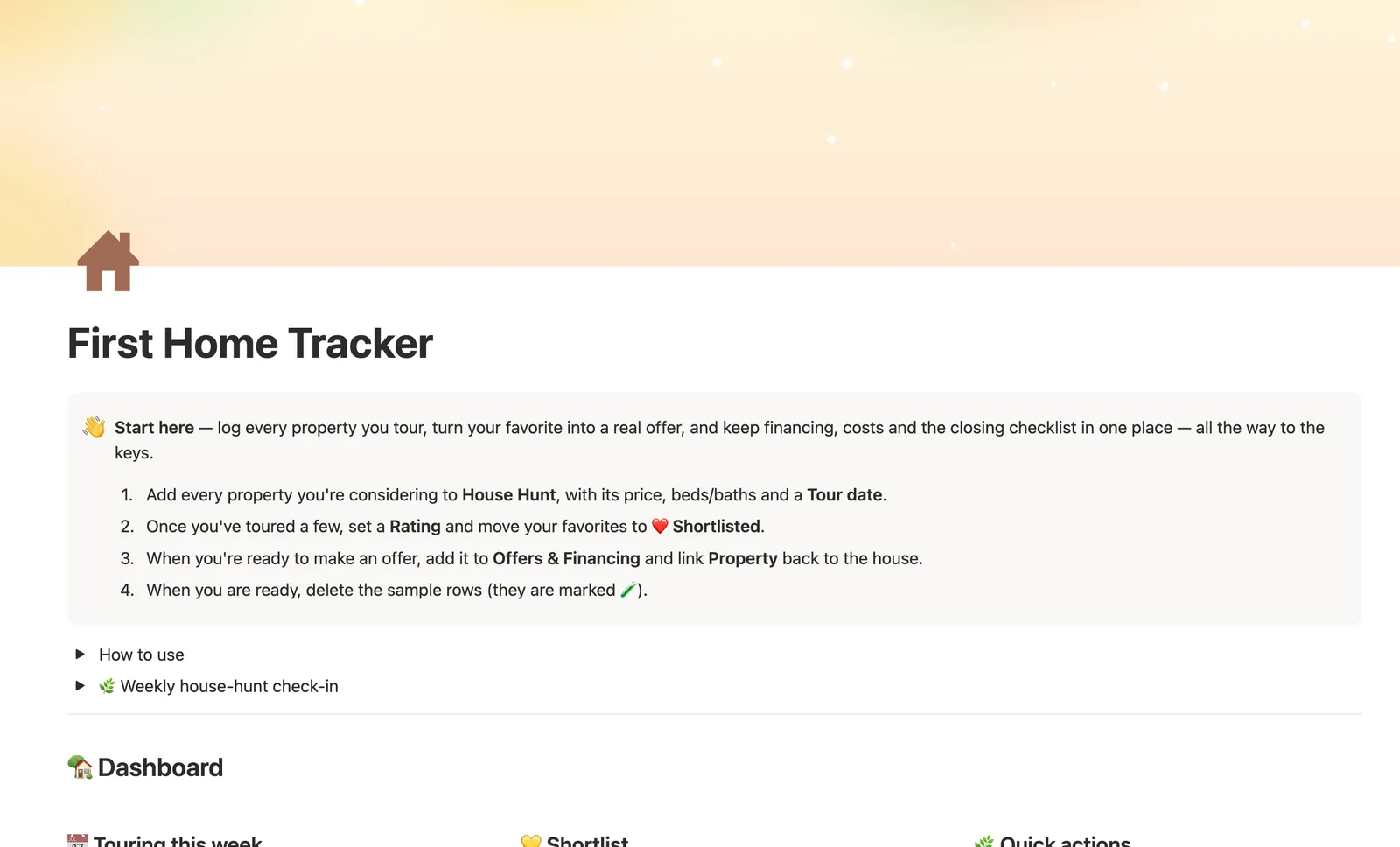
First Home Tracker is a Notion template for the house-hunting and offer process. Log every property you tour in House Hunt, then track offer price, financing, and every contingency deadline in Offers & Financing, with Next deadline always pointing at whichever date is actually coming up next.
One-time payment · Works on Notion Free · Instant Library access
Who it's for
Who it's for
- First-time home buyers comparing multiple properties before making an offer
- Anyone tracking contingency deadlines across inspection, financing, and appraisal
- Buyers who want offer costs (earnest money, down payment, closing costs) added up automatically
- Anyone who wants a closing checklist ready the moment an offer is accepted
What's inside
What's inside
House Hunt tracks every property you tour
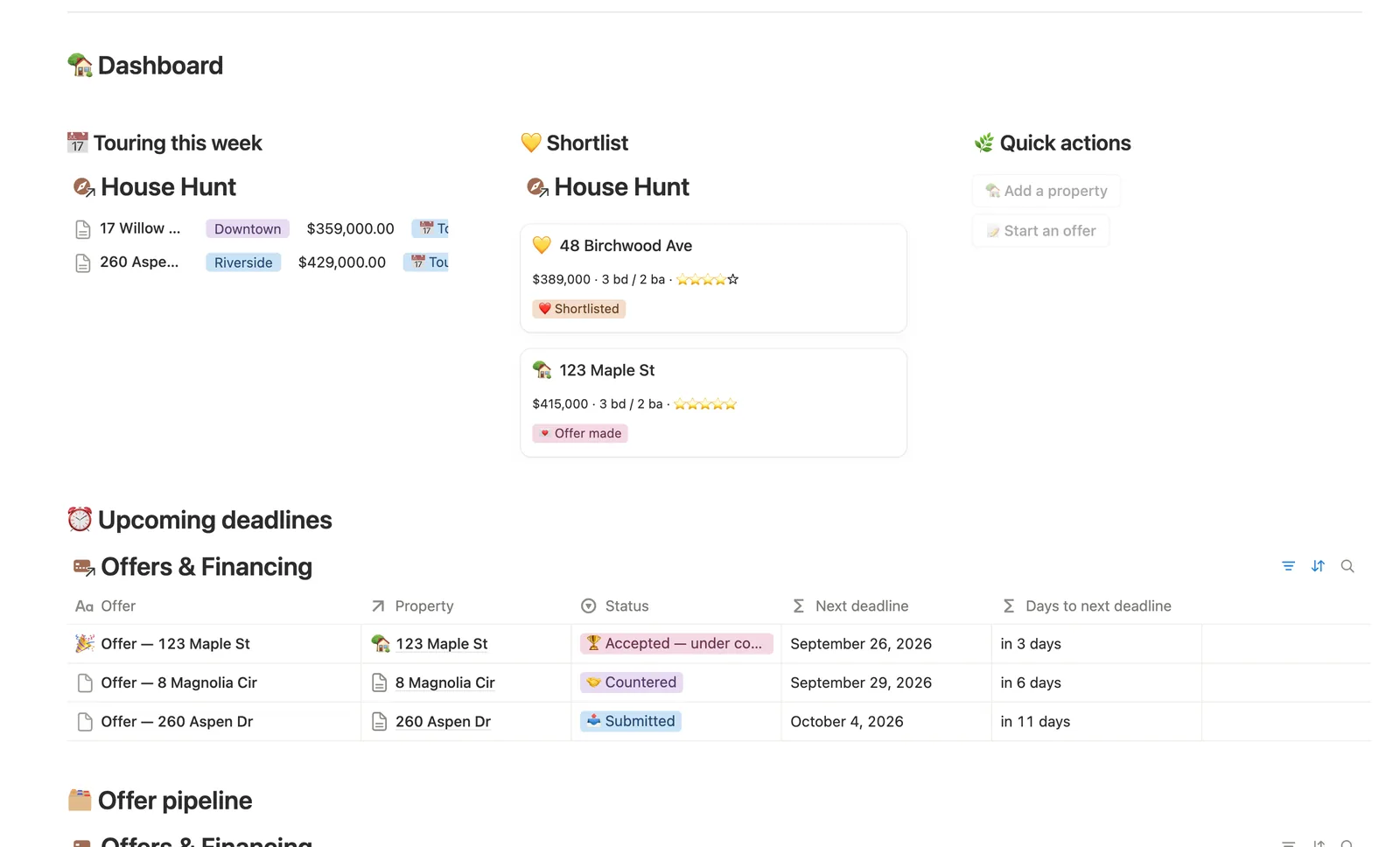
Set a Tour date so it shows up under Touring this week, and a Rating once you've seen it — Rating stars fills itself in as ⭐⭐⭐⭐☆.
Offer vs. list, computed
Every offer compares its price to that property's list price automatically, so you can see at a glance whether you're over, under, or at asking.
One countdown that follows the real next deadline
Next deadline checks Inspection, Financing, and Appraisal in order, skips anything already past, and switches to counting down to Closing date once every contingency has cleared.
Total cash needed, added up for you
Earnest money, down payment, and estimated closing costs total automatically the moment you fill them in — no separate spreadsheet for what you actually need at closing.
A closing checklist built into the winning offer
Once an offer is 🏆 Accepted, open its page for a built-in closing checklist covering inspection, lender documents, appraisal, insurance, and the final walkthrough.
Two focused databases, not five
House Hunt and Offers & Financing cover the pre-purchase process end to end without turning into a database for every step of the process.
How it works
How it works
House Hunt holds every property you tour, and Offers & Financing links back to the one you're making an offer on. Offer vs. list compares your offer price to that property's list price, and Next deadline checks Inspection, Financing, and Appraisal in order, skipping any date that's empty or already passed, before finally counting down to Closing date once every contingency has cleared.
Spec
- Databases
- 2
- Two-way relations
- 1
- Formulas
- 9
- Rollups
- 1
- Views
- 13
- One-click buttons
- 2
- Database templates
- 3
- Sample rows
- 15
- Databases House Hunt, Offers & Financing
- Entity pages House Hunt
- Buttons 🏡 Add a property, 📝 Start an offer
How to use
- 01
Log every property you're considering in House Hunt — set a Tour date so it shows up under Touring this week, and a Rating once you've seen it (Rating stars fills itself in).
- 02
When you're ready to make an offer, add a row to Offers & Financing and link it back to the Property — offer price, earnest money and every contingency date live there instead of scattered across email threads.
- 03
Offer vs. list and Total cash needed are never typed twice — the first compares your offer to what the seller's asking, the second adds up earnest money, down payment and estimated closing costs the moment you fill them in.
- 04
Next deadline watches Inspection, Financing and Appraisal — and once all three have passed, it quietly switches to counting down to Closing date itself, so Days to next deadline never goes stale. Check Upcoming deadlines on the dashboard before one sneaks up on you.
- 05
Buttons can't link a house for you (a Notion limitation) — an offer added via 📝 Start an offer lands in Offers & Financing → Needs linking until you connect its Property; adding it from a property's own page skips that step entirely.
- 06
Once an offer is 🏆 Accepted, open its page for the built-in closing checklist — or start one directly from the Accepted — start closing template (New ▾ on Offers & Financing).
Setup
Setup
- 01
Duplicate First Home Tracker into your workspace.
- 02
Add every property you're considering to House Hunt, with price, beds/baths, and a Tour date.
- 03
Once you've toured a few, set a Rating and move your favorites to ❤️ Shortlisted.
- 04
When you're ready, add an offer to Offers & Financing and link Property back to the house.
- 05
Delete the sample rows once you're set up — they're marked 🧪.
Compared
| This template | Spreadsheet | |
|---|---|---|
| Next contingency deadline | Computed across inspection, financing, appraisal, closing | Manual formulas or none |
| Total cash needed | Adds earnest money, down payment, closing costs automatically | Typed and re-typed |
| Closing checklist | Built into the accepted offer's own page | A separate document |
§ FAQ
FAQ
Does Notion have a house hunting tracker template?
Not built in. First Home Tracker is a Notion template that adds one: House Hunt logs every property with a Rating and Tour date, and Offers & Financing tracks the offer once you're ready to make one.
How do I compare houses I've toured in Notion?
Rate each property after touring it — Rating stars fills in automatically, and the ❤️ Shortlist view lines up your favorites side by side with their price, beds/baths, and highlights.
Can Notion track offer and closing deadlines when buying a home?
Yes. Next deadline checks your Inspection, Financing, and Appraisal deadlines in order, skips anything already past, and switches to counting down to Closing date once every contingency has cleared.
Does it work on Notion's Free plan?
Yes, including the multi-hop deadline formula and the Offer vs. list comparison.
Is there a closing checklist?
Yes — once an offer is 🏆 Accepted, its own page has a built-in closing checklist covering inspection, lender documents, appraisal, insurance, the final walkthrough, and wiring funds.
More from Home & Family
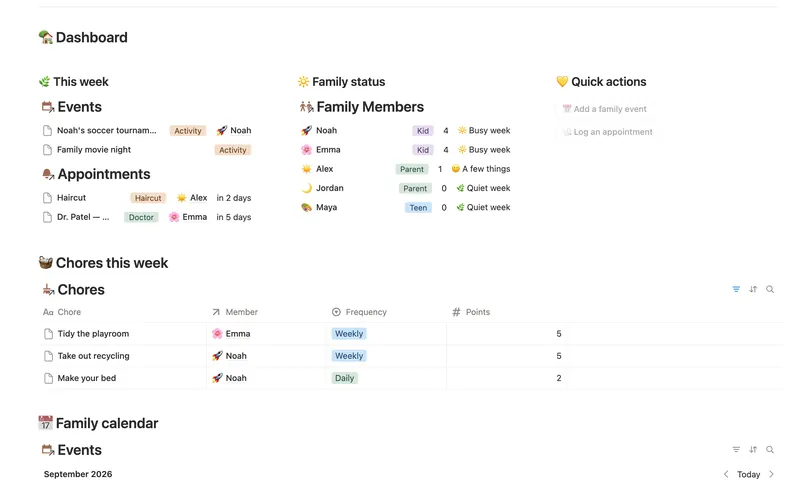
- 18 Family Organizer Give every event, chore, appointment and school thing a home next to the right person — so one look at Family Members tells you how everyone's week is actually going. 5 db · 18 formulas · 2 buttons
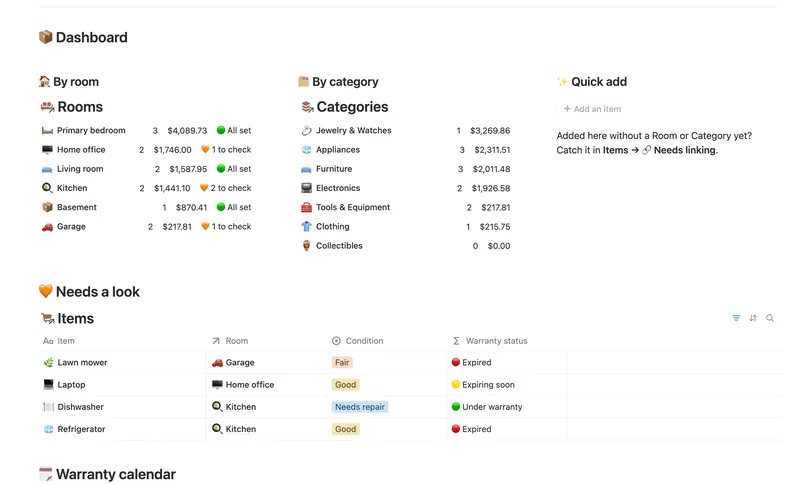
- 21 Home Inventory See everything you own — by room, by category, with warranty countdowns and an estimated value that keeps itself current — so you're ready the day you actually need it. 3 db · 7 formulas · 1 button
- 15 Household Hub Keep the household running without anyone having to remember everything — chores stay assigned and on schedule, and a glance at the dashboard shows what could use a little love today. 4 db · 12 formulas · 2 buttons
§ The Bundle
Get the whole Bundle
First Home Tracker plus 49 more templates, one payment.
One-time payment · Works on Notion Free · Instant Library access