
Updated Sep 24, 2026
Home Inventory Notion Template
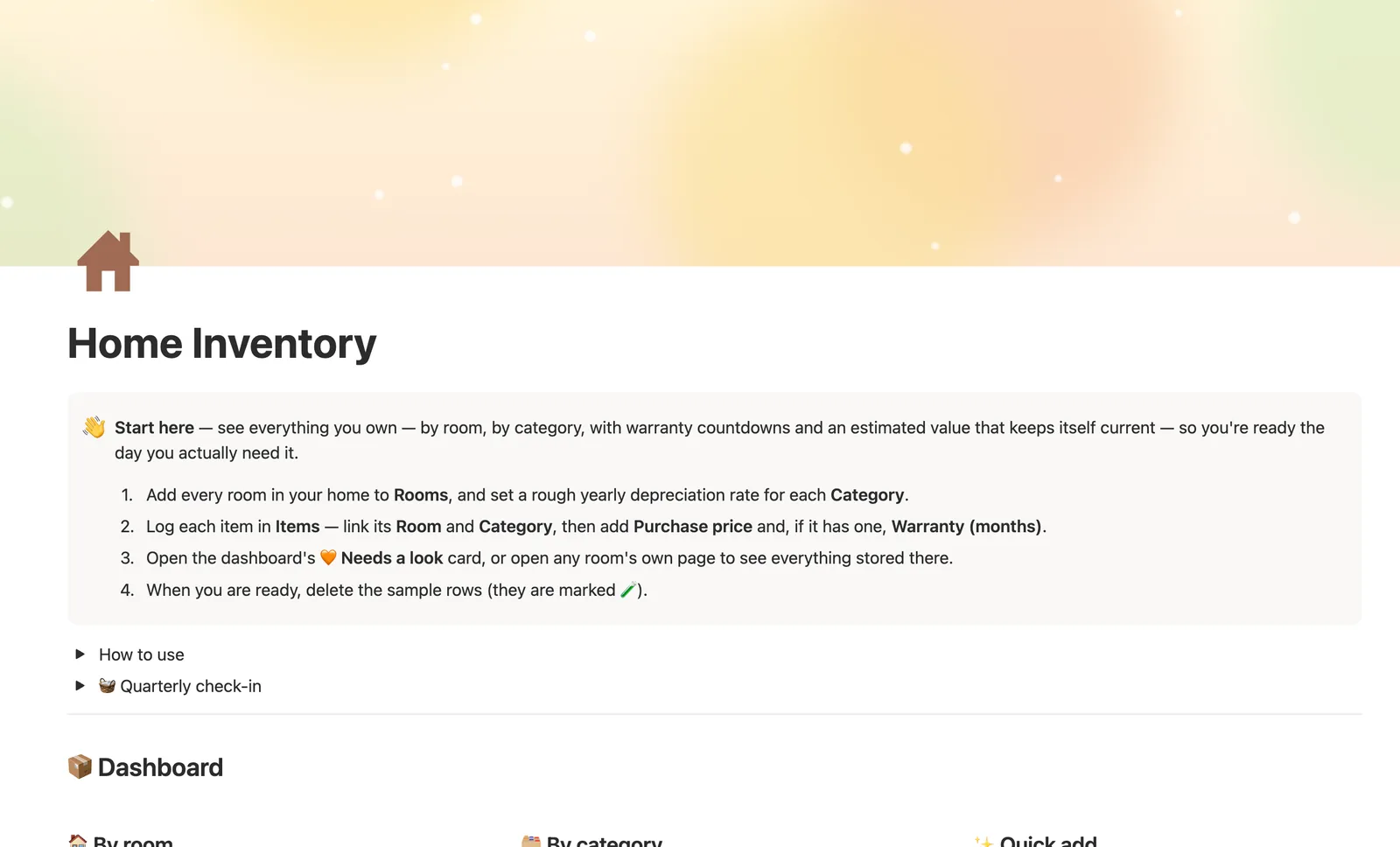
Home Inventory is a Notion template for tracking what you own, by room and category. Estimated current value depreciates automatically from Purchase price, Warranty status flags what's expiring, and Photos, Serial number, and Receipt link fields cover what documentation you'd actually need later.
One-time payment · Works on Notion Free · Instant Library access
Who it's for
Who it's for
- Homeowners and renters who want to know what they actually own, by room
- Anyone documenting belongings for insurance purposes (serial numbers, receipts, photos)
- Households tracking warranties so nothing expires unnoticed
- Anyone who wants a rough, ongoing estimate of what their stuff is worth today
What's inside
What's inside
Estimated value that depreciates on its own
Each Category carries its own yearly depreciation rate; Estimated current value combines that with Purchase price and time owned, floored at 10% so nothing implausibly reads as worthless.
Warranty status, watched for you
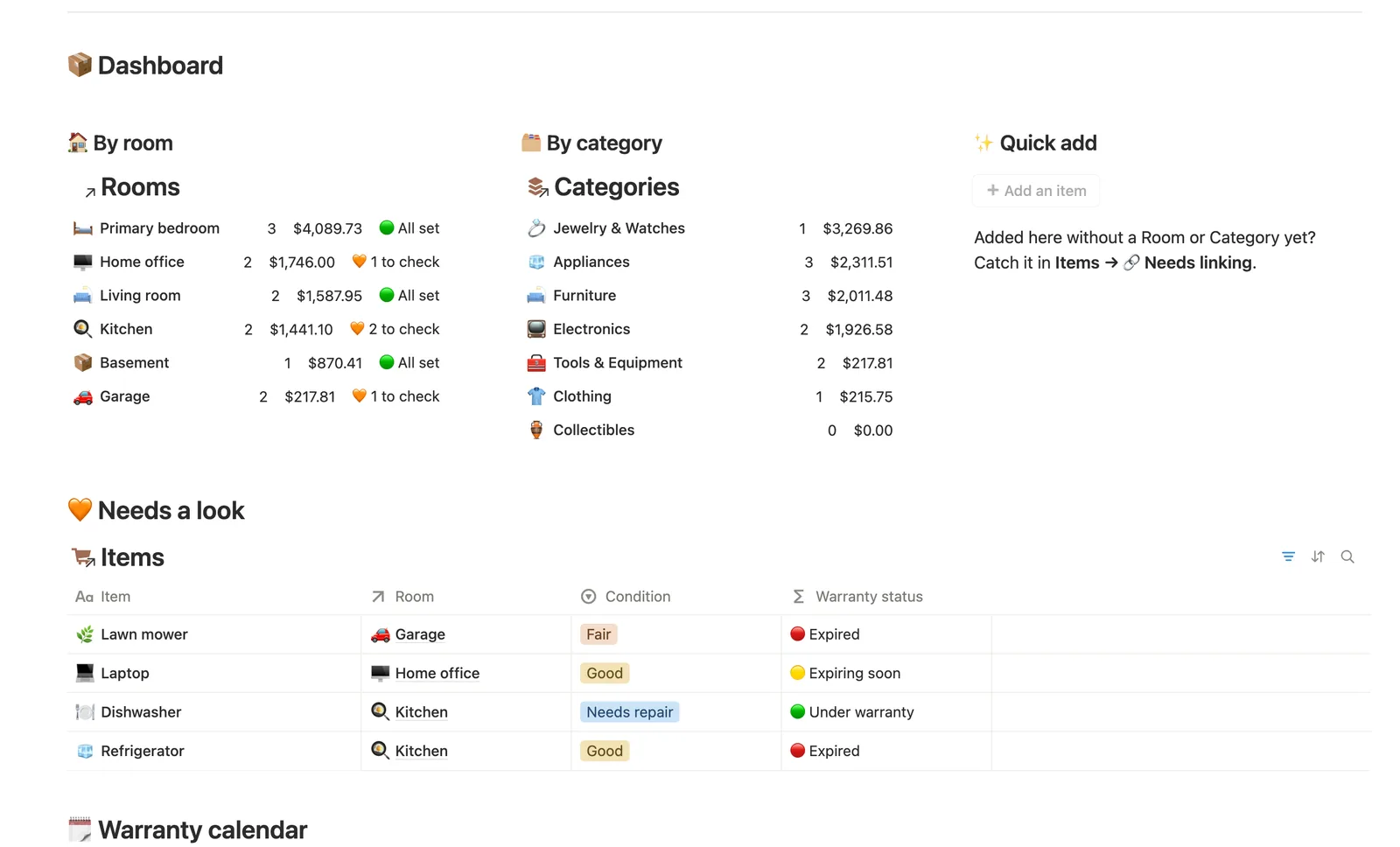
Warranty (months) plus Purchase date feed a Warranty status badge — 🟢 Under warranty, 🟡 Expiring soon, 🔴 Expired, or ⚪ No warranty logged.
By room, by category
Every item links to one Room and one Category. Rooms rolls up Total value and a To check count; Categories rolls up Total value and Average value, and flags what's worth documenting first for insurance.
Needs a look, in one place
Anything with an expired or expiring warranty, or marked Condition: Needs repair, surfaces on the dashboard's Needs a look card, whether you're looking room by room or all at once.
Room for photos, receipts, and serial numbers
Items has a Photos field alongside Serial number and Receipt link — the documentation an insurance claim would actually ask for, in one row.
A quarterly check-in
A built-in checklist points you at anything needing a look, anything added without a Room or Category yet, and empty categories worth retiring.
How it works
How it works
Every Item links to one Room and one Category. Each Category carries its own yearly depreciation rate, which rolls onto every item in it, and a formula turns Purchase price, time owned, and that rate into Estimated current value. Rooms and Categories each roll that value up a second time, so a room's Total value and a category's Average value are always two steps removed from anything you typed by hand.
Spec
- Databases
- 3
- Two-way relations
- 2
- Formulas
- 7
- Rollups
- 7
- Views
- 18
- One-click buttons
- 1
- Database templates
- 2
- Sample rows
- 25
- Databases Rooms, Categories, Items
- Entity pages Rooms
- Buttons ➕ Add an item
How to use
- 01
Every item links to one Room and one Category — Estimated current value and Warranty status are computed from what you enter, never typed by hand.
- 02
Warranty status reads 🟢 Under warranty, 🟡 Expiring soon (within 30 days), 🔴 Expired, or ⚪ No warranty logged — check the dashboard's 🧡 Needs a look card for anything worth handling before it becomes a problem.
- 03
Estimated current value is a ballpark, not an appraisal — it depreciates Purchase price by each Category's own yearly rate, so a laptop and a mattress age differently. Good enough for 'what would this cost to replace,' not for an insurance claim.
- 04
Open any Room's own page for just what's stored there — the fastest way to answer 'what's in the garage?' or pack for a move.
- 05
Categories → 💎 By insurance priority flags what's worth documenting first — serial numbers, receipts, photos — if you ever need to file a claim.
- 06
The dashboard's quick-add buttons can't link a Room or Category for you (buttons can't set relations) — anything added that way lands in Items → 🔗 Needs linking until you tag it.
Setup
Setup
- 01
Duplicate Home Inventory into your workspace.
- 02
Add every room in your home to Rooms, and set a rough yearly depreciation rate for each Category.
- 03
Log each item in Items — link its Room and Category, then add Purchase price and Warranty (months) if it has one.
- 04
Check the dashboard's Needs a look card, or open a room's own page to see everything stored there.
- 05
Delete the sample rows once you're set up — they're marked 🧪.
Compared
| This template | Spreadsheet | |
|---|---|---|
| Estimated current value | Depreciates automatically by category | Manual formulas or none |
| Warranty tracking | Status badge per item, calendar view | Not usually tracked |
| By room / by category | Built-in filtered views | Separate tabs you maintain |
§ FAQ
FAQ
Does Notion have a home inventory template?
Not built in. Home Inventory is a Notion template that adds one: every Item links to a Room and a Category, and Estimated current value depreciates automatically based on each category's own yearly rate.
How do I track what I own by room in Notion?
Add each item to Items and link its Room — open any Room's own page to see just what's stored there, plus its Total value and how many items need a look.
Can Notion estimate the value of my belongings for insurance?
It can give you a ballpark, not an appraisal. Estimated current value depreciates Purchase price by category over time — useful for 'what would this cost to replace,' not a formal appraisal. Photos, Serial number, and Receipt link fields cover the documentation a real claim would ask for.
Does it track warranties?
Yes. Warranty (months) plus Purchase date compute a Warranty status badge (🟢 Under warranty, 🟡 Expiring soon, 🔴 Expired), and a calendar view shows what's expiring soon.
Does it work on Notion's Free plan?
Yes — every formula and rollup in Home Inventory works on Notion's Free plan.
More from Home & Family
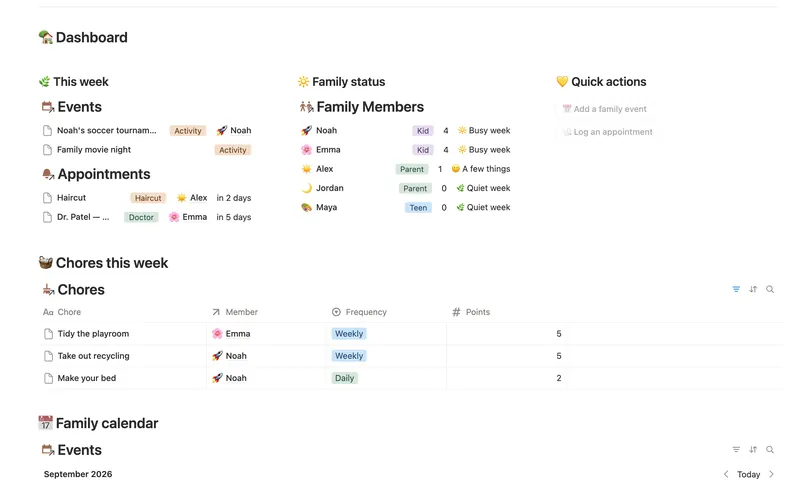
- 18 Family Organizer Give every event, chore, appointment and school thing a home next to the right person — so one look at Family Members tells you how everyone's week is actually going. 5 db · 18 formulas · 2 buttons
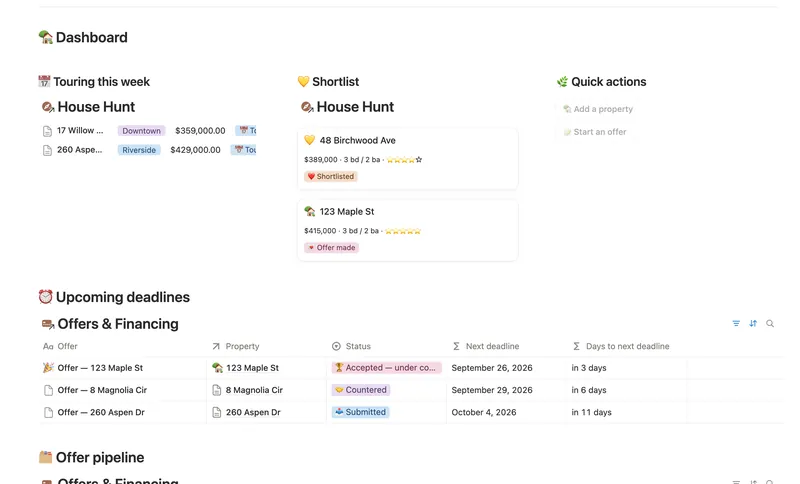
- 20 First Home Tracker Log every property you tour, turn your favorite into a real offer, and keep financing, costs and the closing checklist in one place — all the way to the keys. 2 db · 9 formulas · 2 buttons
- 15 Household Hub Keep the household running without anyone having to remember everything — chores stay assigned and on schedule, and a glance at the dashboard shows what could use a little love today. 4 db · 12 formulas · 2 buttons
§ The Bundle
Get the whole Bundle
Home Inventory plus 49 more templates, one payment.
One-time payment · Works on Notion Free · Instant Library access