
Updated Sep 24, 2026
Moving Planner Notion Template
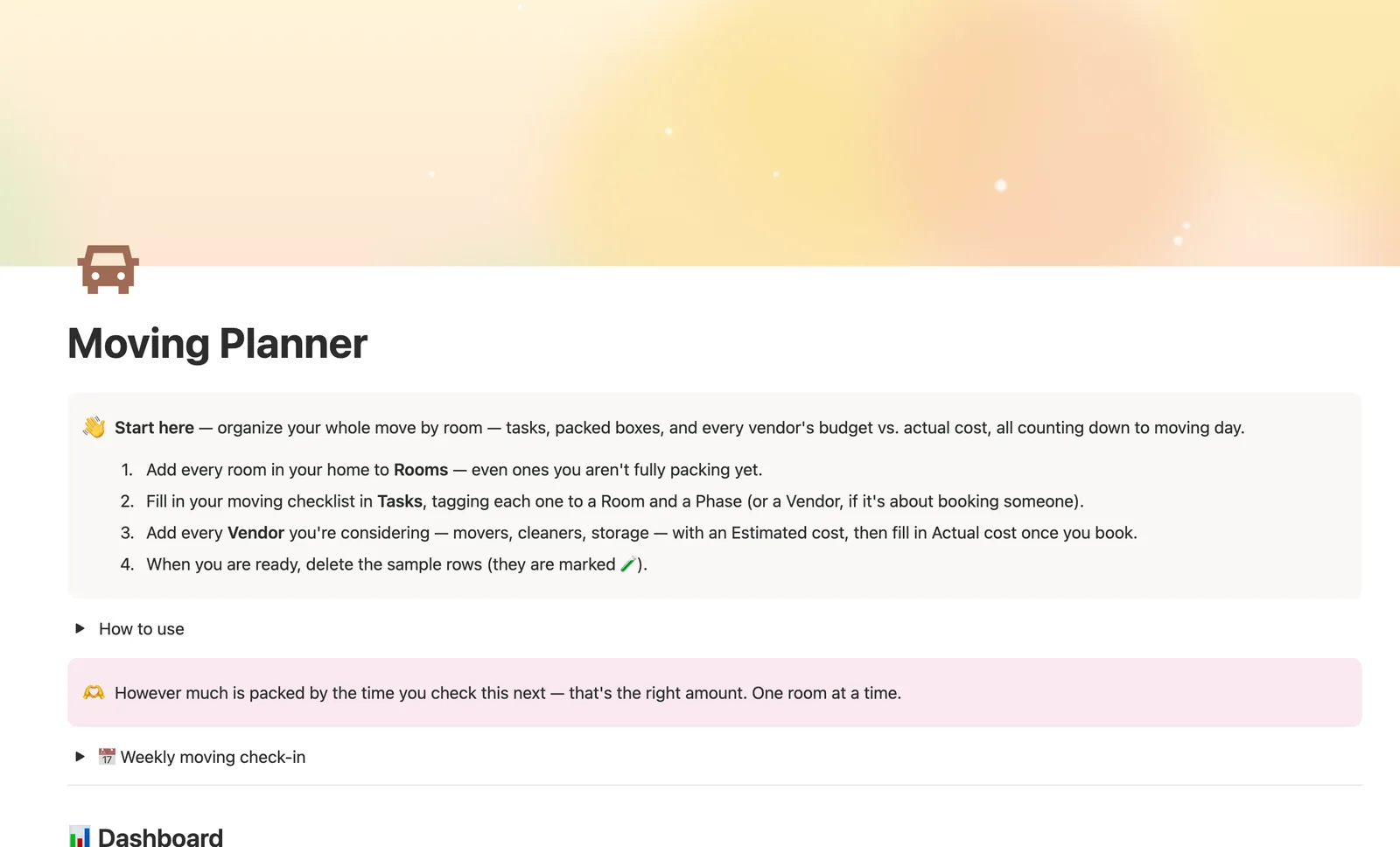
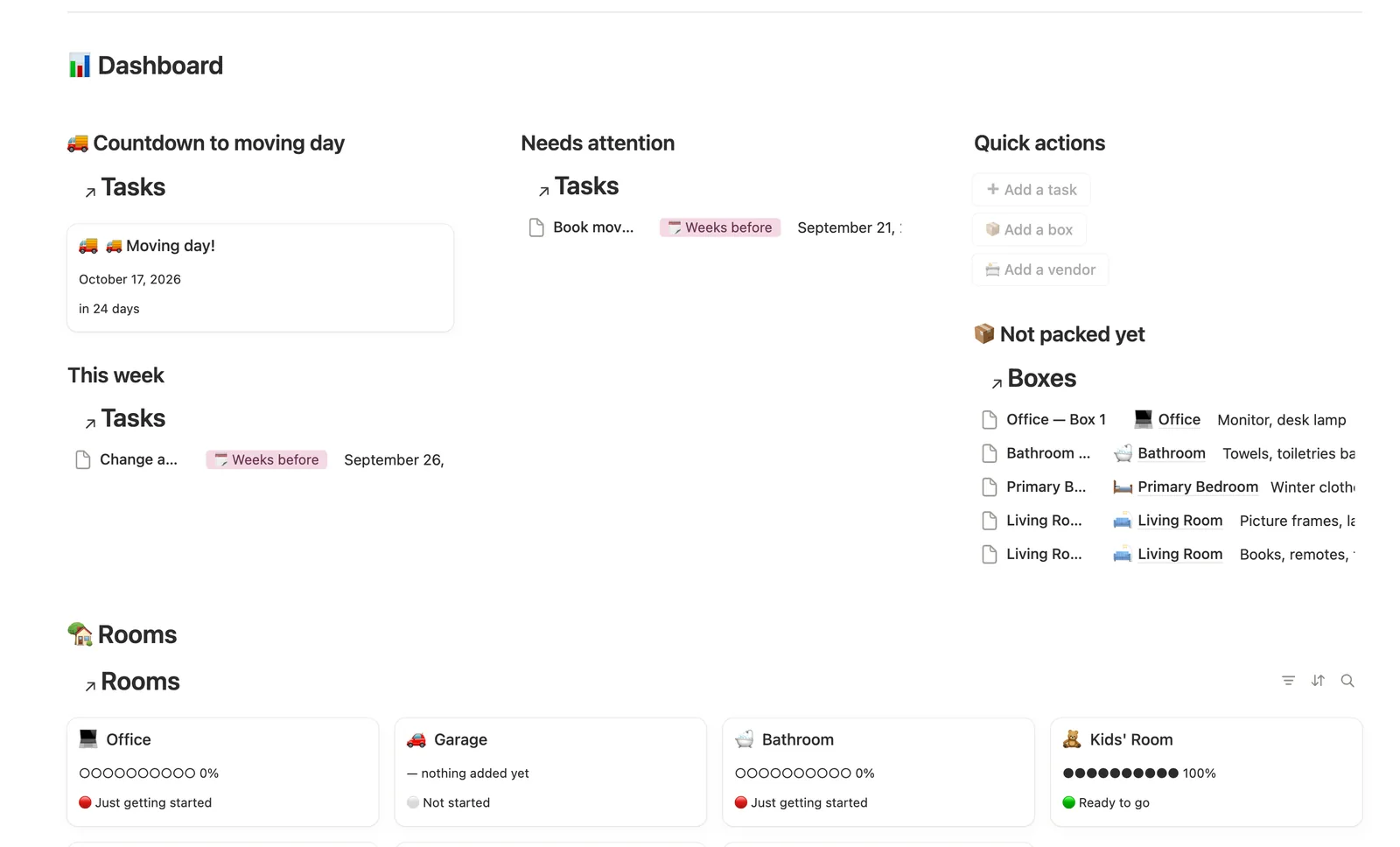
Moving Planner is a Notion template for organizing a move by room. Tasks move through four phases from weeks-before to settling-in, Boxes and Tasks roll up into each Room's Readiness %, and Vendors compare estimated to actual cost, with a real countdown to moving day built in.
One-time payment · Works on Notion Free · Instant Library access
Who it's for
Who it's for
- Anyone packing for an upcoming move, room by room
- Households coordinating movers, cleaners, and storage with real budgets
- Renters and homeowners who want a real moving-day countdown, not a static checklist
- Anyone who wants to know at a glance which room is furthest behind on packing
What's inside
What's inside
Packing progress, computed by room
Rooms rolls up how many Tasks are done and how many Boxes are packed into a single Readiness % and a progress bar, so you never count what's left in the kitchen by hand.
Tasks move through four real phases
Weeks before, Packing week, Moving day, Settling in — By phase always shows what's next, and This week / Needs attention catch anything due soon or overdue.
A moving-day countdown that just works
One task IS moving day (Phase: 🚚 Moving day), so the same countdown formula that powers every due date also counts down to the move itself — move its date any time plans shift.
Vendors compare estimate to actual
Every Vendor tracks Estimated cost against Actual cost the moment you book, with a Budget status badge showing 🟢 within budget or 🔴 over at a glance.
Everything tagged to a Room
Open any Room's own page to see just its Tasks and Boxes — handy once you're mid-pack and only care about one space.
A weekly moving check-in
A built-in checklist walks you through this week's tasks, anything overdue, and which rooms are still 🔴 just getting started.
How it works
How it works
Rooms is the hub that Tasks and Boxes both link back to, and a Room's Readiness % rolls up a combined count of Tasks done and Boxes packed against the total of both. Tasks move through four Phases (Weeks before, Packing week, Moving day, Settling in), and Vendors relate to Tasks so a task like booking movers can link straight to the vendor handling it, with Estimated cost compared to Actual cost on each Vendor row.
Spec
- Databases
- 4
- Two-way relations
- 3
- Formulas
- 7
- Rollups
- 4
- Views
- 23
- One-click buttons
- 3
- Database templates
- 10
- Sample rows
- 33
- Databases Rooms, Vendors, Tasks, Boxes
- Entity pages Rooms
- Buttons ➕ Add a task, 📦 Add a box, 📇 Add a vendor
How to use
- 01
Everything is tagged to a Room, so Rooms → Packing progress fills itself in from your Tasks and Boxes — you never have to count how much of the kitchen is left by hand.
- 02
Tasks move through four Phases — Weeks before, Packing week, Moving day, Settling in — so By phase always shows what's next, and This week / Needs attention catch anything due soon or already overdue.
- 03
The 🚚 Moving day card on the dashboard counts down automatically from whichever task you mark as your actual moving day — just move its Due date any time your plans shift.
- 04
Vendors compares Estimated cost to Actual cost the moment you book it — Budget status shows at a glance whether each one came in 🟢 within budget or 🔴 over.
- 05
Open any Room's own page to see just its Tasks and Boxes — handy once you're mid-pack and only care about one space at a time.
- 06
Already found your new place? Pair this with First Home Tracker for everything before the move, and Home Inventory once you're unpacked to catalog what you own.
Setup
Setup
- 01
Duplicate Moving Planner into your workspace.
- 02
Add every room in your home to Rooms, even ones you aren't fully packing yet.
- 03
Fill in your moving checklist in Tasks, tagging each one to a Room and a Phase.
- 04
Add every Vendor you're considering with an Estimated cost, then fill in Actual cost once you book.
- 05
Delete the sample rows once you're set up — they're marked 🧪.
Compared
| This template | Printable checklist | |
|---|---|---|
| Progress by room | Computed from Tasks and Boxes | You count by hand |
| Vendor budget vs. actual | Tracked with a status badge per vendor | Not included |
| Moving day countdown | Updates automatically | You track it yourself |
§ FAQ
FAQ
Does Notion have a moving checklist template?
Not built in. Moving Planner is a Notion template that adds one, organized by room: Tasks move through four phases (Weeks before, Packing week, Moving day, Settling in), and Rooms rolls up how much of each space is actually packed.
How do I organize packing and moving tasks in Notion?
Tag every Task and Box with a Room, and Rooms' Readiness % computes itself from how many Tasks are done and Boxes are packed. By phase and This week keep you focused on what's next instead of the whole list at once.
Can Notion track moving costs by vendor?
Yes. Every Vendor tracks Estimated cost against Actual cost, with a Budget status badge (🟢 within budget, 🔴 over) and real footer totals on the dashboard's Vendors table.
Does it work on Notion's Free plan?
Yes — Moving Planner only uses relations, rollups, and formulas that work on Notion's Free plan.
What happens after I move in?
Pair this with First Home Tracker for everything before the move, and Home Inventory once you're unpacked to catalog what you own.
More from Home & Family
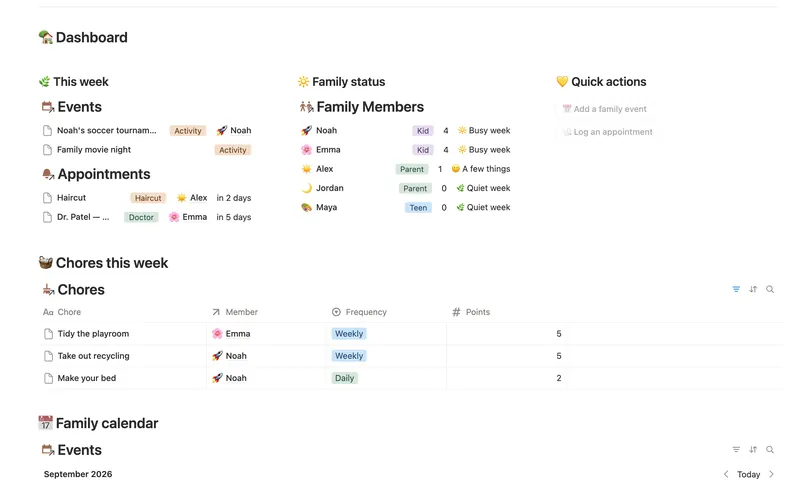
- 18 Family Organizer Give every event, chore, appointment and school thing a home next to the right person — so one look at Family Members tells you how everyone's week is actually going. 5 db · 18 formulas · 2 buttons
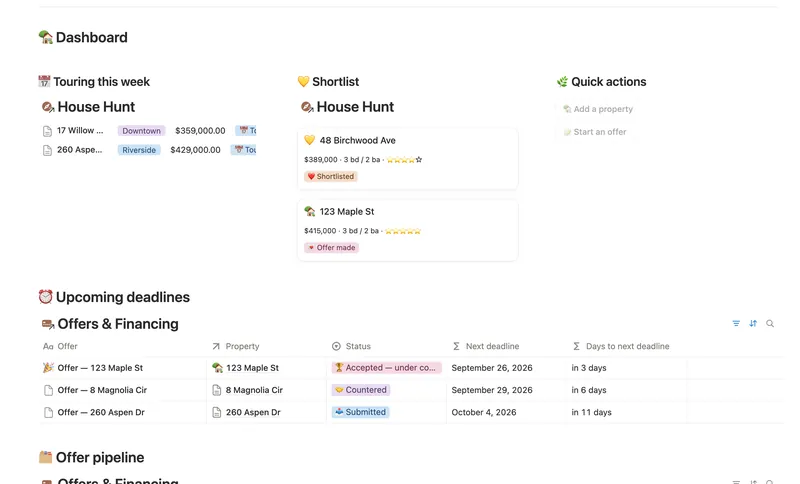
- 20 First Home Tracker Log every property you tour, turn your favorite into a real offer, and keep financing, costs and the closing checklist in one place — all the way to the keys. 2 db · 9 formulas · 2 buttons
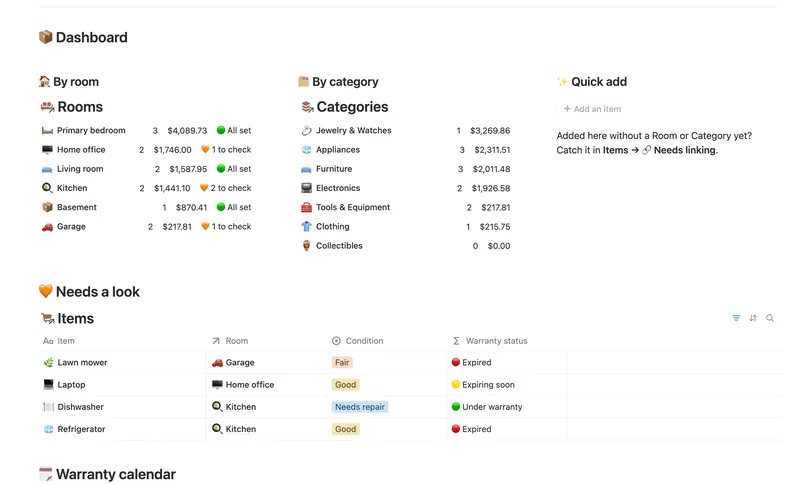
- 21 Home Inventory See everything you own — by room, by category, with warranty countdowns and an estimated value that keeps itself current — so you're ready the day you actually need it. 3 db · 7 formulas · 1 button
§ The Bundle
Get the whole Bundle
Moving Planner plus 49 more templates, one payment.
One-time payment · Works on Notion Free · Instant Library access