
Updated Sep 24, 2026
YouTube Production Pipeline Notion Template
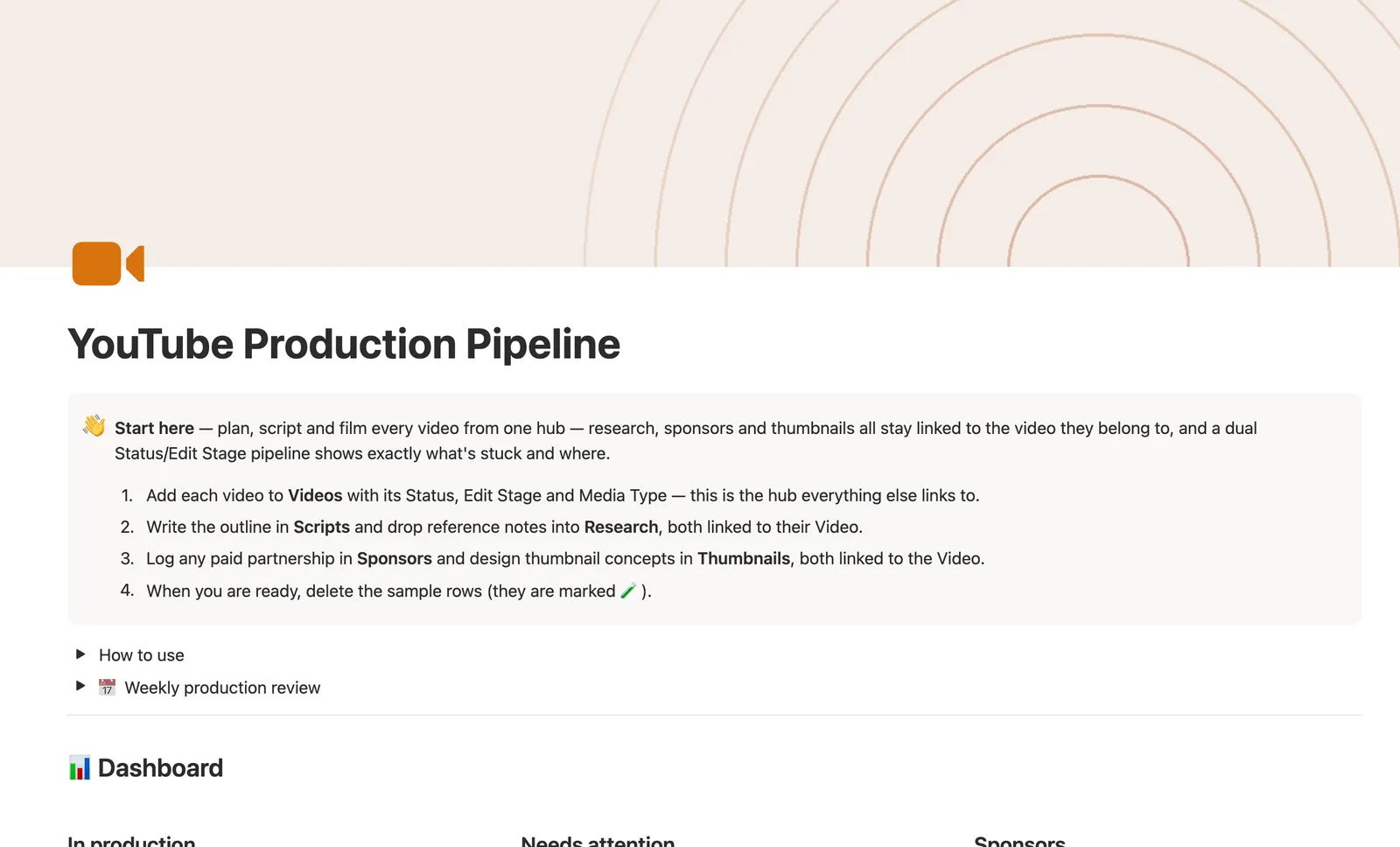
This Notion YouTube content planner runs every video from idea to published: Scripts, Research, Sponsors, and Thumbnails all link back to the Video that owns them. A dual Status and Edit Stage pipeline shows what's stuck and where, and Sponsors tracks booked, paid, and outstanding pay automatically.
One-time payment · Works on Notion Free · Instant Library access
Who it's for
Who it's for
- YouTubers juggling scripting, filming, and editing stages at once
- Creators running paid sponsorships who need to know who still owes what
- Anyone repurposing long-form videos into Shorts and wanting the two tracked
- Channels A/B testing more than one thumbnail concept before publish
What's inside
What's inside
Videos is the hub — everything links back to it
Every Script, Research note, Sponsor deal, and Thumbnail concept relates to one Video, so opening a Video's own page shows its script, notes, sponsor, and thumbnails together.
Two pipelines that move independently
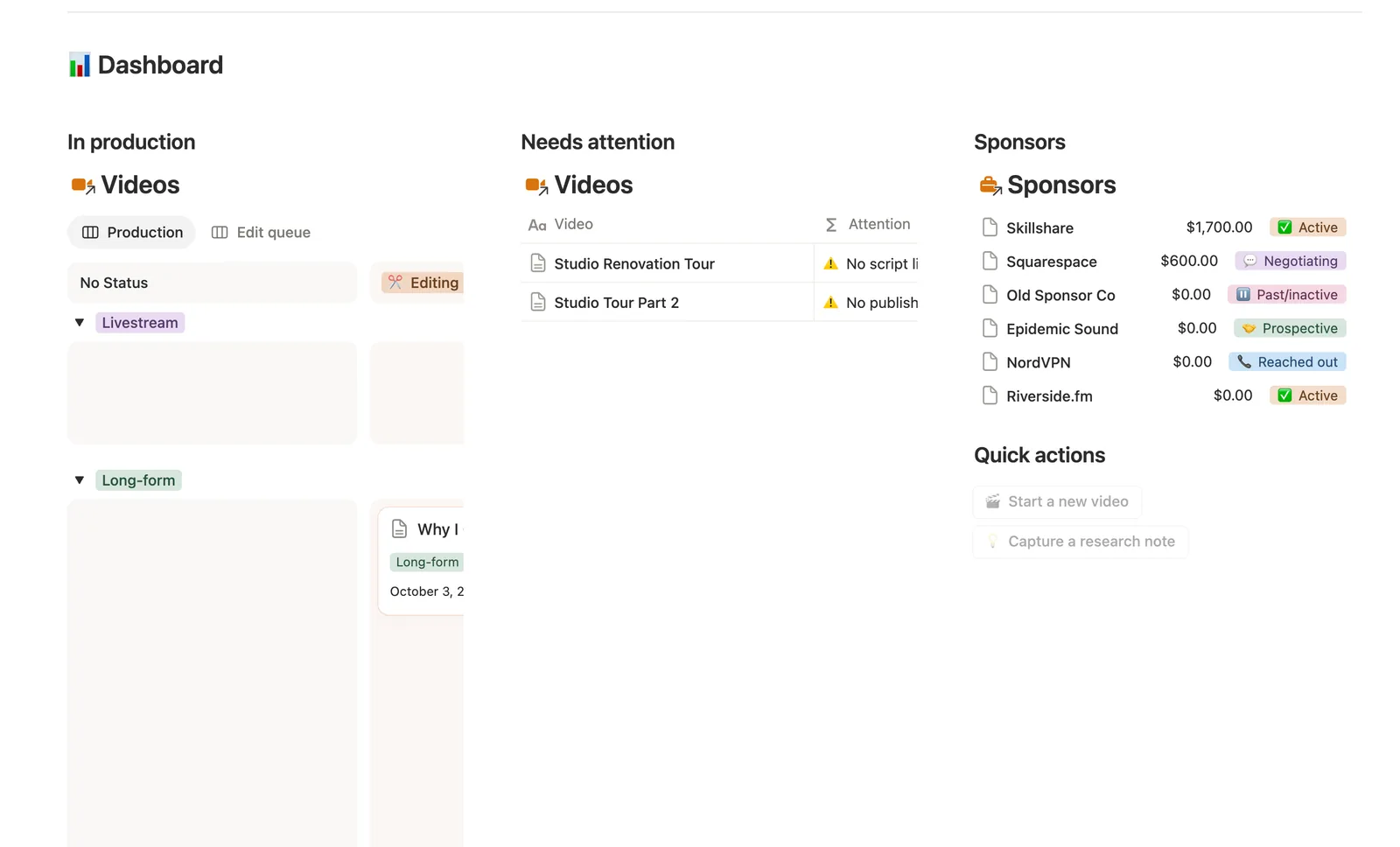
Status (production: Idea through Filming, Editing, Review, to Published) and Edit Stage (post-production: To ingest through Assembly, Color & sound, to Locked) track separately, so a video can sit stuck in editing even while Status still says Editing.
Sponsor payments that roll up on their own
Total booked, Total paid, and Total outstanding compute from every linked video's Sponsor rate and Sponsor paid checkbox. A video only flags Sponsor payment overdue once that sponsor's own Pay structure (On publish, Net 30, Net 60) grace period has actually passed.
Repurposing that's tracked, not guessed
Repurposed into links a long-form video to the Shorts cut from it, and Published repurposes counts how many of those are actually live, not just planned.
Thumbnail testing built in
Thumbnails supports multiple concepts per video. An Approved checkbox feeds that video's Thumbnail status, so you know at a glance whether a winner's been picked before it publishes.
A publishing timeline and a sponsor dashboard
The dashboard shows a Production board, an Edit queue board, a Needs attention list, a publishing Timeline, and a Sponsors table sorted by what's still owed.
How it works
How it works
Videos is the hub every other database points at: Scripts and Research each relate to one Video, so opening a video's own page shows just its own script and notes, and Thumbnails does the same. Sponsors relates to many Videos at once — Total booked, Total paid, and Total outstanding roll up from every linked video's Sponsor rate and Sponsor paid checkbox, then feed a computed Payment status. A self-relation, Repurposed into, links a long-form video to the Shorts cut from it, so Published repurposes can count how many are actually live.
Spec
- Databases
- 5
- Two-way relations
- 5
- Formulas
- 11
- Rollups
- 8
- Views
- 29
- One-click buttons
- 2
- Database templates
- 7
- Sample rows
- 37
- Databases Sponsors, Videos, Scripts, Research, Thumbnails
- Entity pages Videos
- Buttons 🎬 Start a new video, 💡 Capture a research note
How to use
- 01
Videos is the hub — Status (production: Idea → Scripting → Filming → Editing → Review → Ready to publish → Published) and Edit Stage (post-production: To ingest → Assembly → Rough cut → Color & sound → Locked) move independently, so a video can sit stuck in editing even while its Status still just says "Editing."
- 02
Script and Research each link to one Video — open a Video's own page to see just its script and notes, or use Needs script linked to catch one that moved past scripting without a script attached (Shorts and Livestreams are exempt — neither needs a dedicated script).
- 03
Sponsors relates to many Videos: Total booked, Total paid and Total outstanding are computed from every linked video's Sponsor rate and Sponsor paid checkbox — never re-typed, and the dashboard's Sponsors card sorts by what's still owed. Needs attention only flags a payment overdue once that sponsor's own Pay structure grace period has actually passed — On publish means due the day it airs, Net 30/60 give it that many days first.
- 04
Repurposed into links a long-form Video to the Shorts cut from it — Published repurposes counts how many of those are actually live, not just planned.
- 05
Thumbnails supports A/B concepts per video — an Approved thumbnail feeds that Video's Thumbnail status, so you know at a glance whether a winner's been picked before it publishes.
- 06
The two dashboard buttons create a row but can't link it to a Video (Notion API limit) — Research → Needs linking catches anything captured that way before it's forgotten. Pair this with Content Calendar for cross-platform scheduling; if a sponsorship needs deal-stage tracking (contracts, deliverables, itemized invoices) beyond a flat rate per video, use Brand Deals & Sponsorships instead of this template's lighter per-video Sponsor field.
Setup
Setup
- 01
Duplicate the YouTube Production Pipeline template into your workspace.
- 02
Add each video to Videos with its Status, Edit Stage, and Media Type — this is the hub everything else links to.
- 03
Write the outline in Scripts and drop reference notes into Research, both linked to their Video.
- 04
Log any paid partnership in Sponsors and design thumbnail concepts in Thumbnails, both linked to the Video.
- 05
Delete the sample rows, marked 🧪, once you're set up.
Compared
| This template | Spreadsheet | |
|---|---|---|
| Sponsor payment tracking | Auto rollup, overdue flag by pay terms | Manual math per sponsor |
| Script and research per video | Linked, filtered to that video | Separate tabs, no link |
| Repurposed Shorts | Tracked via self-relation, live count | Not tracked |
| Production vs. editing stage | Two independent pipelines | One status column |
§ FAQ
FAQ
Does Notion have a YouTube production tracker?
Yes — this template runs Videos as a hub with Scripts, Research, Sponsors, and Thumbnails all linked back to the video they belong to, plus a dual Status and Edit Stage pipeline that tracks production and post-production separately.
Can Notion track sponsorship payments per video?
Yes. Log a Sponsor rate and check Sponsor paid on each video, and the Sponsors database rolls that up into Total booked, Total paid, and Total outstanding automatically. A video only flags a payment overdue once that sponsor's own payment terms have actually passed, not the moment the publish date does.
How do I plan and script YouTube videos in Notion?
Add the video to Videos, move Status from Idea through Scripting, then write the outline in a linked Scripts row and drop reference notes into Research — both stay attached to that video's own page.
Does this work on Notion's free plan?
Yes. Every database, relation, and formula here, including the sponsor payment chain, runs on Notion's Free plan.
Is this the same as Content Calendar?
No — pair them instead. Content Calendar schedules cross-platform posts. This template is the deeper production workflow behind a single YouTube video, from script to sponsor payment to thumbnail.
What if my sponsorship needs more than a flat rate per video?
Use Brand Deals & Sponsorships instead, or alongside this one — it tracks a full deal-stage pipeline with contracts, deliverables, and itemized invoices. This template's Sponsor field is intentionally lighter: one rate and one paid checkbox per video.
More from Creator
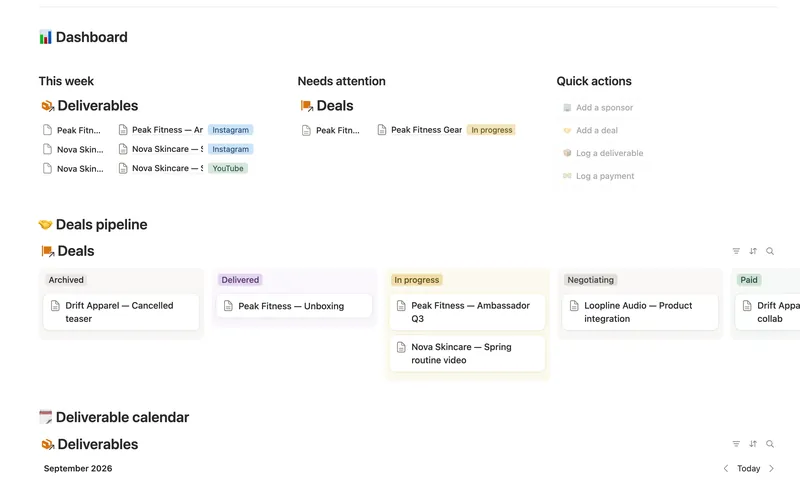
- 41 Brand Deals & Sponsorships Track every sponsor relationship from first outreach through signed deal, posted deliverable and paid invoice — with Received, Outstanding and two computed status badges rolling up automatically across a Sponsor → Deal → Deliverable → Payment chain, never typed by hand. 4 db · 21 formulas · 4 buttons
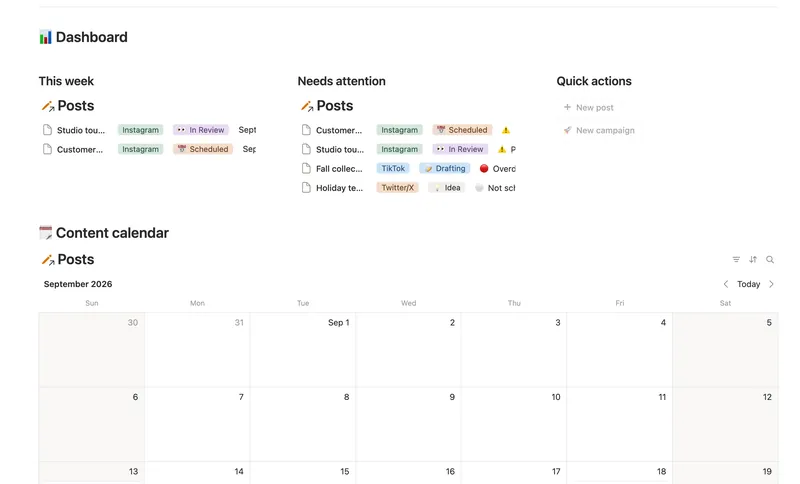
- 37 Content Calendar Plan and publish across every platform from one staged pipeline — with a live calendar, a Timing flag that catches a slipping post before it's late, and Campaigns/Pillars that show whether a push is on track and whether your content mix is actually balanced. 3 db · 8 formulas · 2 buttons
- 40 Content Idea Bank & Repurposing Capture every content idea before you forget it, score it so you always know what's worth making next, and turn one piece into several — without losing track of what's already been repurposed. 3 db · 9 formulas · 2 buttons
§ The Bundle
Get the whole Bundle
YouTube Production Pipeline plus 49 more templates, one payment.
One-time payment · Works on Notion Free · Instant Library access