
Updated Sep 24, 2026
Client Portal Notion Template
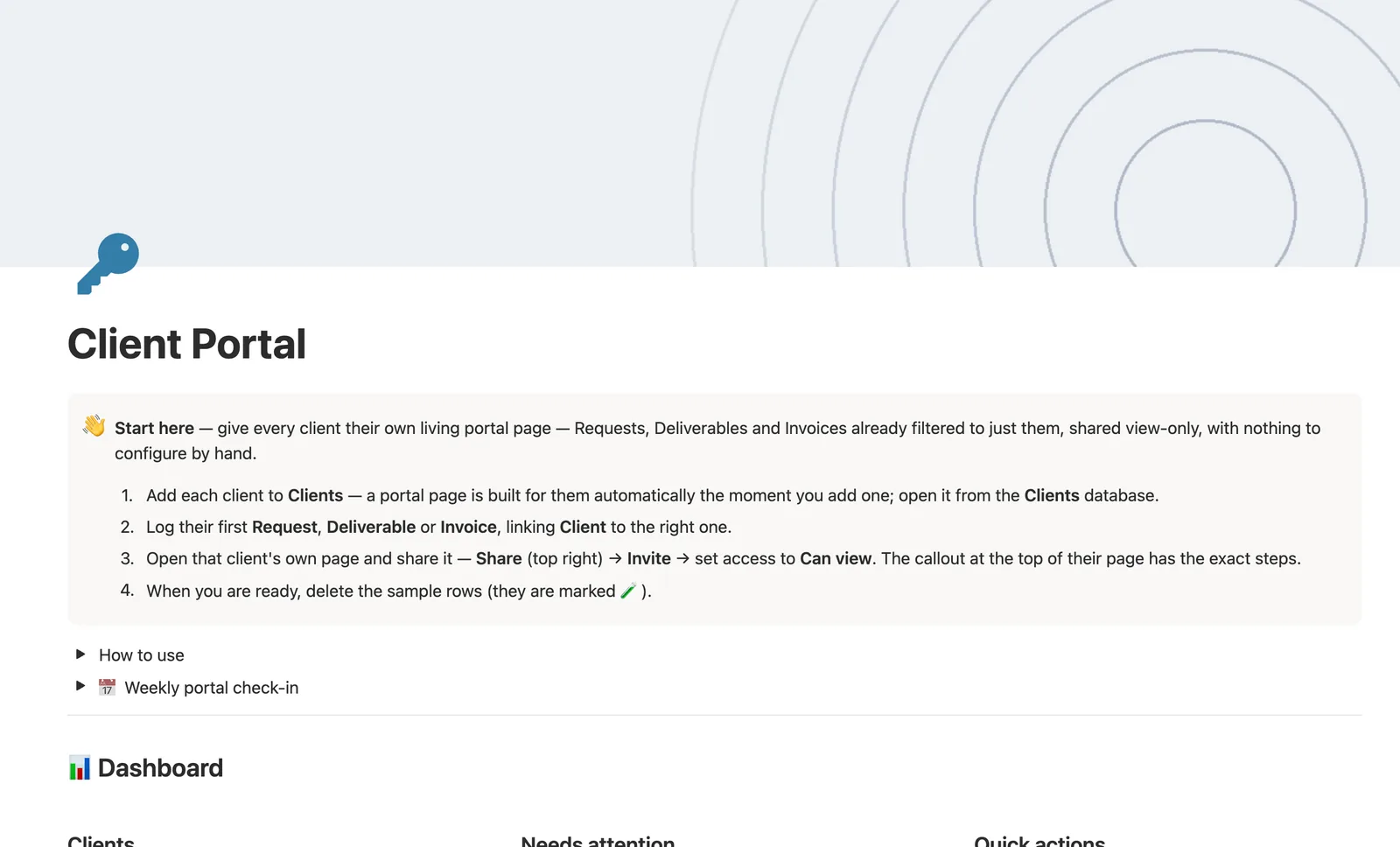
This Notion template gives every client their own living portal page, with Requests, Deliverables, and Invoices already filtered to just them. Attention checks six things in priority order, from an unshared portal to an unpaid invoice, so you always know the single most urgent thing to handle next.
One-time payment · Works on Notion Free · Instant Library access
Who it's for
Who it's for
- Freelancers and agencies who want one shareable page per client instead of scattered updates
- Anyone tired of manually filtering views before sending a client a link
- People who want a single view showing what's overdue, unpaid, or unshared across every client
- Freelancers and agencies of any kind; this template isn't built for one specific profession
What's inside
What's inside
A portal page, built automatically
Every Client gets its own page the moment you add one, with Requests, Deliverables, and Invoices already filtered to just them, nothing to configure by hand.
Six-priority Attention flag
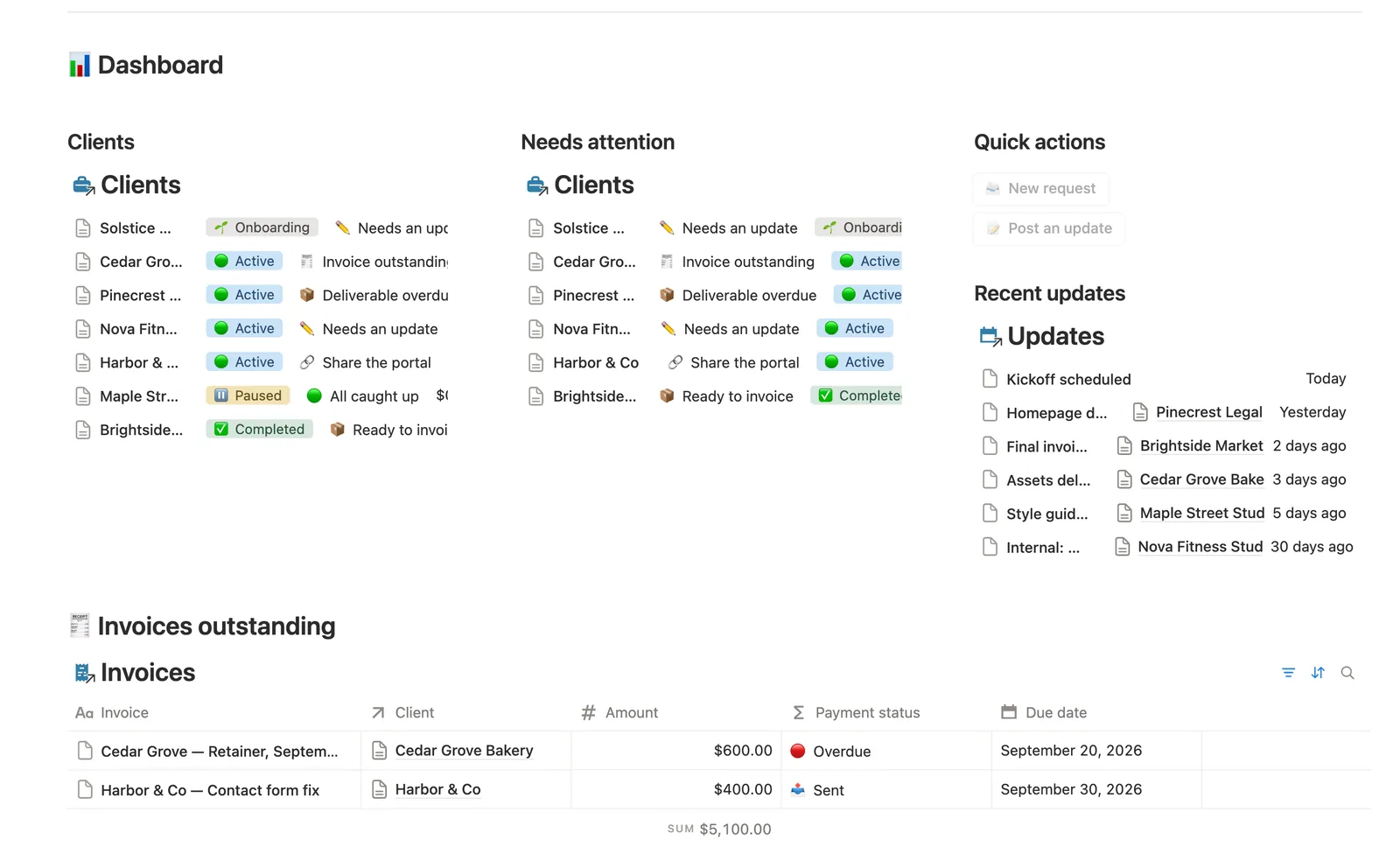
Checks an unshared portal, an overdue deliverable, a stale update (14+ days), an open request, an unpaid invoice, then unbilled approved work, in that order, so it always surfaces the single most urgent thing.
Ready to close, computed from real work
Once every Deliverable linked to a Request is Approved, that request shows up in Ready to close, a nudge rather than an automatic status change.
Ready to invoice tracking
Catches everything Approved but not yet ticked Invoiced, so nothing approved slips through unbilled.
A client-facing Updates feed
Only rows checked Visible to client show up in What the client sees; post internal notes without a client ever seeing them.
A public request-submission form
Clients can submit requests through a shareable form; submissions land unlinked until you tag the Client, caught in a dedicated Needs linking view.
How it works
How it works
Requests, Deliverables, Invoices, and Updates all link back to one Client, and Requests also link to the Deliverables that came out of them. A Deliverable's Status feeds an Approved flag that rolls up to its Request as a done-count, which a formula reads to surface Ready to close. Attention reads six signals across a Client's linked rows, in priority order, to pick the single most urgent one to show.
Spec
- Databases
- 5
- Two-way relations
- 5
- Formulas
- 15
- Rollups
- 6
- Views
- 31
- One-click buttons
- 2
- Database templates
- 5
- Sample rows
- 40
- Databases Clients, Requests, Deliverables, Invoices, Updates
- Entity pages Clients
- Buttons 📨 New request, 📝 Post an update
How to use
- 01
Every Client gets its own portal page the moment you add one — the Requests, Deliverables and Invoices on it are already filtered to just that client; nothing to configure by hand.
- 02
Attention on each Client checks six things in priority order — an unshared portal, an overdue Deliverable, an update that's gone 14+ days stale, an open Request, an unpaid Invoice, then an Approved-but-unbilled Deliverable — so Needs attention always surfaces the single most urgent thing first, not everything at once.
- 03
Once every Deliverable linked to a Request is ✅ Approved, that request shows up in Requests → ✅ Ready to close — a nudge, not an automatic change, since Status stays yours to set.
- 04
Deliverables → ✅ Ready to invoice catches everything ✅ Approved but not yet ticked Invoiced — bill it, then tick the box. Deliverables → 🔴 Overdue catches anything past its Due date that isn't ✅ Approved yet.
- 05
Post short Updates as work happens. Only rows checked Visible to client are meant for them — point a client at Updates → 👀 What the client sees directly if you ever want to show that view on its own.
- 06
The dashboard's buttons, Requests → Submit a request form, and Deliverables' own "New deliverable" template all can't set Client (Notion buttons and database templates can't fill in relations) — anything created that way lands in 🔗 Needs linking on Requests, Deliverables or Updates until you tag it.
Setup
Setup
- 01
Duplicate the Client Portal template into your workspace.
- 02
Add each client to Clients; a portal page builds itself automatically the moment you add one.
- 03
Log their first Request, Deliverable, or Invoice, linking Client to the right one, then delete the 🧪 sample rows.
- 04
Open that client's own page and share it: Share (top right) → Invite → set access to Can view.
Compared
| This template | Emailing updates | |
|---|---|---|
| What a client sees | One live page, filtered automatically to them | Whatever you remembered to send |
| Most urgent thing per client | Flagged automatically, in priority order | You review each client manually |
| Approved work that's not billed yet | Caught in a dedicated Ready to invoice view | Easy to lose track of |
§ FAQ
FAQ
Does Notion have a client portal template?
Not built in, but this template adds one. Every Client gets its own page with Requests, Deliverables, and Invoices already filtered to just them, built the moment you add the client.
Can I give a client view-only access to their own page in Notion?
Yes. Notion's own sharing handles this: click Share on that client's page, Invite them, and set access to Can view. They see the live page, filtered to just their own data, and can't edit anything.
Is there a free Notion client portal template?
Not this exact one. Client Portal is part of the $47 bundle of all 50 templates. A few other templates in the bundle ship as free Lite versions if you want to try the system first.
Is this client portal built for a specific profession, like designers or architects?
No. It's built generically for any freelancer or agency; the databases and formulas don't change based on what kind of work you do, so a designer and a consultant use the exact same system. It doesn't ship profession-specific fields.
Does this client portal work on Notion's Free plan?
Yes, every database, formula, relation, and the public request form all run on Notion's Free plan.
More from Freelance & Clients
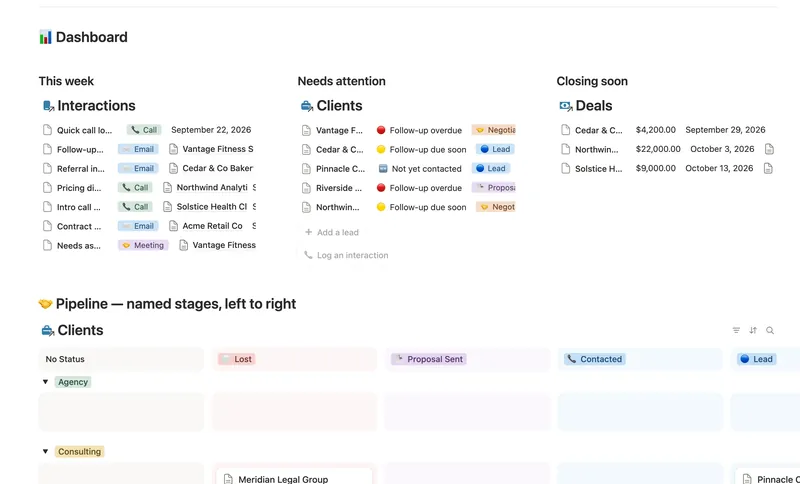
- 31 Client CRM Run every Lead and Client through a named pipeline, log every call and email against the right Contact, and never miss a follow-up — Pipeline value, Won value and Next follow-up are computed straight from your Deals and Interactions, never re-typed, with a live hub page the moment you add someone. 4 db · 10 formulas · 2 buttons
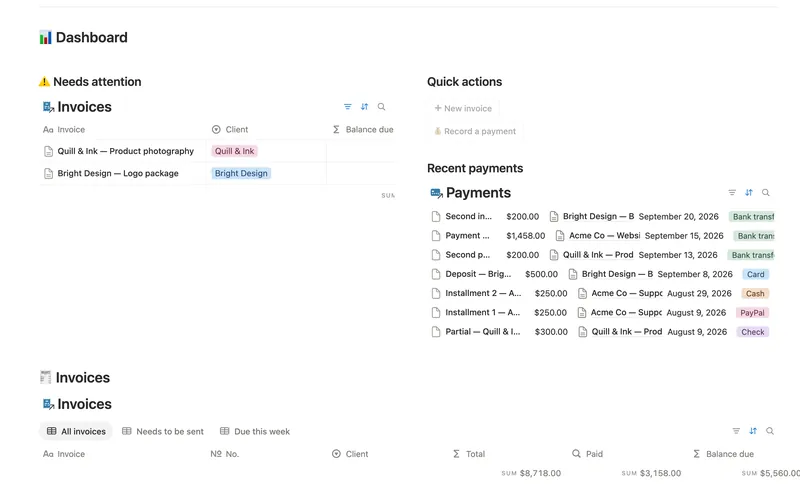
- 33 Invoices & Payments Invoice clients, track every partial payment against the balance still owed, and catch what's overdue — and by how long — before a client has to ask. 3 db · 10 formulas · 2 buttons
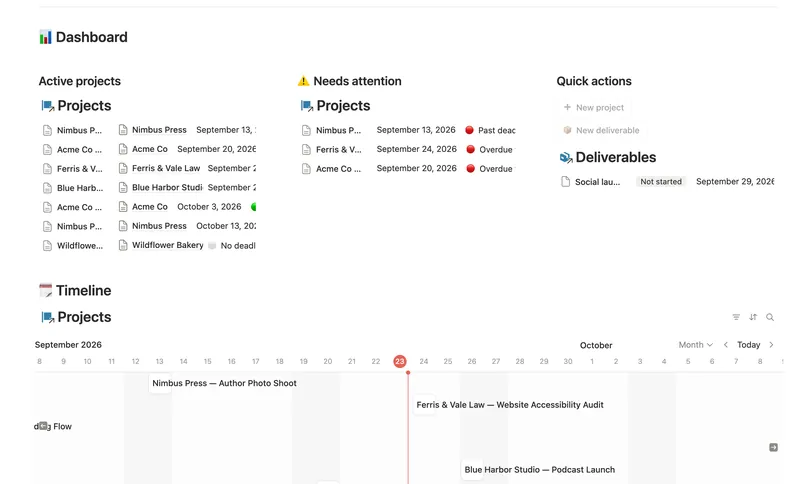
- 32 Projects & Deliverables See every Client's Projects and every Project's Deliverables in one connected system — with Progress, Health and a live Timeline computed automatically, never re-typed. 3 db · 7 formulas · 2 buttons
§ The Bundle
Get the whole Bundle
Client Portal plus 49 more templates, one payment.
One-time payment · Works on Notion Free · Instant Library access