
Updated Sep 24, 2026
Invoices & Payments Notion Template
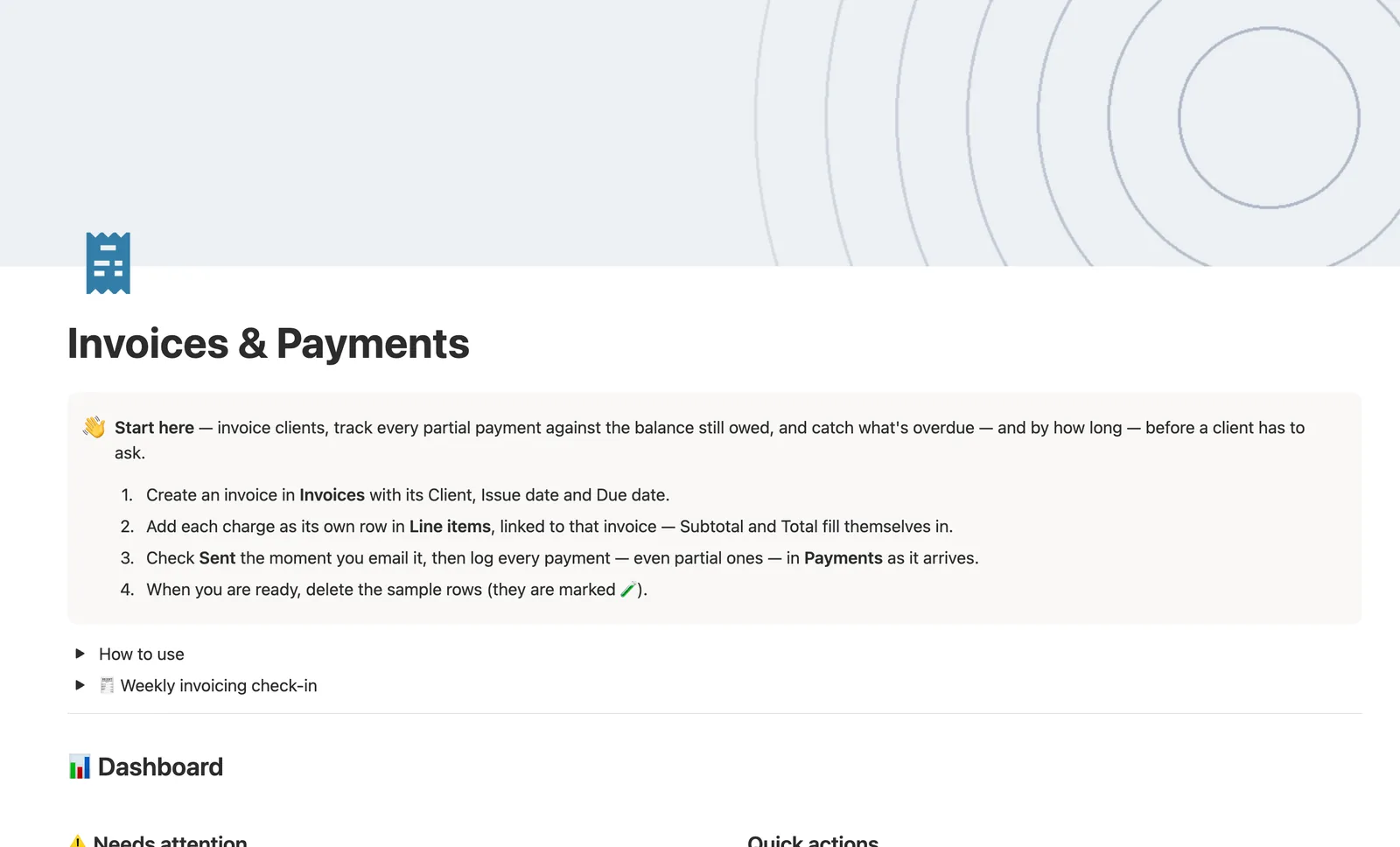
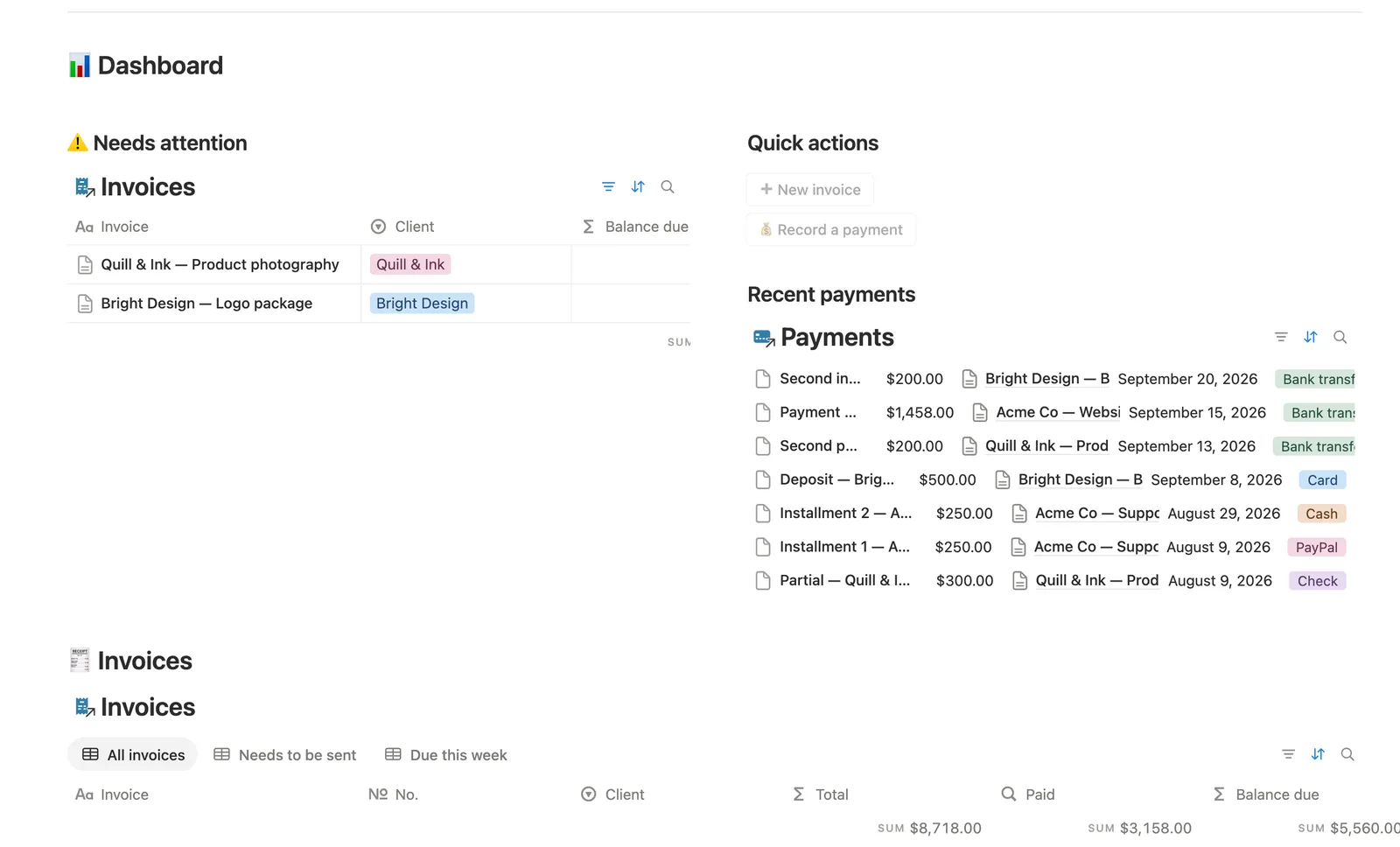
This Notion template invoices clients and tracks every partial payment against the balance still owed. Line items roll up into Subtotal, Tax amount, and Total; Payments roll up into Paid and Balance due. An invoice isn't marked Paid until the balance hits zero, however many payments that takes.
One-time payment · Works on Notion Free · Instant Library access
Who it's for
Who it's for
- Freelancers who bill clients and want Balance due computed, not tracked in a separate note
- Anyone who gets paid in installments and needs partial payments to actually add up
- People who want overdue invoices flagged by how many days late they are, not just a red dot
- Freelancers who want tax calculated automatically instead of doing it by hand each time
What's inside
What's inside
Every number computed, never typed
Line items roll up into Subtotal → Tax amount → Total, and Payments roll up into Paid → Balance due; leave Tax rate blank for a no-tax invoice.
Real partial payments
Payments are actual rows, not a checkbox. Log each installment as it lands and Balance due drops by exactly that amount; the invoice isn't 🟢 Paid until it hits $0.
Aging that buckets by days overdue
Any unpaid, sent invoice gets bucketed 🟡 1–30 days, 🟠 31–60 days, 🔴 61–90 days, or 🔴 90+ days past due, so you know how urgent a follow-up actually is.
A hub page per invoice
Open any Invoice's own page for its Line items and Payments, filtered to just that invoice.
A one-flag Status pipeline
Sent is the one manual checkbox; Status, Aging, and every action view key off it, so a brand-new draft never reads as overdue or paid.
Needs linking safety nets
Payments and Line items added from the dashboard buttons or their own templates start unlinked to an Invoice; dedicated views catch anything still unconnected.
How it works
How it works
Line items and Payments both link back to one Invoice. Line items roll up into Subtotal, which a Tax rate turns into Total; Payments roll up into Paid, and Balance due is simply Total minus Paid. Status combines the one manual Sent flag with Balance due and Due date to pick Draft, Sent, Partially paid, Overdue, or Paid on its own.
Spec
- Databases
- 3
- Two-way relations
- 2
- Formulas
- 10
- Rollups
- 3
- Views
- 21
- One-click buttons
- 2
- Database templates
- 5
- Sample rows
- 28
- Databases Invoices, Line items, Payments
- Entity pages Invoices
- Buttons ➕ New invoice, 💰 Record a payment
How to use
- 01
Every number is computed, never typed: Line items roll up into Subtotal → Tax amount → Total (leave Tax rate blank for a no-tax invoice), and Payments roll up into Paid → Balance due.
- 02
Sent is the one manual flag — leave it unchecked while you're still drafting, check it the moment you email the invoice. Status, Aging and every action view key off it, not off Balance due alone, so a brand-new draft never reads as overdue or paid.
- 03
Partial payments are real rows in Payments, not a checkbox — log each installment as it lands and Balance due drops by exactly that amount; an invoice isn't 🟢 Paid until Balance due hits $0, no matter how many payments that takes.
- 04
The dashboard's 💰 Record a payment button (and Payments' own New ▾ templates) can't set the Invoice link — check Payments → 🔗 Needs linking and connect it by hand, or that payment won't count toward the invoice's Paid/Balance due. The same goes for a row added from Line items' own New ▾ template — check Line items → 🔗 Needs linking too, or it won't reach that invoice's Total.
- 05
Aging buckets any unpaid, sent invoice by how many days past its Due date it is — check it alongside Overdue on the dashboard before a late payment becomes a harder conversation.
- 06
Open any invoice's own page for its This invoice hub — just that invoice's Line items and Payments, nothing else.
- 07
This template's Client field is deliberately a plain select, not a related database — pair it with Client CRM for a full pipeline, contact history and deal tracking across every client.
Setup
Setup
- 01
Duplicate the Invoices & Payments template into your workspace.
- 02
Create an invoice in Invoices with its Client, Issue date, and Due date.
- 03
Add each charge as its own row in Line items, linked to that invoice; Subtotal and Total fill themselves in. Delete the 🧪 sample rows.
- 04
Check Sent the moment you email it, then log every payment, even partial ones, in Payments as it arrives.
Compared
| This template | Plain invoice doc | |
|---|---|---|
| Balance due after a partial payment | Recalculates automatically | You recalculate it by hand |
| Overdue tracking | Aged into buckets by days late | You check due dates one by one |
| Line item totals | Rolled up into Subtotal and Total | Manually added up |
§ FAQ
FAQ
Does Notion have an invoice template?
Not built in, but this template adds one. Line items and Payments both link to each Invoice, and Subtotal, Tax amount, Total, Paid, and Balance due all compute themselves from what you log.
Can Notion track partial payments against an invoice?
Yes. Payments are real rows in this template, not a single checkbox; log each installment as it lands and Balance due drops by exactly that amount, with the invoice staying unpaid until the balance hits zero.
Does Notion calculate invoice tax automatically?
Yes, in this template. Set a Tax rate on an invoice and Tax amount and Total compute from Subtotal automatically; leave Tax rate blank for a no-tax invoice.
Does this invoice tracker work on Notion's Free plan?
Yes, every database, formula, and view in this template runs on Notion's Free plan.
More from Freelance & Clients
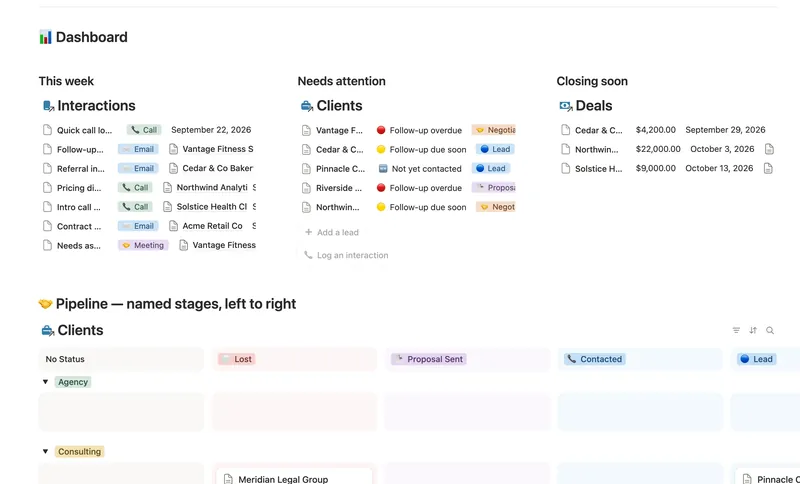
- 31 Client CRM Run every Lead and Client through a named pipeline, log every call and email against the right Contact, and never miss a follow-up — Pipeline value, Won value and Next follow-up are computed straight from your Deals and Interactions, never re-typed, with a live hub page the moment you add someone. 4 db · 10 formulas · 2 buttons
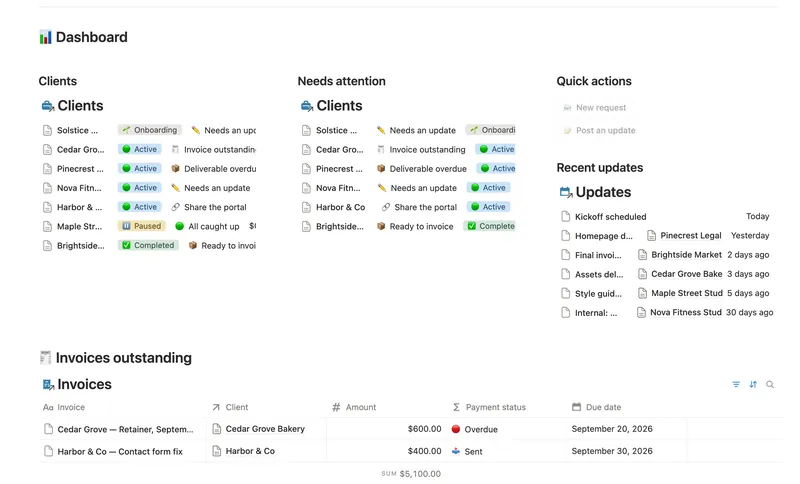
- 36 Client Portal Give every client their own living portal page — Requests, Deliverables and Invoices already filtered to just them, shared view-only, with nothing to configure by hand. 5 db · 15 formulas · 2 buttons
- 32 Projects & Deliverables See every Client's Projects and every Project's Deliverables in one connected system — with Progress, Health and a live Timeline computed automatically, never re-typed. 3 db · 7 formulas · 2 buttons
§ The Bundle
Get the whole Bundle
Invoices & Payments plus 49 more templates, one payment.
One-time payment · Works on Notion Free · Instant Library access