
Updated Sep 24, 2026
Projects & Deliverables Notion Template
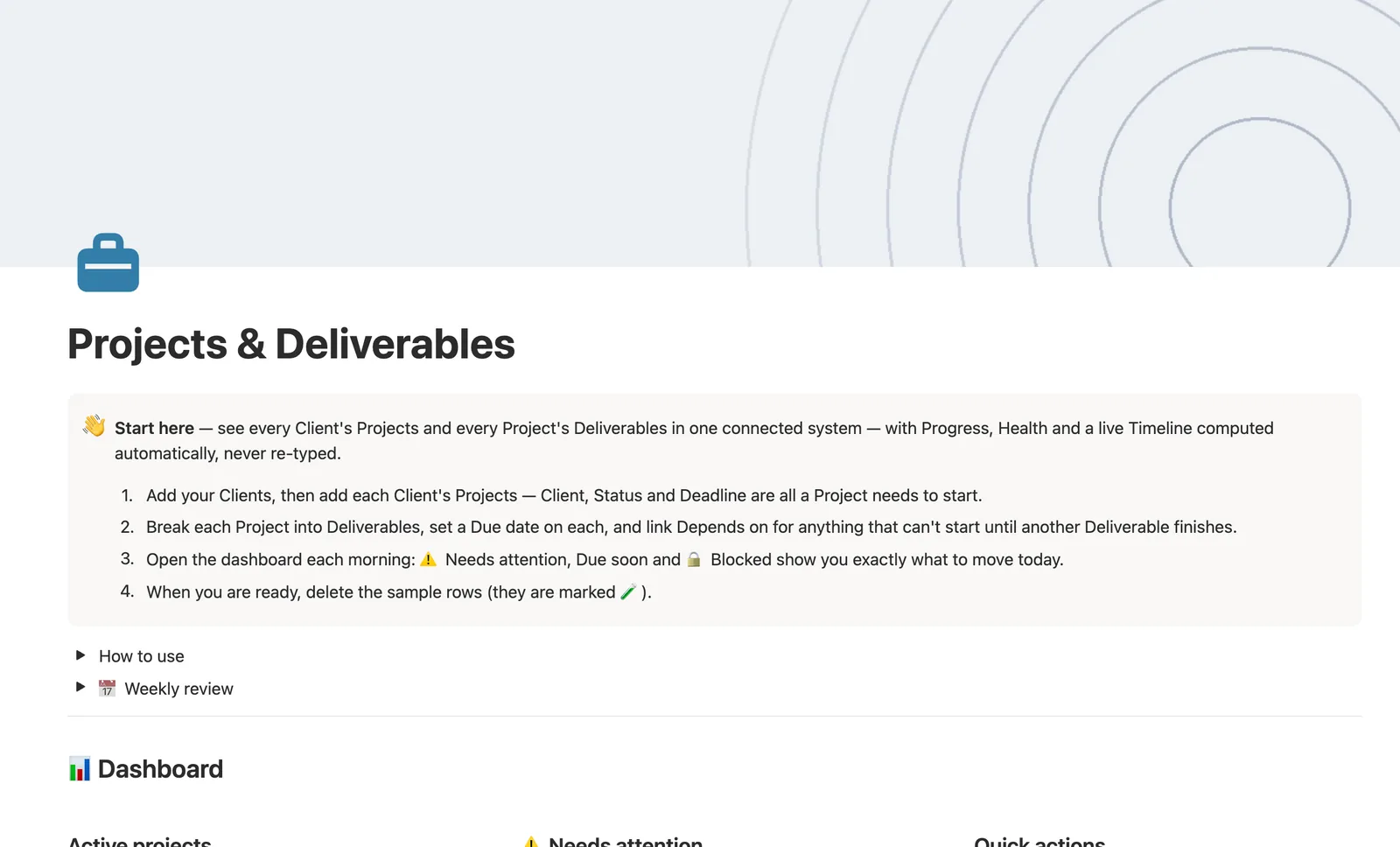
This Notion template connects every Client's Projects to that Project's Deliverables in one system. Progress and Health compute themselves from how many Deliverables are done, a live Timeline shows every deadline, and Depends on marks a Deliverable blocked until its prerequisite finishes.
One-time payment · Works on Notion Free · Instant Library access
Who it's for
Who it's for
- Freelancers and agencies running several client projects at once
- Anyone who wants Progress and Health computed from real deliverables, not typed by hand
- People managing deliverables with real dependencies, where one thing can't start until another finishes
- Teams who want a Timeline view of every deadline across every project
What's inside
What's inside
Progress and Health, computed
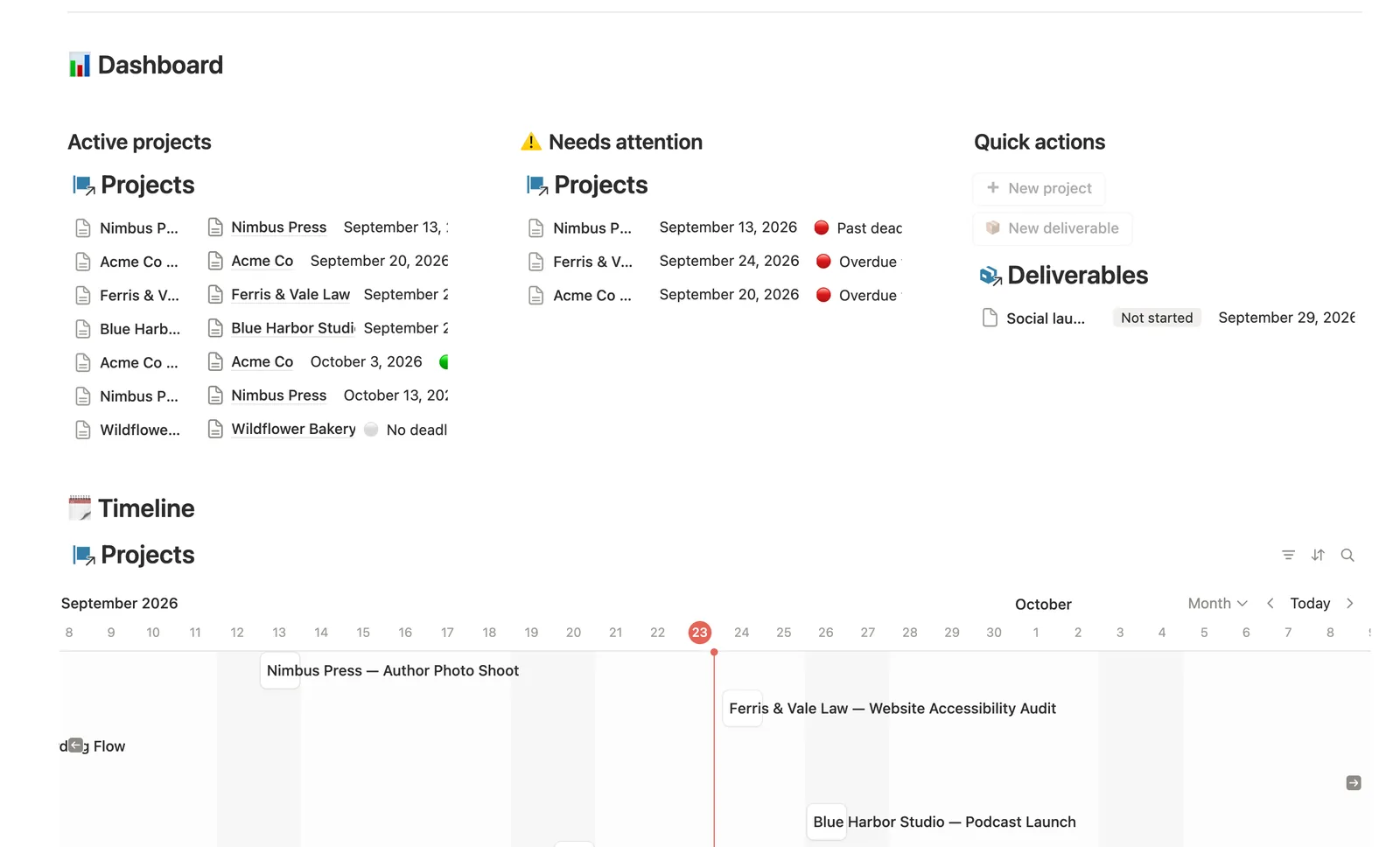
Progress rolls up from how many Deliverables are Done; Health checks Status, Deadline, and any overdue Deliverable to pick 🔴 Overdue work, 🟡 Due soon, or 🟢 On track on its own.
Real dependencies between deliverables
Link Depends on and a Deliverable stays 🔒 Blocked until everything it depends on is marked Done, surfaced in its own Blocked view.
A hub page per Client and per Project
Open a Client to see every Project for that client; open a Project to see its own Deliverables split into Open and Done.
A live Timeline
Every Project's Deadline plots on a Timeline view, month by month, across every client at once.
Needs linking safety nets
The dashboard's buttons can't link a new Project to a Client or a new Deliverable to a Project; dedicated views on both catch anything still unlinked.
How it works
How it works
Every Project links to one Client, and every Deliverable links to one Project; Deliverables can also link to each other through Depends on. Progress reads how many of a Project's Deliverables are Done; Health checks that same count for anything overdue before it looks at the raw Deadline, so a project with an overdue deliverable always flags red even if its deadline hasn't technically passed yet.
Spec
- Databases
- 3
- Two-way relations
- 3
- Formulas
- 7
- Rollups
- 5
- Views
- 21
- One-click buttons
- 2
- Database templates
- 4
- Sample rows
- 27
- Databases Clients, Projects, Deliverables
- Entity pages Clients, Projects
- Buttons ➕ New project, 📦 New deliverable
How to use
- 01
Open a Client to see every Project for that Client (Projects for this client); open a Project to see its own Deliverables split into Open and Done.
- 02
Progress and Health are never typed — Progress rolls up from how many Deliverables are Done, and Health checks Status, Deadline and any overdue Deliverable to pick the right badge on its own.
- 03
Depends on marks a Deliverable as blocked on another — it stays 🔒 Blocked until everything it depends on is Done, and shows up under 🔒 Blocked until then.
- 04
The dashboard's buttons create a new Project or Deliverable but can't link it to anything — check 🔗 Needs linking on Deliverables for anything you added that still needs a Project, and 🔗 Needs linking on Projects for anything that still needs a Client.
- 05
This template's Clients list is deliberately simple — pair it with Client CRM for a full sales pipeline, Invoices & Payments for billing, and Time Tracker for hourly work.
Setup
Setup
- 01
Duplicate the Projects & Deliverables template into your workspace.
- 02
Add your Clients, then add each Client's Projects with a Status, Priority, and Deadline.
- 03
Break each Project into Deliverables, set a Due date on each, and link Depends on for anything blocked on something else, then delete the 🧪 sample rows.
- 04
Open the dashboard each morning: Needs attention, Due soon, and Blocked show you exactly what to move today.
Compared
| This template | Generic task board | |
|---|---|---|
| Project progress | Computed from actual deliverables | You update a percentage manually |
| Blocked work | Flagged automatically via Depends on | Tracked in a note or comment |
| Which client a project belongs to | Filtered hub page per client | You scroll and search |
§ FAQ
FAQ
Does Notion have a project tracker for client work?
Not built in, but this template adds one. Clients, Projects, and Deliverables all link together, with Progress and Health computed from real deliverables instead of a status you set by hand.
How do I track deliverables by project in Notion?
In this template, each Deliverable links to one Project. Open that Project's own page to see its Deliverables split into Open and Done, and Progress on the Project itself rolls up from how many are actually finished.
Can Notion show if a project is blocked or at risk?
Yes. A Deliverable stays 🔒 Blocked until every deliverable it depends on is Done, and a Project's Health badge reads 🔴 the moment any of its Deliverables goes overdue, before you'd otherwise notice.
Does this project tracker work on Notion's Free plan?
Yes, every database, formula, relation, and view here runs on Notion's Free plan.
More from Freelance & Clients
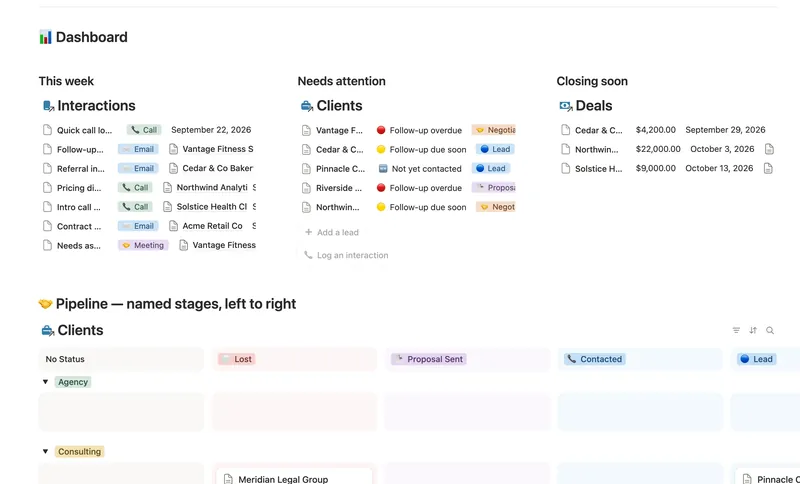
- 31 Client CRM Run every Lead and Client through a named pipeline, log every call and email against the right Contact, and never miss a follow-up — Pipeline value, Won value and Next follow-up are computed straight from your Deals and Interactions, never re-typed, with a live hub page the moment you add someone. 4 db · 10 formulas · 2 buttons
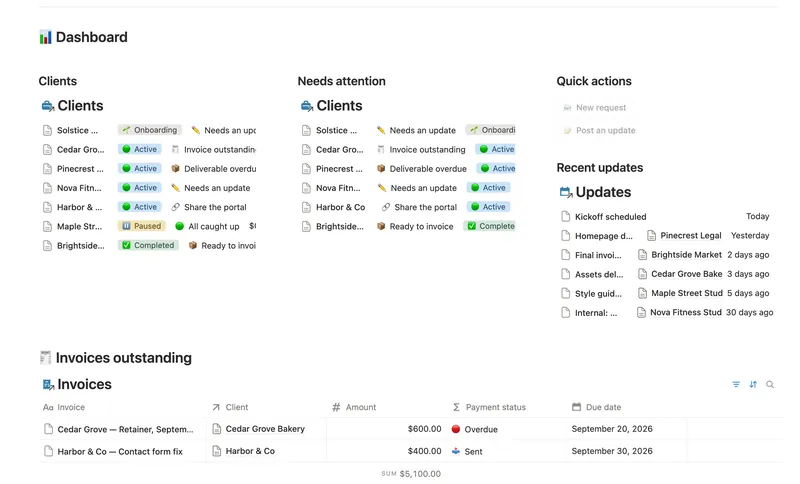
- 36 Client Portal Give every client their own living portal page — Requests, Deliverables and Invoices already filtered to just them, shared view-only, with nothing to configure by hand. 5 db · 15 formulas · 2 buttons
- 33 Invoices & Payments Invoice clients, track every partial payment against the balance still owed, and catch what's overdue — and by how long — before a client has to ask. 3 db · 10 formulas · 2 buttons
§ The Bundle
Get the whole Bundle
Projects & Deliverables plus 49 more templates, one payment.
One-time payment · Works on Notion Free · Instant Library access