
Updated Sep 24, 2026
Course & Learning Tracker Notion Template
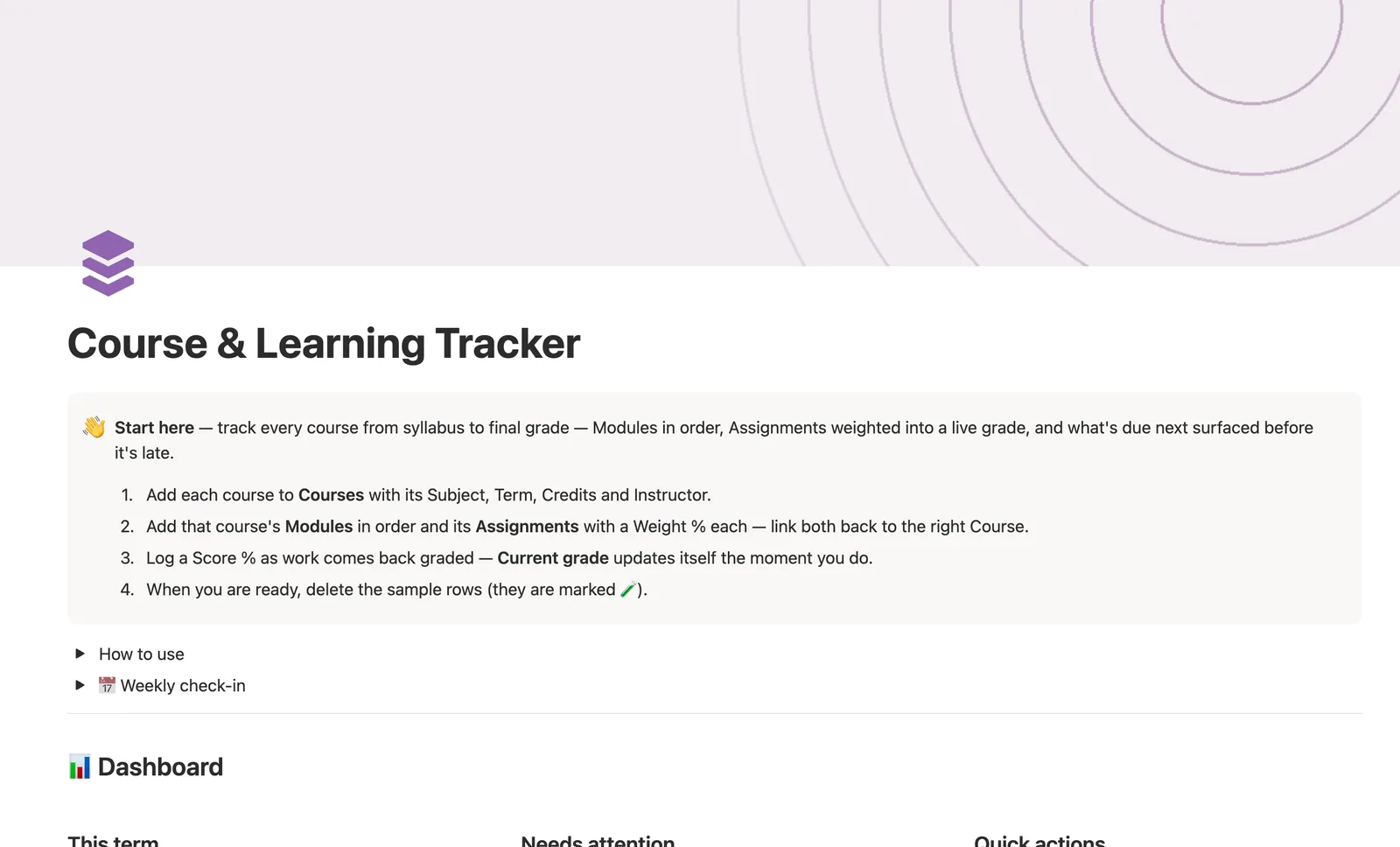
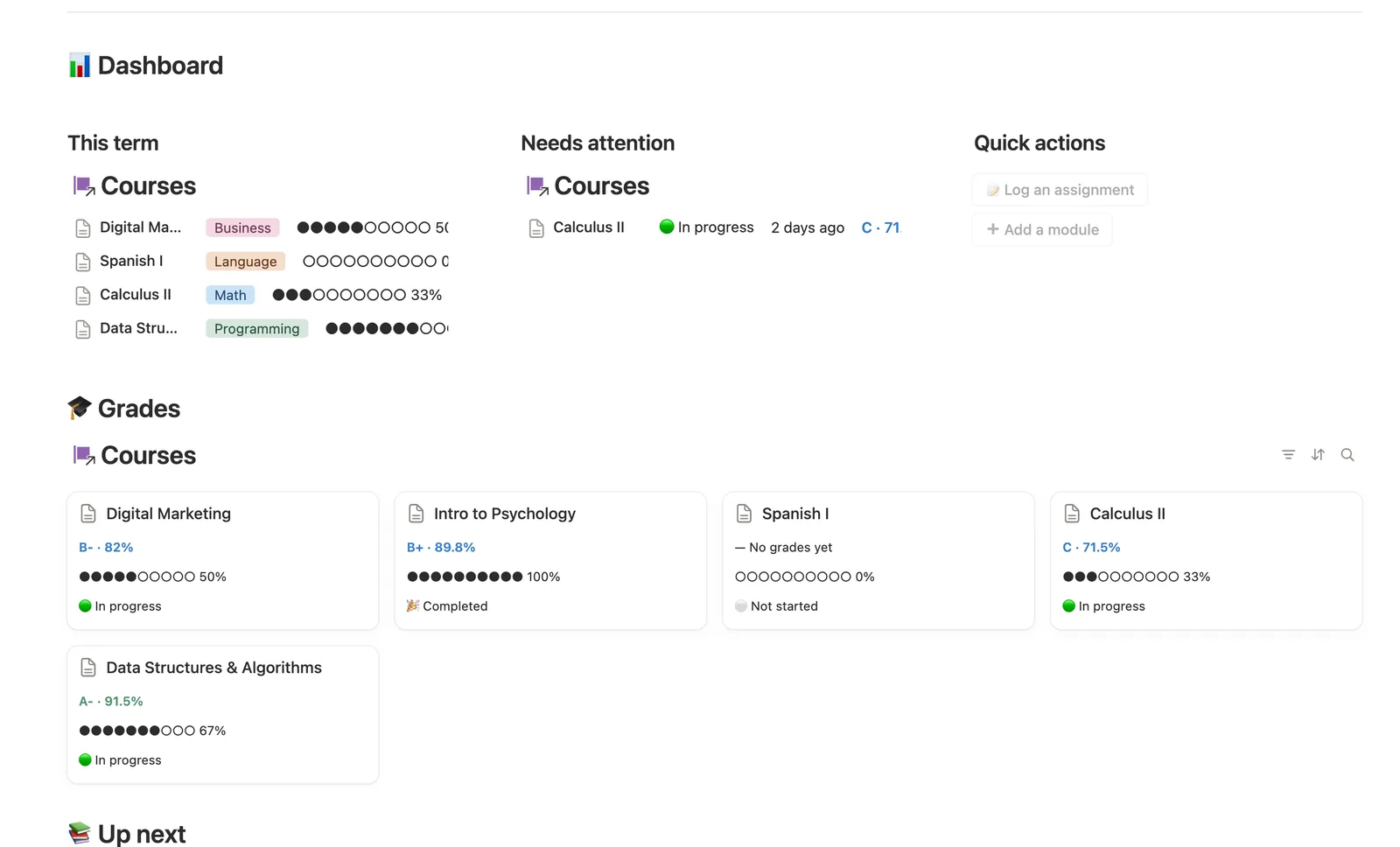
This Notion template tracks every course from syllabus to final grade. Modules go in order, Assignments carry a Weight % and Score %, and Current grade is a real weighted average that updates the moment you log a score. Next due surfaces your soonest unsubmitted assignment before it's late.
One-time payment · Works on Notion Free · Instant Library access
Who it's for
Who it's for
- Students juggling several courses who want one real weighted grade per course, not a flat average
- Anyone tracking assignments and due dates across multiple classes at once
- Self-directed learners working through modules or lessons in order
- People who want to see what's due next before it becomes overdue
What's inside
What's inside
A genuine weighted grade
Each Assignment's Weight % × Score % feeds Current grade; an assignment you haven't gotten back yet contributes nothing, so the grade stays accurate instead of dragging toward zero.
Next due, computed automatically
Courses show the soonest unsubmitted Assignment, so you always know what's coming before it's overdue.
Modules in order
Break each course into Modules with an Order number and a Date, and check them off as you work through them.
A grade breakdown per course
Open any Course's own page to see its Modules and Assignments side by side, filtered to just that course.
Needs linking safety nets
A Module or Assignment added from the dashboard buttons starts unlinked to a Course; a dedicated view catches anything you added that still needs linking.
How it works
How it works
Modules and Assignments both link back to one Course. Progress reads how many Modules are marked Done; Current grade is a real weighted average, each Assignment's Weight % times Score % rolled up and divided by the total weight that's actually been graded. Next due reads across a course's Assignments for the soonest one you haven't submitted.
Spec
- Databases
- 3
- Two-way relations
- 2
- Formulas
- 12
- Rollups
- 4
- Views
- 17
- One-click buttons
- 2
- Database templates
- 4
- Sample rows
- 29
- Databases Courses, Modules, Assignments
- Entity pages Courses
- Buttons 📝 Log an assignment, ➕ Add a module
How to use
- 01
Everything flows from two relations into Courses: every Module and every Assignment links back to the course it belongs to — Progress and Current grade are never typed, they're computed from what you log there.
- 02
Current grade is a genuine weighted average, not a flat mean: each Assignment's Weight % × Score % feeds the course's grade, and an ungraded assignment (blank Score %) contributes nothing yet — so the grade stays accurate as you go instead of getting dragged toward 0 by work you haven't gotten back.
- 03
A Module or Assignment created from a button or database template starts unlinked — Modules' and Assignments' own Needs linking view catches anything missing its Course so nothing falls through the cracks; link it by hand right after creating it.
- 04
Next due on each course is your soonest unsubmitted Assignment. Check Courses → Needs attention for anything already overdue, and Assignments → Due this week before it gets there.
- 05
Assignments → Needs grading catches anything you've turned in but haven't logged a Score % for yet — clear it out and every course grade that depends on it updates itself.
Setup
Setup
- 01
Duplicate the Course & Learning Tracker template into your workspace.
- 02
Add each course to Courses with its Subject, Term, Credits, and Instructor.
- 03
Add that course's Modules in order and its Assignments with a Weight % each, linking both back to the right Course, then delete the 🧪 sample rows.
- 04
Log a Score % as work comes back graded; Current grade updates itself the moment you do.
Compared
| This template | Spreadsheet gradebook | |
|---|---|---|
| Weighted grade calculation | Recomputes automatically as you log scores | You re-enter the formula each time |
| What's due next | Surfaced automatically per course | You scan every row yourself |
| Assignments missing a grade | Caught by a dedicated Needs grading view | Easy to miss in a long list |
§ FAQ
FAQ
Does Notion have a course tracker?
Not built in, but this template adds one. Courses link to Modules and Assignments, and Current grade computes itself as a real weighted average from each Assignment's Weight % and Score %.
Can Notion calculate my grade automatically from weighted assignments?
Yes, in this template. Each Assignment carries its own Weight % and Score %; Courses' Grade % divides the sum of weighted scores by the total weight that's been graded, so an ungraded assignment never drags your grade down.
How do I track assignments and due dates in Notion?
Add each Assignment to the Assignments database with a Due date and link it to its Course. Due this week and Needs grading views surface what's coming up and what you're still waiting to get back.
Does this course tracker work on Notion's Free plan?
Yes, every database, formula, and view in this template runs on Notion's Free plan, no paid Notion features required.
More from Mind & Learning
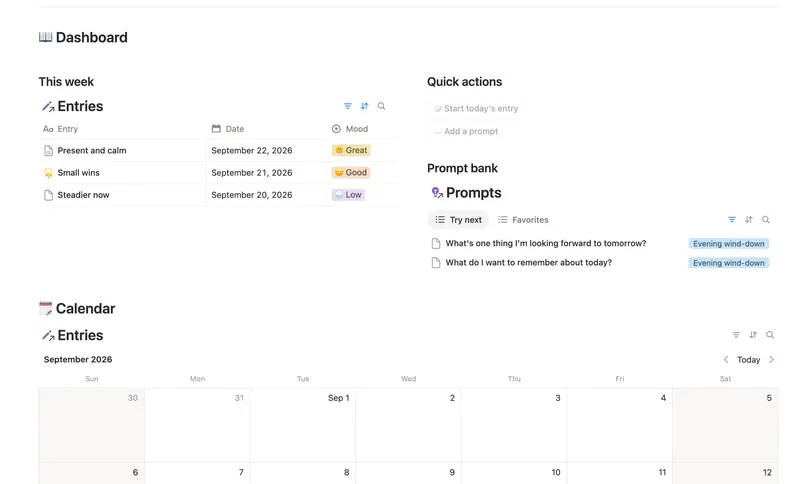
- 28 Daily Journal Capture how each day actually felt — a mood, a gratitude, a few honest lines — and watch a gentle streak build the moment two days land back-to-back. 2 db · 7 formulas · 2 buttons
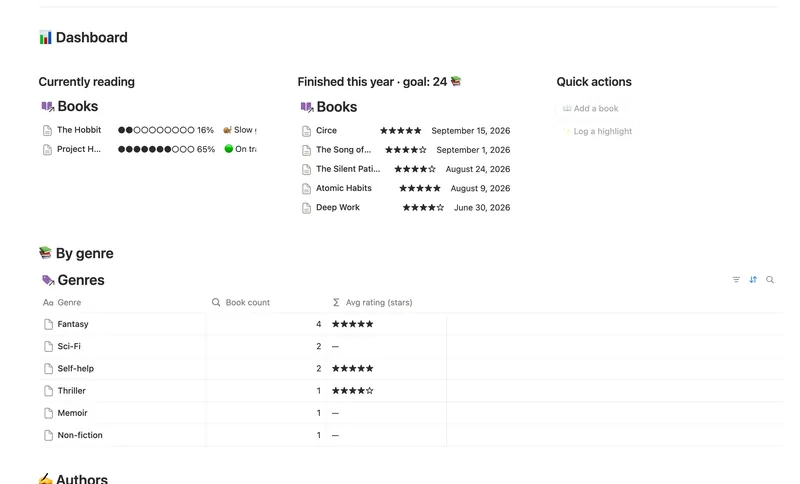
- 26 Reading List & Book Notes Track every book alongside its Author, Genre and Highlights — with a live reading pace, a projected finish date and a yearly-goal count that updates the moment you turn a page. 4 db · 13 formulas · 2 buttons
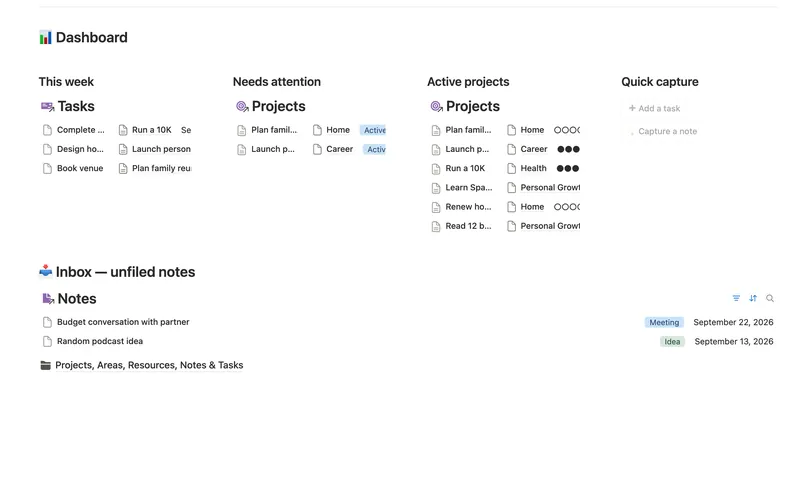
- 25 Second Brain (PKM) Capture everything into Tasks and Notes, file it against Projects, Areas and Resources, and watch Progress, Next due and Health roll up two hops — from a single checked box to a real picture of what's on track and what's stalled. 5 db · 10 formulas · 2 buttons
§ The Bundle
Get the whole Bundle
Course & Learning Tracker plus 49 more templates, one payment.
One-time payment · Works on Notion Free · Instant Library access