
Updated Sep 27, 2026
Notion Relations and Rollups: The Complete Guide
Notion relations and rollups work as a pair: a relation links rows between two databases, and a rollup reads or adds up a value from whatever's linked on the other end. You build the relation first — a rollup has nothing to aggregate without one, and there's one hard limit worth knowing early: you can't roll up a rollup.
Notion rollup vs relation: what's the difference?
"Relation" and "rollup" are two different property types that work together, not two names for the same thing.
A relation property is the link itself. Add one to a database, point it at another database, and each row can connect to one or more rows over there — a Deal to its Client, a Deliverable to its Project, an Interaction to whichever Contact it was with.
A rollup property reads through an existing relation and reports something about the rows on the other end: how many are linked, what one of their properties adds up to, which one has the latest date. A rollup can't exist without a relation to read through — it's always the second property you add, never the first.
| Relation | Rollup | |
|---|---|---|
| What it does | Connects a row to one or more rows in another database | Pulls or aggregates a value from whatever's connected |
| Needs | Nothing else | An existing relation to read through |
| Example | A Deal's Client relation | The Client's Won value, summed from its Deals |
One-way vs two-way relations in Notion
Every relation starts one-way: only the database where you added the property can see it. Add a Client relation to Deals, and Deals gets a Client column — Clients doesn't get a Deals column back automatically.
- Add a property, choose Relation as the type, and search for the database to connect to.
- Turn on Show on [the other database] while you're adding it (or later, from the property's own settings) to make it two-way.
- Name the corresponding property Notion creates on the other side — it won't reuse the same name twice.
Two-way is what makes a rollup possible in the direction you want. A one-way Client relation on Deals lets a Deal display its Client's name, but to let a Client roll up something from its own Deals (Won value, Open deals count), the relation has to run both ways, since a rollup can only read through a relation on its own database.
Notion relation to multiple databases: is it possible?
No, not from one property. A single relation points at exactly one database; connecting to a second means adding a second relation property, not widening the first one. Client CRM's Clients database shows the pattern: one relation to Contacts, a second to Interactions, a third to Deals, and a fourth, Referred by, that relates Clients to itself for tracking who referred whom.
Every Notion rollup calculation, and what it does
Every rollup starts the same way: pick the relation, pick a property on the other end, then pick a calculation. Which calculations you see depends on the type of property you picked.
| Category | Calculations |
|---|---|
| Works on any property | Show original, Show unique values, Count all, Count values, Count unique values, Count empty, Count not empty, Percent empty, Percent not empty |
| Numbers only | Sum, Average, Median, Min, Max, Range |
| Dates only | Earliest date, Latest date, Date range |
| Checkboxes only | Checked, Unchecked, Percent checked, Percent unchecked |
A rollup sum and Count all cover most of what a template needs: Sum for money (Pipeline value, Invoiced total), Count all for "how many linked rows," Percent checked for a completion rate rendered as a progress bar.
Notion rollup with condition: can you filter what it counts?
Not inside the rollup property itself: there's no rollup filter step, only a relation, a property and a calculation to choose from. Getting "the total of only the Won deals" instead of every deal takes one of two workarounds, and real templates use both.
First: a same-row flag, then a plain Sum. Add a formula on the child database that returns the value only when the condition holds, zero otherwise, then roll up that flag with Sum instead of the raw property. Client CRM computes each Client's Won value exactly this way — Deals carries a hidden formula:
if(prop("Stage") == "🟢 Won", prop("Value"), 0)and Clients rolls that up with Sum, never touching the raw Value column.
Second: filter the relation directly in a formula, skipping the rollup property. Formula 2.0 reads a relation as a list of pages, which you can filter before aggregating — see the formulas cheat sheet for the full syntax:
sum(prop("Deals").filter(current.prop("Stage") == "🟢 Won").map(current.prop("Value")))Both land on the same number. The flag-and-Sum version is quicker to build and reads as an ordinary rollup in the UI; the formula version skips adding an extra property to Deals when you only need the total in one place.
Notion rollup not working: why it shows nothing or the wrong number
Three causes cover almost every case, and none of them is actually a bug.
- The relation is empty on that row. A rollup has nothing to read until something is linked, and a button or database template can only pre-fill a relation with the same page every time, so it can't know which Client a new Deal belongs to. A Deal created from a quick-add button starts with no Client, and its rollups read blank until someone connects it by hand. A Needs linking view (filter: relation is empty) catches this before it skews a total.
- The wrong calculation is selected. Count all on a numeric property returns a row count, not a total — an easy mix-up with Sum, since both sit in the same list.
- A rollup ignores whatever filter is applied to a view of the related database. It always aggregates every linked row, not just the ones currently visible in some filtered view elsewhere. If a total reads too high, the fix isn't the rollup — it's a same-row flag or a formula filter, the same patterns from the section above.
Can you roll up a rollup in Notion?
No. As of September 2026, Notion won't let a rollup read another rollup, since that could create unintended loops — but it will let a rollup read a formula property, even one pulling its value from a different relation entirely, and that's the real workaround.
- Make the middle-layer number a formula, not a rollup. Net Worth Dashboard does this: an Account's "Current balance" is a formula reading its own Balance Snapshots, not a rollup, so Institutions and Asset classes can roll up "Current balance" with Sum directly. Reading a formula is fine; reading another rollup is the one thing that's blocked.
- Skip the middle layer and read every hop in one formula, as the worked example below does. A rollup reads one relation deep; a formula chains
.map()across as many hops as the chain has, no rollup involved.
Worked example: Clients, Projects and Invoices in one chain
Here's the mechanism end to end, three databases deep, built from scratch:
- Clients — a title property, Client, to start.
- Projects — a title property, Project, plus a Client relation pointed at Clients, two-way toggled on. Clients now has an automatic Projects property back.
- Invoices — a title property, Invoice, a Total number, and a Project relation pointed at Projects, two-way toggled on. Projects now has an automatic Invoices property back.
- On Projects, add a rollup: relation Invoices, property Total, calculation Sum — call it Invoiced total. One hop, no complications.
- On Clients, try to roll up Invoiced total from Projects the same way, and it isn't offered as an option. Invoiced total is itself a rollup, and Notion won't let a second rollup read it.
The fix is a formula on Clients that walks both hops itself, without an intermediate rollup at all:
sum(prop("Projects").map(current.prop("Invoices")).flat().map(current.prop("Total")))Read it outward: for every linked Project, get its linked Invoices (a list of lists, one per Project), then flat() them into a single list of Invoice pages, pull each one's Total, and sum() the result. Add a condition anywhere in that chain, like .filter(current.prop("Paid") == true) before the last .map(), for a "total actually paid" version — the same conditional-rollup pattern from above, just carried across two hops instead of one.
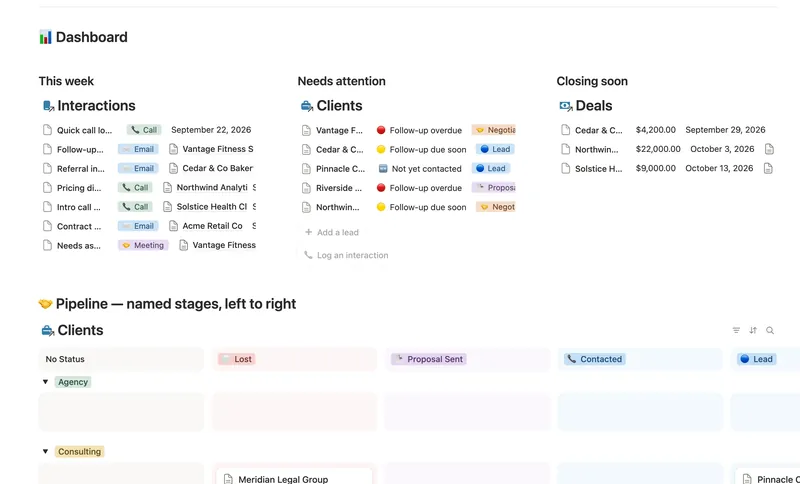
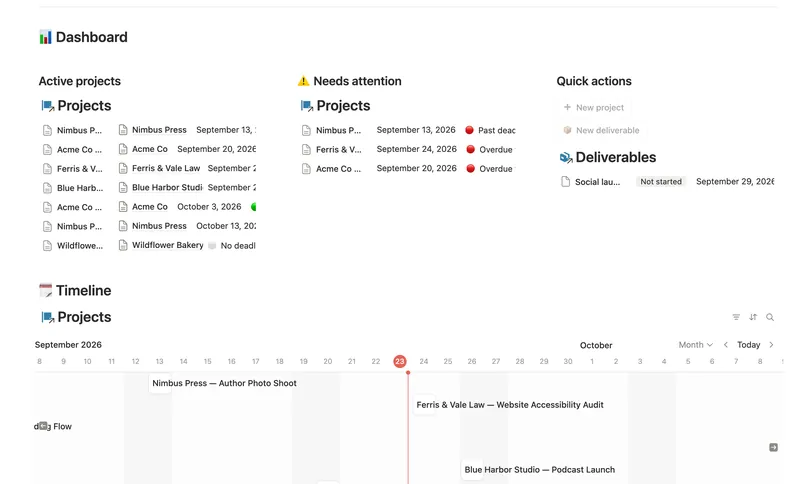
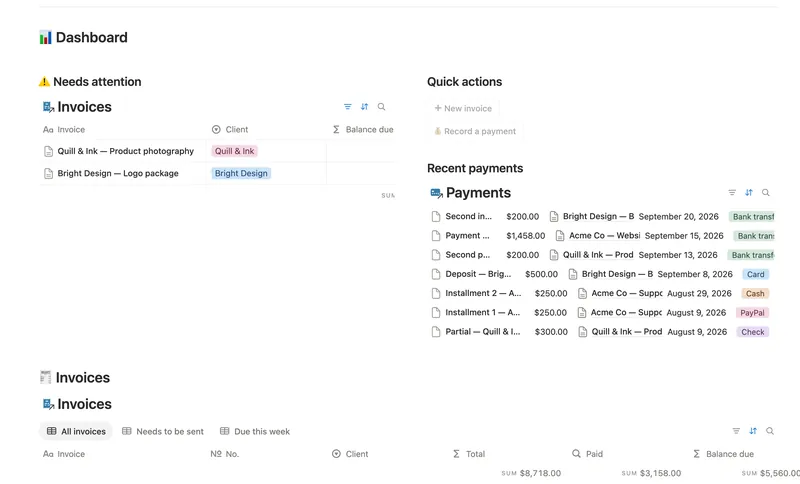
Building this from scratch works, but it's also what a few templates already ship. Client CRM runs the Clients-to-Deals half of this shape, with a named pipeline and a Won-value rollup wired up; see the freelancer CRM guide for the full setup. Projects & Deliverables chains Clients to Projects to Deliverables with Progress and Health rollups computed the same way. Invoices & Payments runs its own rollup chain on the billing side (Line items into Subtotal and Total, Payments into Paid and Balance due), with Client kept as a plain field rather than a relation, so it drops into any Clients setup. Stacking several into one hub page is covered in how to build a Notion dashboard.
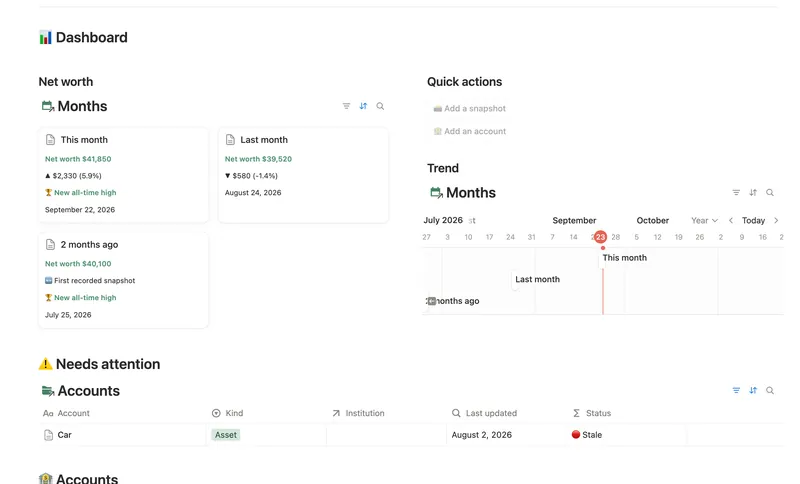
As of September 2026, relations, rollups and formula 2.0 all work identically on Notion's Free plan — nothing here needs a paid workspace. Net Worth Dashboard uses the same formula-instead-of-rollup trick so Accounts can feed Institutions and Asset classes, while Months rolls up Assets and Liabilities straight from Balance Snapshots in one hop. All four templates above are part of the Templitize Bundle, 50 templates for $47 once, with lifetime updates.
Related templates
- 31 Client CRM Run every Lead and Client through a named pipeline, log every call and email against the right Contact, and never miss a follow-up — Pipeline value, Won value and Next follow-up are computed straight from your Deals and Interactions, never re-typed, with a live hub page the moment you add someone. 4 db · 10 formulas · 2 buttons
- 32 Projects & Deliverables See every Client's Projects and every Project's Deliverables in one connected system — with Progress, Health and a live Timeline computed automatically, never re-typed. 3 db · 7 formulas · 2 buttons
- 33 Invoices & Payments Invoice clients, track every partial payment against the balance still owed, and catch what's overdue — and by how long — before a client has to ask. 3 db · 10 formulas · 2 buttons
- 13 Net Worth Dashboard List everything you own and owe across every institution and asset class, and watch net worth compound month over month — with stale balances and allocation drift caught before they quietly skew the number. 5 db · 17 formulas · 2 buttons
§ The Bundle
Build it once, or start from a template
50 Notion templates, $197 value, $47 once.
One-time payment · Works on Notion Free · Instant Library access