
Updated Sep 24, 2026
Proposals & Contracts Notion Template
This Notion template tracks every proposal from draft to signed through a real six-stage pipeline, computes your actual win rate as a percentage, and watches every contract's Start and End date so a renewal never sneaks up on you. A stale proposal flags itself after ten days with no decision.
One-time payment · Works on Notion Free · Instant Library access
Who it's for
Who it's for
- Freelancers and agencies who send proposals and want a real pipeline, not a folder of documents
- Anyone who wants their win rate computed, not estimated
- People with retainer or recurring contracts who need renewal dates tracked automatically
- Freelancers who want a pre-filled proposal brief instead of a blank page every time
What's inside
What's inside
A real six-stage pipeline
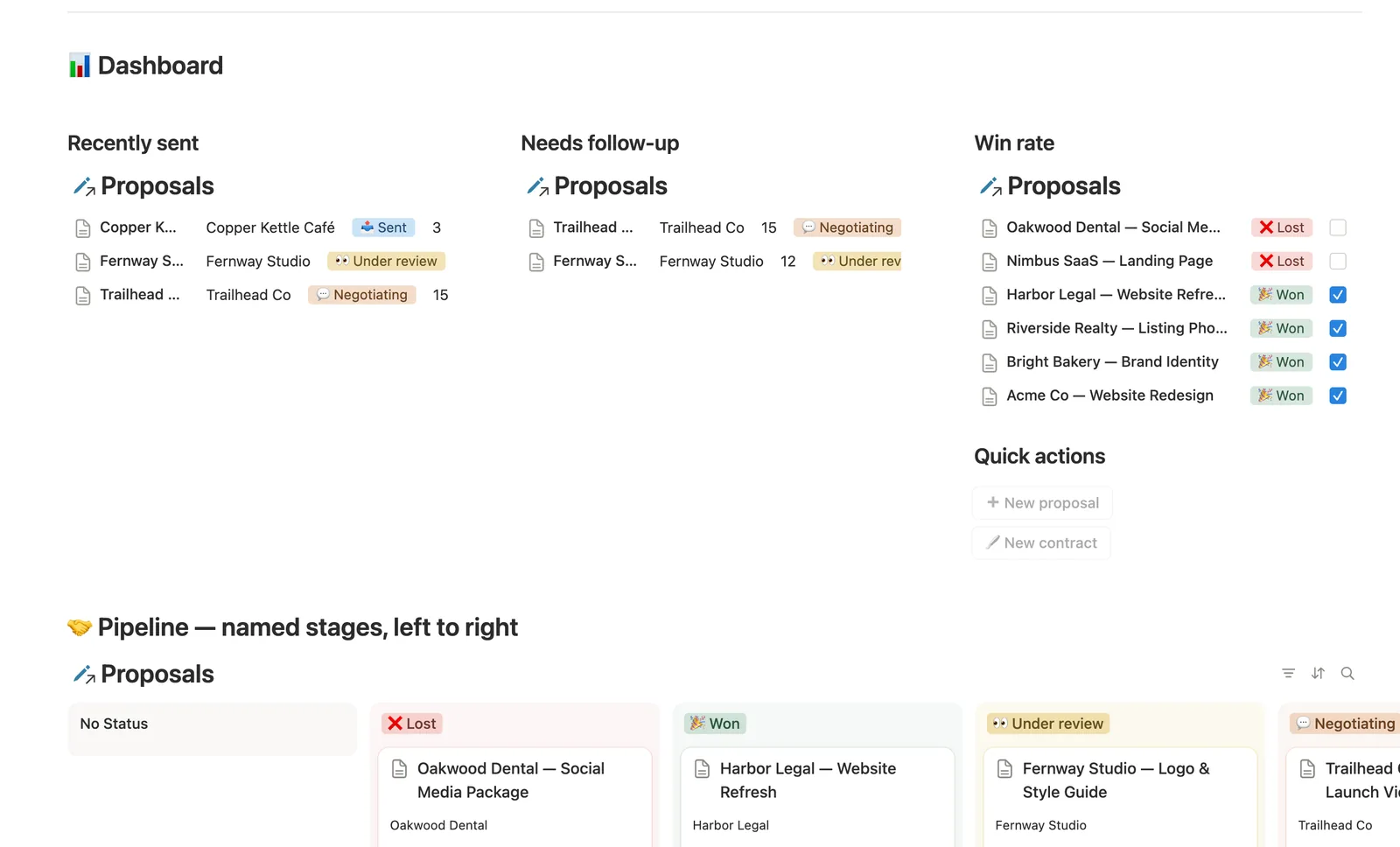
Status moves Draft → Sent → Under review → Negotiating → Won / Lost, and Pipeline flag turns it into one glance, including 📌 Needs follow-up for anything sent 10+ days ago with no decision.
Win rate, computed as a real percentage
A Won? column with a percent-checked footer total on a filtered view gives you your actual win rate, not a number you tally yourself.
Renewal tracking that watches the dates
Renewal status reads a Contract's End date and Cancelled flag to flag 🟢 Active, 🟠 Renewal due soon, ⚫ Expired, or ❌ Cancelled, with Days until renewal counting it down.
Pre-filled proposal briefs
The Fixed-price and Retainer database templates start you with a structured Scope, Deliverables, Investment, and Terms outline, not a blank title field.
Renewals logged as new rows, not edits
A contract that renews logs as its own new row linked to the same Proposal, so you keep a real history instead of overwriting the old dates.
How it works
How it works
Contracts link back to the Proposal they came from, and a Contract's Client field pulls straight from that Proposal, never re-typed. Win rate reads a Won? checkbox across every decided proposal; Renewal status reads a Contract's own End date and Cancelled flag to pick the right badge and count down to it.
Spec
- Databases
- 2
- Two-way relations
- 1
- Formulas
- 7
- Rollups
- 1
- Views
- 13
- One-click buttons
- 2
- Database templates
- 3
- Sample rows
- 17
- Databases Proposals, Contracts
- Entity pages Proposals
- Buttons ➕ New proposal, 🖋️ New contract
How to use
- 01
Status is a real 6-stage pipeline (Draft → Sent → Under review → Negotiating → Won/Lost), not a generic to-do list — Pipeline flag turns it into one glance: 🎉 Won, ❌ Lost, 📌 Needs follow-up (sent 10+ days ago, still no decision), 📝 Draft — not sent, or 🕓 Waiting on client.
- 02
Win rate is a real percentage, not a guess: open Proposals → Win rate (or the dashboard card) and read the % under Won? — a footer total computed from every decided proposal.
- 03
Contracts is where a won proposal becomes a real agreement: link Proposal and Client fills itself in. Renewal status watches Start date/End date for you — 🟢 Active, 🟠 Renewal due soon (within 30 days), ⚫ Expired or ❌ Cancelled — and Days until renewal counts it down.
- 04
A contract that renews is a new row, not an edit — log the next term as its own Contract linked to the same Proposal, so you keep a real history instead of overwriting the old dates.
- 05
Buttons can't set relations, so a contract created from 🖋️ New contract on the dashboard lands unlinked — check Contracts → 🔗 Needs linking and connect its Proposal.
- 06
Open a Won proposal's own page to see its Contract without leaving it. This template's Client field is deliberately a plain name, not a full record — pair it with Client CRM for the sales pipeline before a proposal exists, and Invoices & Payments once a contract starts billing.
Setup
Setup
- 01
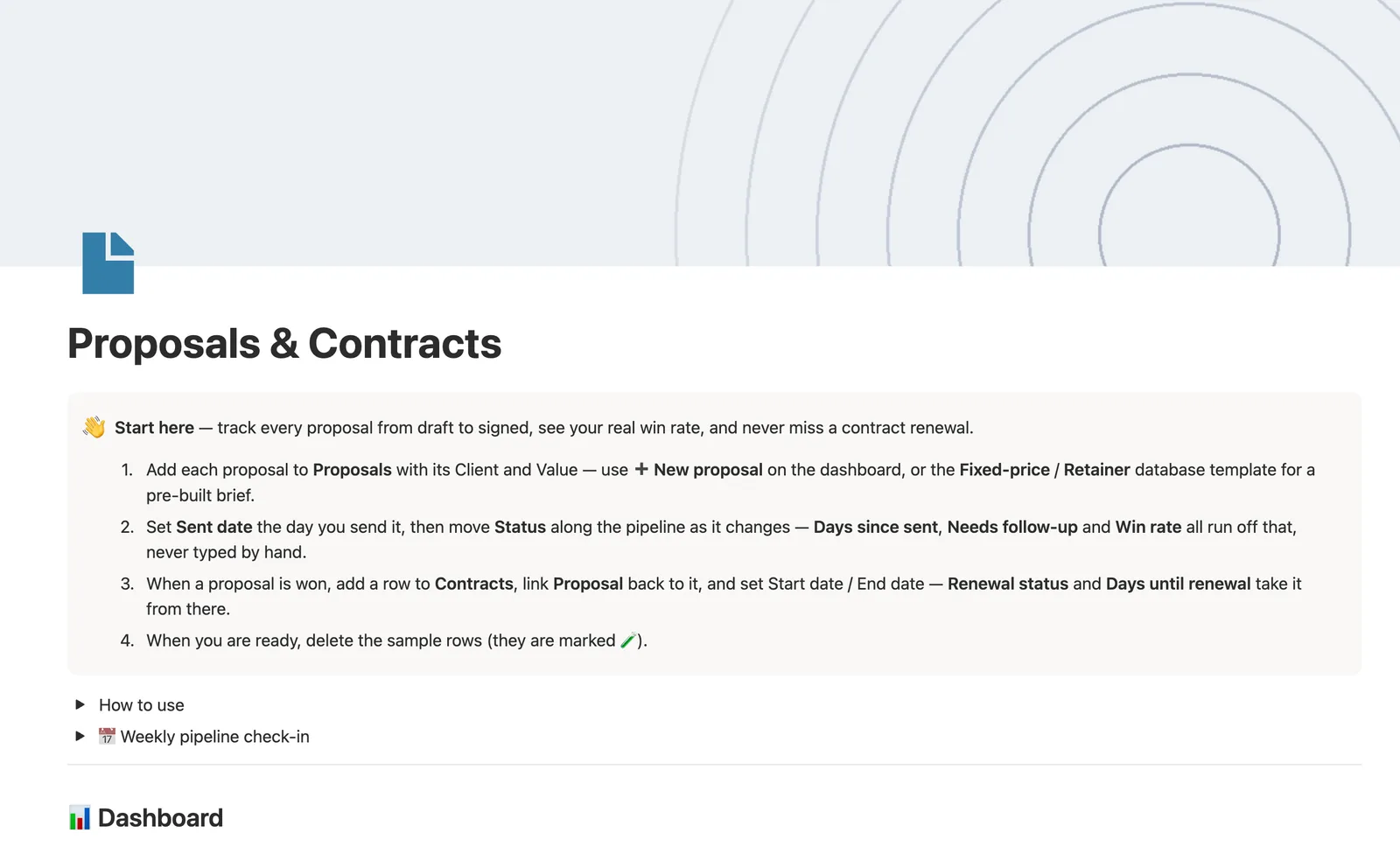
Duplicate the Proposals & Contracts template into your workspace.
- 02
Add each proposal to Proposals with its Client and Value, using the Fixed-price or Retainer template for a pre-built brief.
- 03
Set Sent date the day you send it, then move Status along the pipeline as it changes; delete the 🧪 sample rows.
- 04
When a proposal is won, add a row to Contracts, link it back to the Proposal, and set Start date and End date.
Compared
| This template | Folder of documents | |
|---|---|---|
| Win rate | Computed automatically from decided proposals | You count wins and losses by hand |
| Contract renewals | Flagged automatically as the date approaches | You remember to check the calendar |
| Follow-up on a quiet proposal | Flagged after 10 days with no decision | Easy to forget about |
§ FAQ
FAQ
Does Notion have a proposal tracker?
Not built in, but this template adds one. Proposals run through a real six-stage pipeline, and a Won? column with a percent footer total gives you a real win rate instead of a guess.
Can Notion track contract renewal dates?
Yes, in this template. Renewal status reads each Contract's End date and Cancelled flag to flag anything renewing within 30 days, with Days until renewal counting it down.
How do I see my proposal win rate in Notion?
Open Proposals → Win rate. It's a view filtered to every decided proposal with a Won? column and a percent-checked footer total, a real computed percentage, not a number kept separately.
Does this proposal tracker work on Notion's Free plan?
Yes, every database, formula, and view in this template runs on Notion's Free plan.
More from Freelance & Clients
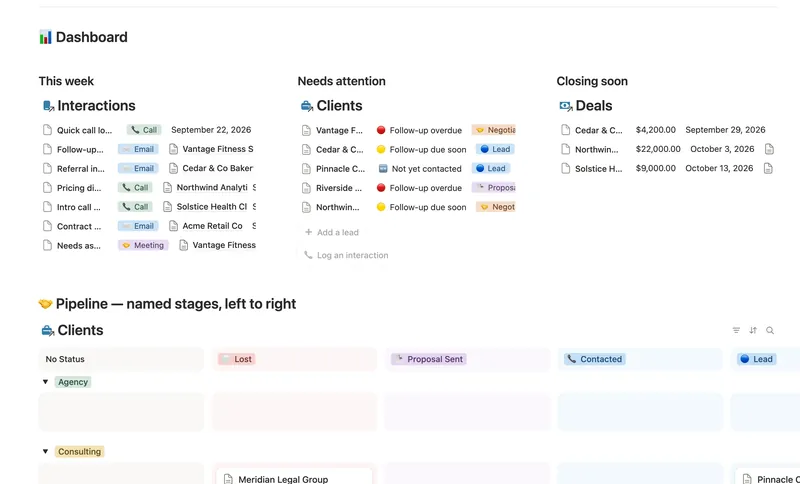
- 31 Client CRM Run every Lead and Client through a named pipeline, log every call and email against the right Contact, and never miss a follow-up — Pipeline value, Won value and Next follow-up are computed straight from your Deals and Interactions, never re-typed, with a live hub page the moment you add someone. 4 db · 10 formulas · 2 buttons
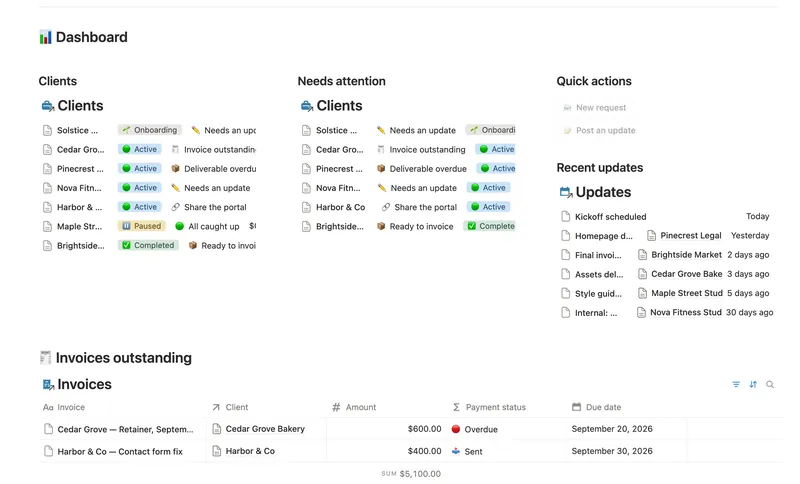
- 36 Client Portal Give every client their own living portal page — Requests, Deliverables and Invoices already filtered to just them, shared view-only, with nothing to configure by hand. 5 db · 15 formulas · 2 buttons
- 33 Invoices & Payments Invoice clients, track every partial payment against the balance still owed, and catch what's overdue — and by how long — before a client has to ask. 3 db · 10 formulas · 2 buttons
§ The Bundle
Get the whole Bundle
Proposals & Contracts plus 49 more templates, one payment.
One-time payment · Works on Notion Free · Instant Library access