
Updated Sep 24, 2026
Small Business Dashboard Notion Template
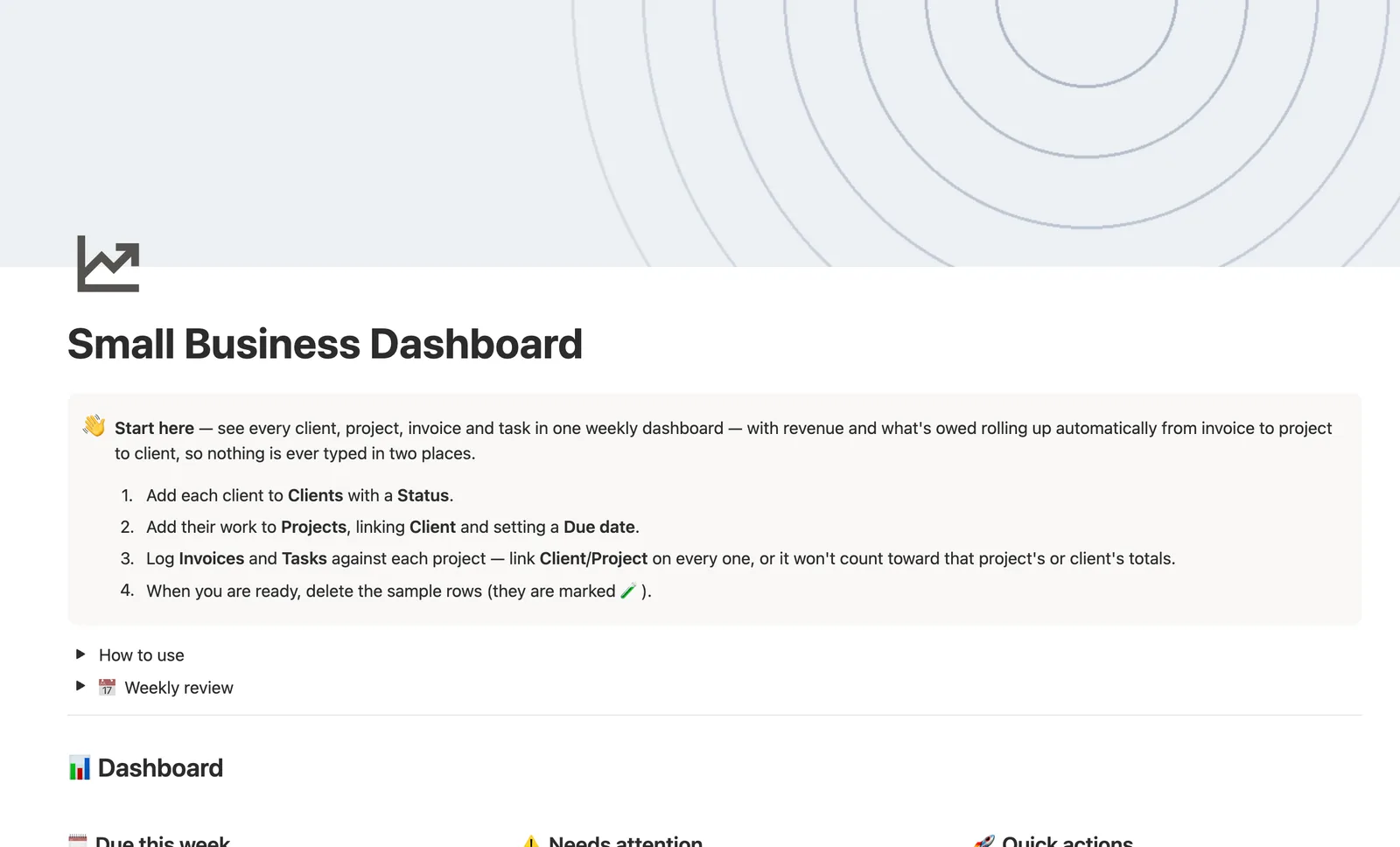
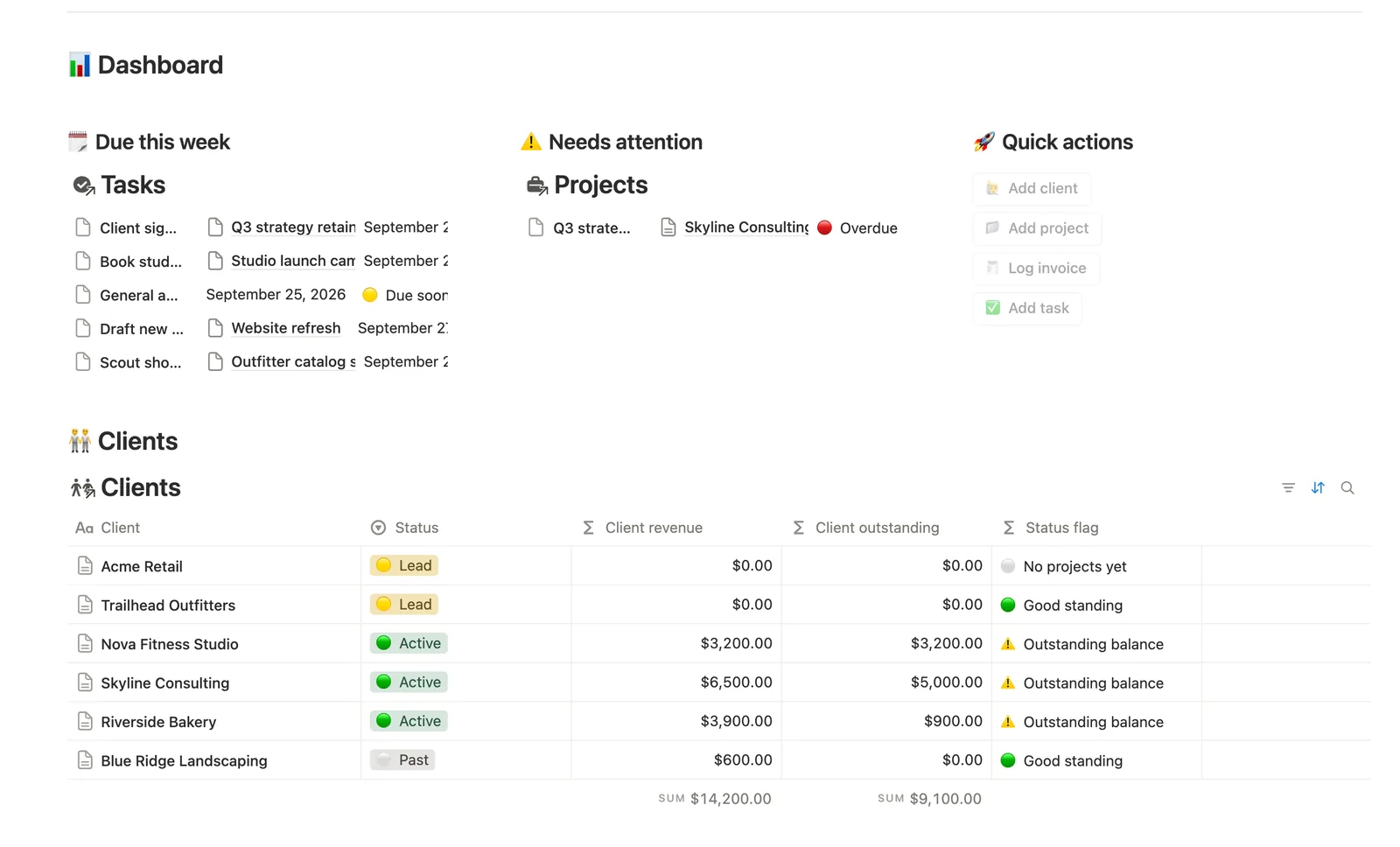
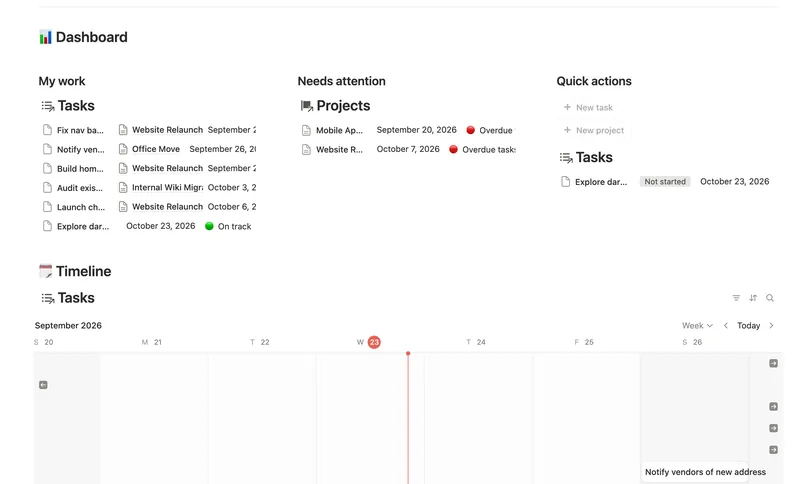
This Notion small business template puts Clients, Projects, Invoices, and Tasks on one dashboard. Revenue and what's owed roll up automatically from invoice to project to client, never typed in two places, and a computed Health badge flags a project before it's actually late.
One-time payment · Works on Notion Free · Instant Library access
Who it's for
Who it's for
- Solo or small-team business owners running client work end to end
- Anyone tired of re-adding up invoice totals by hand per client
- Owners who want one weekly view instead of separate CRM, invoicing, and task tools
- Anyone who wants to share a client-specific view without exposing everything else
What's inside
What's inside
Revenue rolled up two hops, never re-typed
An Invoice's Amount rolls up to its Project (Invoiced, Collected, Outstanding), and that Project's total rolls up again to its Client. The number only ever lives in the Invoice.
Health, computed from Status and Due date
Health on a Project checks Status and Due date before picking Overdue, Due soon, or On track — never a badge you have to update yourself.
Next task, surfaced without opening Tasks
Next task due is a project's own earliest open task, pulled automatically, so you always know what's next without switching databases.
A client portal, built from a Share link
Open a Client's own page, a filtered mini-dashboard of just their Projects and Invoices, and share it Can-view for a private, always-current client portal.
Progress bars instead of a chart
Progress on each Project is its share of done Tasks, shown as a bar — the Free-plan-legal way to see status at a glance without a paid chart block.
Needs linking, on every database that can drift loose
Tasks, Invoices, and Projects each ship a Needs linking view catching a quick-add button's row before it silently stops counting toward any total.
How it works
How it works
Money flows two hops: an Invoice's Amount rolls up to its Project as Invoiced, Collected, and Outstanding, then that Project's total rolls up again to its Client, nothing re-typed at either level. Health (Projects), Status (Invoices, Tasks), and Status flag (Clients) are all computed from the Due date and Paid or Done checkboxes you already fill in, not a second manual field to keep in sync.
Spec
- Databases
- 4
- Two-way relations
- 4
- Formulas
- 18
- Rollups
- 6
- Views
- 27
- One-click buttons
- 4
- Database templates
- 6
- Sample rows
- 32
- Databases Clients, Projects, Invoices, Tasks
- Entity pages Clients
- Buttons 🙋 Add client, 📁 Add project, 🧾 Log invoice, ✅ Add task
How to use
- 01
Money flows two hops: an Invoice's Amount rolls up to its Project (Invoiced / Collected / Outstanding), then that Project's total rolls up again to its Client — nothing is re-typed at either level.
- 02
Health (Projects), Status (Invoices, Tasks) and Status flag (Clients) are all computed from the Due date and Paid/Done checkboxes you already fill in — not a second manual field to keep in sync.
- 03
Quick-add buttons on the dashboard can't set relations, so anything created from a button lands unlinked — check 🔗 Needs linking on Tasks, Invoices and Projects regularly and link it by hand, or it silently won't count toward its Project's or Client's totals.
- 04
Progress on a Project is its share of done Tasks; Next task due is that project's own earliest open task, so you always know what's next without opening Tasks separately.
- 05
Open a Client's own page for a mini portal of just their Projects and Invoices — nothing else to filter by hand.
- 06
Open a Client's page and use Share → set to Can view to hand them a private, always-current portal of just their Projects and Invoices.
- 07
Pair this with Task & Project Manager for deeper day-to-day task tracking and Meeting Notes or SOPs & Team Wiki for the operational side — this dashboard stays intentionally thin so it works standalone if that's all you bought.
Setup
Setup
- 01
Duplicate the Small Business Dashboard template into your workspace.
- 02
Add each client to Clients with a Status.
- 03
Add their work to Projects, linking Client and setting a Due date.
- 04
Log Invoices and Tasks against each project — link Client and Project on every one, or it won't count toward that project's or client's totals.
- 05
Delete the sample rows, marked 🧪, once you're set up.
Compared
| This template | Spreadsheet | |
|---|---|---|
| Revenue rollup | Automatic, 2 hops from Invoice | Re-typed at each level |
| Project health | Computed badge | Manual check |
| Client portal | Share a filtered page, Can-view | Not possible |
| What's next per project | Auto-pulled earliest open task | Manual lookup |
§ FAQ
FAQ
Does Notion have a small business dashboard template?
Yes — this one puts Clients, Projects, Invoices, and Tasks on one weekly dashboard, with revenue and what's owed rolling up automatically from invoice to project to client.
Can Notion show revenue and outstanding invoices in one place?
Yes. Every Invoice's Amount rolls up to its Project and then to its Client, so Client revenue and Client outstanding are both computed totals, visible on the dashboard and on every Client's own page, never re-typed.
Does Notion have a client portal for small business owners?
Not a built-in portal product, but this template gets you the same result: open a Client's own page for a filtered view of just their Projects and Invoices, then share it as Can-view for a private, always-current portal link.
Does this work on Notion's free plan?
Yes, including the two-hop money rollup and every computed status badge. Nothing here needs a paid Notion plan.
Is this a full CRM or invoicing tool?
No — by design it stays thin. Each database here is a lighter version of a deeper sibling template (Client CRM, Projects & Deliverables, Invoices & Payments, Task & Project Manager). This one is the assembled overview, not the authoritative version of any single piece.
Do I need the other Work templates too?
No — this one works fully on its own. Pair it with Task & Project Manager for deeper day-to-day task tracking, or Meeting Notes and SOPs & Team Wiki for the operational side, if you want more depth in one area.
More from Business Ops
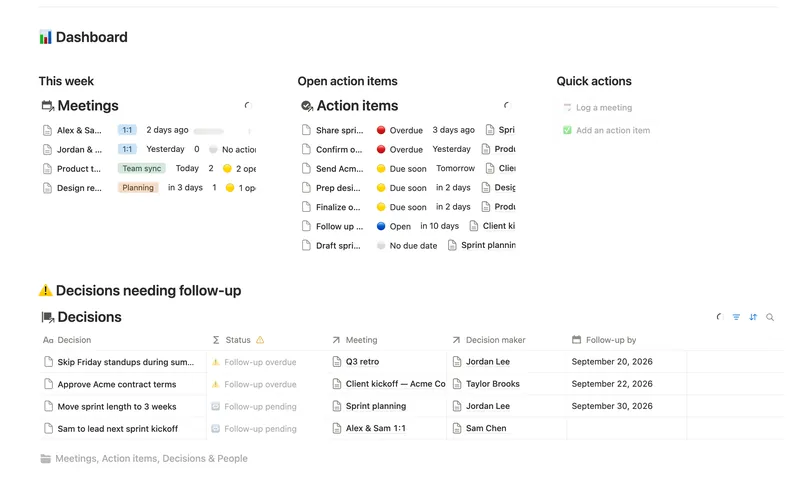
- 47 Meeting Notes & Decisions Capture every meeting's notes, decisions and action items in one connected place — see who owns what, what's overdue, and which decisions still need a follow-up, without re-typing any of it by hand. 4 db · 8 formulas · 2 buttons
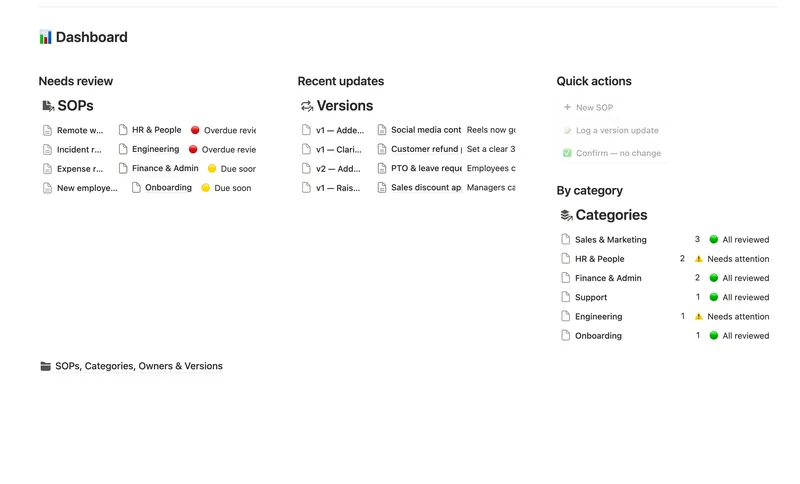
- 48 SOPs & Team Wiki See every process your team runs, who owns it and when it's next due for review — grouped by category, with a real version history behind each one instead of a single "last edited" date. 4 db · 11 formulas · 3 buttons
- 46 Task & Project Manager Break every Project into Tasks with real sub-items and dependencies, then let Progress, Health and a dependency-aware Timeline compute themselves — with a My work view that always shows exactly what's yours to do next. 3 db · 11 formulas · 2 buttons
§ The Bundle
Get the whole Bundle
Small Business Dashboard plus 49 more templates, one payment.
One-time payment · Works on Notion Free · Instant Library access