
Updated Sep 24, 2026
Task & Project Manager Notion Template
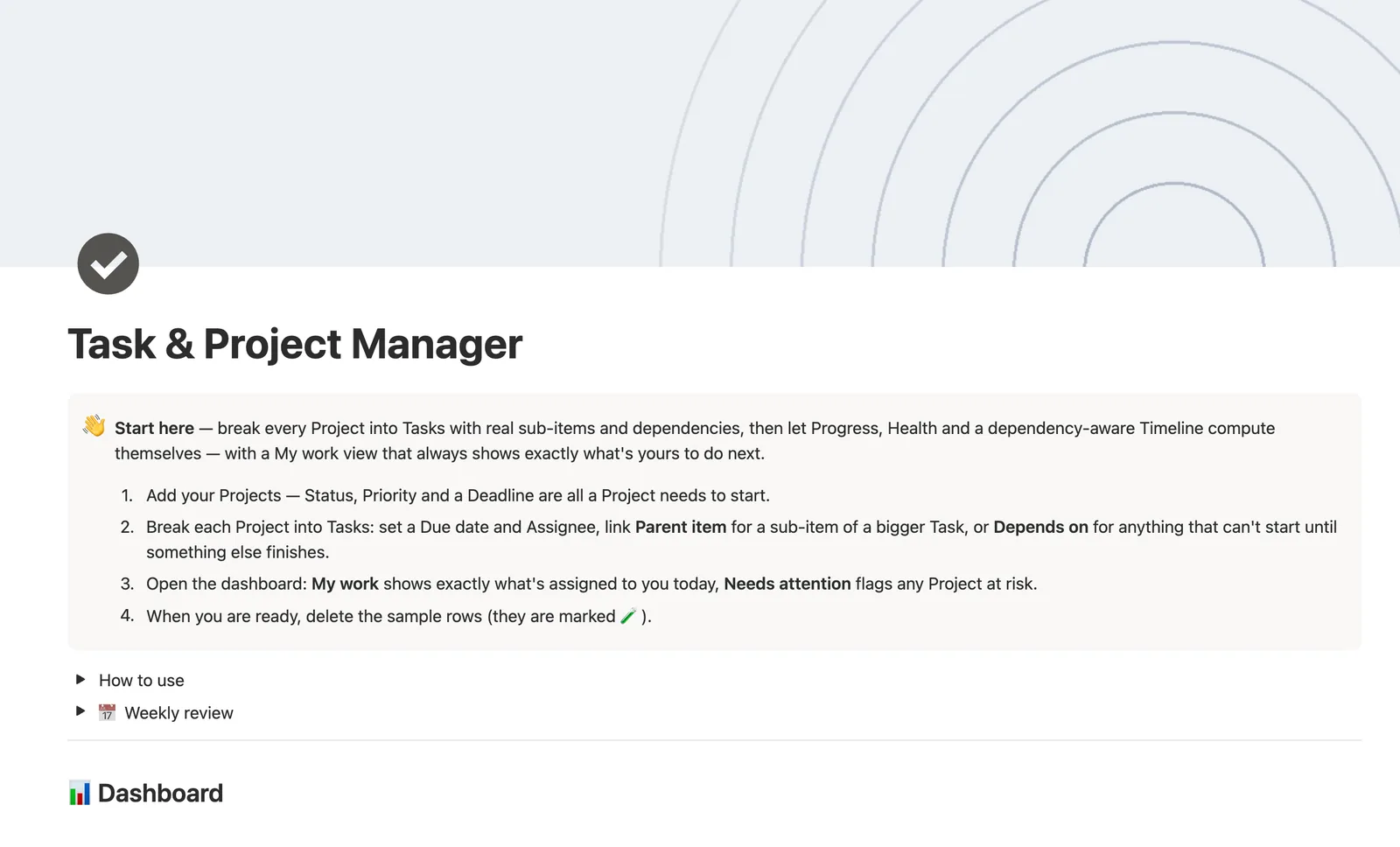
This Notion project management template breaks every Project into Tasks with real sub-items and dependencies, plus Milestones for checkpoints along the way. Progress, Health, and a dependency-aware Timeline compute themselves, and My work always shows exactly what's assigned to you, set once, tracked automatically from there.
One-time payment · Works on Notion Free · Instant Library access
Who it's for
Who it's for
- Small teams who need real sub-items and dependencies, not just a checklist
- Anyone who wants a task's timeline bar to point at what it's blocked on
- People who want a My work view instead of scrolling every project for their name
- Internal teams who don't need a Clients concept in their task tool
What's inside
What's inside
Two different self-relations on Tasks, on purpose
Sub-items nests a task under a bigger one using Notion's own native mechanism. Depends on is a separate relation marking a task Blocked until every task it depends on is Done.
Timeline arrows that point at the actual blocker
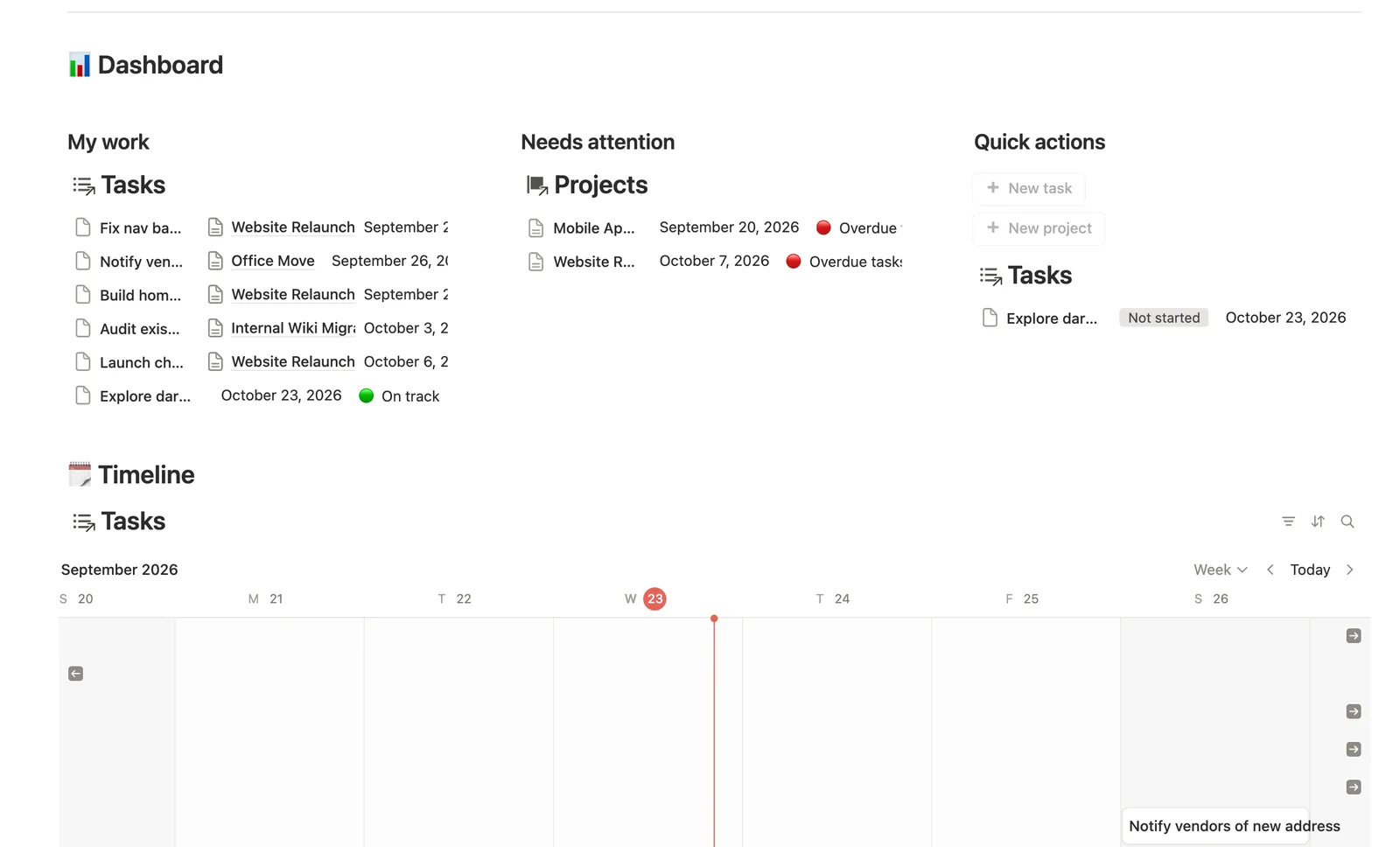
The Timeline view's arrows are set to the Depends on relation, so a blocked task's bar visibly points at what it's waiting on, not just a date on a chart.
Progress and Health, computed, never typed
Progress rolls up from how many Tasks are Done. Health checks Status, Deadline, and any overdue Task to pick the right badge on its own.
My work, filtered to you
Assignee is a plain list you rename to your own team, and every My work-style view filters to whichever name means you.
Milestones give a Project real checkpoints
A Milestones database, linked to Projects, tracks target dates and Achieved status separately from Tasks, so a checkpoint doesn't get buried in a to-do list.
Needs linking catches a loose quick-add
The dashboard's buttons create a Task or Project but can't link it to anything. A Needs linking view catches it until you connect it by hand.
How it works
How it works
Projects is the hub; Tasks carries all the relational depth. A same-row Done flag on Tasks feeds two chained rollups: one over Depends on drives the Blocked flag, and one over Sub-items drives a guarded Subtask progress bar that shows a plain dash rather than a false 0% for a task with no children. Projects chains a second time: Tasks' Overdue flag rolls up into Overdue tasks, which Health checks ahead of the raw Deadline, and a separate rollup over Milestones tracks Milestones hit.
Spec
- Databases
- 3
- Two-way relations
- 4
- Formulas
- 11
- Rollups
- 7
- Views
- 22
- One-click buttons
- 2
- Database templates
- 4
- Sample rows
- 33
- Databases Projects, Tasks, Milestones
- Entity pages Projects
- Buttons ➕ New task, ➕ New project
How to use
- 01
Open a Project to see its own Tasks split into Open and Done, plus its Milestones.
- 02
Sub-items and Depends on are two different relations on the same Task, and you can use either, both, or neither: Parent item nests a Task under a bigger one (see it grouped on All tasks and on the Timeline); Depends on marks a Task 🔒 Blocked until every Task it depends on is Done — that's what draws the arrow on Timeline.
- 03
Assignee is a plain list ("You" plus two teammates) — rename the options to your own team, and every My work-style view filters on whichever name means you.
- 04
Progress, Health, Subtask progress and Flag are never typed — Progress and Subtask progress roll up from how many Tasks (or sub-items) are Done, Health checks Status, Deadline and any overdue Task to pick the right badge on its own.
- 05
The dashboard's buttons create a new Task or Project but can't link it to anything — check 🔗 Needs linking on Tasks for anything you added that still needs a Project.
- 06
This template is scoped to internal work — no Clients here. For client-facing project work, pair it with Projects & Deliverables; for one assembled view across Clients, Projects, Invoices and Tasks, see Small Business Dashboard.
Setup
Setup
- 01
Duplicate the Task & Project Manager template into your workspace.
- 02
Add your Projects — Status, Priority, and a Deadline are all a Project needs to start.
- 03
Break each Project into Tasks: set a Due date and Assignee, link Parent item for a sub-item, or Depends on for anything blocked.
- 04
Open the dashboard: My work shows what's assigned to you today, Needs attention flags any Project at risk.
- 05
Delete the sample rows, marked 🧪, once you're set up.
Compared
| This template | Spreadsheet | |
|---|---|---|
| Task dependencies | Real relation, Timeline arrows | Not representable |
| Sub-items | Native nesting, grouped views | Indented rows, no logic |
| Project health | Computed from status and overdue tasks | Manual check |
| My work view | Filtered automatically by Assignee | Manual filter every time |
§ FAQ
FAQ
Does Notion have a project management template?
Yes — this one breaks every Project into Tasks with real sub-items and dependencies, a dependency-aware Timeline, and computed Progress and Health badges instead of manual status updates.
Can Notion show task dependencies and a timeline?
Yes. A task can link Depends on to mark it blocked until another task finishes, and the Timeline view draws an arrow from a blocked task to exactly what it's waiting on.
What's the difference between a Notion task manager and a project manager template?
A task manager is usually a flat checklist. This template adds the Projects layer on top: sub-items, dependencies, Milestones, and a computed Health badge per project, so Tasks and the bigger picture stay connected instead of living in separate tools.
Does this work on Notion's free plan?
Yes, including sub-items, the dependency relation, and the Timeline's dependency arrows. Nothing here needs a paid Notion plan.
Does this include client or invoicing tracking?
No, by design. This template is scoped to internal work with no Clients concept. Pair it with Projects & Deliverables for client-facing project work, or Small Business Dashboard for one assembled view across Clients, Projects, Invoices, and Tasks.
How is Assignee handled — is it a real Notion People property?
It's a plain dropdown list you rename to your own team, not Notion's People property. That keeps it working the same way for everyone who duplicates the template, with sample data included from the start.
More from Business Ops
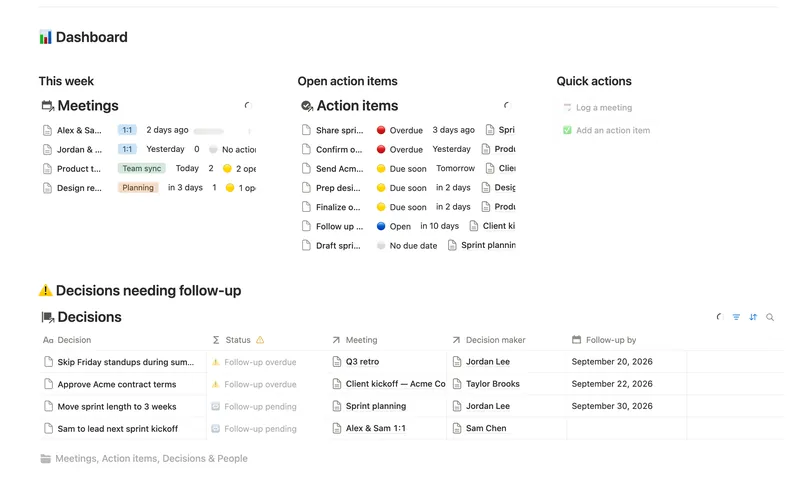
- 47 Meeting Notes & Decisions Capture every meeting's notes, decisions and action items in one connected place — see who owns what, what's overdue, and which decisions still need a follow-up, without re-typing any of it by hand. 4 db · 8 formulas · 2 buttons
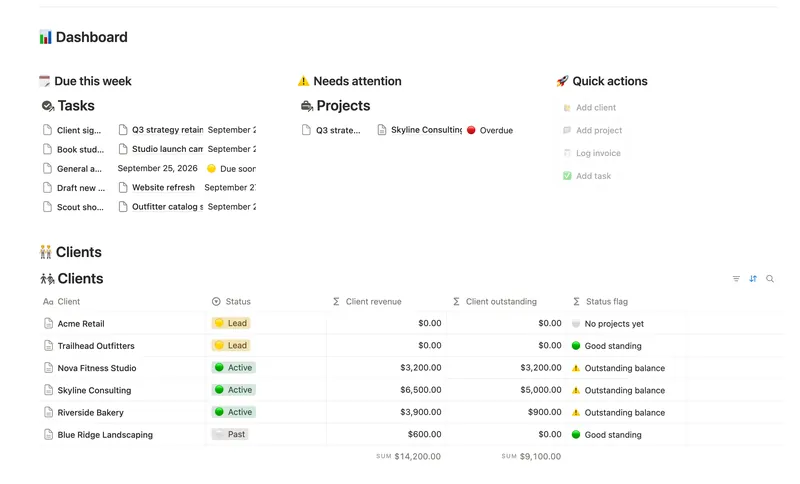
- 45 Small Business Dashboard See every client, project, invoice and task in one weekly dashboard — with revenue and what's owed rolling up automatically from invoice to project to client, so nothing is ever typed in two places. 4 db · 18 formulas · 4 buttons
- 48 SOPs & Team Wiki See every process your team runs, who owns it and when it's next due for review — grouped by category, with a real version history behind each one instead of a single "last edited" date. 4 db · 11 formulas · 3 buttons
§ The Bundle
Get the whole Bundle
Task & Project Manager plus 49 more templates, one payment.
One-time payment · Works on Notion Free · Instant Library access