
Updated Sep 24, 2026
Expense & Subscription Tracker Notion Template
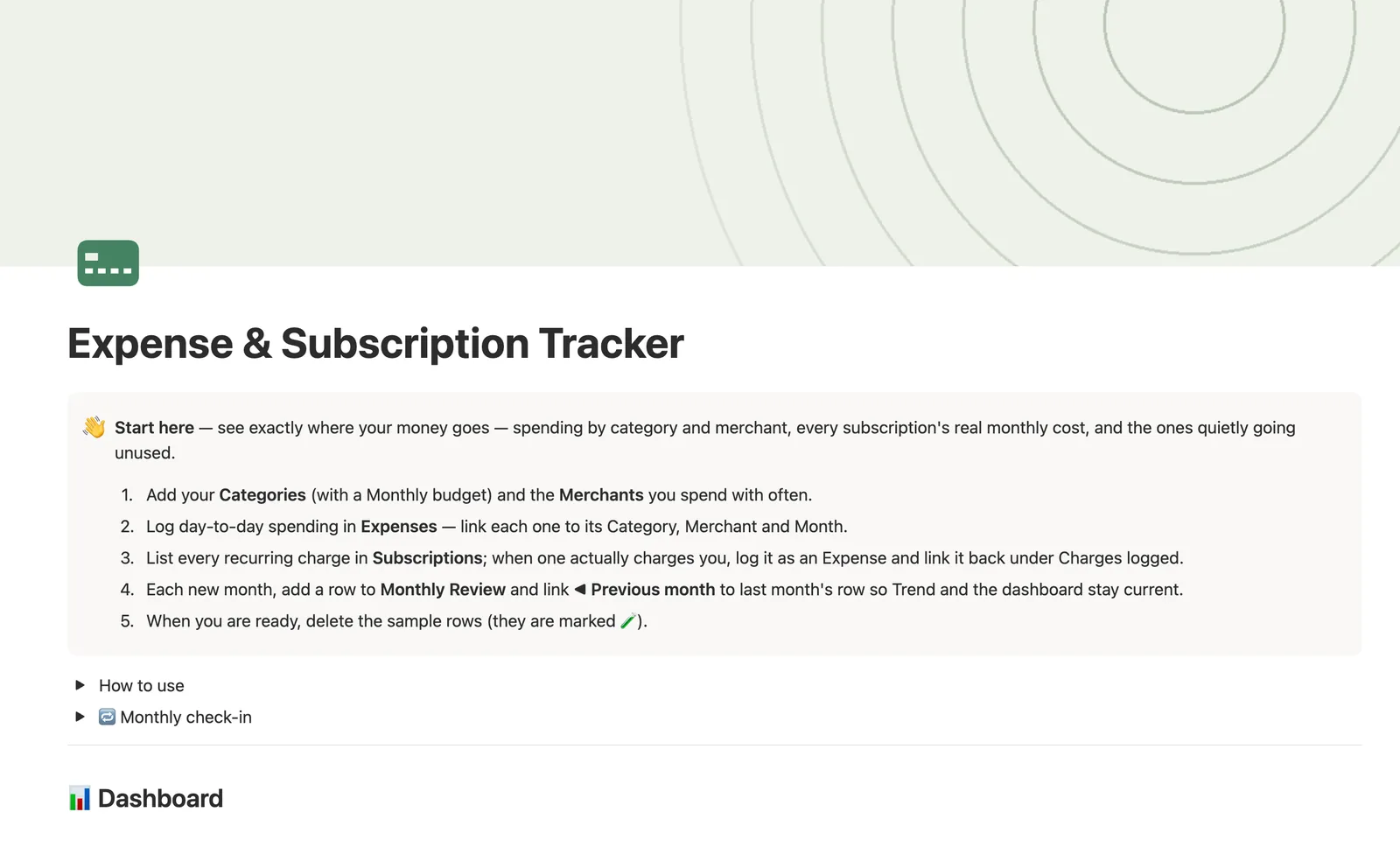
This Notion expense tracker template logs everyday spending and every recurring subscription in one connected system. Link an expense to its Category, Merchant and Month, and Category totals, Merchant totals and a Monthly Review trend build themselves. Subscriptions get a normalized monthly cost and an Unused? flag for anything quietly going unwatched.
One-time payment · Works on Notion Free · Instant Library access
Who it's for
Who it's for
- Anyone who wants to see spending by category and merchant without a spreadsheet
- People with a growing pile of subscriptions who suspect they're paying for something unused
- Anyone comparing a Monthly budget to what they actually spent, category by category
- People who want an honest look at where regret purchases cluster, not just totals
What's inside
What's inside
Budget vs. actual, by category
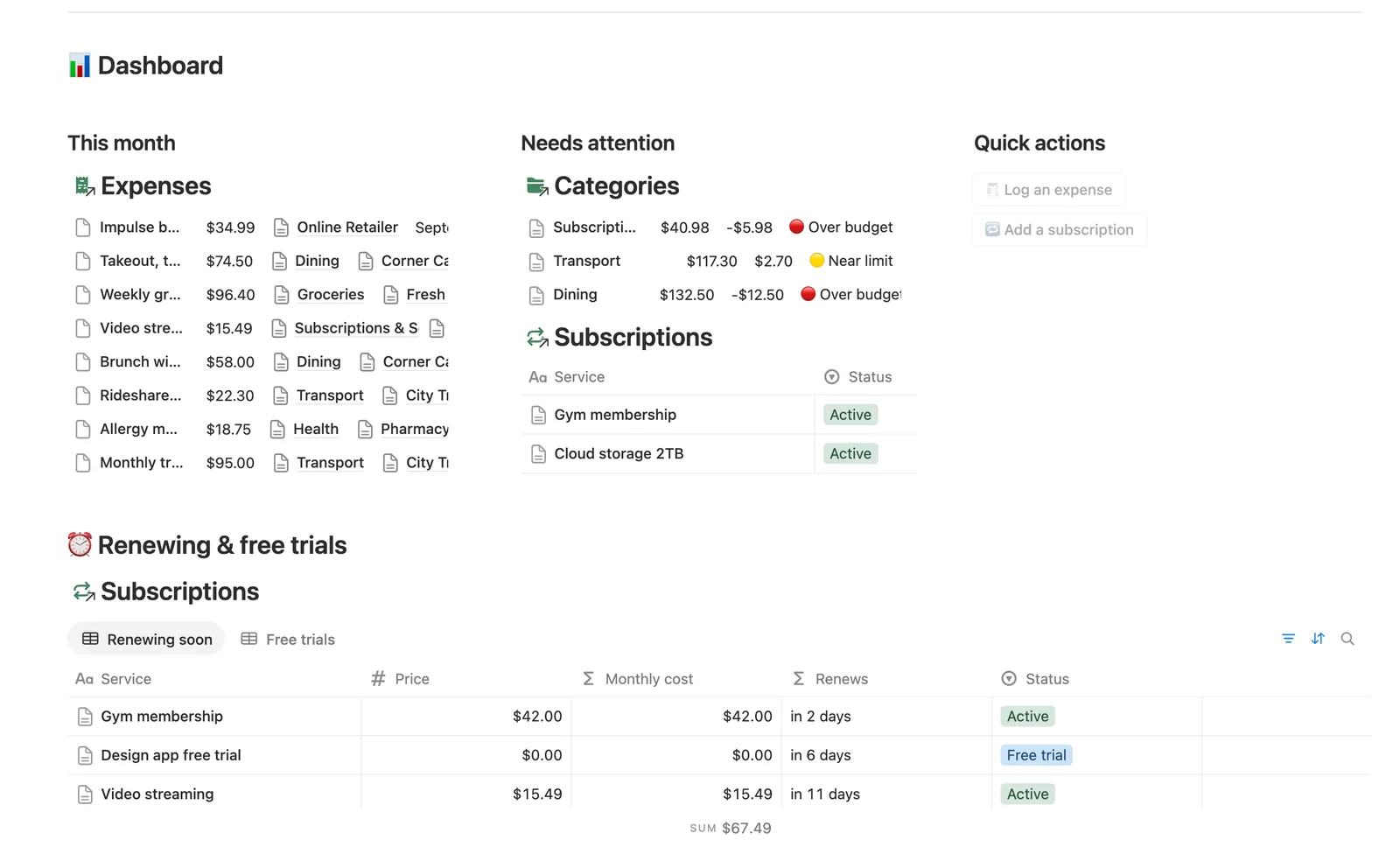
Each Category carries a Monthly budget. Total monthly (this month's spend plus active subscription cost) compares against it automatically for a Status of on track, near limit or over budget.
Every subscription, normalized to a monthly cost
Subscriptions converts each service's price, billed weekly, monthly or yearly, into one comparable Monthly cost, and counts down to its Next renewal.
Unused? flags the ones you forgot about
Any Active subscription never logged, or not logged in 45+ days, gets flagged automatically. It's the fastest way to catch a subscription that's still charging you.
Month-to-month trend
Monthly Review links each new month to the one before it, so Trend reads as a plain sentence: more or less than last month, by how much.
Reflect on regret purchases
Tag any expense's Vibe (Worth it, Neutral, Regret) and the Reflect view groups your spending by how it actually felt.
How it works
How it works
Every Expense links to a Category, a Merchant and a Month. A same-row flag on each Expense, checking whether its date matches this calendar month, rolls up into that Category's Spent this month, which combines with active Subscriptions' normalized cost to build Total monthly and a Status badge that resets on the 1st automatically. Subscriptions link to Expenses too: log a real charge and connect it back under Charges logged, and Times logged, Last logged and the Unused? flag all build from that one link. Monthly Review closes the loop with a self-relation to the previous month, producing a Trend line you read at a glance.
Spec
- Databases
- 5
- Two-way relations
- 7
- Formulas
- 21
- Rollups
- 11
- Views
- 29
- One-click buttons
- 2
- Database templates
- 7
- Sample rows
- 36
- Databases Categories, Merchants, Monthly Review, Expenses, Subscriptions
- Entity pages Categories, Merchants, Monthly Review, Subscriptions
- Buttons 🧾 Log an expense, 🔁 Add a subscription
How to use
- 01
Every Expense links to a Category, a Merchant and a Month — Category totals, Merchant totals and the Monthly Review trend all build themselves from those three links, nothing is re-typed.
- 02
Each Expense's own Recent $ flag (matches today's calendar month) rolls up into every Category's Spent this month — so Total monthly (this month's spend + active subscription cost) resets itself on the 1st with no manual step.
- 03
When a subscription actually charges you, log it in Expenses and link it back under Charges logged on that Subscription row — Times logged, Total logged, Last logged and the Unused? flag all build from that one link.
- 04
Unused? flags any Active subscription that's never been logged, or hasn't been logged in 45+ days — the fastest way to find money leaking out every month.
- 05
A Subscription also links to its Category and its Merchant — the 🔁 Add a subscription button and the New ▾ templates can't set either (buttons and database templates can't set relations), so check Subscriptions → Needs linking and connect both by hand, or that subscription's cost won't roll up into its Category's Total monthly or its Merchant's Sub cost (mo). A merchant that's really a live subscription (Streamly, CloudBox) shows its normalized monthly cost on the Merchants side too, not just one-off charges.
- 06
Monthly Review's Trend compares this month's total to last month's through ◀ Previous month — link each new month to the one before it (Monthly Review → Needs linking catches any month you haven't yet), the same chain Net Worth Dashboard uses. Open a Month row itself to see exactly which Expenses made up its total.
- 07
Tag any Expense's Vibe when you log it — Reflect groups your spending by how it felt, an honest look at where the regret purchases (😬) cluster.
- 08
Currency: open any Amount / Price / Monthly budget column → Edit property → Number format to switch from $.
Setup
Setup
- 01
Duplicate the template into your own Notion workspace.
- 02
Add your Categories with a Monthly budget, and the Merchants you spend with often.
- 03
Log day-to-day spending in Expenses, linking each one to its Category, Merchant and Month.
- 04
List every recurring charge in Subscriptions, and when one actually charges you, log it as an Expense and link it back under Charges logged.
- 05
Delete the sample categories, merchants, expenses and subscriptions once your own data is in.
Compared
| This template | Spreadsheet | |
|---|---|---|
| Category budget status | Computed automatically each month | Manual formula, reset by hand |
| Unused subscription detection | Automatic Unused? flag | You have to notice yourself |
| Month-over-month trend | Built from a linked previous month | Retyped or recalculated each month |
| Subscription cost normalization | Weekly, monthly and yearly converted automatically | Manual math per subscription |
§ FAQ
FAQ
Does Notion have an expense tracker?
Not built in. This template adds one: five linked databases (Categories, Merchants, Monthly Review, Expenses, Subscriptions) that turn a logged expense into a category total, a merchant history and a monthly spending trend, without a separate app.
How do I track subscriptions in Notion?
List each one in the Subscriptions database with its price, billing cycle and next renewal date. When it actually charges you, log that charge as an Expense and link it back under Charges logged, and the subscription's cost, last-charged date and Unused? flag all update from there.
Is there a free Notion expense tracker template?
Not this one specifically. It isn't one of Templitize's five free Lite templates, so it comes as part of the $47 bundle rather than free on its own, though it works fully on Notion's Free plan once you have it.
Can Notion flag a subscription I'm not using?
Yes. Unused? marks any Active subscription that's never been logged as a charge, or hasn't been logged in 45+ days, so it's easy to spot one still quietly billing you.
Does this connect to my bank or iOS Shortcuts to log expenses automatically?
No. Every expense and subscription charge is entered manually. There's no bank sync, card connection or Apple Shortcuts integration, so if automatic import matters most to you, this template won't cover that part.
More from Money
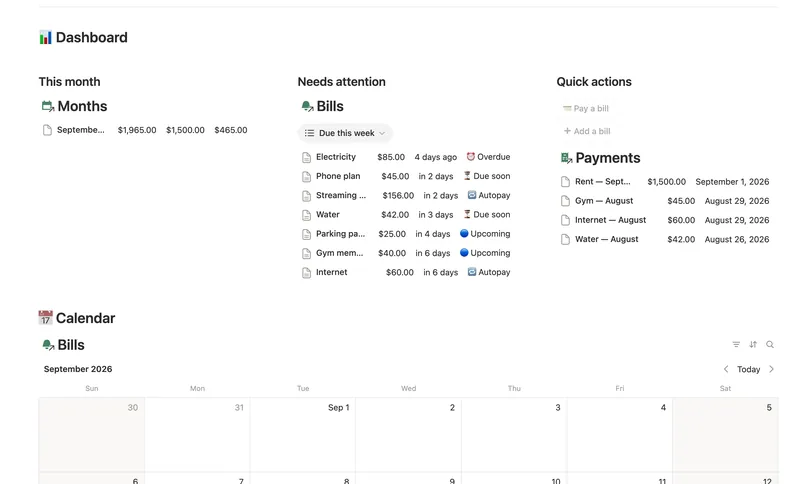
- 14 Bills & Due Dates Never miss a payment — every bill's next due date, its full payment history and which account it drains, computed automatically instead of retyped every cycle. 5 db · 11 formulas · 2 buttons
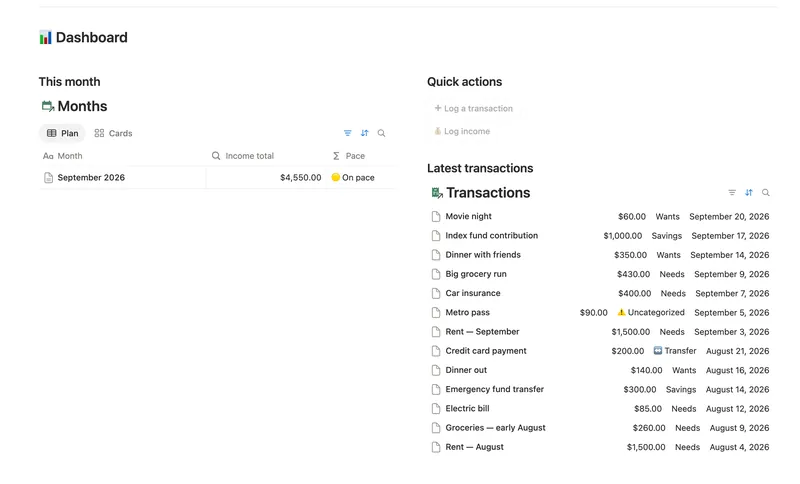
- 08 50/30/20 Budget Split every paycheck into Needs (50%), Wants (30%) and Savings (20%). Tag each purchase with a Category and its Bucket, its Month status and the whole dashboard fill in on their own. 5 db · 23 formulas · 2 buttons
- 11 Debt Payoff Planner See every debt, its real interest cost and a projected debt-free date, then pay it down with the snowball or avalanche method — with a live focus-debt highlight and a payoff month that actually moves the moment you send extra dollars. 4 db · 26 formulas · 2 buttons
§ The Bundle
Get the whole Bundle
Expense & Subscription Tracker plus 49 more templates, one payment.
One-time payment · Works on Notion Free · Instant Library access