
Updated Sep 24, 2026
50/30/20 Budget Notion Template
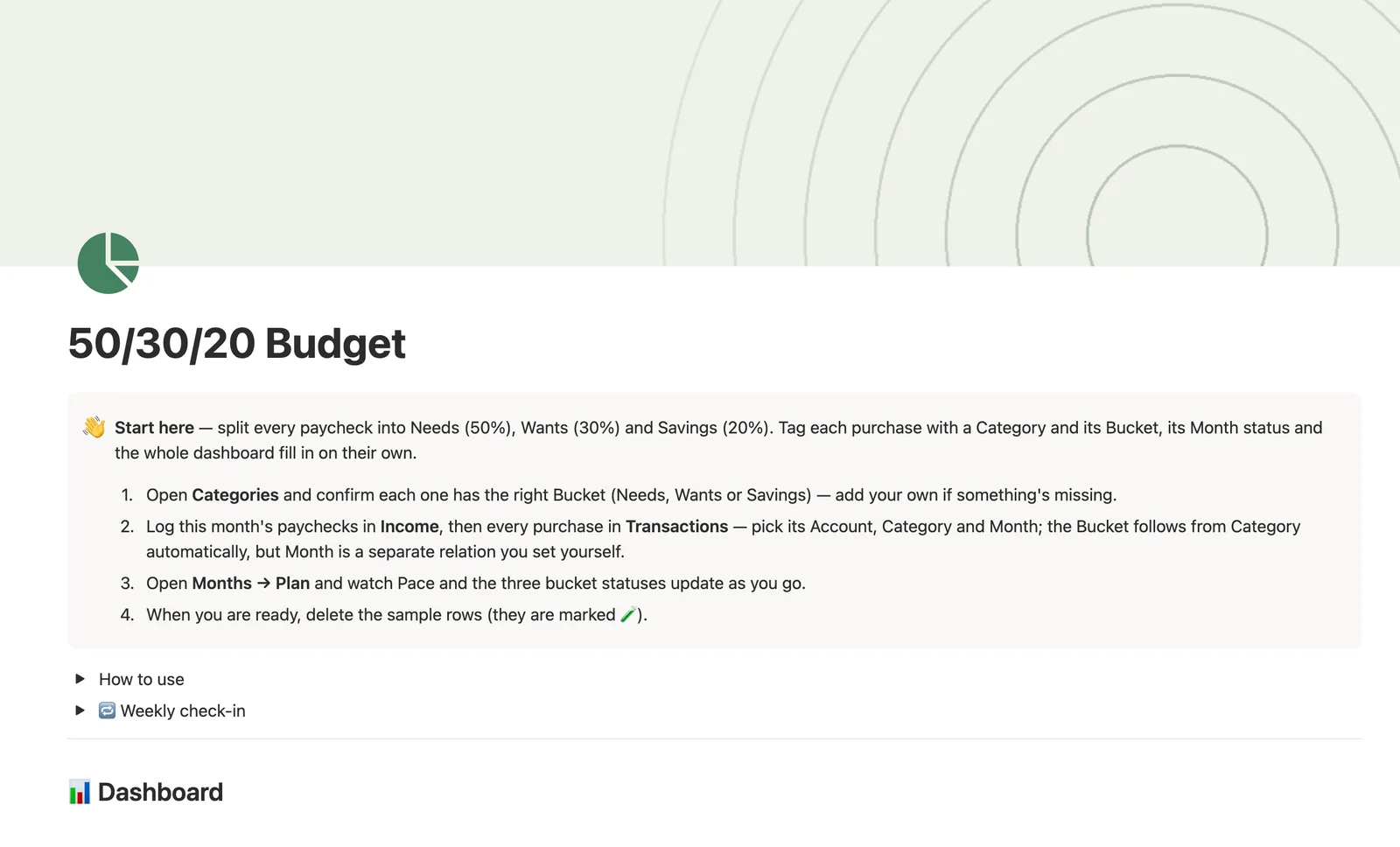
This Notion 50/30/20 budget template splits every paycheck into Needs, Wants and Savings automatically. Give each spending Category a Bucket once, tag a Transaction with that Category and a Month, and the dashboard rolls it up into bucket totals and a Pace status. Built for one person's checking, savings, credit and cash accounts.
One-time payment · Works on Notion Free · Instant Library access
Who it's for
Who it's for
- Anyone paid on a regular paycheck who wants spending sorted into Needs, Wants and Savings without a spreadsheet
- First-time budgeters who want a simple 50/30/20 split rather than a full zero-based system
- Anyone who wants to know mid-month, not at the end, whether they're on pace
- People who already use Notion and don't want a separate budgeting app
What's inside
What's inside
Bucket that inherits itself
Every Category carries a Bucket: Needs, Wants, Savings or Transfer, set once. Tag a Transaction with its Category and the Bucket comes along automatically, you never set it by hand.
Pace and three bucket statuses
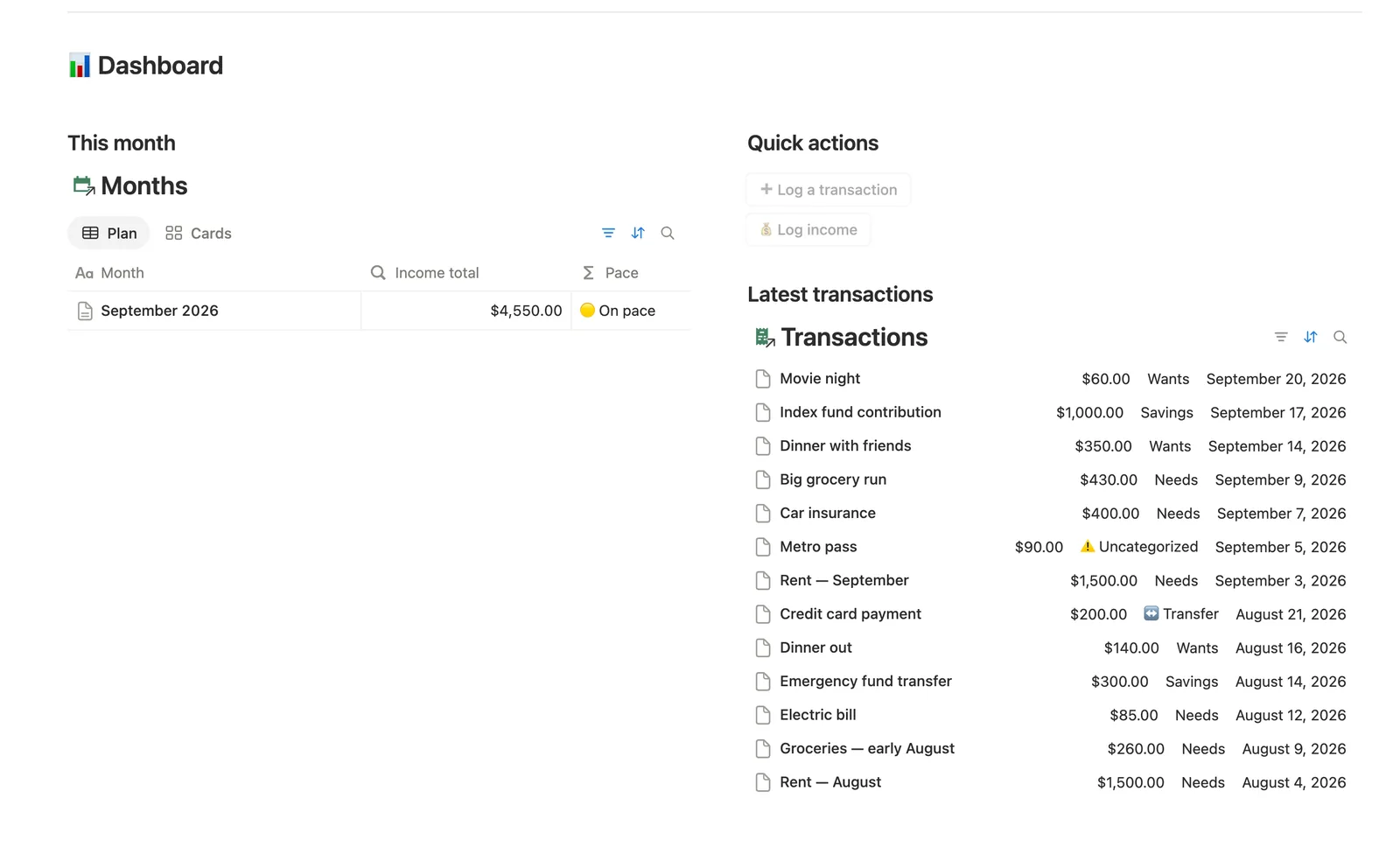
Months compares your combined Needs and Wants spend to how far the month has gone, giving a Pace of ahead, on pace or under. Needs, Wants and Savings each get their own status too, independent of the date.
A category for money that isn't spending
The Account transfer category keeps a credit card payoff from inflating any bucket, so paying down your own card never looks like new spending.
Two quick-add buttons
Log a transaction and Log income sit on the dashboard for fast capture. Each new row still needs its Month linked by hand afterward, since a dashboard button can't know which month a transaction belongs to.
Built-in data checks
Needs categorizing catches any Transaction missing a Category or Month, or accidentally linked to two categories. Needs attention flags any Category gone 30+ days without a logged purchase.
How it works
How it works
Every Category carries a Bucket you set once: Needs, Wants, Savings or Transfer. Tag a Transaction with that Category, an Account and a Month, and the Bucket comes along automatically through the Category link, so you never set it by hand. Months then sums every linked Transaction by Bucket to produce Needs spent, Wants spent and Saved, compares those against your logged Income's 50/30/20 split, and shows a Pace status for the month overall. Income links to Months the same way Transactions do, so the whole dashboard runs on two relations: Transaction to Category, and Transaction to Month.
Spec
- Databases
- 5
- Two-way relations
- 4
- Formulas
- 23
- Rollups
- 11
- Views
- 24
- One-click buttons
- 2
- Database templates
- 3
- Sample rows
- 37
- Databases Accounts, Categories, Months, Income, Transactions
- Entity pages Categories, Months
- Buttons ➕ Log a transaction, 💰 Log income
How to use
- 01
Every Category belongs to a Bucket. Tag a Transaction with its Category — you never set a Bucket by hand, it's inherited.
- 02
Tag a Transaction with Account, Category and Month — Month is a separate relation you set by hand (the ➕ Log a transaction button and the New ▾ templates can't pre-fill relations), and a Transaction won't count toward that Month's Needs spent / Wants spent / Saved until you link it. Once it is, that Bucket rolls up through every Transaction into its Month — a two-hop chain, not a re-typed number.
- 03
Pace compares your combined Needs+Wants spend to how far the month has gone (🔴 ahead / 🟡 on pace / 🟢 under). Needs, Wants and Savings status compare each bucket to its own 50/30/20 slice, independent of the date — a bucket can be 🟢 On track overall while Pace still says 🔴.
- 04
Paying off your own credit card from checking isn't a new expense — tag it with the Account transfer category so it never counts toward any bucket (see Categories → Board → Transfer).
- 05
Transactions → Needs categorizing lists anything missing a Category or a Month, or accidentally linked to more than one Category — fix those before trusting the totals. Income → Needs linking lists any income still missing its Month (the 💰 Log income button can't set it either, so it won't count toward that month's totals until you link it). Categories → Needs attention lists any Bucket you haven't logged against in 30+ days.
- 06
Currency: open any Amount column → Edit property → Number format to switch from $.
- 07
Want running account balances or full net worth? Pair this with Net Worth Dashboard. Need a hard budget-vs-actual per category beyond the 50/30/20 split? See Expense & Subscription Tracker.
Setup
Setup
- 01
Duplicate the template into your own Notion workspace.
- 02
Open Categories and set each one's Bucket (Needs, Wants, Savings or Transfer), then add or edit categories to match your own spending.
- 03
Log this month's paychecks in Income, then every purchase in Transactions, picking its Account, Category and Month for each row.
- 04
Open Months → Plan to watch Pace and the three bucket statuses update as you go.
- 05
Delete the sample transactions, income entries and categories you don't need.
Compared
| This template | Spreadsheet | |
|---|---|---|
| Bucket assignment | Inherited automatically from Category | Retyped or re-selected on every row |
| Monthly pace status | Computed live from logged income and spend | Manual formula that breaks when a row moves |
| Missing data | Needs categorizing view catches it | Errors hide until you notice |
| Multiple accounts | 5 accounts with separate spend rollups | Usually one flat list or separate tabs |
§ FAQ
FAQ
What is the 50/30/20 budget rule?
The 50/30/20 rule splits your income into three shares: 50% for needs like rent and groceries, 30% for wants like dining out, and 20% for savings and debt payoff. This template tracks it by tagging each Category with the right bucket, then rolling every Transaction's amount up into Needs spent, Wants spent and Saved for the month automatically.
How do I set up a 50/30/20 budget in Notion?
Duplicate this template, set each spending Category's Bucket (Needs, Wants or Savings), then log your paychecks in Income and every purchase in Transactions with its Account, Category and Month. Open Months to watch Pace and the three bucket statuses update as you spend.
Does Notion have a budget tracker?
Not built in. This template adds one: five linked databases (Accounts, Categories, Months, Income, Transactions) that turn a tagged Transaction into a bucket total, a monthly pace reading and a per-category spending history, all without a separate app.
Does this work on Notion's Free plan?
Yes. Every database, formula, view and button in this template runs on Notion's Free plan. No paid Notion subscription is required.
Does this template support a shared budget for couples?
Not specifically. It's built around one person's Accounts, Categories and Transactions, with no separate partner tagging or shared-view split. A couple can still both use it in one shared workspace, but every transaction sits in the same combined categories and buckets.
More from Money
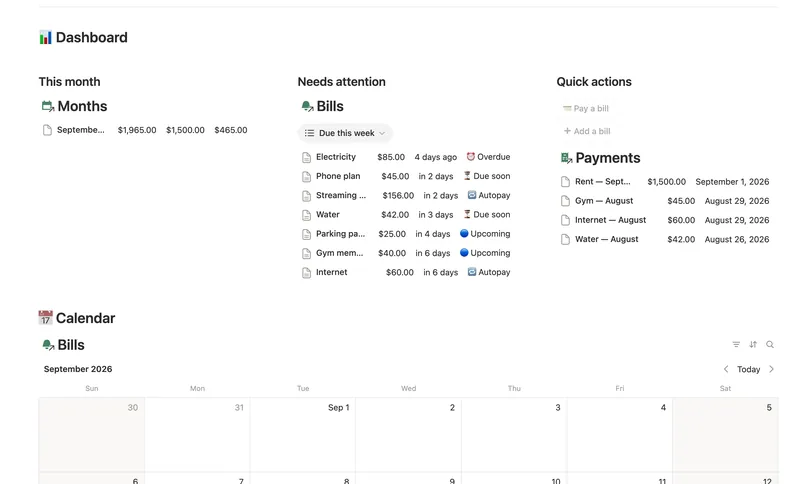
- 14 Bills & Due Dates Never miss a payment — every bill's next due date, its full payment history and which account it drains, computed automatically instead of retyped every cycle. 5 db · 11 formulas · 2 buttons
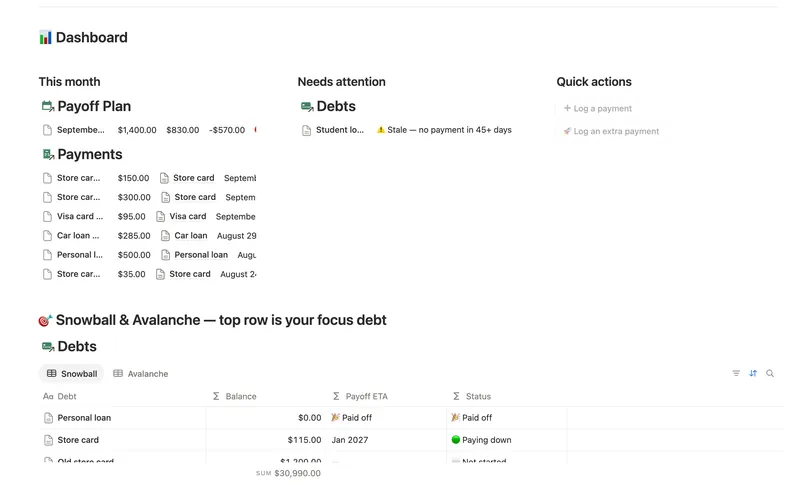
- 11 Debt Payoff Planner See every debt, its real interest cost and a projected debt-free date, then pay it down with the snowball or avalanche method — with a live focus-debt highlight and a payoff month that actually moves the moment you send extra dollars. 4 db · 26 formulas · 2 buttons
- 10 Expense & Subscription Tracker See exactly where your money goes — spending by category and merchant, every subscription's real monthly cost, and the ones quietly going unused. 5 db · 21 formulas · 2 buttons
§ The Bundle
Get the whole Bundle
50/30/20 Budget plus 49 more templates, one payment.
One-time payment · Works on Notion Free · Instant Library access