
Updated Sep 24, 2026
Bills & Due Dates Notion Template
This Notion bill tracker template projects each bill's Next due date from your last logged payment plus its billing cycle, so nothing needs retyping every cycle. Status flags Due soon and Overdue automatically, Autopay bills stay calm instead of alarmed, and Accounts show the true monthly load once quarterly and yearly bills are normalized.
One-time payment · Works on Notion Free · Instant Library access
Who it's for
Who it's for
- Anyone tired of retyping the same due date every billing cycle
- People juggling monthly, quarterly and yearly bills who want one true monthly total
- Anyone who wants Autopay bills left out of an overdue list they don't need to see
- People who want a payment history per bill, including any late fees
What's inside
What's inside
Next due, projected automatically
It's your last logged Payment plus one billing cycle, or First due if you haven't paid it yet, never a date you retype.
A status that knows about Autopay
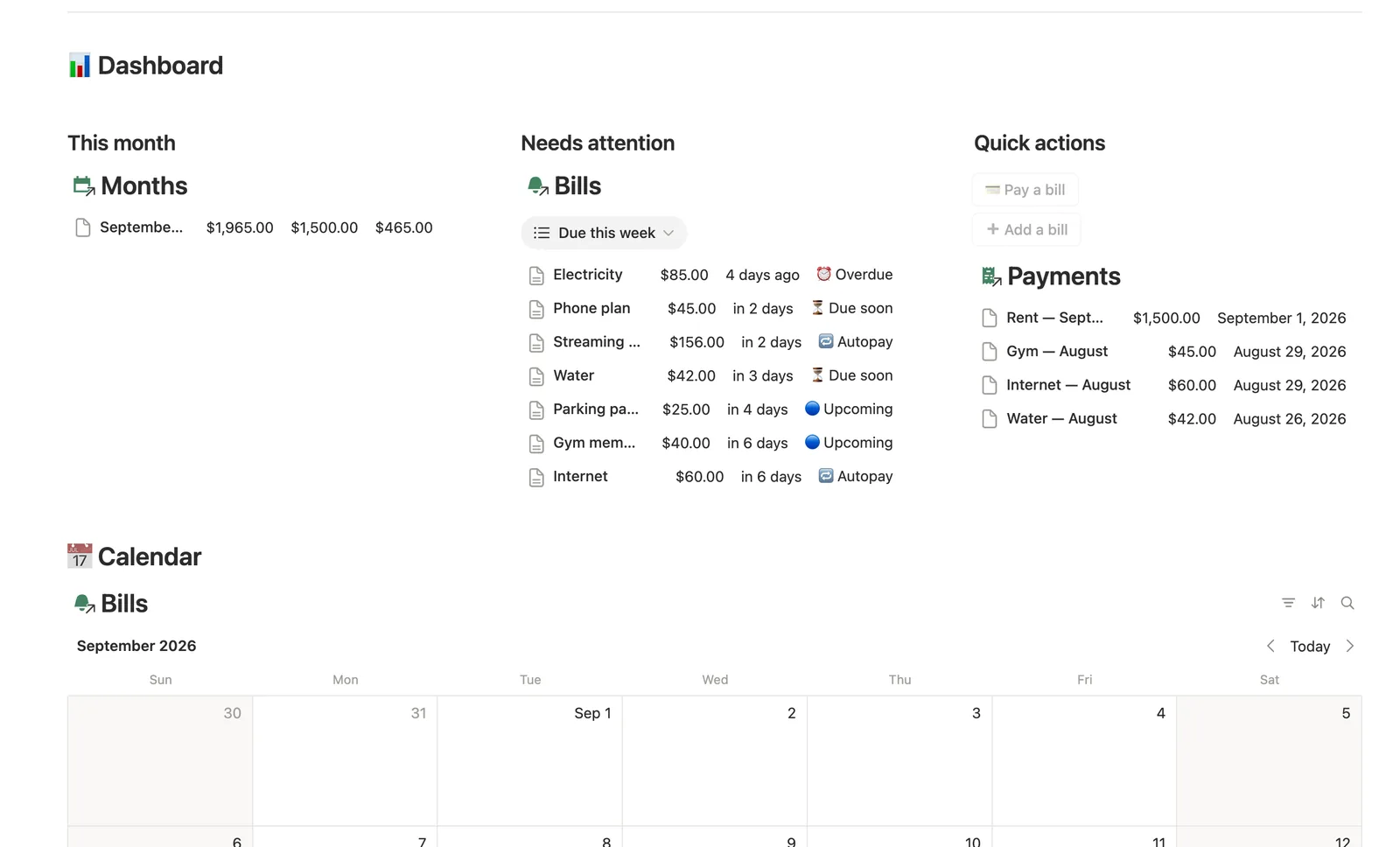
Status reads Due soon three days out and Overdue once the date passes, unless Autopay is ticked, in which case it reads Autopay instead.
True monthly load, even with yearly bills
Monthly equivalent spreads quarterly and yearly bills across the year, so Accounts show the real monthly outflow, not just what's due this week.
Needs manual payment, the list that matters
It narrows Due this week down to bills without Autopay, the ones you actually have to act on.
Full payment history per bill
Open any Bill's own page to see every payment against it, including which ones carried a Late fee.
How it works
How it works
Bills relate to a Provider and an Account. Next due is computed from your own Payments log: your last logged Payment plus one billing cycle (Monthly, Quarterly, Yearly or Weekly), or First due if nothing's been paid yet. Monthly equivalent normalizes every Bill's amount to a monthly figure regardless of its real cycle, and that rolls up into Accounts' Monthly outflow, which feeds a Load status per account. Months tracks the bigger picture separately: set an Expected total once, and Paid, Outstanding and Pace build themselves from every linked Payment.
Spec
- Databases
- 5
- Two-way relations
- 4
- Formulas
- 11
- Rollups
- 7
- Views
- 29
- One-click buttons
- 2
- Database templates
- 4
- Sample rows
- 31
- Databases Providers, Accounts, Months, Bills, Payments
- Entity pages Accounts, Bills
- Buttons 💳 Pay a bill, ➕ Add a bill
How to use
- 01
Next due isn't typed in — it's your last logged Payment plus one billing cycle, or First due if you haven't paid it yet.
- 02
Status turns ⏳ Due soon three days out and ⏰ Overdue once the date passes — unless Autopay is ticked, then it reads 🔁 Autopay instead.
- 03
Monthly equivalent spreads quarterly and yearly bills across the year, so Accounts → Monthly outflow shows the true monthly load on each account, not just what happens to be due this week.
- 04
Needs manual payment narrows Due this week down to bills without Autopay — that's the list to actually act on.
- 05
Open any Bill's own page to see its full payment history, including which payments carried a Late fee.
- 06
Buttons and database templates can't set relations: ➕ Add a bill leaves Provider/Account unlinked (check Bills → 🔗 Needs linking), and 💳 Pay a bill leaves Bill/Month unlinked (check Payments → 🔗 Needs linking) — tag both by hand right after, or that bill's Category/Monthly total or that payment's Next due/Month won't update.
- 07
Months tracks the whole picture: set Expected total once a month, and Paid, Outstanding and Pace build themselves from every Payment you log.
- 08
Pair this with Expense & Subscription Tracker for everyday spending and Net Worth Dashboard to see the whole balance sheet these accounts feed into.
Setup
Setup
- 01
Duplicate the template into your own Notion workspace, or start with the free Lite version to try it first.
- 02
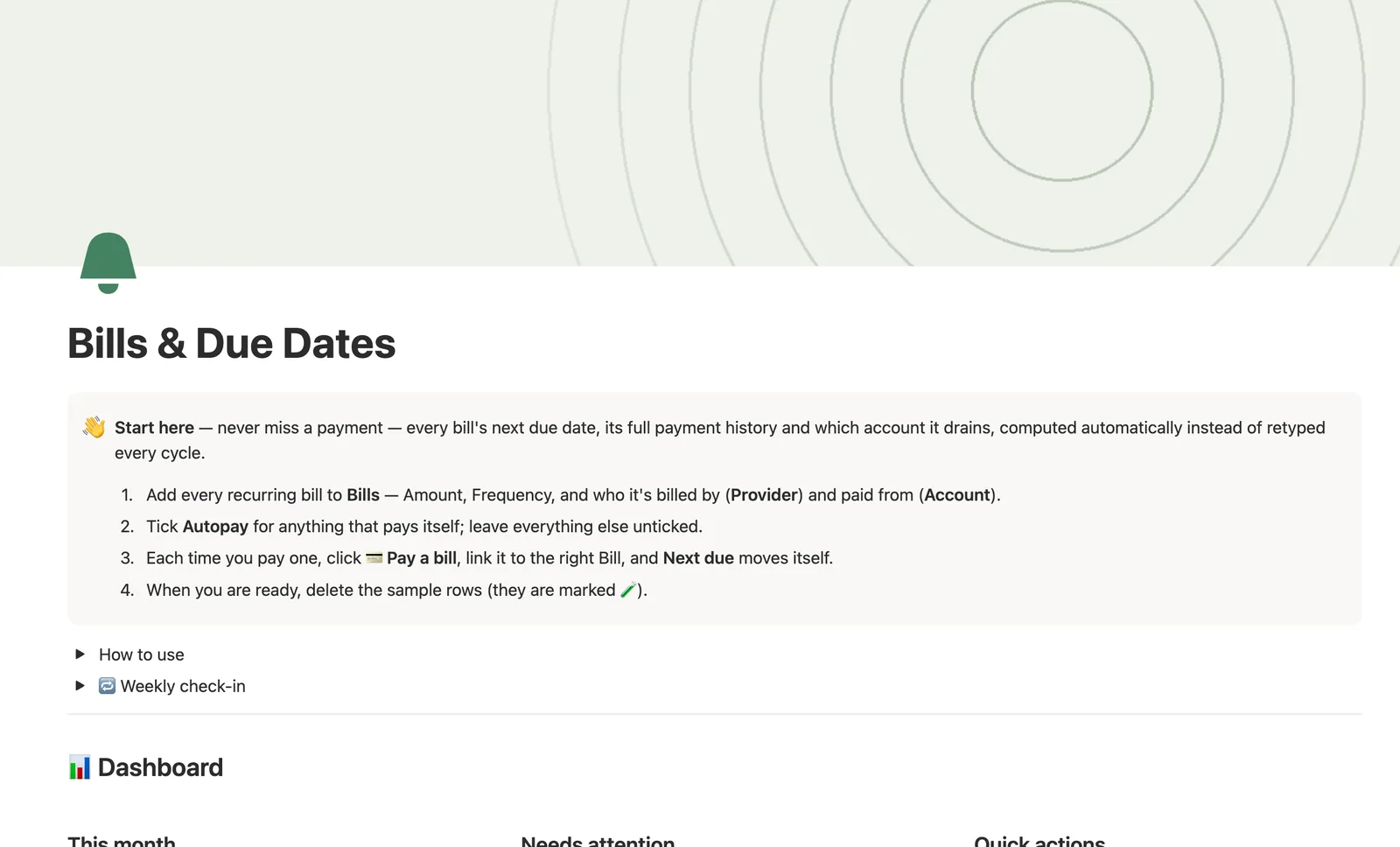
Add every recurring bill to Bills: Amount, Frequency, and who it's billed by (Provider) and paid from (Account).
- 03
Tick Autopay for anything that pays itself; leave everything else unticked.
- 04
Each time you pay one, use Pay a bill, link it to the right Bill, and Next due moves itself.
- 05
Delete the sample providers, bills and payments once your own are set up.
Compared
| This template | Spreadsheet | |
|---|---|---|
| Next due date | Projected from your last payment | Retyped every cycle |
| Overdue vs. Autopay | Status distinguishes automatically | Usually one flat list |
| Monthly load across accounts | Yearly and quarterly bills normalized automatically | Manual math per bill |
| Payment history | Full log per bill, including late fees | Scattered across rows or tabs |
§ FAQ
FAQ
Does Notion have a bill tracker?
Not built in. This template adds one: five linked databases (Providers, Accounts, Months, Bills, Payments) that project a Next due date from your payment history and flag anything Due soon or Overdue automatically.
How do I get reminded of bills in Notion?
This template doesn't send push notifications. Instead, Status flags a bill Due soon or Overdue right on the dashboard, and a Due this week view surfaces what's coming, so you catch it by checking the dashboard rather than getting an alert.
Is there a free Notion bill tracker template?
Yes. Bills & Due Dates is one of Templitize's five free Lite templates, so you can try a simplified version with no purchase required before deciding on the full $47 bundle.
Does this work on Notion's Free plan?
Yes. Both the free Lite version and the full template in the bundle run on Notion's Free plan, with no paid Notion subscription required.
Does it track Autopay separately from bills I pay myself?
Yes. Tick Autopay on a bill and its Status reads Autopay instead of Due soon or Overdue, and it drops out of the Needs manual payment view, which only ever shows bills you actually have to act on.
More from Money
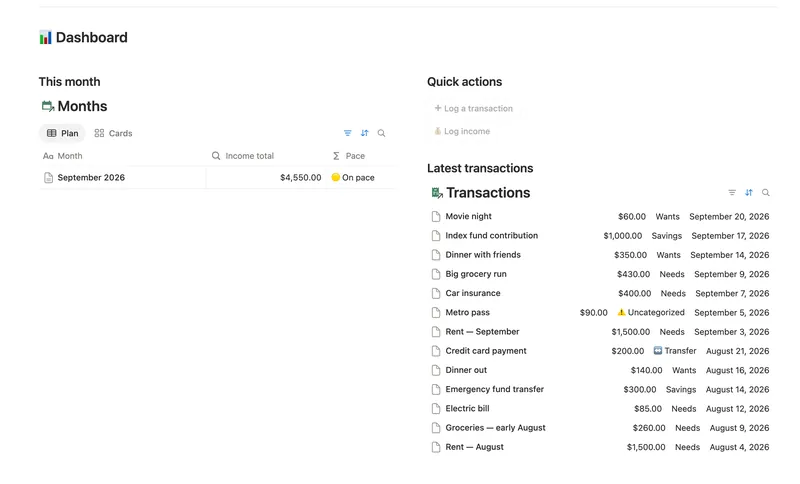
- 08 50/30/20 Budget Split every paycheck into Needs (50%), Wants (30%) and Savings (20%). Tag each purchase with a Category and its Bucket, its Month status and the whole dashboard fill in on their own. 5 db · 23 formulas · 2 buttons
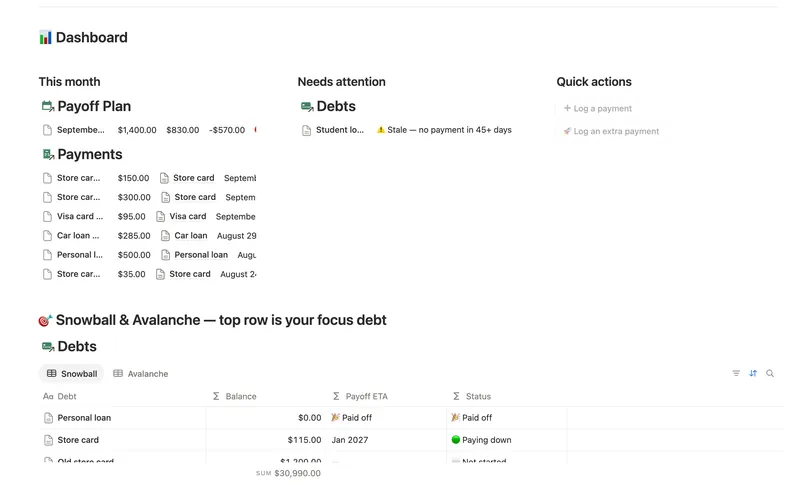
- 11 Debt Payoff Planner See every debt, its real interest cost and a projected debt-free date, then pay it down with the snowball or avalanche method — with a live focus-debt highlight and a payoff month that actually moves the moment you send extra dollars. 4 db · 26 formulas · 2 buttons
- 10 Expense & Subscription Tracker See exactly where your money goes — spending by category and merchant, every subscription's real monthly cost, and the ones quietly going unused. 5 db · 21 formulas · 2 buttons
§ The Bundle
Get the whole Bundle
Bills & Due Dates plus 49 more templates, one payment.
One-time payment · Works on Notion Free · Instant Library access