
Updated Sep 27, 2026
Notion Formulas Cheat Sheet, Organized by Job (Formula 2.0)
A Notion formulas cheat sheet is a working list of Formula 2.0 syntax, organized by job — math, text, dates, if/ifs logic, formulas that reach across a relation, and how a result displays. Every formula below is copy-paste, with the exact property names it assumes, plus the errors that most often break one.
How this Notion formulas cheat sheet is organized (Formula 2.0)
Notion formulas 2.0 lets methods chain off a value with a dot: prop("Text").length() works the same as length(prop("Text")). Inside map()/filter(), current stands in for "this item." let() names one variable, lets() names several, so a multi-step formula reads top to bottom instead of nesting parentheses deep. The examples below use dot-chaining. Full reference: notion.com/help/formula-syntax.
Notion formula operators, quick reference
Every formula here also uses Notion's built-in operators: + - * / (% modulo, ^ exponent), == != > < >= <= for comparisons, and and/or/not for logic — none need their own enclosing parentheses, unlike if() or ifs().
Notion math formulas (real examples)
| Function | Does | Example |
|---|---|---|
round(x, n) | Rounds to n decimal places | round(1.234, 2) → 1.23 |
ceil(x) / floor(x) | Rounds up / down to a whole number | ceil(4.1) → 5 |
abs(x) | Absolute value | abs(-12) → 12 |
min(...) / max(...) | Smallest / largest of a list | max(1, 2, 3) → 3 |
mod(x, y) | Remainder after dividing x by y | mod(17, 5) → 2 |
ln(x) | Natural logarithm | used below |
The Notion formulas examples that come up most start with a division guard — a blank denominator errors instead of returning 0, so wrap it first: if(prop("Income total") > 0, prop("Needs spent") / prop("Income total"), 0).
Math formulas can replace a loop, which Notion doesn't support. The Debt Payoff Planner solves "how many months until this is paid off" with the standard amortization identity instead of iterating payment by payment:
ceil(-ln(1 - prop("Balance") * prop("APR") / 12 / prop("Minimum payment")) / ln(1 + prop("APR") / 12))This assumes a Balance, an APR as a decimal (19% is 0.19) and a Minimum payment on a Debts database, guarded elsewhere against a blank/zero APR (zeroing the denominator) and a Minimum payment too small to cover the interest — either divides by zero or hands ln() a non-positive value.
Notion text formulas
| Function | Does | Example |
|---|---|---|
length(x) | Character count | length("Notion") → 6 |
substring(x, start, end) | Cuts part of a string | substring("Notion", 0, 3) → "Not" |
contains(x, y) | Does x contain y | contains("Notion", "ot") → true |
replace(x, y, z) / replaceAll(x, y, z) | Swaps the first / every match | replaceAll("a-a", "-", " ") → "a a" |
upper(x) / lower(x) | Case conversion | upper("notion") → "NOTION" |
format(x) | Turns a number or date into text | format(1234) → "1234" |
Text functions mostly show up gluing values into one readable line. A dashboard summary line is a + chain:
format(prop("Balance")) + " left of " + format(prop("Starting balance")) + " · " + prop("Payoff ETA")format() is what lets a Number property drop into text without a type error — it won't add a currency symbol or comma, so 1234 stays "1234", not "$1,234". The Debt Payoff Planner's real Summary property adds a helper formula for that, reading like "$4,200 left of $12,500 · Mar 2027"; the version above is just the generic building block.
Notion date formulas
| Function | Does |
|---|---|
now() | Current date and time |
today() | Current date, no time |
dateAdd(date, n, unit) | Adds n units ("days", "weeks", "months", "years"…) to a date |
dateBetween(date1, date2, unit) | Difference between two dates, in that unit |
formatDate(date, pattern) | Renders a date as text, e.g. pattern "MMM YYYY" |
The most common date job in a tracker is "when is this next due," computed from the last time something happened, not typed by hand. Its Next due property, in the Bills & Due Dates template, adds a bill's Frequency interval to its last logged payment, falling back to First due until the first payment is logged:
if(empty(prop("Last payment")), prop("First due"),
   if(prop("Frequency") == "Yearly", dateAdd(prop("Last payment"), 12, "months"),
      if(prop("Frequency") == "Quarterly", dateAdd(prop("Last payment"), 3, "months"),
         if(prop("Frequency") == "Weekly", dateAdd(prop("Last payment"), 1, "weeks"),
            dateAdd(prop("Last payment"), 1, "months")))))
Status then measures that gap: dateBetween(prop("Next due"), today(), "days") <= 3 flips it to "Due soon" before the bill is late, and negative flags "Overdue" — unless Autopay is ticked, which shows Autopay instead, checked first. For recurring dates on tasks, see Recurring Tasks in Notion.
The Notion formula if statement: if vs. ifs
if(condition, value_if_true, value_if_false) handles one branch. Past two options, nested if()s get hard to read, and ifs() takes over: condition-value pairs checked in order, with an optional fallback. The Budget 50/30/20 template's Bucket property is one ifs() call replacing four nested ifs, using flag properties that already mark each transaction's bucket:
ifs(
  prop("Needs flag") == 1, "Needs",
  prop("Wants flag") == 1, "Wants",
  prop("Savings flag") == 1, "Savings",
  prop("Transfer flag") == 1, "↔️ Transfer",
  "⚠️ Uncategorized"
)
When a value needs computing once and reused across branches, wrap if in lets() instead of repeating the calculation. The Debt Payoff Planner's monthly Pace formula does this on Planned budget and Actual paid:
lets(
  ratio, prop("Actual paid") / prop("Planned budget"),
  gap, ratio - prop("Elapsed %"),
  if(gap > 0.15, "Ahead of pace", if(gap < -0.15, "Behind pace", "On pace"))
)
Guard Planned budget against zero first (if(empty(prop("Planned budget")) or prop("Planned budget") <= 0, "No budget set", …)) — dividing by it directly errors the moment a month is blank.
Formulas that read across a relation
A rollup can sum, count or average a relation, but can't filter it first — it always aggregates every linked row. Reading the relation directly with prop("RelationName") instead gets the whole list, and you can .filter() it before .map()-ing out one property and .sum()-ming the result. On the 50/30/20 Budget's Months database, "Needs spent" sums only Transactions also tagged Needs:
prop("Transactions").filter(current.prop("Bucket") == "Needs").map(current.prop("Amount")).sum()current stands in for each linked Transaction; swap "Needs" for "Wants" or "Savings" for the other buckets. To pull one value instead of summing, sort then take an end: .sort().first() on a mapped list of dates gives the earliest, .sort().last() the most recent. A second map() variable, index, gives each item's 0-based position — handy for numbering: .map(format(index + 1) + ". " + format(current.prop("Amount"))). For when to reach for a rollup instead, see Notion Relations and Rollups.
Making a formula's result display well
style(text, "b", "red") bolds and colors text conditionally — useful for making a Status column's emoji-and-word combo stand out. A Number or Formula property returning a plain ratio can also show as a Bar or Ring instead of a raw figure: open its settings and, under Show as, pick Bar or Ring. That costs nothing against the Free plan's one-active-chart-block limit (as of September 2026), since a bar or ring isn't a chart block. The Habit Tracker's Progress property is a guarded ratio built for exactly that:
if(prop("Check-ins logged") == 0, 0, prop("Completion rate"))This assumes a Check-ins logged count and a Completion rate percent on the Habits database, returning a plain 0 for an empty habit. Swap that branch for empty() instead to show a blank cell, not a placeholder 0%. For building one from scratch, including the zero-denominator guard, see The Notion Progress Bar Formula.
A Notion formulas list of common errors, explained
Checked against Notion's common formula errors reference, these show up most while wiring these up:
| Error | What triggers it | Fix |
|---|---|---|
| Permissions | Formula reads a property in a linked database you can't access | Confirm access to every database in the relation chain |
| Wrong return type | An automation step returns a type that doesn't match the destination property | Match the destination's type; a formula property isn't limited to one return type |
| Formula depth limit reached | A formula chain (formula → rollup → formula…) passes 15 layers deep | Collapse two formula properties into one, or resolve a step with a plain rollup |
| Relation or person value used directly | A relation, rollup or person property returns a list where one value was expected | Resolve it first: .first(), .at(0), or .map()/.filter() |
| Undefined value | The formula hits a genuinely empty date or person property mid-calculation | Guard it: if(empty(prop("Date")), fallback, prop("Date").dateAdd(1, "days")) |
| Syntax error | A missing parenthesis, wrong operator, or a function name that doesn't exist | Count parentheses in pairs and check the function name against a reference |
One silent gotcha: a blank Number property doesn't satisfy prop("x") <= 0; test empty(prop("x")) first, or a blank field can slip past the check.
Build these once, or start from a template
That's Notion formulas explained by job, not by function name — the fastest way to find the one you actually need. If you'd rather not wire these up from a blank database, Budget 50/30/20, Debt Payoff Planner, Bills & Due Dates and Habit Tracker ship with these formulas already built in. They're part of the Bundle: 50 templates for $47 once, works on Notion's Free plan, lifetime updates.
Related templates
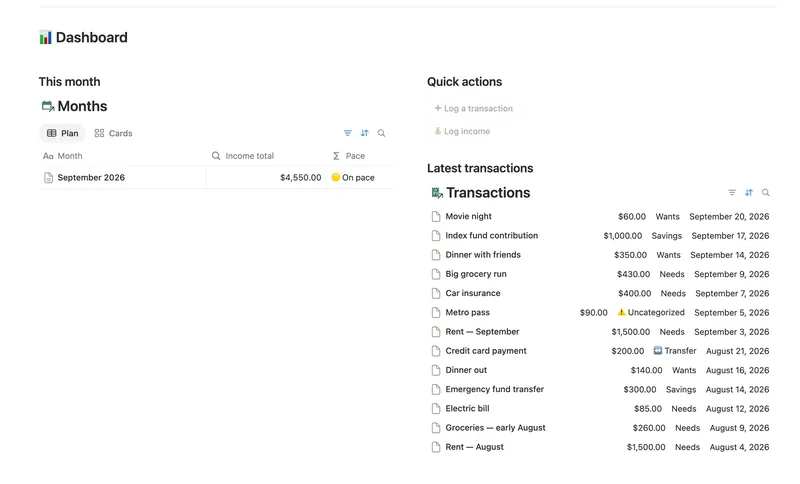
- 08 50/30/20 Budget Split every paycheck into Needs (50%), Wants (30%) and Savings (20%). Tag each purchase with a Category and its Bucket, its Month status and the whole dashboard fill in on their own. 5 db · 23 formulas · 2 buttons
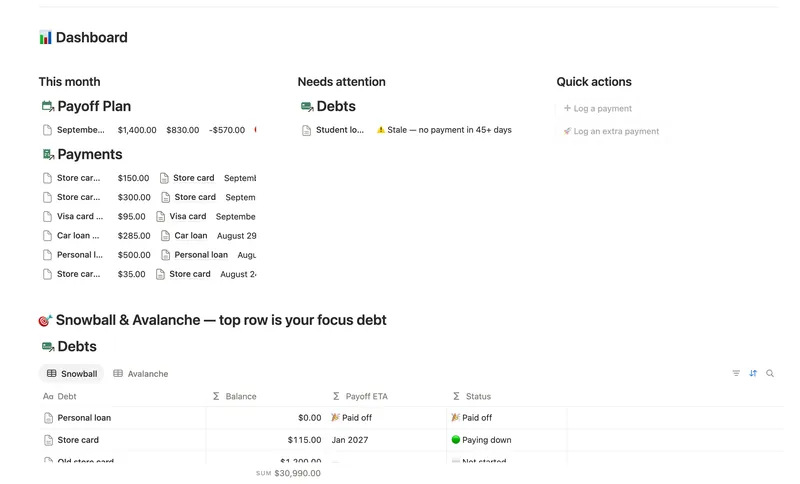
- 11 Debt Payoff Planner See every debt, its real interest cost and a projected debt-free date, then pay it down with the snowball or avalanche method — with a live focus-debt highlight and a payoff month that actually moves the moment you send extra dollars. 4 db · 26 formulas · 2 buttons
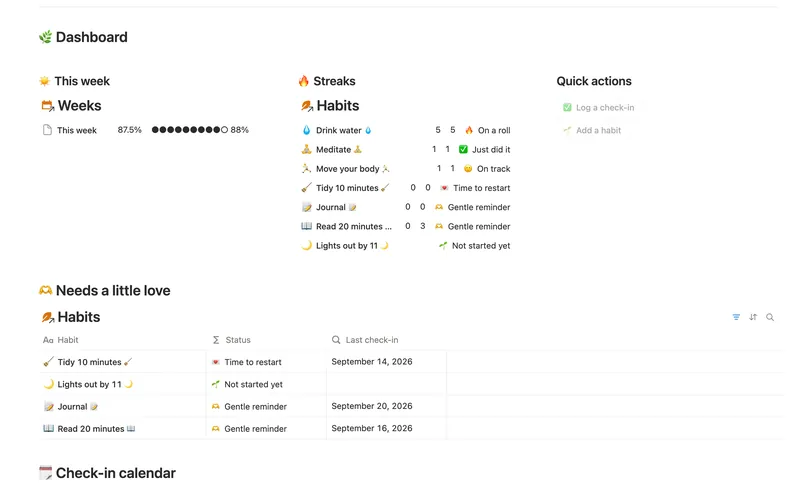
- 04 Habit Tracker Check off your habits day by day and watch streaks and a weekly score build themselves — with a gentle nudge, never a guilt trip, toward whatever needs a little love. 3 db · 13 formulas · 2 buttons
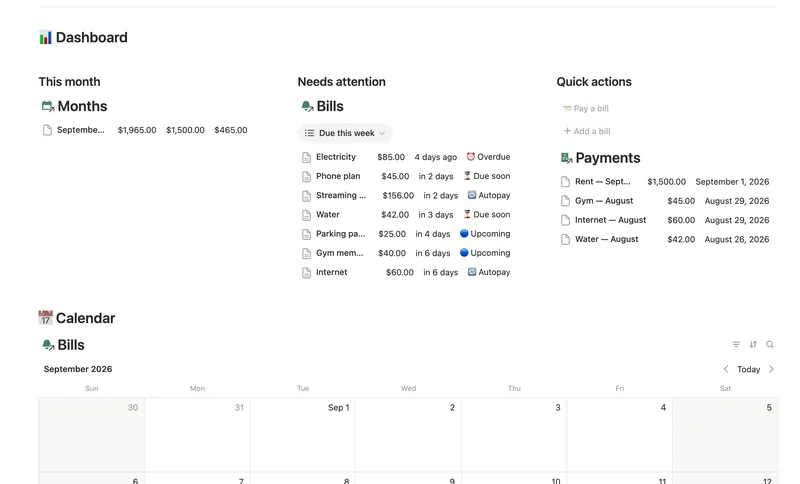
- 14 Bills & Due Dates Never miss a payment — every bill's next due date, its full payment history and which account it drains, computed automatically instead of retyped every cycle. 5 db · 11 formulas · 2 buttons
§ The Bundle
Build it once, or start from a template
50 Notion templates, $197 value, $47 once.
One-time payment · Works on Notion Free · Instant Library access